SoundTouch is an open-source audio processing library for changing the Tempo, Pitch and Playback Rates of audio streams or audio files. The library additionally supports estimating stable beats-per-minute rates for audio tracks.
- Tempo (time stretch): Changes the sound to play at faster or slower tempo than originally without affecting the sound pitch.
- Pitch (key) : Changes the sound pitch or key while keeping the original tempo (speed).
- Playback Rate : Changes both tempo and pitch together as if a vinyl disc was played at different RPM rate.
The SoundTouch library is intended for application developers writing sound processing tools that require tempo/pitch control functionality, or just for playing around with the sound effects.
The SoundTouch library source kit includes also an example utility SoundStretch for processing .wav audio files from command-line interface.
Access the source codes in gitlab or download the compiled executables.
ScoreDate ~ Music Reading & Ear Training
ScoreDate is your date with the music! It is open source software written in Java that helps musicians learn to read music; it also helps with ear training. It is suitable for any skill level, from beginner to professional; from slow training to first sight reading.
Features:
- Notes in line exercise
- Rhythms exercise
- Score reading exercise
- Ear training exercise with 4 levels of difficulty
- Exercises – creation, edit, save and playback
- Statistics with monthly and daily view
- Support of four clefs: Violin, Bass, Alto, Tenor, with a maximum of two at the same time
- Support of notes: Whole, half, dotted half, quarter, dotted quarter, eighth, triplets, pauses
- Selection of the notes range for each clef. Maximum of 4 additional lines above and below the staff
- Virtual piano, to exercise without having external devices
- Chords, intervals and accidentals exercise
- Learning mode, that shows the name of the note or the chord displayed on the staff
- Realtime playback supporting ASIO, WDMKS, DirectSound, Jack, ALSA, OSS
- Translated in to 15 languages
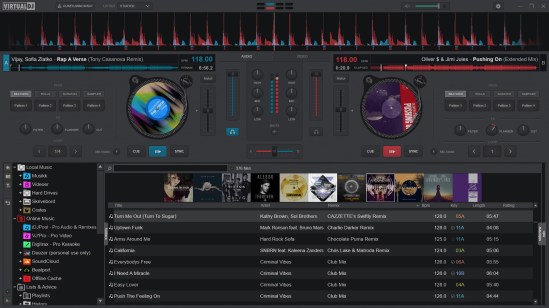
VirtualDJ ~ Standalone DJ Mixer
VirtualDJ delivers more features than any other software. The latest groundbreaking technology is always available in VirtualDJ first! With VirtualDJ you’re guaranteed to be ahead of the curve with the latest high-tech and innovative features
Although VirtualDJ is packed with features, it is still easy to learn. You can start with the basics and advance as you learn more. VirtualDJ is well suited for both the amateur starter, or the seasoned professional DJ and comes with all the features you’ll ever need. With VirtualDJ you can turn any event into a total success! Whether it’s scratch performance and video mixing, or from bedroom broadcast to upscale wedding events.
VirtualDJ lets you do more! Unleash your creative potential…
Free For Home Use

Aften ~ Create Stereo & Multi-channel Audio
Aften is an audio encoder which generates compressed audio streams based on ATSC A/52 specification. This type of audio is also known as AC-3 or Dolby® Digital and is one of the audio codecs used in DVD-Video content.
Features:
- Converts PCM source audio into AC-3 audio
- Allows for setting of production metadata such as dialogue level, downmix levels, and extended bitstream information
- Supports RAW, WAV, AIFF, and CAFF input file formats
- Supports single multi-channel or multiple mono source files
- Includes several optional pre-processing filters
- Uses multi-threading and assembly optimizations to speed up encoding
sc68 ~ Cross-platform Atari ST & Amiga Audio Player
The sc68 is a Atari-ST and Amiga music player. It comes as a command line music player as well as libraries for developers and various plugins for well know programs.
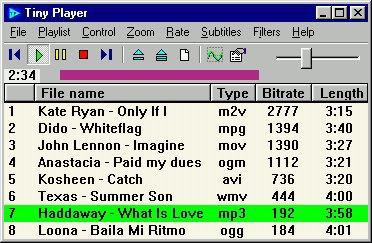
Tiny Player ~ Windows Applet
Audio, video and CD/DVD player that uses DirectShow technology. It can read (but not modify) ID3/Ogg/APE/WMA tags and show sub/srt/aqt/dks subtitles. CD information can be obtained from freedb, CD-TEXT or cdplayer.ini and submitted to freedb.
Features:
- custom playback speed, single frame step, capture frame
- you can change subtitles color, size, font, vertical position
- no gap between audio tracks
- save audio to WAV file
- equalizer
- two visualizations – spectrum and oscilloscope

VU Meter ~ Standalone Windows App
A volume unit (VU) meter or standard volume indicator (SVI) is a device displaying a representation of the signal level in audio equipment.
Application is developed on WinForms with .Net 4.8. (Windows 11 compatible).
New version 1.1.0.0 is not developed on XNA.

WikiAudio ~ Audio Blog, Channel & Wiki
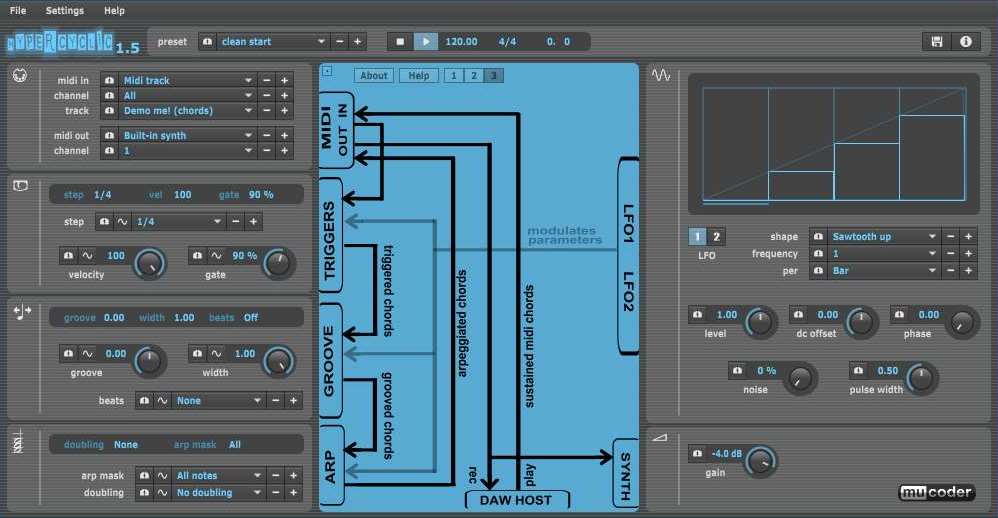
hypercyclic ~ LFO-driven, MIDI-mangling Arpeggiator
What is hypercyclic?
- an LFO-driven MIDI arpeggiator, gate effect and step sequencer
- for mangling sustained MIDI input chords
- the output of which can then drive other MIDI instruments
- acts either as a VST or Audio Unit plugin for your DAW, or as a standalone application
- the original hypercyclic won 2nd place in the KVRAudio.com Developer Challenge ‘07
- the sweet spot for hypercyclic is the narrow border between chaos and regularity. Or, in other words, how to induce a certain pleasant randomness and syncopation, yet forcing everything to align again on the bar or beat boundaries
How do you use it?
- the main use for hypercyclic is to generate midi that can be recorded and/or sent to other plugins. However it also features a simple built-in synth for testing purposes
- you can use two tempo-synced LFOs to modulate various parameters for creating interesting rhythmic effects and chord variations
- a unique feature is the possibility to modulate the sequencer step size itself, which is useful for creating glitchy stuttering effects
- another thing you can use is a groove function for playing slightly off the beat. The groove parameters can also be modulated over time by the LFOs, adding to the rhythmic variation

OpenMPT ~ Discover The Music Inside…
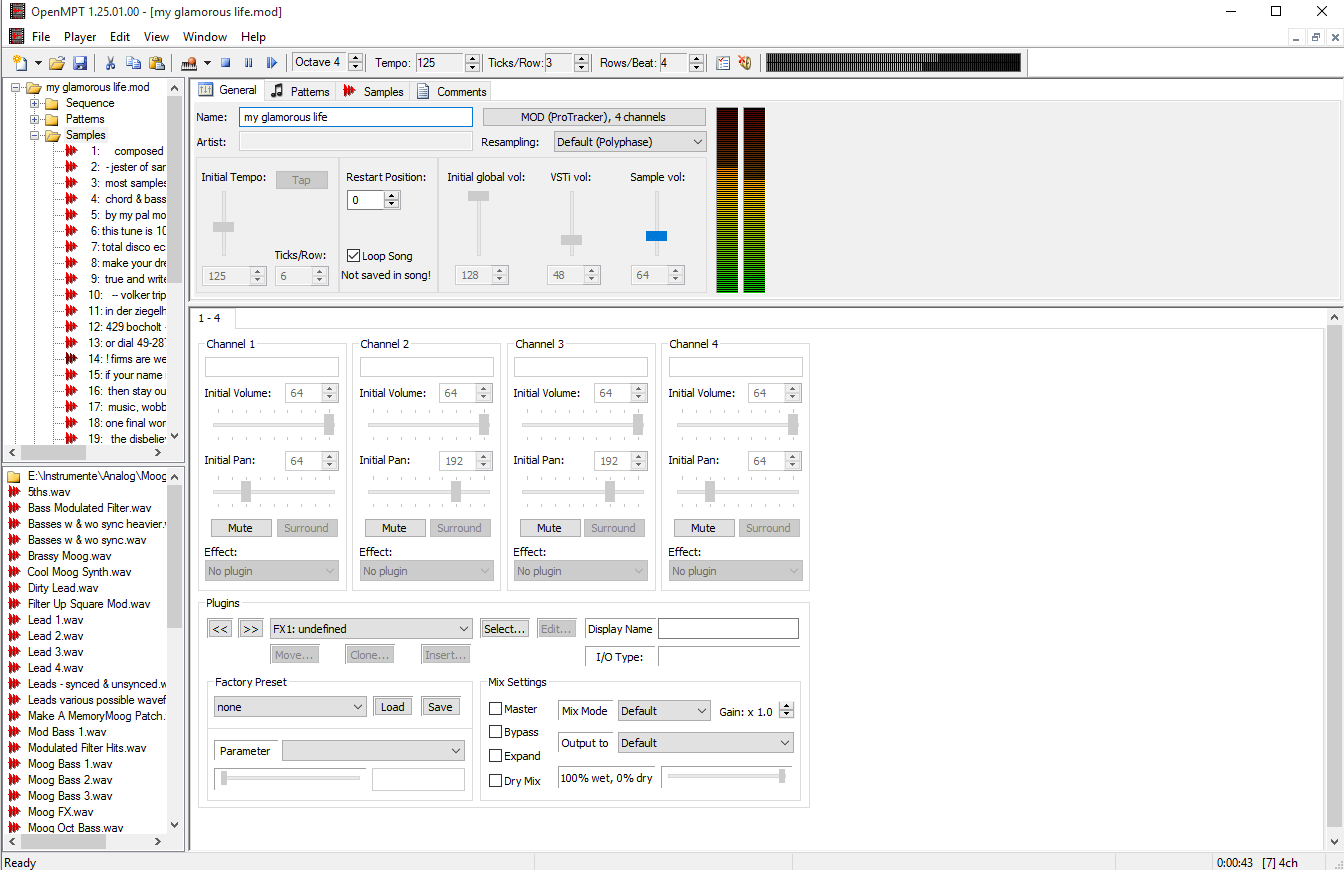
OpenMPT is well known tracker software for Windows.
OpenMPT (shorthand for Open ModPlug Tracker) is completely free and allows you to create and play back some great music on your computer. Based on the original ModPlug Tracker written by Olivier Lapicque, OpenMPT is free software, can import a wide variety of module formats and offers an intuitive, native GUI as well as advanced features such as VST plugins and ASIO output.
In addition to its own song format, OpenMPT can natively edit Impulse Tracker, FastTracker, Scream Tracker and ProTracker module files.

openmpt.org
source.openmpt.org
github.com/OpenMPT/openmpt
en.wikipedia.org/wiki/OpenMPT
OpenMPT based module player library and libopenmpt based command-line player:
- libopenmpt is a cross-platform C++ and C library to decode tracked music files (modules) [wikipedia] into a raw PCM audio stream.
- openmpt123 is a cross-platform command-line or terminal based module file player.
libopenmpt is based on the player code of the OpenMPT project (Open ModPlug Tracker). In order to avoid code base fragmentation, libopenmpt is developed in the same source code repository as OpenMPT.
libopenmpt ships with plugins for 3 popular Windows audio players already included:
- xmp-openmpt is a plugin based on libopenmpt for XMPlay.
- in_openmpt is an input plugin based on libopenmpt for WinAMP 2.x or later compatible players.
- foo_openmpt is a component based on libopenmpt for foobar2000.
Soft Playlists ~ Foobar & Last.fm
Can create different Last.fm related playlists:
- loved tracks of a single user, multiple users, friends or neighbours.
- recent tracks of a single user, multiple users, friends or neighbours.
- top tracks of a single user, multiple users, friends or neighbours over different periods.
- top tracks of an artist.
- top tracks of artists similar to an artist.
- top tracks with certain tag.
- tracks similar to a track.
Can also…
- love, unlove, ban and unban a track on your Last.fm account.
- add a track to a custom playlist on your Last.fm account.
- save and load XSPF playlists (make playlists without hard paths). This makes it possible to easily share playlists with other people. Also when you restructure your library (change location of your music files), these playlists will continue to work.
www.foobar2000.org/components/view/foo_softplaylists
hydrogenaud.io/index.php?topic=76133.0
Integrating Last.fm with Foobar2000 Using Soft Playlists
Step 1: Install Soft Playlists
Begin by downloading the foo_softplaylists component from the foobar2000 website. Once downloaded, open foobar2000 and navigate to File → Preferences → Components → Install…, then select the downloaded .fb2k-component file. Restart foobar2000 to activate the plugin. This component enables you to generate dynamic playlists directly from your Last.fm data.
Step 2: Connect Your Last.fm Account
After installation, go to Preferences → Tools → Soft Playlists → Last.fm. Enter your Last.fm username and password to authorize the connection. Once you are logged in, the plugin can fetch your loved tracks, recent plays, top tracks, and tag-based data.
Step 3: Creating Loved Tracks Playlists
Soft Playlists can generate playlists of tracks in your library that are marked as loved on Last.fm. Simply create a new playlist, Open the Library Menu and choose the “Loved Tracks” option, and the plugin will match these tracks with your local files and create a new playlist. You can now play or sort these loved tracks directly from foobar2000.
Step 4: Generating Top Tracks Playlists
You can also create playlists based on top tracks from your Last.fm account, your friends, or neighbors. Select the “Top Tracks” option and filter by user, artist, or tag. This allows you to automatically build playlists of your most-played tracks, popular tracks by similar artists, or tracks labeled with specific moods or genres.
Step 5: Recent Tracks Playlists
Soft Playlists supports recent tracks queries from Last.fm. You can generate playlists of your most recently played tracks or recent tracks from other users. This is ideal for keeping up to date with current listening trends.
Additional Features:
Soft Playlists allows you to save sharable playlists in XSPF format, which keeps them portable and resilient to file location changes. The plugin also lets you love or unlove tracks directly from foobar2000, updating your Last.fm account automatically. This integration creates a seamless workflow between your local library and Last.fm.
Adding a toolbar button to love a track:
- Right click the Foobar2000 toolbar and select “
Customize Buttons...“ - In the
Available Commands Panel, open “Context Menu” and then “Last.fm” - Select
"Last.fm Love Track” and click the “Add” button then click “Ok” - Change the button icon to a Last.fm icon (.ico file)
Tips and Considerations
Soft Playlists is an older 32bit component. The plugin works best if most of your Last.fm scrobbled tracks are present in your local library. For more advanced integration, consider combining Soft Playlists with Spider Monkey Panel scripts to pull additional data, such as playcounts, tags, or charts.
Foobar2000 ~ Icons & Icon Packs
Icon Packs (Sets):
- www.deviantart.com/a0x/art/Classic-foobar2000-main-icon-with-new-logo
- www.deviantart.com/activethoughts/art/Foobar2000-icons-bv2
- www.deviantart.com/activethoughts/art/Foobar2000-Icon-File-Types
- www.deviantart.com/activethoughts/art/Foobar2000-icons-and-logo
- www.deviantart.com/canuckken/art/Foobar2000-Icons
- www.deviantart.com/cliffflip/art/Kotak-2-foobar2000-icon-pack
- www.deviantart.com/danilorosari/art/Foobar2000-Icon-Pack
- www.deviantart.com/dantenopolis/art/Faenza-Foobar-Icons
- www.deviantart.com/dexxaboy/art/Foobar2000-Icons
- www.deviantart.com/electrolex/art/Foobar2000-v3-0-Plus-Win-Mac-Png-Icons-Pack
- www.deviantart.com/feraljim/art/Devil-Foobar
- www.deviantart.com/graywz/art/xpAlto-foobar2000-icons
- www.deviantart.com/justval02/art/Cooly-foobar2000-icon-pack
- www.deviantart.com/justval02/art/Simple-Disks-foobar2000-icon-pack
- www.deviantart.com/jyrik/art/foobar2000-brushed-icons
- www.deviantart.com/mahm0udwally/art/Flataps-VOL02
- www.deviantart.com/sgt-meddle/art/foobar2000-File-Types-Icons-Pack-v1
- www.deviantart.com/sgt-meddle/art/foobar2000-File-Types-Icons-Pack-v2
- www.deviantart.com/sgt-meddle/art/foobar2000-File-Types-Icons-Pack-v3-Light
- www.deviantart.com/sgt-meddle/art/foobar2000-File-Types-Icons-Pack-v3-Dark
- www.deviantart.com/sgt-meddle/art/foobar2000-File-Types-Icons-Pack-v4
- www.deviantart.com/sgt-meddle/art/foobar2000-Logo-Plain-Colors-Icons-Pack
- www.deviantart.com/sgt-meddle/art/foobar2000-Logo-Glossy-Icons-Pack-v1
- www.deviantart.com/sgt-meddle/art/foobar2000-Logo-Glossy-Icons-Pack-v2
- www.deviantart.com/sgt-meddle/art/foobar2000-Logo-Gradient-Icons-Pack
- www.deviantart.com/vangarell/art/foobar2000-Icons
- www.deviantart.com/celroid/art/foobar-quicksearch-icon-for-fooayian-1-1-by-Ayian
Save the original icons and replace them in C:\Program Files (x86)\foobar2000\icons
Dock Icons:
- www.deviantart.com/2707kevin/art/Media-Player-Foobar-2000-icon
- www.deviantart.com/alexandreph/art/Foobar2000-icon
- www.deviantart.com/alexandreph/art/Foobar-2000-icon-2
- www.deviantart.com/borwer/art/foobar2000-icon-v2
- www.deviantart.com/czokalapik/art/Foobar-2k
- www.deviantart.com/emrat/art/DockIcons-foobar2000
- www.deviantart.com/hemingway81/art/Foobar2000-s-Colored-Pack
- www.deviantart.com/intagliographics/art/Foobar-Dock-Icon
- www.deviantart.com/sgt-meddle/art/foobar2000-Logo-Hi-Res-Audio-Icon
- www.deviantart.com/tjsidhu/art/Foobar2000-Token-Theme-TJSidhu
- www.deviantart.com/tinylab/art/iTunes-Icon
- www.deviantart.com/weboso/art/Foobar2000-Icons
- findicons.com/icon/70110/foobar2000
- vsthemes.org/en/icon/icopng/26639-mb-foobar
File > Preferences > Display > Default User Interface > Background and Notifications > System Tray Icon