Axone.jar is a utility allowing you to view all the information available in an MP3 file. This is not to be misunderstood: all the possible information. In the tag version 2 (ID3V2), the information is subdivided into frames and there are many more frames declared than frames actually displayed by MP3 players. Well Axone.jar knows how to display them all, without exceptions and whatever the version!
Very classic frames such as title, album, artist, year, genre, track and comment.
Other frames displayed by only some MP3 players.
the image(s).
the composer.
the text of the song.
volume control (itunes)
The frames that are hidden from you (not necessarily with bad intentions).
Undeclared frames, not understood and therefore clearly hidden from all MP3 players.
The other frames usually not used.
Other data
The Lyrics and TAG+ tags, which are completely obsolete, may remain forgotten in certain files. If they are present, Axone.jar displays them.
When the software reads an MP3 file to display the current tag, it does a summary check of the audio data. It gives you the classic information on bitrate, sampling frequency, duration, etc.; but also if it finds excess or erroneous data. Excess data can be a sign of corrupted audio data, or of data intentionally hidden if the file was purchased on a merchant site (or if you did P2P). At this level, it is important to understand that the audio decoder is robust in the sense that data that is incomprehensible to it is simply skipped. It is therefore very easy to hide data between audio data, without risking disturbing MP3 players.
foo_vis_milk2 is a port for foobar2000 of Winamp’s MilkDrop 2 music visualizer. It additionally migrates rendering from its original DirectX 9 to DirectX 11.
MilkDrop 2 takes you flying through visualizations of the soundwaves you’re hearing. It uses beat detection to trigger myriad psychedelic effects, creating a rich visual journey through sound.
Features:
Uses DirectX 11 for rendering.
Uses updated libraries.
vis_milk2 has been upgraded to use more modern C++ alongside DirectX 11. Deprecated or insecure functions have been rewritten and most unused functionality removed.
Configurable through foobar2000 preferences instead of INI files.
Supports the Default User Interface (Default UI) only.
Tested on foobar2000 v2.1.2 (x86 32-bit and x86 64-bit) and Microsoft Windows 11 (Build 22621).
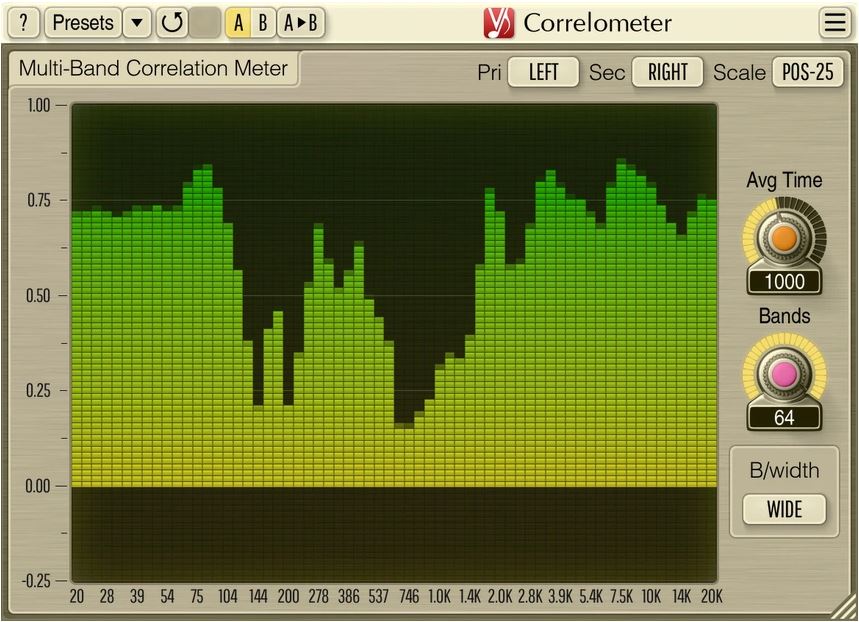
Correlometer is an analog-style stereo multi-band correlation meter.
Multi-band correlation meter is an advanced way to check for presence of out-of-phase elements in the mix. Broadband correlation metering reports overall phase issues and may misrepresent problems present in select spectral bands, while multi-band correlation meter easily highlights problems present in mid to high frequencies that are not easily heard by ear, but may still reduce clarity of the mix. Another application of multi-band correlation metering is phase- and time-aligning of channels and tracks, especially bass and bass-drum pairs, guitar mic and D.I. source pairs, two-microphone stereo recordings, etc.
Correlometer can display 4 to 64 individual spectral bands, with adjustable band quality factor that controls the degree of band’s selectivity. Averaging time of correlation estimator can be adjusted. Correlometer supports side-chain inputs for easy correlation estimation between separate audio tracks.
Windows VU Meter is a standalone application that mimics an old stereo’s VU or audio level meters. Designed for Microsoft® Windows Vista® and up (even tested on Windows 7®), the program has no intervening toolbars or window frames to allow the program to allow a clean interface and make it easy to overlay on top of a program you’re using. Features of the program include:
For Microsoft ® Windows Vista ®, and after testing, works with Windows 7 ® as well.
Clean interface that includes no toolbars or window dressings
Ability to select response time of VU Meter, selectable of 150ms or default 300ms. Response time is the amount of time it takes the needles to make a full swing of the gauge.
User selectable interface component coloring. Program saves and remembers settings the next time it’s run.
Option setting to allow always-on setting, allowing the program to be laid over another program that you’re monitoring the audio levels for. An example image.
User option to alter the maximum value of the VU Meter. This is handy for videos or music that were recorded at a lower value. The above example image is an example of this too.
All program options and commands are handled by right-clicking the interface.
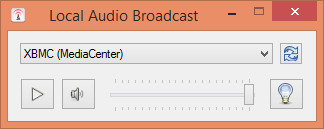
This simple application captures the local audio playback in Windows and sends it over the local network to a UPnP renderer. I originally wrote it to stream Spotify music playback from my computer over the home network to my HTPC running XBMC/Kodi (since I wasn’t satisfied with the available Spotify plugins), it can be used for any audio though.
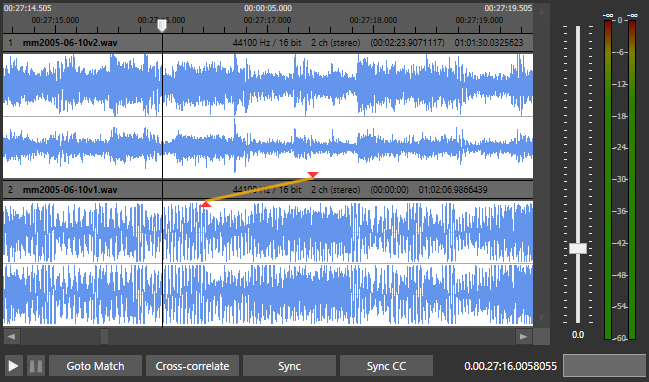
AudioAlign is a research tool to investigate automatic synchronization of audio and video recordings that have either been recorded in parallel at the same event or contain the same aural information. It is designed as a GUI for the Aurio library.
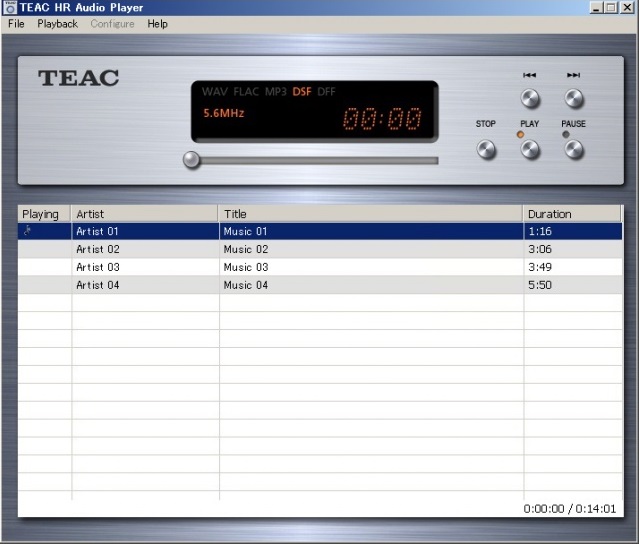
“TEAC HR Audio Player” is a high-quality music player freeware for Windows and Mac, with high-resolution audio data processing capabilities. Possibility to enjoy a high quality of high-resolution sound reproduction, including the DSD even without complicated settings.