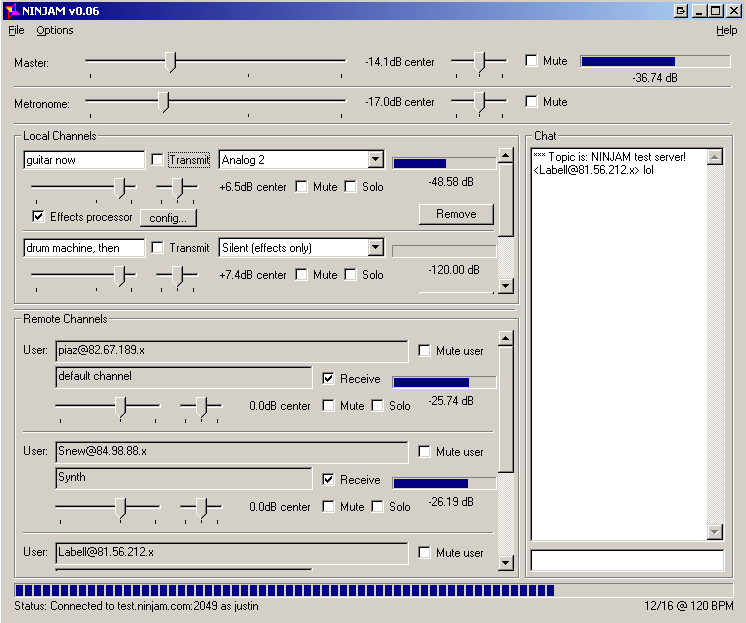
NINJAM is open source (GPL) software which allows people to make real music together via the Internet. Every participant can hear every other participant. Each user can also tweak their personal mix to their liking. NINJAM is cross-platform, with clients available for Mac OSX, Linux and Windows. REAPER (our digital audio workstation software for Windows and Mac) also includes NINJAM support (ReaNINJAM plug-in).
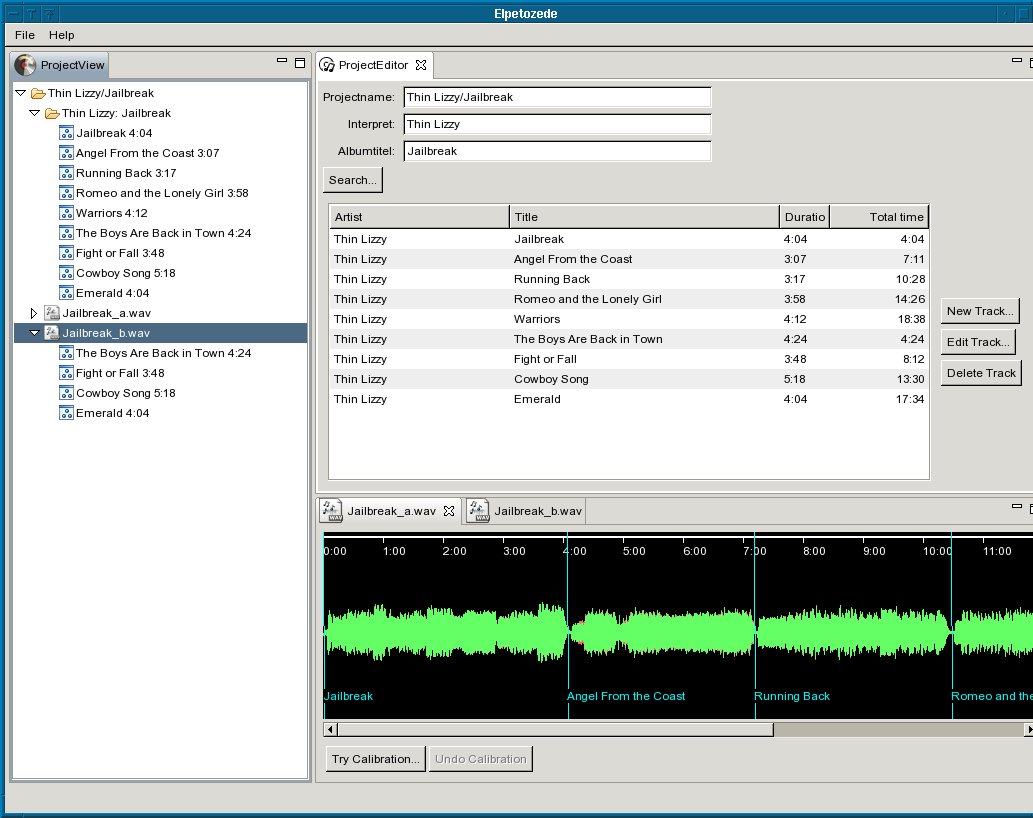
Elpetozede is a multi-platform, open source tool to split a wave file (.wav), which contains the complete audio recording of one side of a vinyl record or a cassette tape into single wav files, one for each track. It searches an Internet database (musicbrainz.org) for the album data, so, with a little luck, you won’t need to type all the track information by hand.
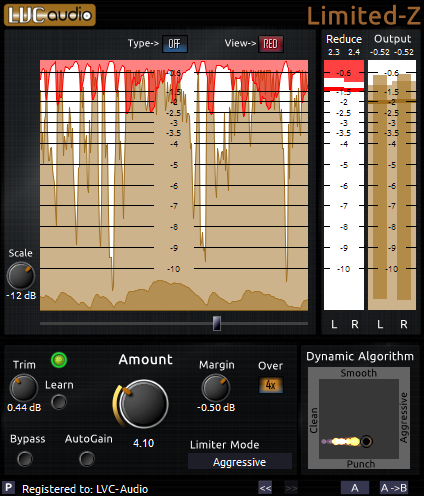
Limited-Z is a specialized and easy-to-use limiter, based on the foundation of being a capable look-ahead brickwall limiter suitable for final mixing or mastering.
Limited-Z dynamically combines several unique limiting algorithms to provide transparent limiting on all audio sources. Limited-Z is capable of substantial levels of compression / limiting without inadvertently creating excessive amounts of audible distortion … and, it’s FREE!
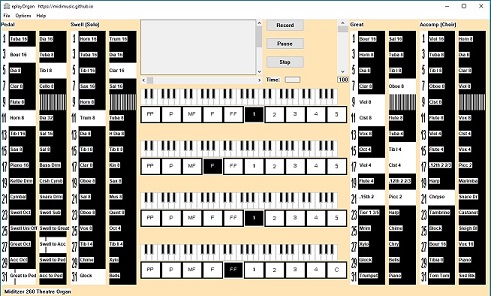
EplayOrgan is a multi purpose organ intended to be playable by organists and versatile enough to be useful to everybody with an interest in organs. It will load and be playable almost instantly and does not need an expensive computer with huge amounts of memory.
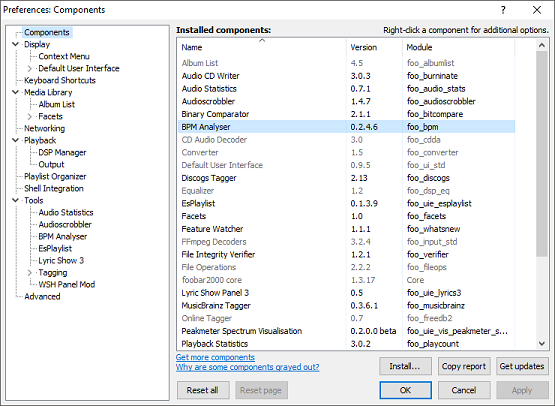
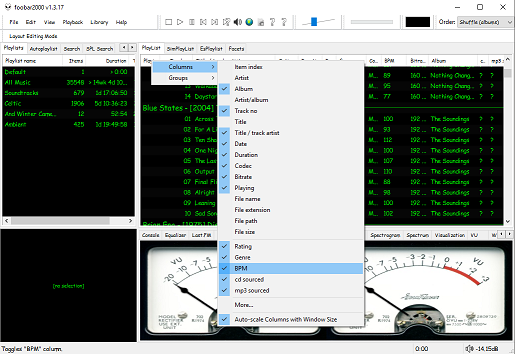
The second step is adding a new BPM playlist column to the DUI playlist viewer:
Right click the playlist header and select columns. Toggle the BPM column on.
The third step, add an Analyze BPM toolbar button:
Right click on the metronome icon ico file shown below and download / save it locally
Right click the Foobar toolbar
Select the Customize button
Select from Available Commands [context] > BPM Analyzer > Automatically analyze BPMs
Click Add
Click Change Icon and select the downloaded metronome.ico file
Click OK
metronome.ico (right click and save the link ico file locally)
The fourth step is to select and scan files:
Once the toolbar button is installed, songs can be selected then scanned. The songs will now be tagged with the %bpm% tag and can be selected or sorted by beats per minute as displayed in the playlist column.
The fifth step is to update your entire library:
Open Library > Search and insert the query %bpm% MISSING then click … and then click Create Autoplaylist. Rename the new autoplaylist located at the bottom of the playlist switcher Missing BPM. Activate the playlist, select the entire contents, automatically analyze them and then apply the changes.
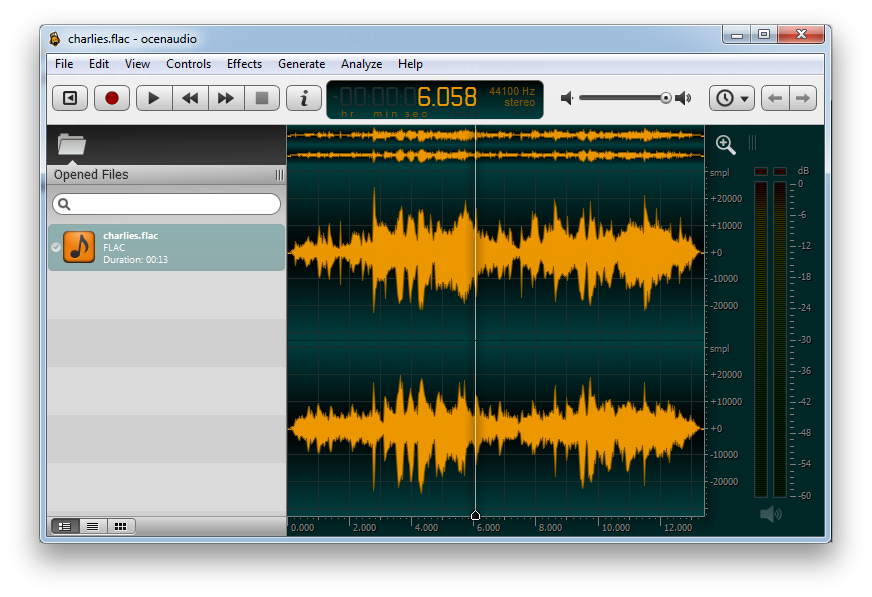
ocenaudio is a cross-platform, easy to use, fast and functional audio editor. It is ideal for people who need to edit and analyze audio files without complication. ocenaudio also has powerful features that will satisfy more advanced users including VST plugin support.
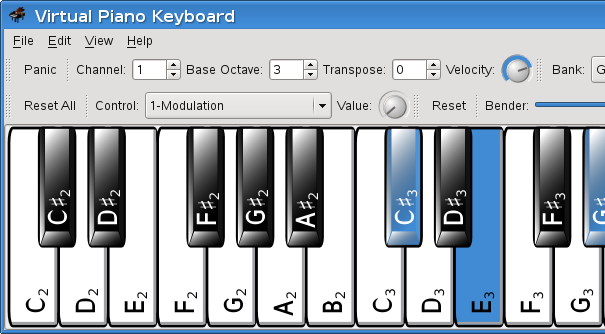
VMPK is a virtual MIDI piano keyboard for Linux, Windows and OSX. Based on Qt and Drumstick the program is a MIDI event generator using the computer’s alphanumeric keyboard and the mouse. It may also be used to display received MIDI notes.
Vorbis is a free and open-source software project headed by the Xiph.Org Foundation. The project produces an audio coding format and software reference encoder/decoder (codec) for lossy audio compression. Vorbis is most commonly used in conjunction with the Ogg container format and it is therefore often referred to as Ogg Vorbis. ~ en.wikipedia.org/wiki/Vorbis
Ogg Vorbis is a completely open, patent-free, professional audio encoding and streaming technology with all the benefits of Open Source.
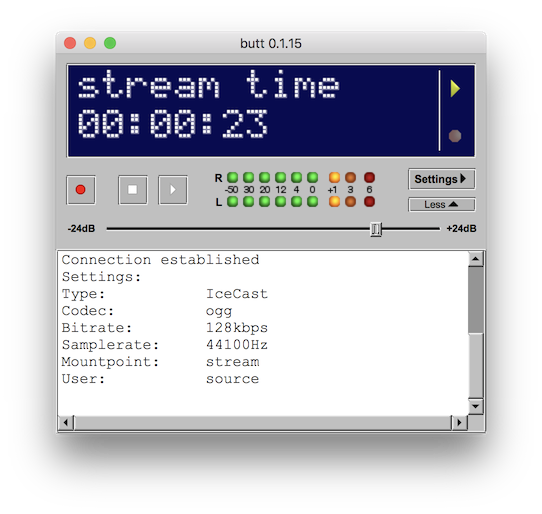
butt (broadcast using this tool) is an easy to use, multi OS streaming tool. It supports SHOUTcast and Icecast and runs on Linux, MacOSX and Windows. The main purpose of butt is to stream live audio data from your computer’s Mic or Line input to an Shoutcast or Icecast server; recording is also possible.
It is NOT intended to be a server by itself or automatically stream a set of audio files.