Bandcamp Desktop ~ FOSS Bandcamp Desktop App


Bandcamp Desktop is a crossplatform desktop application which allows you to use bandcamp.com in an easy and quick way.

Note that Bandcamp Desktop is not affiliated with Bandcamp, it is only a fan-made, free and Open-Source project.

Features:

  • Simple as the website
  • Header menu
  • Mini Player
  • Directly download Music from Bandcamp

Mini Player

Keep listening to the music while you explore the website! That’s the killer feature of this web application.

It’s very simple to use: just go to the album (or song, ep…) and click File > Mini Player (or press Ctrl + Space).

Directly download Music from Bandcamp

Bandcamp Desktop is able to directly download music from Bandcamp. Your albums and songs will be automatically unzipped and stored in the bandcamp-desktop folder which is located in your default download folder (Library Folder can be changed from App Preferences).

github.com/themagiulio/bandcamp-desktop

References:

en.wikipedia.org/wiki/Bandcamp

SimpleWavSplitter ~ Split WAV Channels


Split multi-channel WAV files into single channel WAV files.

github.com/wieslawsoltes/SimpleWavSplitter

lrcget ~ Lyrics Download Utility


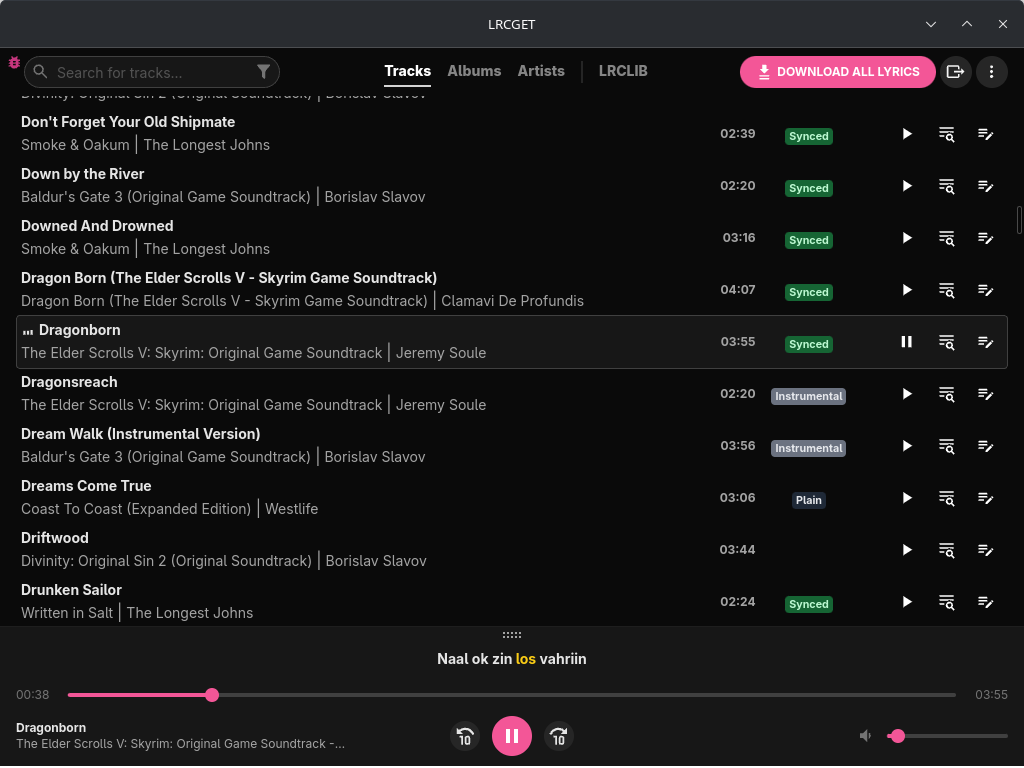
Utility for mass-downloading LRC synced lyrics for your offline music library.

LRCGET will scan every files in your chosen directory for music files, then and try to download lyrics to a LRC files having the same name and save them to the same directory as your music files.

LRCGET is the official client of LRCLIB service.

github.com/tranxuanthang/lrcget
flathub.org/en/apps/net.lrclib.lrcget

Resources:

lrclib.net
en.wikipedia.org/wiki/LRC_(file_format)

SPPAS ~ Speech Annotation & Analysis


SPPAS is a scientific computer software package written and maintained by Brigitte Bigi of the Laboratoire Parole et Langage, in Aix-en-Provence, France. Available for free, with open source code, there is simply no other package for linguists to simple use in the automatic annotations of speech, the analyses of any kind of annotated data and the conversion of annotated files.

SPPAS is able to produce automatically speech annotations from a recorded speech sound and its orthographic transcription. SPPAS is helpful for the analysis of any annotated data: estimate statistical distributions, make requests, manage files, visualize annotations. SPPAS offers a file converter from & to a wide range of formats: xra, TextGrid, eaf, trs …

sppas.org
sourceforge.net/projects/sppas

JellyBox ~ Jellyfin Music Player


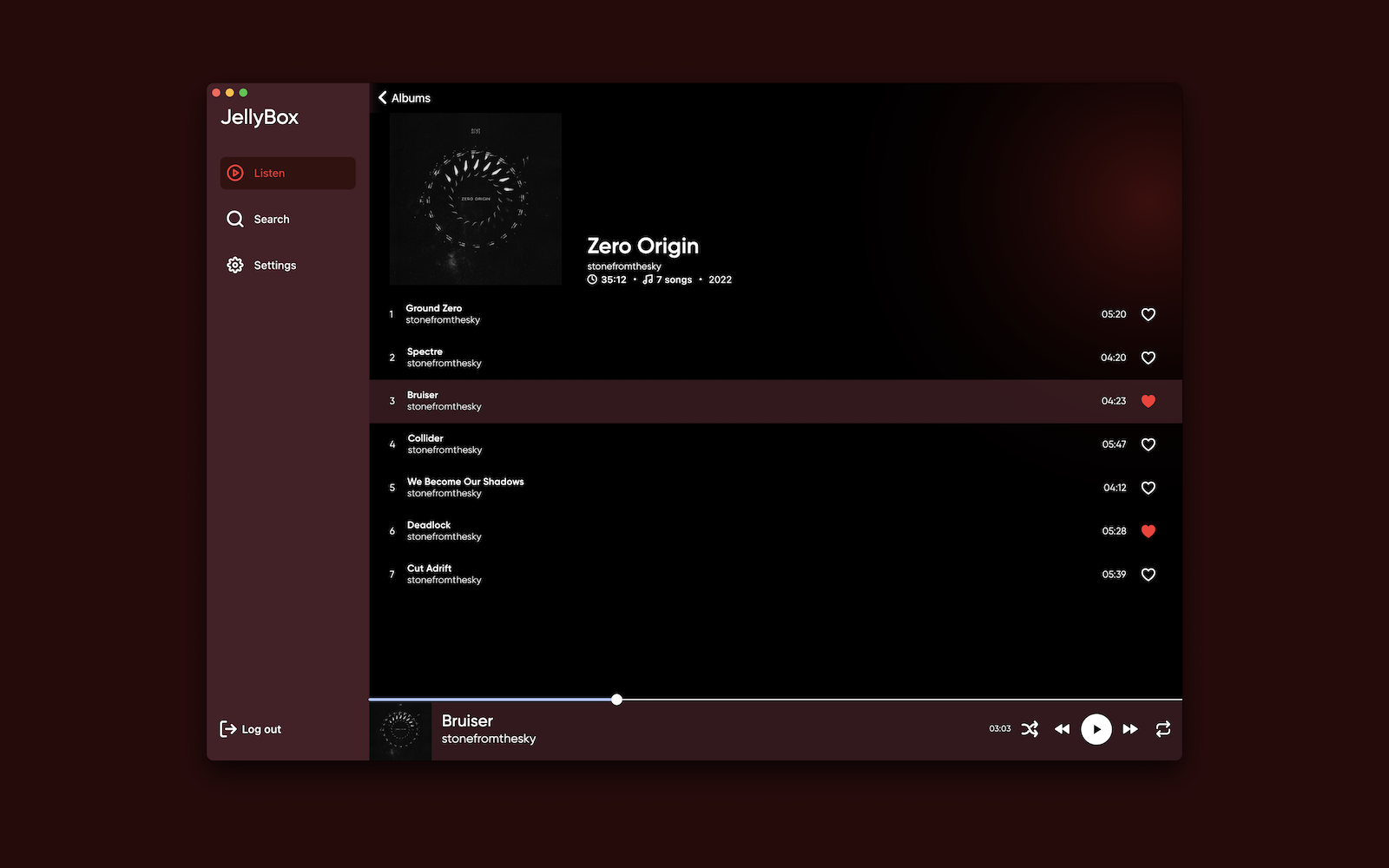
This is unofficial audio client for app. Currently it supports macOS, iOS and android via APK file. I’m also working on adding Linux(deb) support and windows.

jellybox interface

github.com/avdept/JellyBoxPlayer
sourceforge.net/projects/jellybox.mirror

Resources:

jellyfin.org

tonepose ~ Pitch Shift Mac Audio


Pitch-shift audio from Spotify, Apple Music, browsers, and more, from the menu bar. No BlackHole or virtual cables. Free and open-source.

github.com/metezem/tonepose

24seven.fm Covers ~ Radio Cover Art


Cover-art for the 24seven.fm family of internet radio stations — Streaming Soundtracks, 1980s.FM, Adagio.FM, Death.FM, and Entranced.FM. A shared, host-agnostic C++ engine drives three Windows front-ends plus a cross-platform core library:

ComponentDirectoryOutputBuild system
Desktop viewerdesktop/24sevenfm_covers.exe
(x64, self-contained)
MSBuild (.vcxproj / .sln)
Winamp pluginwinamp/gen_24sevenfm_covers.dll
(x86 / 32-bit)
CMake
foobar2000 componentfoobar2000/foo_24sevenfm_covers/foo_24sevenfm_covers.dll
(x64)
MSBuild
(.vcxproj)
Core librarylib/coverfetch static lib (cross-platform)CMake

All three front-ends share the same Direct2D renderer (shared/d2d_*.cpp), the cover engine (shared/cover_engine.* — cover preload, crossfade/flip transitions, remaining-time countdown), the options page (shared/options_*), and the networking/parse library (lib/). The library alone (lib/) is portable C++11 and already cross-compiles for Android/iOS.

github.com/pke/24sevenfm_covers

MP3Gain Express ~ MP3Gain For MacOS


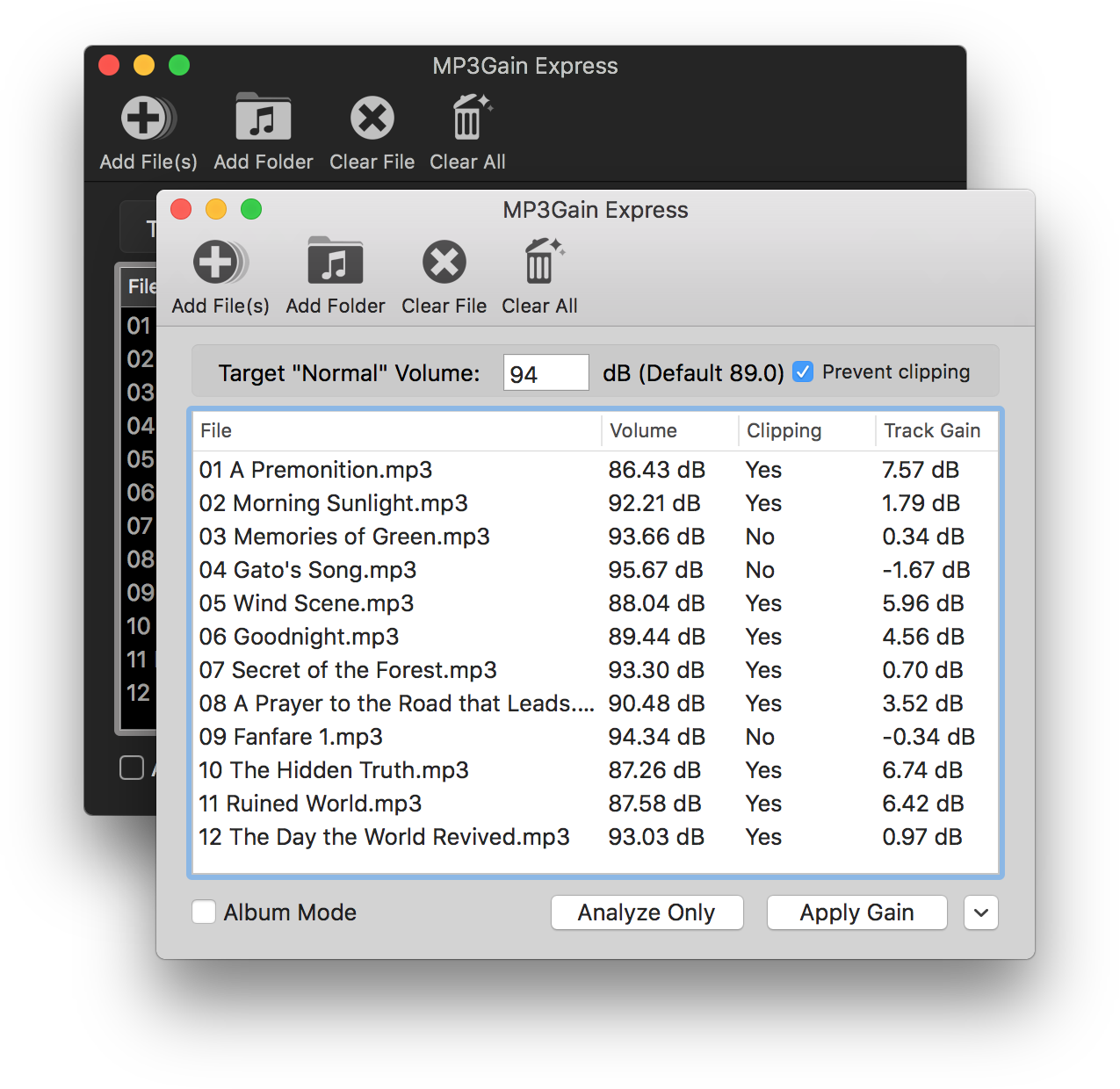
MP3Gain Express is a port of MP3Gain and AACGain to macOS. It allows you to analyze or apply volume gain to a list of MP3 or AAC files. Anyone who has used the Windows UI for MP3Gain should find this one familiar, as it was designed to look similar to that version.

It’s easy to use. Simply select the files you want to increase or decrease the volume of, enter the desired loudness, and click Apply Gain to update your files.

mp3gain express user interface

projects.sappharad.com/mp3gain
github.com/Sappharad/mp3gainOSX

Omniphony ~ 3D & Multichannel Audio


Real-time spatial / object-based audio rendering engine (VBAP + binaural) for multichannel and 3D audio — speakers or headphones.

Omniphony decodes object-based audio, works out where every sound should come from, and drives your real speakers with VBAP — live, with a 3D scene showing each object move and everything streamed over OSC. Nothing’s a black box: formats load as runtime bridges, and the part that decides which speaker gets what is a backend you can rewrite in a single file.

  • Write your own panner in one file — it shows up in the UI on its own.
  • No formats baked in — decoders load at runtime as bridges.
  • PipeWire on Linux, ASIO on Windows, or raw float straight to a file or pipe.

omniphony.mgth.fr
github.com/mgth/Omniphony

mpv with the ad_orender Spatial decoder — Spatial object rendering via liborender (Omniphony)

github.com/mgth/mpv-omniphony

References:

www.audiosciencereview.com/forum/index.php?threads/omniphony-high-performance-spatial-audio-engine-with-mpv-integration

Resources:

aur.archlinux.org/packages/orender
github.com/harletty/harletty-bridge/tree/main

Tutti ~ macOS Audio Controller


A macOS menu bar utility that plays the same audio through any number of output devices at once.

macOS gives you a volume slider, a device list, and a tiny speaker glyph — and that’s it. You can’t play to two speakers at once, can’t set a different volume per app, can’t EQ one app without touching the rest. Tutti is the control center that fills the gap: one panel for every output, every app, and every level — riding Apple’s own audio frameworks, with nothing installed into your system.

github.com/BarryBarrywu/tutti

Fender Studio ~ Record, Jam & Create


Record, jam, and capture your creativity whenever and wherever it strikes. Packed with authentic Fender tones, Fender Studio is fast, fun, and free for guitar players and music creators of all types.

fender.com/pages/fender-studio-app

madtunes ~ Mac Audiophile Player


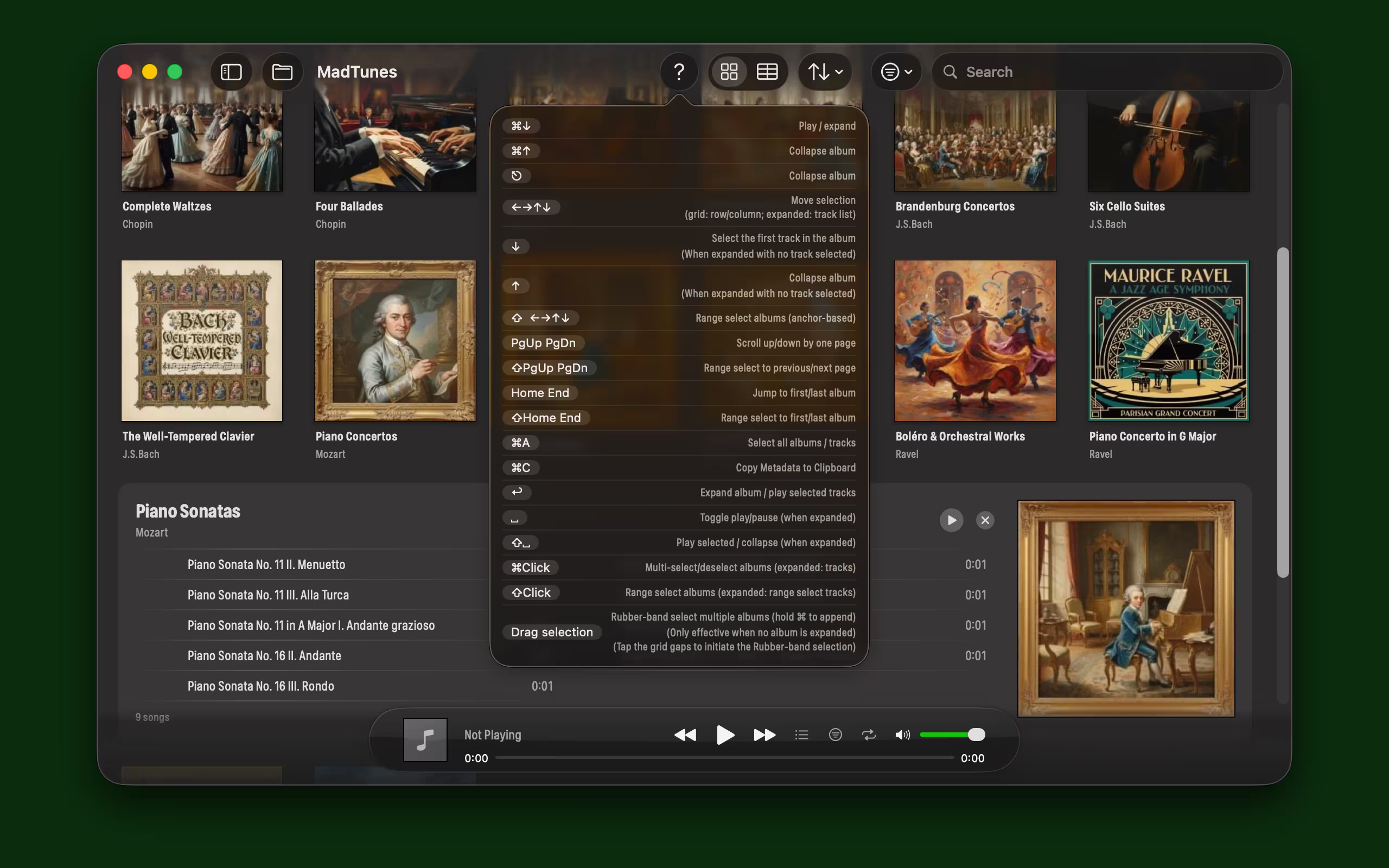
MadTunes is a local Mac music player designed for audiophiles and music producers, featuring a classic iTunes 11-style grid browsing experience with accurate, pure high-fidelity audio playback.

madtunes user interface

github.com/ShikiSuen/MadTunes
apps.apple.com/us/app/madtunes/id6760667980
hydrogenaudio.org/index.php/topic,129337.0