foo_tfsandbox ~ Foobar2000 Title Formatting


This component provides an editor for title formatting code [mainly targeted at title formatting beginners]. The editor includes syntax highlighting, a preview of the selected fragment of the code and a view of the code structure. The idea behind the component is to allow users to explore title formatting scripts by exposing aspects which are normally hidden on the user interface of foobar2000 and its components.

www.foobar2000.org/components/view/foo_tfsandbox
github.com/stengerh/foo_tfsandbox
Hydrogenaudio Topic

Foobar2000 ~ Encoder & Input List


Additional encoding/decoding and input components expand the range of audio file formats that can be played by Foobar2000. Not all of these components are official or officially recommended. Listed alphabetically by component name.

  • foo_ac3 ~ Decodes ATSC A-52 bitstream files (.AC3). Also includes a packet decoder for Matroska files containing AC3 streams.
  • foo_asap ~ Decodes Atari 8-bit chiptunes in the following formats: SAP, CMC, CM3, CMR, CMS, DMC, DLT, MPT, MPD, RMT, TMC, TM8, TM2, FC. Also plays files in all foobar2000-supported formats from ATR disk images.
  • foo_gep ~ Decodes several game console music formats: AY, GBS, GYM, HES, KSS, NSF, SAP, SGC, SPC, and VGM.
  • foo_input_adplug ~ Decodes all Adlib FM chip formats supported by the AdPlug library.
  • foo_input_amr ~ Plays Adaptive Multi-Rate audio (AMR or AMR-NB).
  • foo_input_avs ~ Decodes AviSynth scripts (.AVS), audio only. Requires AviSynth 2.5 or newer.
  • foo_input_dsdiff ~ Adds decoding support for DSDIFF files (.DFF).
  • foo_input_dts ~ Decodes DTS Coherent Acoustics files (.DTS) and DTS WAV files (.DTSWAV). Also includes a packet decoder for Matroska files containing DTS streams, and a decode post-processor which supports decoding DTS streams from 44100Hz or 48KHz 16-bit lossless PCM streams.
  • foo_input_dvda ~ Decoder is capable of playing back DVD-Audio discs, ISO images, AOB, MLP and Dolby TrueHD files in full resolution. Dedicated plugin for DTS-HD playback.
  • foo_input_gsf ~ Decodes .GSF/.MINIGSF files.
  • foo_input_ht ~ Decodes Sega Dreamcast Sound Format (.DSF/.MINIDSF) files and Sega Saturn Sound Format (.SSF/.MINISSF) files.
  • foo_input_hvl ~ Decodes Hively Tracker files (.HVL) as well as Abyss’ Highest eXperience files (.ahx)
  • foo_input_kdm ~ Decodes Ken Silverman’s Digital Music format files. (.kdm)
  • foo_input_monkey ~ Decodes Monkey’s Audio files (.APE) as well as APE Link files (.APL).
  • foo_input_ncsf ~ Decodes Nitro Composer Sound Format files (.NCSF/.MININCSF).
  • foo_input_org ~ Decodes Organya (.ORG) files.
  • foo_input_qsf ~ Decodes Capcom QSound Sound Format files (.QSF/.MINIQSF).
  • foo_input_shorten ~ Adds support for decoding Shorten files and tagging them through external APEv2 tags.
  • foo_input_sacd ~ Decoder is capable of playing Super Audio CD ISO images, DSDIFF, DSF and DSD WavPack files. Direct DSD playback for compatible devices.
  • foo_input_spotify ~ Spotify support for foobar2000. Requires a Spotify premium account.
  • foo_input_syntrax ~ Supports playback of the Syntrax or Jaytrax module format. (.JXS)
  • foo_input_tak ~ Alternative TAK decoder component. Bundles TAK 2.3.1 beta 1 decoder library.
  • foo_input_tfmx ~ Decodes TFMX files (MDAT., TFMX., .MDAT, .TFM, .TFMX, .TFX).
  • foo_input_tta ~ Decoder for the TTA Lossless Audio Codec. Decodes .tta files.
  • foo_input_usf ~ This is a decoder which adds support for playing (Ultra) Nintendo 64 Sound format (.USF/.MINIUSF) files.
  • foo_input_v2m ~ Farbrausch V2 module (V2M) decoder
  • foo_input_vgmstream ~ Decodes dozens of streamed ADPCM or other compressed format files extracted from various console and PC games.
  • foo_input_vio2sf ~ Decodes Nintendo DS Sound Format files (.2SF/.MINI2SF).
  • foo_input_zxtune ~ Decodes ZX Spectrum, Amiga, PC, Atari, Acorn chip / digital / fm tunes.
  • foo_luner2 ~ Decodes Lunar:  Eternal Blue disc for Sega CD.
  • foo_midi ~ Decodes General MIDI files (.MID, .KAR) and RIFF MIDI files (.RMI) as well as several proprietary MIDI formats (.MIDS, .MDS, .HMI, .HMP, .MUS, .XMI, .LDS).
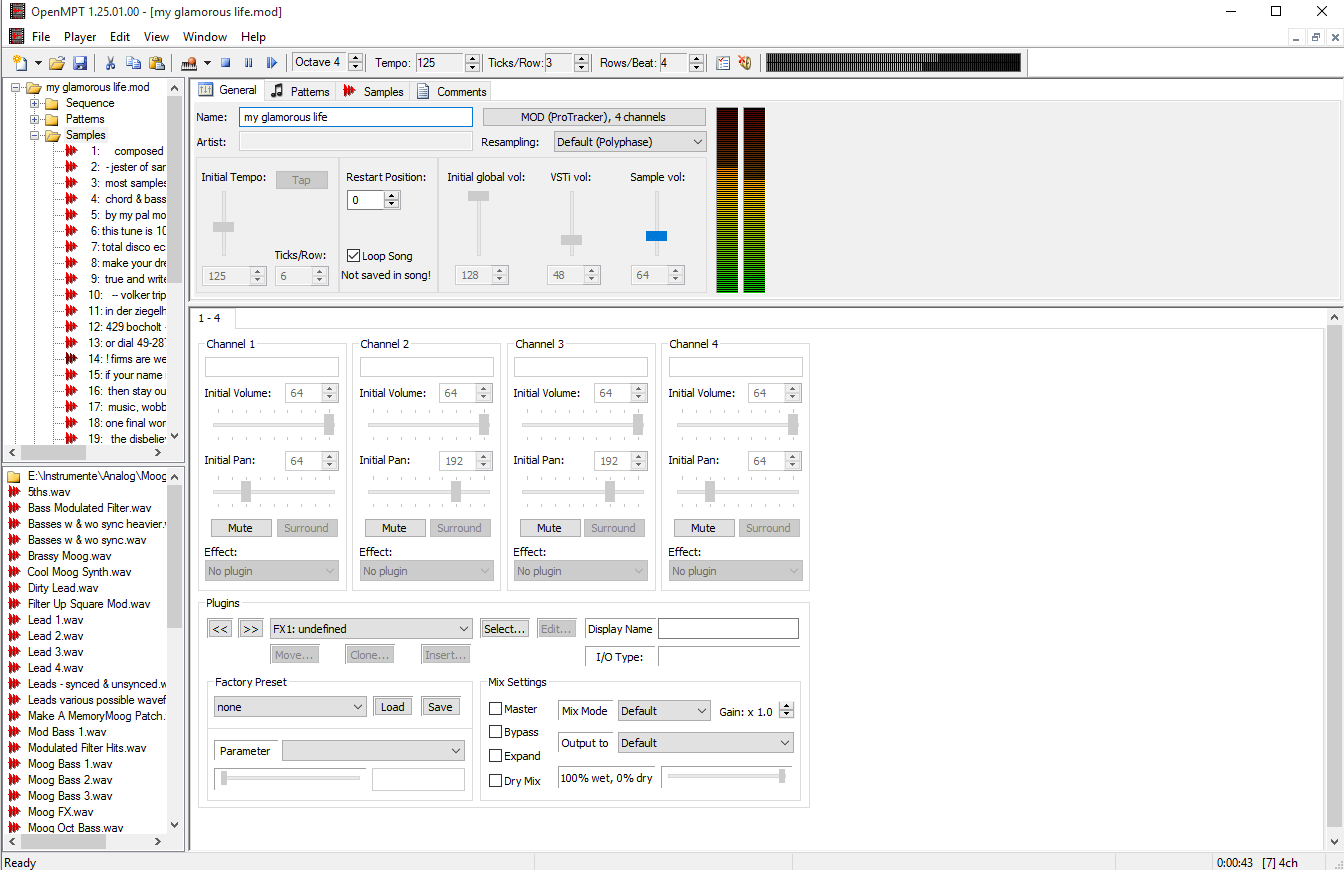
  • foo_openmpt54 ~ This component aims to replace the DUMB module decoder, or foo_dumb, as it is much faster, and also in some ways more accurate than DUMB. It also supports more features internally, such as MO3 decoding, and unpacking xpk, ppm, and mmcmp formats.  It also supports .MPTM/.MPTMZ, .MO3, .UMX, .MOD/.MDZ/.MDR/.M15, .S3M/.S3Z, .XM/.XMZ, .IT/.ITZ, .STM, .PT36, .NST, .M15, .STK, .ST26, .ICE, .WOW, .ULT, .669, .MTM, .MED, .FAR, .MDL, .AMS, .DSM, .AMF, .OKT, .DMF, .PTM, .PSM, .MT2, .DBM, .DIGI, .IMF (Imago Orpheus), .J2B, .PLM, .SFX, .SFX2, .MMS, .STP, .C67, .GDM, and .DTM.
  • foo_pd_aac ~ This component replaces the stock input component’s AAC decoder with the one from FDK-AAC v2.0.1, to support AAC formats not supported by FFmpeg, such as xHE-AAC / USAC.
  • foo_psf ~ Decodes Sony Playstation Sound Format files (.PSF/.MINIPSF) as well as Playstation 2 Sound Format files (.PSF2/.MINIPSF2).
  • foo_sid ~ Decodes Commodore 64 SID sound files (.SID, .MUS). Based on resid-fp.
  • foo_snesapu ~ An alternative decoder for Super Nintendo SPC Sound Format files (.SPC).
  • foo_youtube ~ Play Youtube videos and playlists directly from their URLs.
Additional Input Resources:

foo_hdcd ~ This post processing service component will decode HDCD data in any 16-bit PCM stream passed through it by supporting inputs, such as CDDA, WAV, FLAC, and WavPack.

Command-Line Decoder Wrapper ~ This component allows foobar2000 to play or convert any audio format with a standalone command-line decoder available, including various exotic formats that do not have native foobar2000 decoder components. (foo_input_exe)

FFmpeg Decoder Wrapper ~ This component allows foobar2000 to read arbitrary file formats via user-supplied ffmpeg.exe and ffprobe.exe. (foo_input_ffmpeg)

foo_dyndec ~ Exposes the decoded sample rate, number of channels and bit depth to components that can only use static information natively.

foo_input_dummy ~ a pseudo input

How to install a foobar component.

foo_youtube ~ Foobar2000 & Youtube


Watch music videos and video playlists using Foobar2000

  • This component adds the possibility of playing Youtube, Vimeo and Dailymotion clips directly via their URL.
  • In addition to single clip URLs it supports clip feeds (i.e. playlists, channels etc.) from Youtube and Dailymotion.
  • Single clips and feeds can be added using File menu commands Add location and Add multiple URL(s).
  • Component has several UI elements, both DUI and CUI are supported. There are element for searching on Youtube within the program, for video playback and elements for various technical info about clips and component workflow. All elements are listed under Youtube Source group in UI configuration windows.
  • In addition to UI elements it has several popup windows with similar functionality.
  • For Lyric Show Panel 3 it provides an additional lyric source.
  • Clip thumbnails are exposed as album art to the program.
  • Single clip can be turned into album with multiple tracks.

fy.3dyd.com
www.foobar2000.org/components/view/foo_youtube

Install component then install these dependencies:

Installing madVR:

  1. Download madVR zip archive
  2. Extract contents to a new folder
  3. Move folder to “C:\Program Files” (you need to be an admin)
  4. Right click install.bat and select “Run as administrator”

If it works it will say “Install Successful”

Additional Resources:
wiki.mikejung.biz/MadVR#LAV_Filters

foo_random_pools ~ Random Autoplaylists


Another type of Foobar2000’s playlists are randomly generated autoplaylists where songs, or groups of songs, are selected randomly from a pool of the same. By predefining a subset of a media library, “pools” of refined selections can be created and then drawn from.

foo_random_pools is a foobar2000 component for creating random playlist entries selected and grouped by various pool definitions.

www.foobar2000.org/components/view/foo_random_pools

Let’s say you want a playlist of random blues albums from your library.

  • First you’ll need to install the foo_random_pools component.
  • After you’ve installed foo_random_pools, you’ll need to set up a pool in the File > Preferences > Tools > Random pools sub-menu.File - Preferences - Tools - Random pools
  • You’ll need to select the “Add …” button which brings up the Random pool criteria form.Preferences - Random Pools - Random Pool - blankFor example to make a pool of blues albums use the following criteria:
    Name: Album – All Blues
    Group: %album artist% – %date% – %album%
    Determine probability for picking groups …: Unchecked
    Number of groups to add: 1
    Filter: (NOT %album artist% IS “Various Artists”) AND (%genre% HAS Blues)
    Filter with the content of the target playlist: Unchecked
    Number of tracks to add: 0
    Number of minutes to add: 0
    Number of MBs to add: 0
    Limit after sorting: Unchecked
    Sort: %path%
    Sort / limit each group: Checked
    Priority: 10Preferences - Random Pools - Edit
  • Now you have to link pools to a playlist by specifying a name in the Autoadd section’s Playlist patterns field of the Random pools preferences menu.File - Preferences - Tools - Random pools - Autoadd - Random Blues Album
  • Create a new playlist, File>New Playlist Ctrl+N, and name it “Random Blues Album” and then select and display it.
  • To add a random blues album to the playlist, select File > Random pools > Album – All Blues. Each time it’s selected, another random blues album will be added to the playlist.

foo_dsp_delta ~ Foobar2000 Noise Sharpening


A digital signal processor that makes dull songs sound sharper, as in brighter.

Strictly speaking, nobody really needs this DSP. It’s just that some people like the effect. If you want to compensate deficiencies in your playback equipment or listening environment, the convolver or the equalizer are more appropriate tools. ~ HA post

There are four interrelated DSPs enclosed, only use the last one, Noise Sharpening.

Noise sharpening can/should be used alone. ~ HA post

http://foosion.foobar2000.org/components/?id=delta

foo_dsp_xover ~ Foobar2000 Digital Crossover


foo_dsp_xover is a software digital crossover implementation that I have been working on for a while in my spare time as a hobby. It is a Foobar2000 audio player plugin that implements this digital crossover to achieve active multi-amplification.

This software needs to run on a WinXP PC equipped with a multi-channel sound card (e.g. 5.1 or 7.1 surround sound card) feeding the various voices of a multi-amplifier and loudspeaker active configuration set-up.

foo_dsp_xover

xover.sourceforge.net
sourceforge.net/projects/xover

Foobar2000 ~ Output Components


Listing of specialized output components that extend Foobar2000 in order to interface directly with system hardware or software output devices. Some of these are already installed by default and the remainder should be installed as needed.

By default foobar2000 uses the Windows Audio Session API (WASAPI) output in shared mode on modern versions (v1.6 and later). This means foobar2000 sends audio through the standard Windows audio stack using WASAPI unless you explicitly select another output (like WASAPI exclusive, ASIO with a plugin, or other output components).

The built in outputs and all installed output components can be selected from in the Preferences: Playback > Output > Device submenu.

Official output components:

Alternative output components:

Displaying Output Information:

foo_outinfo allows foobar2000 to display the actual specifications of the audio being played and the output device information using titleformatting.

foobar.hyv.fi/?view=foo_outinfo

ASIOhrp Utility:

hydrogenaud.io/index.php?topic=97127.msg978428#msg978428

Exclusive output modes:

Exclusive mode (in the context of foobar2000 and Windows audio) means that the player takes sole control of the audio device, bypassing the Windows system mixer for the duration of playback.

Here is what that entails, factually and practically:

What happens in exclusive mode
  • The audio device is locked to foobar2000 while playback is active.
  • No other application can play sound through that device at the same time.
  • Audio data is sent directly to the driver via WASAPI Exclusive (or ASIO), without Windows resampling or mixing.
  • The device switches to the exact sample rate and bit depth of the track being played, if the driver supports it.
How this differs from shared mode
  • In shared mode, Windows mixes audio from multiple applications and resamples everything to the format set in Windows Sound → Device Properties → Advanced.
  • In exclusive mode, Windows’ mixer is bypassed entirely, so there is no system-level resampling, mixing, or volume processing.
Technical implications
  • Enables bit-perfect playback, assuming no DSPs or volume scaling are active in foobar2000.
  • Prevents interference from system sounds, notifications, or browser audio.
  • Reduces latency and avoids format conversions imposed by the OS mixer.
Trade-offs and limitations
  • System sounds and other apps will be silent while exclusive playback is active.
  • If an application already has exclusive control, foobar2000 cannot start playback on that device.
  • Some USB DACs and Bluetooth devices have limited or unstable exclusive support, depending on drivers.
  • Exclusive mode does not improve audio quality if the DAC or downstream hardware already resamples internally.
In foobar2000 specifically
  • Exclusive mode is available via:
    • WASAPI (event or push) [exclusive]
    • ASIO (with the ASIO support component installed)
  • Selected in:
    Preferences → Playback → Output → Device
When exclusive mode makes sense
  • You want guaranteed bit-perfect output.
  • You use a dedicated DAC and do not want system sounds mixed in.
  • You frequently play material at multiple sample rates and want automatic hardware switching.
When it is unnecessary
  • Bluetooth audio (which is always lossy and resampled regardless).
  • Casual listening.
  • Systems where all audio is already set to the correct fixed format.

Resources:

wiki.hydrogenaud.io/index.php?title=Foobar2000:Components/WASAPI_output_support_(foo_out_wasapi)
wiki.hydrogenaud.io/index.php?title=Foobar2000%3aPreferences:Output#Output_Device
Foobar2000 ~ How To Install A Component
en.wikipedia.org/wiki/Audio_Stream_Input/Output (ASIO)
en.wikipedia.org/wiki/Universal_Plug_and_Play (UPNP)
en.wikipedia.org/wiki/Windows_legacy_audio_components#Kernel_Streaming

Foobar2000 ~ Biography Display Script


This is an updated biography script that works in the 32bit Spider Monkey Javascript panel. This won’t work in 64bit Foobar2000 installations.

biography_new_1

Spider Monkey Panel ~ github.com/TheQwertiest/foo_spider_monkey_panel

Biography Script: The most recent version of the script is on, or near, the last page of this discussion. ~ hydrogenaud.io/index.php/topic,112913.0.html

  1. Download and install foo_spider_monkey_panel
  2. Download and unzip the newest version of the Biography script
  3. In Foobar2000 select “View > Layout > Enable Layout Editing Mode
  4. Add a new panel or tab to your Foobar interface
  5. Right click in the new area and select “Add New UI Element…
  6. Select “Spider Monkey Panel” in the Utility section
  7. You should now see a blank Spider Monkey panel and the message “Click here to open editor.
  8. Click on the panel to open the editor and click the “Files” button and select “Import” and navigate to the biography script folder, select the script file “biography.x.x.x.js” and click “Open
  9. Click “Apply” and click “Ok
  10. Rename the Tab
  11. Disable “Layout editing mode” in the “View” menu

Forum Discussion:
hydrogenaud.io/index.php/topic,112914.msg929674

foo_musical_spectrum ~ Foobar2000 DUI Spectrum Display


This is a “musical spectrum”, displayed accordingly to how the spectrum is divided in music (notes, semitones, etc).

musical-spectrum.png

hydrogenaud.io/index.php?topic=97404.0

foo_spider_monkey_panel


This is a component for the foobar2000 audio player. It allows using JavaScript to create full-fledged CUI/DUI panels!

Base functionality includes:

  • Graphics functions: drawing (text, images, lines, rectangles and etc), image modification (resize, blur, inversion of colours and etc).
  • Access to font and colour settings from CUI/DUI preferences.
  • Capture of foobar2000 events with callbacks.
  • Capture of keystrokes and mouse movement/clicks.
  • Execution of main menu and context menu commands.
  • Creation of custom buttons and menus.
  • Playlist management: create, destroy, sort, change, rename and do anything that fb2k can do.
  • Media Library access with ability to sort and filter it’s content.
  • File tag management.
  • Per panel settings storage.
  • Built-in web and filesystem functionality.
  • foo_acfu integration.
  • And more!

github.com/TheQwertiest/foo_spider_monkey_panel
github.com/TheQwertiest/foo_spider_monkey_panel/wiki
github.com/TheQwertiest/foo_spider_monkey_panel/wiki/Installation
github.com/TheQwertiest/foo_spider_monkey_panel/releases/latest
HA Topic ~ hydrogenaud.io/index.php?topic=116669.0

foo_cad ~ Foobar & CD Art Display / Rainmeter


CD Art Display / Rainmeter interface plugin. Displays Foobar2000’s now playing artwork and info on the desktop.

poiru.github.io/foo-cad
github.com/poiru/foo-cad
github.com/RangerCD/foo-cad-plus

foobarCon ~ Foobar2000 Android Remote Control


foobarCon is a Foobar2000 remote control app for Android. foobarCon needs Foobar2000 components to be installed for proper operation. There are basic and pro editions on Google Play and both are now free.

sites.google.com/site/foobarcon

Basic ~ play.google.com/store/apps/details?id=com.cav.foobar2000controller
Pro ~ play.google.com/store/apps/details?id=com.cav.foobar2000controllerpro
dancegom-foobarcon.en.aptoide.com/app