
An album art visualizer for your Discogs collection.
Category Archives: Discogs

Fooyin ~ Linux Audio Player
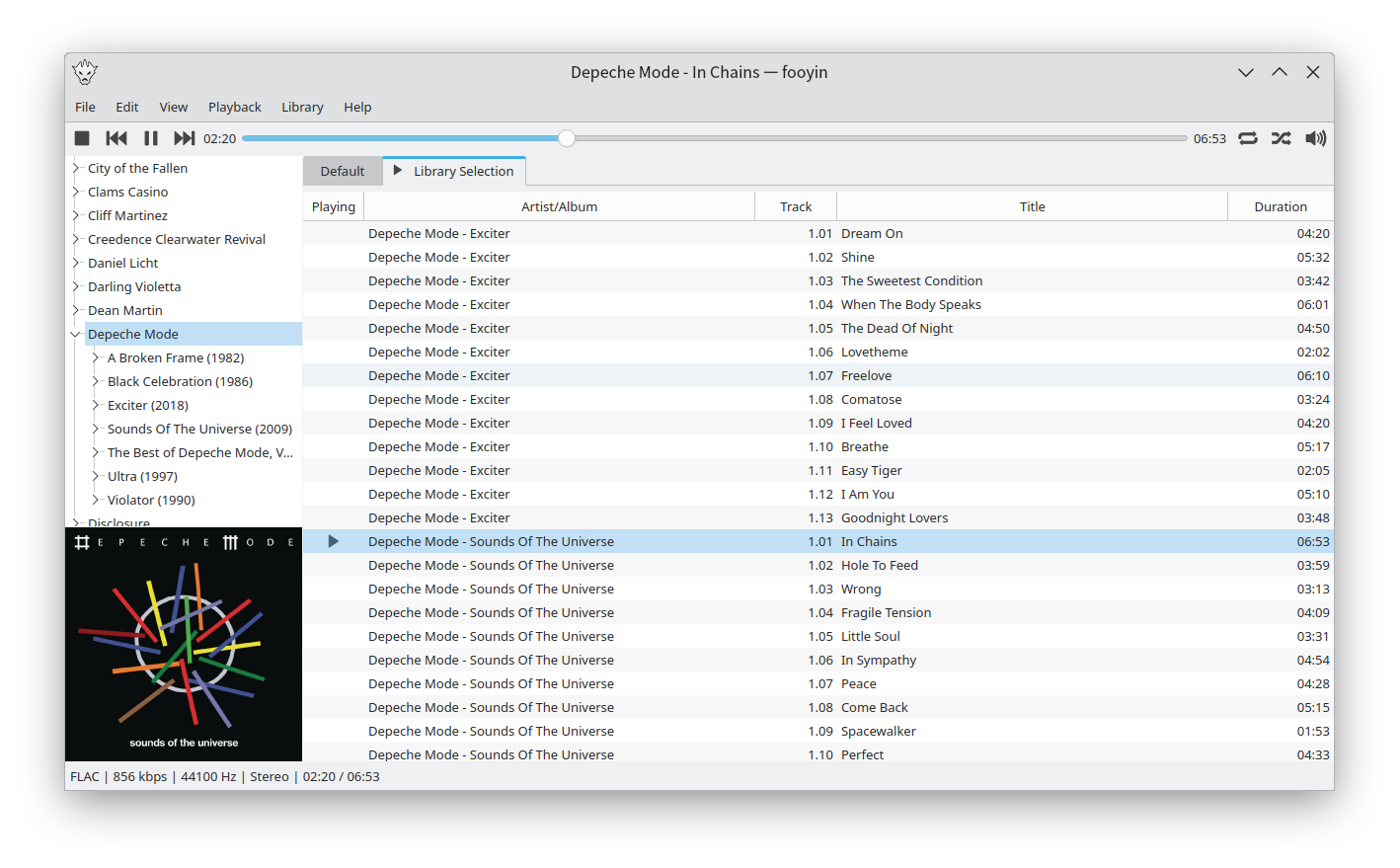
Fooyin is a customisable music player for Linux. Fooyin features a layout editing mode in which the entire user interface can be customised, starting from a blank state or a default layout. FooScript takes this further by extending the customisation to individual widgets themselves.
Features:
- Playback FLAC, MP3, MP4, Vorbis, Opus, WavPack, WAV, AIFF, Musepack, Monkey’s Audio
- Playback popular VGM and tracker module formats
- Gapless playback
- Add and play files from within compressed archives
- Audio output and device configuration
- CUE sheet support (including embedded)
- Fully customisable layout, starting from a blank window
- Customisable keyboard shortcuts
- Filter library on any field(s)
- Create and manage playlists
- Import/export playlists (M3U/M3U8)
- Extensible using a plugin system
- Tag editing
- Library tree, including directory structure view
- Directory browser
- Waveform seekbar
- MPRIS support
- ReplayGain support
- Scrobbling
www.fooyin.org
github.com/ludouzi/fooyin
Share this:

Disconest ~ Metadata For Your Music: Keys, BPM & More
Vinyl sounds better, looks better, feels better and even smells better. But digital does have its benefits, musical metadata is one of them. Having the key, tempo and other musical metadata for your records at a glance would be useful. Disconest uses The Echonest music database to find information about releases registered on Discogs.
As of November 2024 Spotify removed access to api endpoints used by Disconest and many other indie apps. Without these apis Disconests functionality is limited. See the Spotify Developer blog for more details.
Share this:

Discogs ~ Grading Vinyl Properly
A simple reference table: How to grade records on Discogs
www.brianchernicky.com/how-to-grade-records-discogs-table
Share this:

Strawberry ~ Cross-platform Music Player
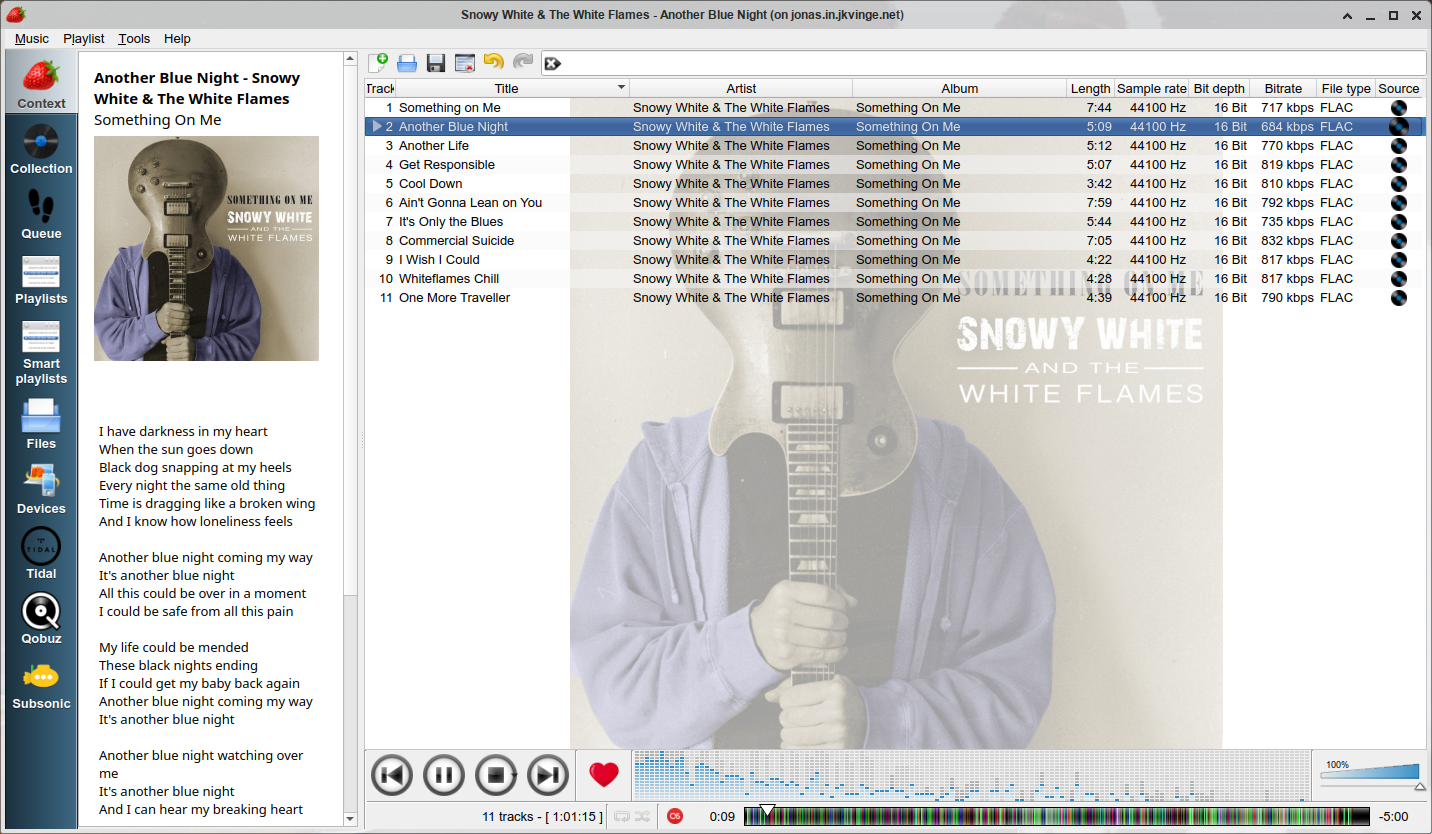
Strawberry is a music player and music collection organizer. It is a fork of Clementine released in 2018 aimed at music collectors, enthusiasts and audiophiles. The name is inspired by the band Strawbs. It’s based on a heavily modified version of Clementine created in 2012 and 2013. Strawberry is written in C++ and Qt 5.
- Play and organize music
- Supports WAV, FLAC, WavPack, DSF, DSDIFF, Ogg Vorbis, Speex, MPC, TrueAudio, AIFF, MP4, MP3, ASF and Monkey’s Audio
- Audio CD playback
- Native desktop notifications
- Playlists in multiple formats
- Advanced audio output and device configuration for bit-perfect playback on Linux
- Edit tags on music files
- Fetch tags from MusicBrainz
- Album cover art from Last.fm, MusicBrainz, Discogs, Tidal and Deezer
- Song lyrics from AudD
- Support for multiple backends
- Audio analyzer
- Audio equalizer
- Transfer music to iPod, iPhone, MTP or other mass-storage USB player
- Streaming support for Tidal, Qobuz and Subsonic
- Scrobbler with support for Last.fm, Libre.fm and ListenBrainz
www.strawbs.org
github.com/jonaski/strawberry
github.com/strawberrymusicplayer
sourceforge.net/projects/strawberry-music-player.mirror
flathub.org/apps/org.strawberrymusicplayer.strawberry
Share this:

DiscogsToSpotify ~ Playlists From Collections
Both Discogs and Spotify offer a Web API for Third Party Applications like this one. After logging in with your Spotify account, you will be asked to provide a Discogs username. Using the Web APIs, we will query the public collection of the given user and try our best to match each release from the collection to an album on Spotify. The result will be stored for you inside a newly created playlist in your Spotify account.
Share this:

Discogs Enhancer ~ Chrome Browser Extension
Discogs Enhancer is a subscription service and an open source extension that adds extra features to both Discogs.com and Chrome.
You can block sellers, use a dark theme, see price comparisons, get feedback notifications, convert foreign currencies, search Discogs and other online record shops with any highlighted text, improve tracklist readability, customize lots of Marketplace aspects, and more!
Every feature is optional so you can choose only the features you want to use.
Share this:

Discogs ~ Website Clientside Scripting
Automatically sorting Discogs master release pages by country:
- First download and install Tampermonkey from https://tampermonkey.net/
- Once it’s installed, open the extension menu and click “Create new script”
- Paste the Javascript code below into the editor and click File > Save
(replace everything that’s there with this code)
// ==UserScript==
// @name         Discogs Master Release Default Sort By Country
// @namespace    https://www.discogs-enhancer.com
// @version      0.1
// @description  Set MR release link to include custom filters by default
// @author       Matthew Salcido (discogs.enhancer@gmail.com)
// @match        https://www.discogs.com/*
// @grant        none
// ==/UserScript==
(function() {
    'use strict';
    const links = [...document.querySelectorAll('a')];
    links.forEach(link => {
        if (link.href.includes('/master/')) {
         link.href += '?sort=country&sort_order=';
        }
    });
})();
Share this:

Ogger Club ~ Extend Discogs Functionality
Ogger for Discogs is a web system which uses the Discogs API in order to provide advanced functionality for the Discogs community. The Ogger Club is the place where you can take advantage of all the system’s features.
The goal of the project is not to replace your Discogs experience, but to extend it with new features that have been requested over time and are yet to be available on Discogs.
ogger.club
Discogs Discussion
Discogs Group
Share this:

DCue ~ Discogs Cue Sheet Generator
DCue is an open source command line tool for creating audio cue sheet files using the massive release database at Discogs. DCue is available for both Windows and Linux and is written in C++ with no external library dependencies. It has a very simple command line syntax and creates human-readable and universally compatible cue sheets (.cue files). It also supports the automatic creation of multiple cue sheets for multi-disc albums in an intuitive way.
dcue.sourceforge.net
sourceforge.net/projects/dcue/files/
Share this:

MusicBee ~ Extensible Audio Player
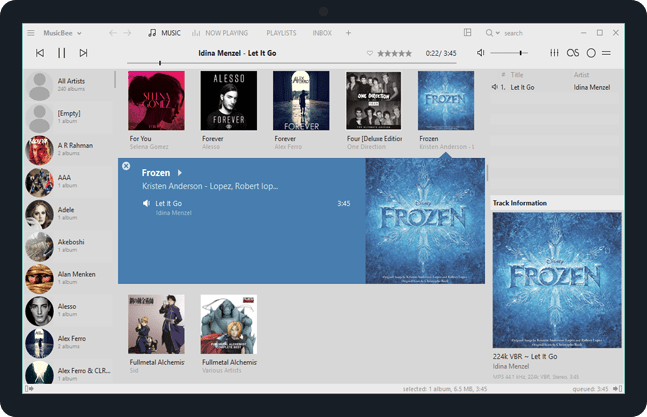
Enjoy a great music experience with MusicBee, the ultimate music manager and player. Play your music the way you want. Turn your computer into a music jukebox.
MusicBee makes it easy to manage, find, and play music files on your computer. Use auto-tagging to clean up your messy music library. MusicBee also supports podcasts, web radio stations and SoundCloud integration.
Supports AcoustID, Discogs, Last.FM, Milkdrop, ReplayGain and UPnP / DLNA
getmusicbee.com
getmusicbee.com/downloads
getmusicbee.com/addons
Wiki
en.wikipedia.org/wiki/MusicBee
Resources:
sourceforge.net/projects/additional-tagging-tools
sourceforge.net/projects/egmbplugin
Share this:

beets ~ The Music Geek’s Media Organizer
The purpose of beets is to get your music collection right once and for all. It catalogs your collection, automatically improving its metadata as it goes using the MusicBrainz database. Then it provides a bouquet of tools for manipulating and accessing your music.
Because beets is designed as a library, it can do almost anything you can imagine for your music collection. Via plugins, beets becomes a panacea:
- Fetch or calculate all the metadata you could possibly need: album art, lyrics, genres, tempos, ReplayGain levels, or acoustic fingerprints.
- Get metadata from MusicBrainz, Discogs or Beatport. Or guess metadata using songs’ filenames or their acoustic fingerprints.
- Transcode audio to any format you like.
- Check your library for duplicate tracks and albums or for albums that are missing tracks
- Browse your music library graphically through a Web browser and play it in any browser that supports HTML5 Audio and lots more.


