
music streaming server / free-software subsonic server API implementation
Features:
- browsing by folder (keeping your full tree intact) see here
- browsing by tags (using taglib – supports mp3, opus, flac, ape, m4a, wav, etc.)
- on-the-fly audio transcoding and caching (requires ffmpeg) (thank you spijet)
- subsonic jukebox mode, for gapless server-side audio playback instead of streaming (thank you lxea)
- support for podcasts (thank you lxea)
- pretty fast scanning (with my library of ~50k tracks, initial scan takes about 10m, and about 6s after incrementally)
- multiple users, each with their own transcoding preferences, playlists, top tracks, top artists, etc.
- last.fm scrobbling
- listenbrainz scrobbling (thank you spezifisch, lxea)
- artist similarities and biographies from the last.fm api
- support for multi valued tags like albumartists and genres (see more)
- a web interface for configuration (set up last.fm, manage users, start scans, etc.)
- support for the album-artist tag, to not clutter your artist list with compilation album appearances
- written in go, so lightweight and suitable for a raspberry pi, etc. (see ARM images below)
- newer salt and token auth
- tested on airsonic-refix, amperfy, symfonium, dsub, jamstash, music-assistant, subsonic.el, sublime music, soundwaves, stmp, termsonic, tempus, strawberry, and ultrasonic
Tag Archives: ffmpeg

CDPlayer ~ CD Player App
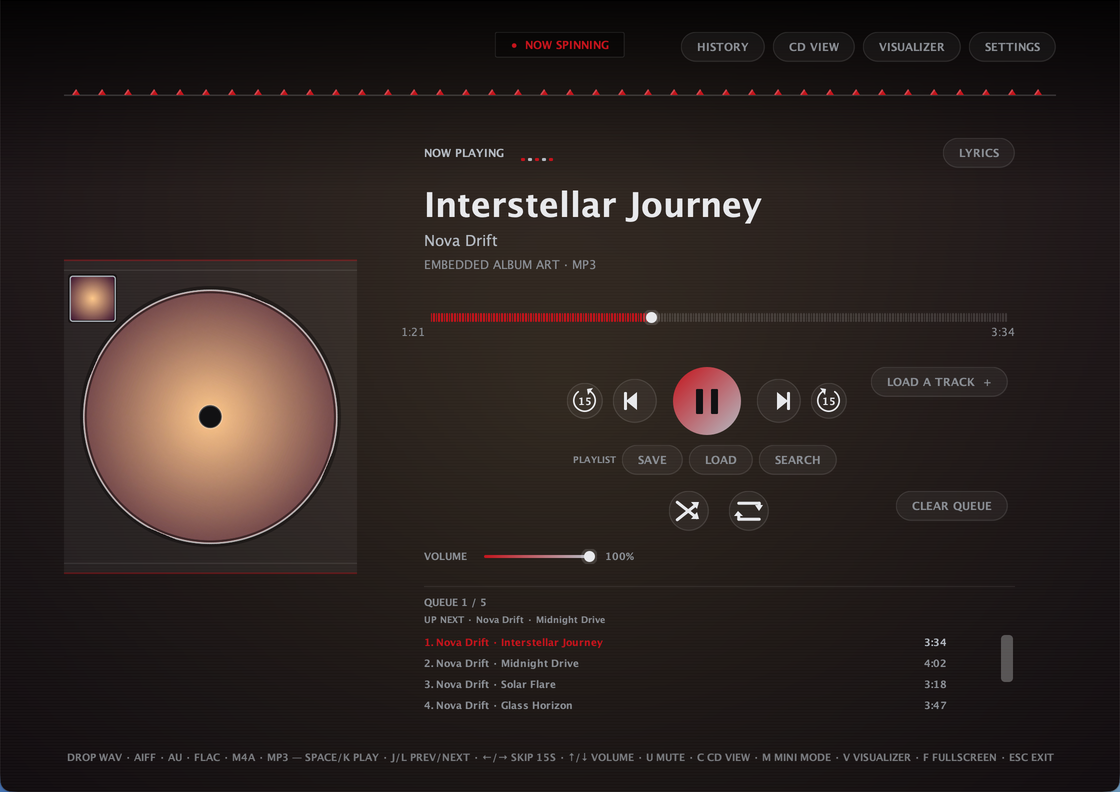
CDPlayer is a Java desktop app that recreates the tactile feel of a physical CD player for local audio playback. Load a track, press play, and enjoy a simple, distraction-free music experience without relying on a browser or web app — no accounts, no streaming, no internet required to play a song. Built with plain Java and native Swing/AWT — no external UI framework, single self-contained app
Plays local audio files through a custom low-latency streaming engine, with FFmpeg handling the formats Java can’t decode natively
Full queue management: drag-and-drop, drag-to-reorder, shuffle, repeat, crossfade, volume, mono downmix, and per-track removal — queue is saved automatically and restored next launch
Ten built-in themes — nine animated ones plus AUTO, which derives its whole palette from the current track’s own album art
A sleep timer that pauses playback after a set time, with a live countdown in the header
A 10-band graphic equalizer with built-in and savable custom presets, and a beat-synced visualizer
True fullscreen, a distraction-free fullscreen Visualizer Mode, and a Mini Mode that shrinks the whole app down to a small always-on-top widget
A dedicated Settings dialog for theme, crossfade, mono, and an ambient blurred-cover-art background wash
Automatic metadata and album art, with an online lookup fallback when a file has none
Works on Windows, macOS, and Linux. ffmpeg required.
Share this:

mp3-packer ~ Bitrate Reduction Script
I have more music than would fit onto the memory card of my phone. This is largely due to the 256 kBit/s versions that are sold now. On the phone, I do not really hear the difference between 256 kBit/s and 128 kBit/s, but I can clearly see the difference in size.
This script creates a whole copy of your music library, just with a smaller bitrate. It uses either ffmpeg or lame to convert the tracks.
github.com/martin-ueding/mp3-packer
Share this:

Bòcan Music ~ macOS Music & Podcast Player
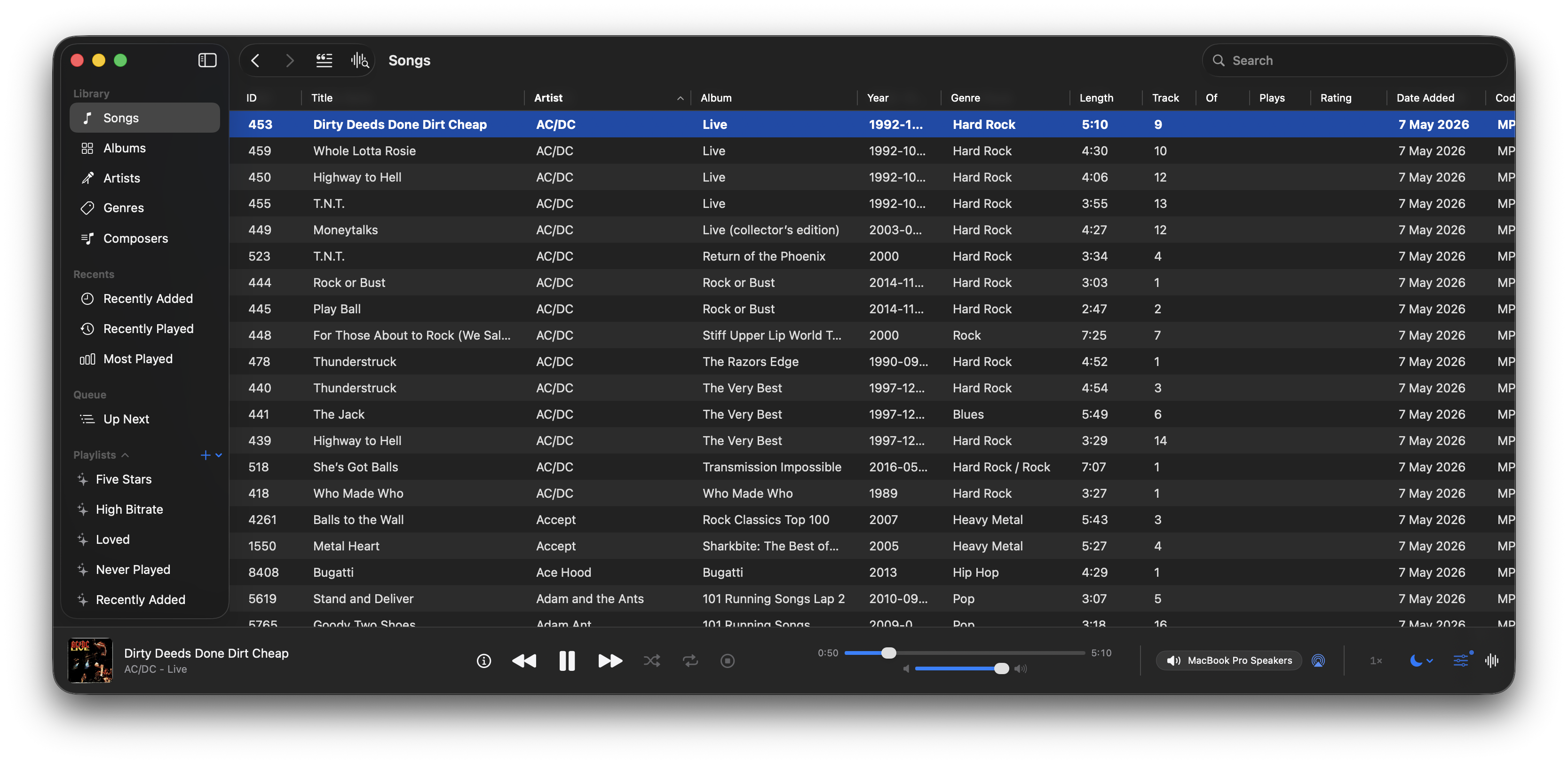
A native macOS music and podcast player and library built with Swift 6 and SwiftUI. Features gapless playback, AcoustID fingerprinting, smart playlists, lyrics, visualizers, scrobbling, and a DSP/EQ engine powered by FFmpeg.
github.com/bocan/bocan-music
bocan.app
Share this:

Carat ~ Concise Atmos Ripping Automation Tool
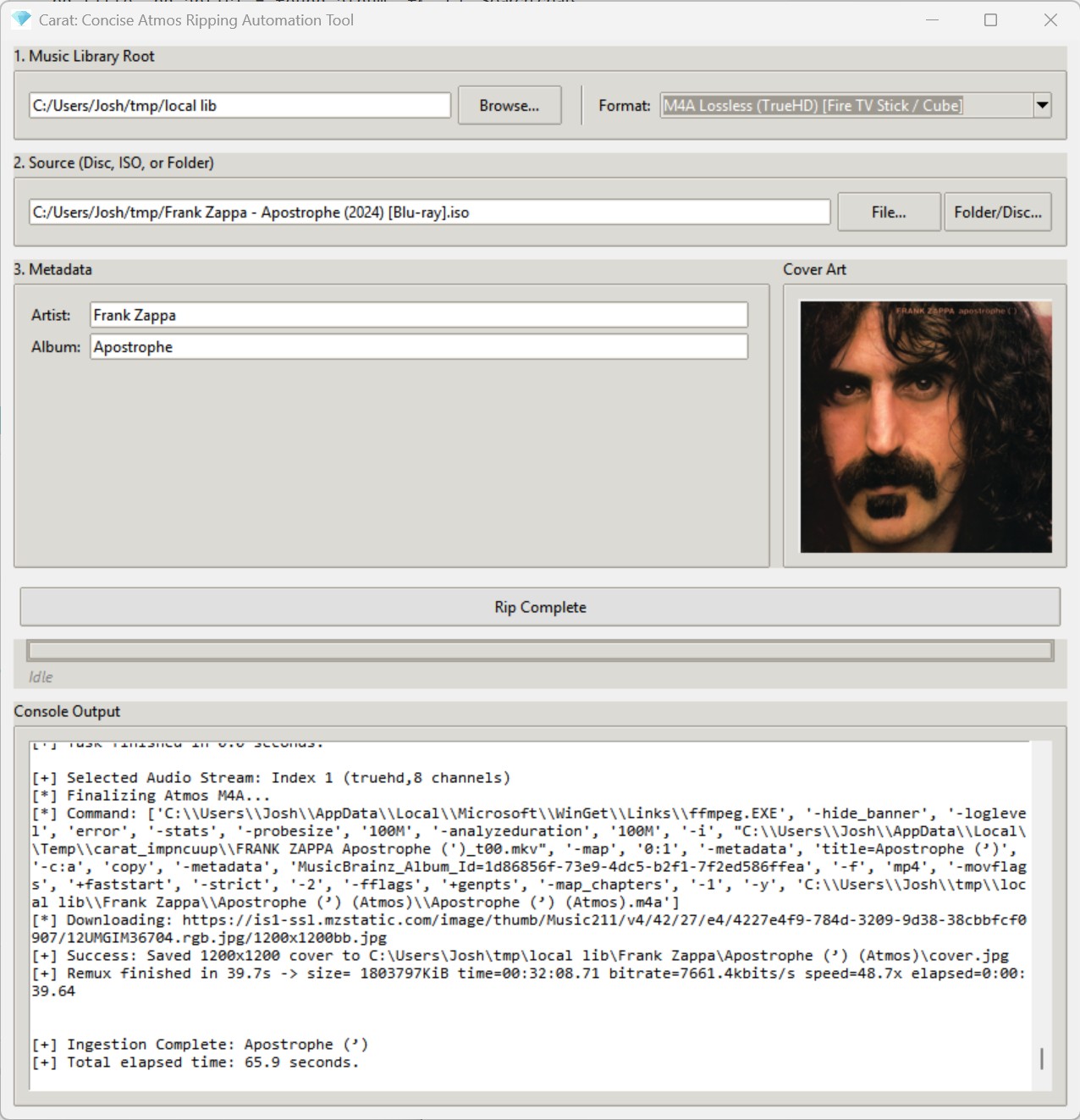
Carat is a lightweight, automated GUI utility designed to accept Dolby Atmos music releases in practically any format, locate the primary title in the release, retrieve metadata and cover art from the internet, and incorporate the release directly into your digital music library in a single click.
From the moment a new Blu-ray arrives in your mailbox, Carat handles the entire pipeline—extraction, processing, metadata acquisition, and cover art—with zero friction. If your source files are already on your SSD, Carat will process an entire release in a minute or two (depending on the speed of your computer). If you are starting from a physical disc, the time is limited by the read speed of your optical drive (expect five to ten minutes).
github.com/jbloch/carat
quadraphonicquad.com/threads/announcing-carat-beta-one-click-atmos-ripping-for-gapless-playback
References:
en.wikipedia.org/wiki/Dolby_Atmos
Share this:

Dynamic Audio Normalizer ~ Advanced Normalization
Dynamic Audio Normalizer is a library for advanced audio normalization purposes. It applies a certain amount of gain to the input audio in order to bring its peak magnitude to a target level (e.g. 0 dBFS). However, in contrast to more “simple” normalization algorithms, the Dynamic Audio Normalizer dynamically re-adjusts the gain factor to the input audio. This allows for applying extra gain to the “quiet” sections of the audio while avoiding distortions or clipping the “loud” sections. In other words: The Dynamic Audio Normalizer will “even out” the volume of quiet and loud sections, in the sense that the volume of each section is brought to the same target level. Note, however, that the Dynamic Audio Normalizer achieves this goal without applying “dynamic range compressing”. It will retain 100% of the dynamic range within each “local” region of the audio file.
The Dynamic Audio Normalizer is available as a small standalone command-line utility and also as an effect in the SoX audio processor as well as in the FFmpeg audio/video converter. Furthermore, it can be integrated into your favorite DAW (digital audio workstation), as a VST plug-in, or into your favorite media player, as a Winamp plug-in. Last but not least, the “core” library can be integrated into custom applications easily, thanks to a straightforward API (application programming interface).
github.com/lordmulder/DynamicAudioNormalizer
Share this:

Lattice ~ CLI Toolkit For Music Collectors
A high-performance CLI toolkit for music collectors who manage their own libraries. Lattice provides a suite of tools for library visualization, integrity verification, cover art extraction, and metadata auditing — all from a single, zero-dependency script.
Why this exists
Modern music players often hide your library behind proprietary databases. Lattice is built for collectors who treat the filesystem as the source of truth. It reads tags directly via mutagen, ensuring your library is portable and player-agnostic.
Features:
| Mode | Flag | Description |
|---|---|---|
| Library Tree | --library | Generate a formatted ASCII/Unicode tree of your entire collection. |
| AI Library | --ai-library | Token-efficient export designed for LLM recommendation prompts. |
| Genre Wings | --all-wings | Generate separate library catalogs segmented by genre. |
| Integrity Checks | --testFLAC | Parallel verification of FLAC/MP3/Opus/WAV integrity via FFmpeg. |
| Art Extraction | --extractArt | Extract embedded covers with format-priority ranking (FLAC > Opus). |
| Tag Audit | --auditTags | Identify and report files with missing or inconsistent metadata. |
github.com/VirInvictus/Lattice
Share this:

Bitfake2 ~ Audio Tool Handler & Manipulator
Bitfake was originally created to detect fake
.FLACfiles through spectral analysis. It has since grown into a multipurpose CLI tool for handling music more easily and efficiently.One common problem was that getting a track’s metadata required long
ffprobecommands with messy output. Converting music withffmpegwas also repetitive. The command itself is easy to remember, but writing scripts to convert entire directories felt inefficient and slow. This project now performs metadata and conversion tasks directly through linked libraries (TagLib/libsndfile/libav*).
Features:
- Get metadata
- Get ReplayGain info (useful for music players)
- Spectral analysis on 44.1 kHz
.FLACfiles (higher sample rates may be misrepresented, so be careful) - Lossy diagnosis (banding score)
- File Conversion + VBR Support (Works for outputs like
.wav,.flac,.ogg,.mp3,.aac,.opus) - Tagging metadata (Works for single files, but not directories yet)
- Calculating ReplayGain and applying it to files (Works for track replay gain iterating through directories, album replay gain is a bit funky?)
- Directory Conversion (works for all previously mentioned formats!)
- CoverArt+ (Brings along cover art among all conversions!)
- Organizing Files by album! (Give a dir of random music, and bitfake will organize it – ty to uncognic)
- Directory Tagging (YAY!)
- Album folder renaming from tags (Artist – Album (Year))
- Spectrogram generation (in .png)
- Version info (WOW! BEST YET!)
- MusicBrainz Syncing data.
github.com/Ray17x/bitfake2
gpo.zugaina.org/app-misc/bitfake2
repology.org/maintainer/ray%40atl.tools/feed-for-repo/gentoo_ovl_guru
Share this:

RxFFmpeg ~ Android Development Framewok
RxFFmpeg is a high-performance multimedia processing framework built on top of FFmpeg and optimized specifically for Android environments, enabling developers to perform complex audio and video editing operations programmatically. It integrates widely used encoding libraries such as x264, mp3lame, and fdk-aac, allowing it to support a broad range of media formats and transformations. The framework provides a wrapper around FFmpeg commands, making it easier to execute advanced media operations without directly handling low-level command syntax. It supports both synchronous and asynchronous execution, enabling developers to manage long-running media tasks efficiently within mobile applications. The system also includes features like hardware acceleration through MediaCodec, significantly improving performance on supported devices. Its design focuses on flexibility, allowing users to perform tasks such as transcoding, clipping, filtering, and compositing media with minimal overhead.
Features:
- Callback system for tracking execution progress
- Execution of FFmpeg commands through a simplified interface
- Support for synchronous and asynchronous media processing
- Hardware acceleration using MediaCodec
- Wide range of video and audio editing capabilities
- Integration with multiple encoding libraries
github-com.translate.goog/microshow/RxFFmpeg
sourceforge.net/projects/rxffmpeg.mirror
Share this:

tz-player ~ Command Line Music Player
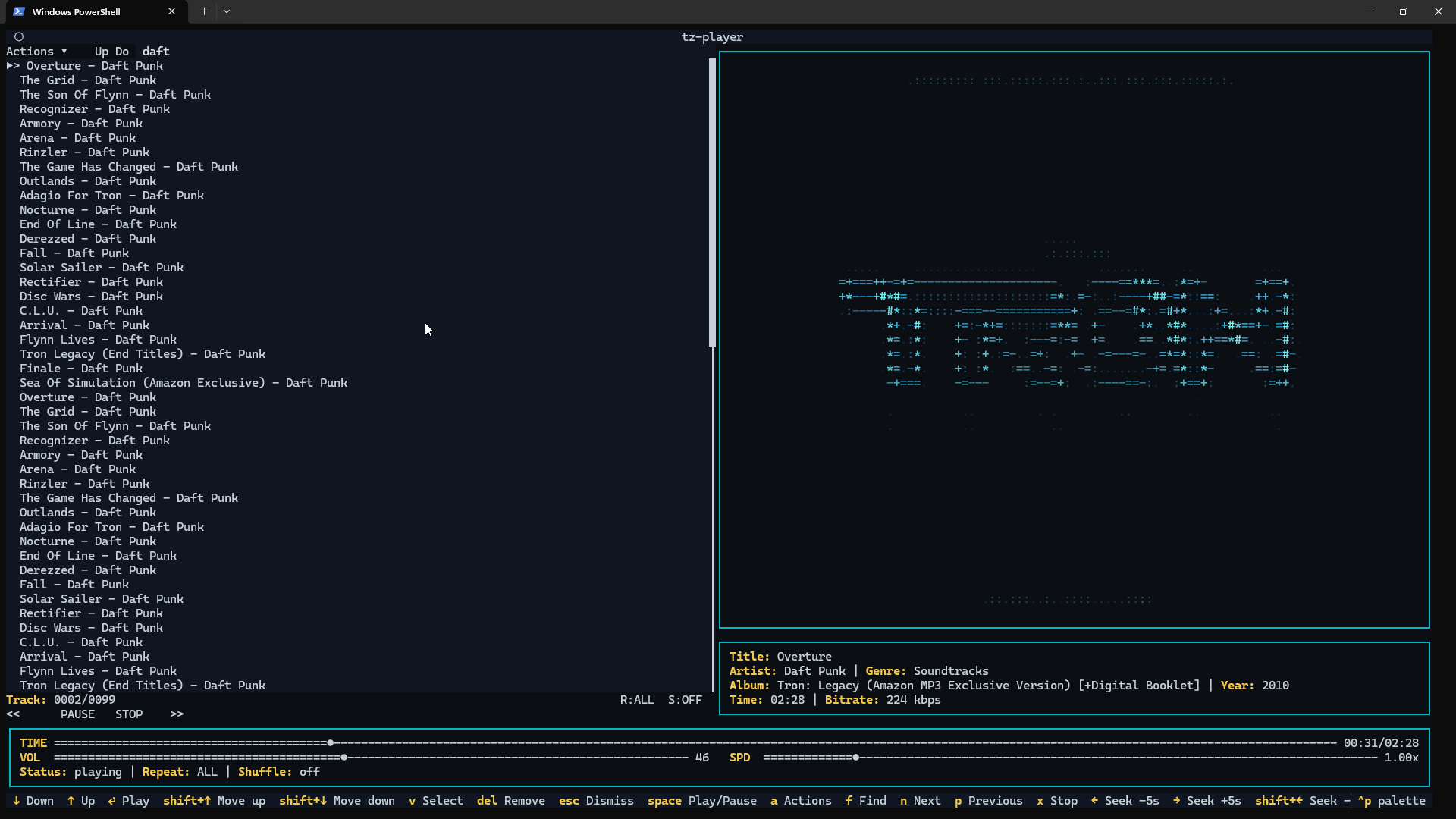
A clean, keyboard-driven music player for the terminal.
tz-playeris a simple TUI music player built with Python and powered by VLC. If VLC can play it,tz-playercan play it.No streaming. No accounts. No background services. Just your music, in your terminal.
Share this:

Swing Music ~ Self-hosted Music Player
Swing Music is a fast and beautiful, self-hosted music player for your local audio files. Like a cooler Spotify … but bring your own music. Just run the app and enjoy your music library in a web browser.
Features:
- Daily Mixes – curated everyday based on your listening activity
- Metadata normalization – a clean and consistent library
- Album versioning – normalized albums and association with version labels (eg. Deluxe, Remaster, etc)
- Related artist and albums
- Folder view – Browse your music library by folders
- Playlist management
- Beautiful browser based UI
- Silence detection – Combine cross-fade with silence detection to create a seamless listening experience
- Collections – Group albums and artists based on your preferences
- Statistics – Get insights into your listening activity
- Lyrics view
- Android client
- Last.fm scrobbling
- Multi-user support
- Cross-platform – Windows, Linux, MacOS (coming soon), arm64, x86
- Blazingly fast
- Pure awesomeness
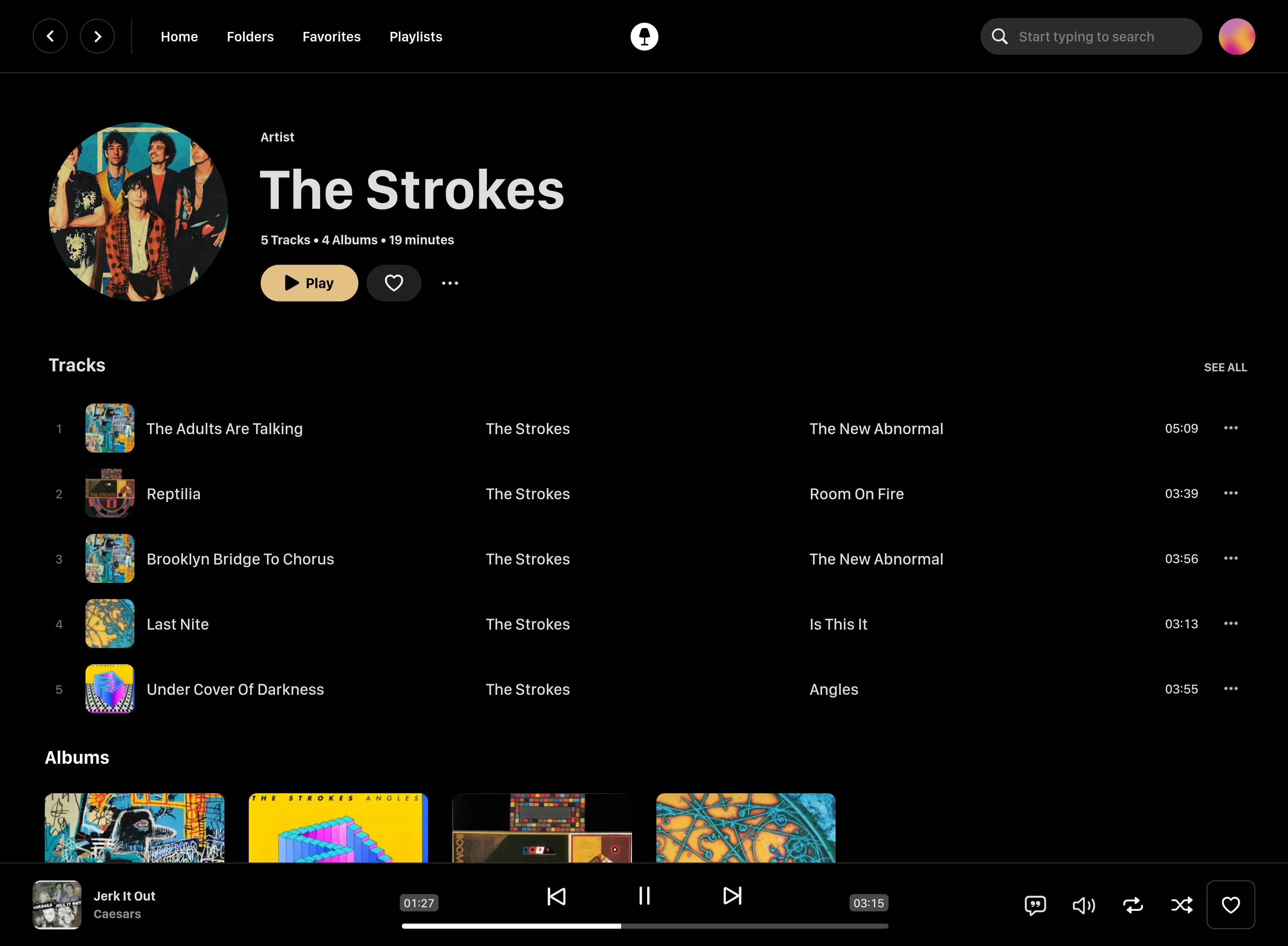
github.com/swingmx/swingmusic
github.com/swingmx/android
github.com/swingmx/webclient
sourceforge.net/projects/swing-music.mirror
Share this:

Discord Audio Stream ~ Stream Audio Via Discord
Designed for 24/7 audio playing on discord.
Discord has many unwanted rate limits, especially in the audio area. This package does all the work and ensures that your music never stops playing due to ffmpeg or Discord, with as little effort as possible.
github.com/FrauJulian/Discord-Audio-Stream
www.npmjs.com/package/discord-audio-stream


