Tuniac ~ iTunes Styled Windows Player


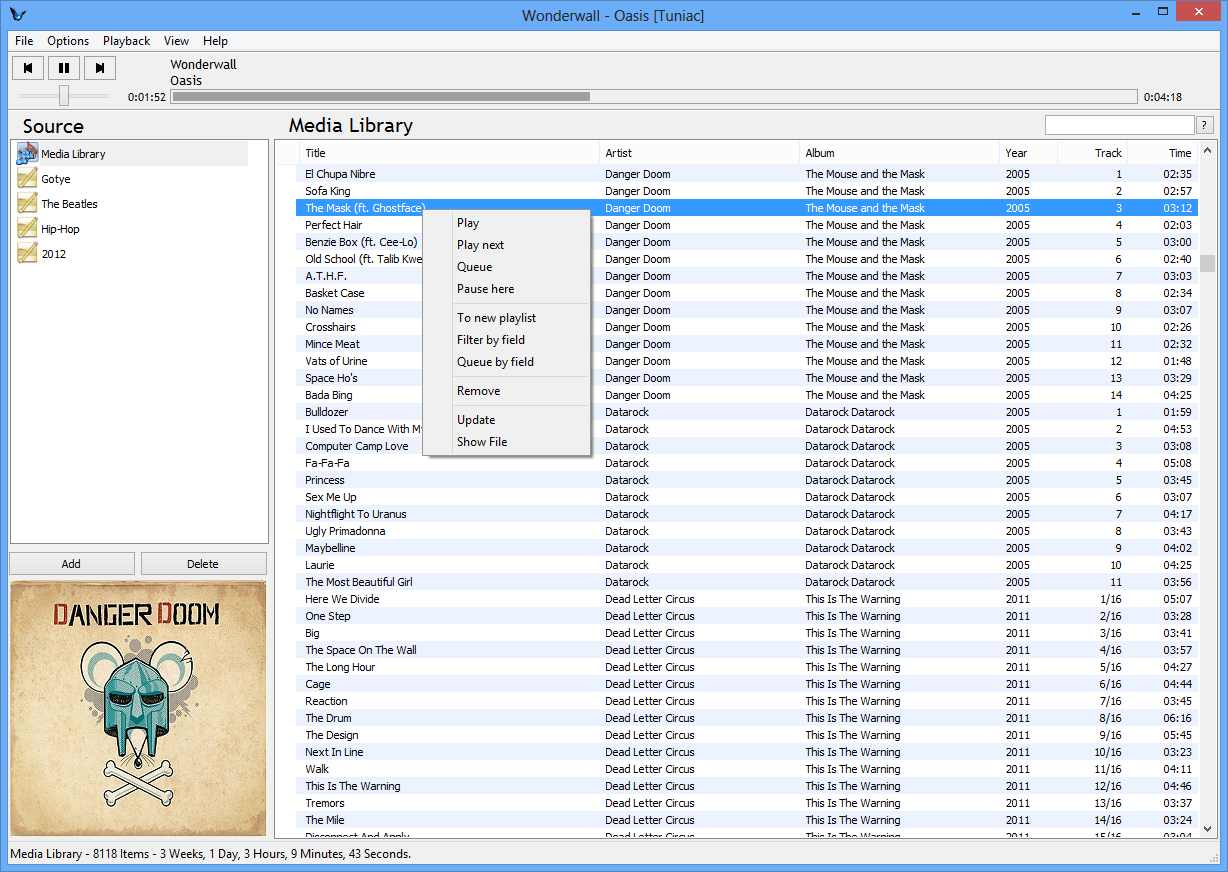
Tuniac is an iTunes style media player / manager for Windows, with an advanced playlist editor, search as you type and queue support.

Features:

  • Search as you type
  • Advanced queueing
  • Supports many audio formats
  • OpenGL Sonique Visual Plugin renderer
  • Small cpu and memory footprint

Supports:

  • MPEG-1 Audio (mp3, mp2, mp1)
  • FLAC (flac, fla, oga, ogg)
  • Advanced Audio Coding (aac, m4a, m4b, mp4)
  • Apple Lossless Audio Codec aka ALAC (m4a)
  • Windows Media Audio (wma)
  • Vorbis (ogg)
  • Opus (opus)
  • WavPack (wv)
  • TAK Audio (tak)
  • TrueAudio (tta)
  • Monkeys Audio (ape, mac)
  • Musepack (mpc, mp+, mpp)
  • OptimFrog (ofr, ofs)
  • Shorten (shn)
  • Dolby Digital (ac3)
  • DSD (dff, dfs)
  • PCM (wav, aif)
  • CD Audio (cda)
  • Speex (spx)
  • MOD Formats (mod, mo3, xm, it, s3m, mtm)
  • Game Audio Formats (adx, umx)
  • MIDI (mid)
  • radio streaming of most the above formats.
The Loudspeaker Explorer ~ Colaboratory Notebook


A speaker measurement visualization, analysis and comparison tool.

colab.research.google.com/github/dechamps/LoudspeakerExplorer-rendered/blob/master/Loudspeaker_Explorer

glBars ~ OpenGL Visualisation Plugin


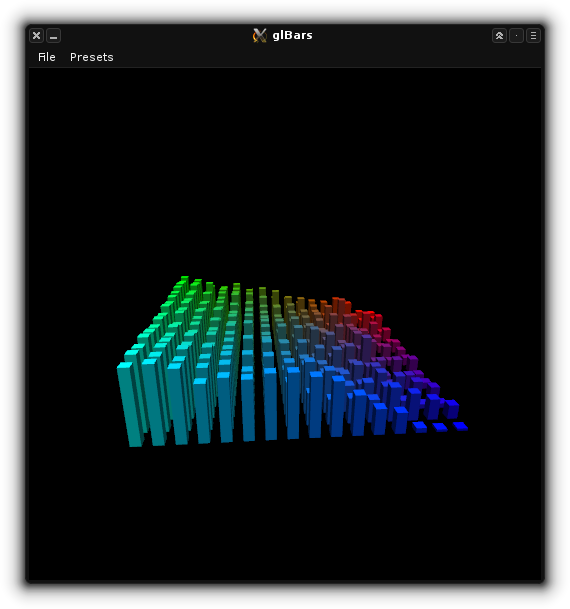
This is an OpenGL bars visualization plugin (as seen in XMMS and XBMC/Kodi). It’s adapted from the jack_glbars project by Nedko Arnaudov. glBars works as a JACK standalone and audio plugin (LV2 or VST).

glbars

github.com/DISTRHO/glBars
distrho.sourceforge.io/plugins
github.com/DISTRHO/DPF-Plugins

foo_vis_shpeck ~ Foobar MilkDrop Visualizations


The foo_vis_shpeck component runs Winamp visualization plugins in a stand-alone window, a Columns UI panel or Default UI element.

Documentation
Download
Hydrogen Audio Topic
Download Winamp

Shpeck enables Foobar2000 to display dynamic graphics that react to the beat. It’s possible to toggle between fullscreen and windowed modes.

Install the foo_vis_shpeck plugin, combined with Winamp’s MilkDrop visualizations.

  1. Download and install Winamp (or at least the folder structure for the plugins)
  2. Download and install foo_vis_shpeck
  3. Download some visualizations
  4. Uncompress visualizations and copy to System > Program Files > Winamp > Plugins
  5. Create a new foobar DUI panel or tab and add the new UI element Playback Visualisation > Shpeck
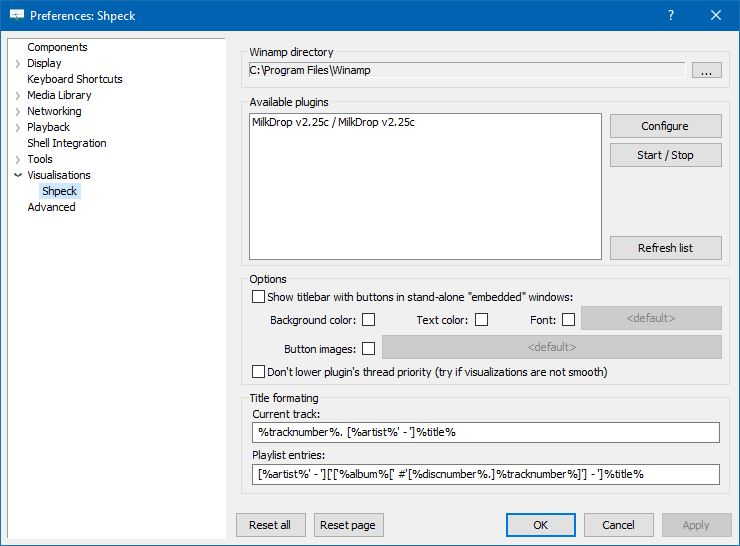
  6. Configure the plugin at Preferences > Visualisations > Shpeck
  7. Configure visualizations
Preferences: Shpeck

Resources:
www.foobar2000.org/components/view/foo_vis_shpeck
www.winamparchive.org
archive.org/details/tucows_193563_Winamp
www.mediafire.com/download/8hxarja92q9q99c/foobar2000-milkdrop-2.25c.7z
forums.winamp.com/forum/winamp/winamp-discussion/4615655-winamp-5-9-2-released

Guides:
Milkdrop in Foobar on Windows 8 ~ vault-tec.info/post/51743506694/milkdrop-in-foobar2000-on-windows-8

Additional Presets:
sourceforge.net/projects/mdpresetpack/
www.thefreewindows.com/21777/download-free-milkdrop2-50000-presets-megapack/
archive.org/details/Milkdrop252kPresetCollection.7z

… some archives from this milkdrop contest thread on Winamp forum and put everything into a single archive. Some of the presets are nice and quite original, but most of them are variations. The ones that seemed nice to me I copied and added exclamation mark to their names. ~ hydrogenaud.io/index.php/topic,59388.msg914054.html#msg914054

XMPlay ~ Extensible Windows Player


XMPlay is an audio player, supporting the OGG / MP3 / MP2 / MP1 / WMA / AAC / MP4 / WAV / AIFF / CDA / MO3 / IT / XM / S3M / MTM / MOD / UMX audio formats, PLS / M3U / ASX / WAX / CUE playlists, and ZIP archives. A load more audio and archive file formats are also supported via plugins.

When XMPlay was first released in 1998, only the XM file format was supported, hence the name “XMPlay”.

www.xmplay.com
support.xmplay.com
ssz.bitbucket.io (Input & Archive plugins)

Common Music ~ Algorithmic Music Composition


Common Music (CM) is a real-time music composition system implemented in JUCE/C++ and Scheme. It generates musical output via MIDI, OSC, CLM, FOMUS and CSOUND. Its user application is called GRACE (Graphical Real-time Algorithmic Composition Environment)

Features:

  • Algorithmic music composition environment
  • Runs on Mac, Windows and Linux
  • Real time scheduling of musical algorithms
  • Two coding languages for designing algorithms: S7 Scheme and SAL (an easy-to-learn alternate)
  • MIDI input/output
  • CLM/Sndlib audio system built in (Scottstaedt)
  • CCRMA digital audio instrument definitions built in (Scottstaedt)
  • Open Sound Control input/output
  • Metronomes and running algorithm redefinition for live coding
  • Data visualization
  • Music pattern definitions
  • Fomus system built in for computing music notations (Psenicka)

commonmusic.sourceforge.net
sourceforge.net/projects/commonmusic

foo_musical_spectrum ~ Foobar2000 DUI Spectrum Display


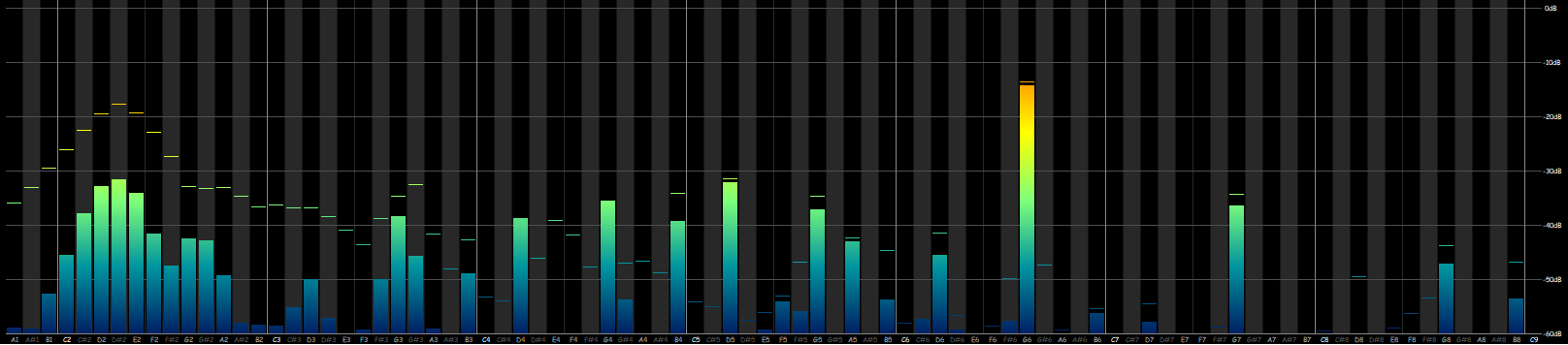
This is a “musical spectrum”, displayed accordingly to how the spectrum is divided in music (notes, semitones, etc).

musical-spectrum.png

hydrogenaud.io/index.php?topic=97404.0

IDTE ~ ID3 Tag Editor & Player


IDTE is a full featured tag editor for Windows which supports tagging of FLAC, APE, ID3V1.x/2.x, WMA, LYRICS, and VORBIS tags in audio files.

It also supports the playback of 40+ various lossy and lossless music formats such as FLAC, ALAC, OGG, APE, MP3 etc.

It can rename files based on the tag information, export tag information, create playlists, search for incomplete tags on Internet, fetch lyrics, fetch cover art, supports CUE sheets, can process multiple files at same time, allows for batch file processing, supports SFX, visualizations and more…

sourceforge.net/projects/idteid3tagedito

Mcool ~ Lightweight Music Player


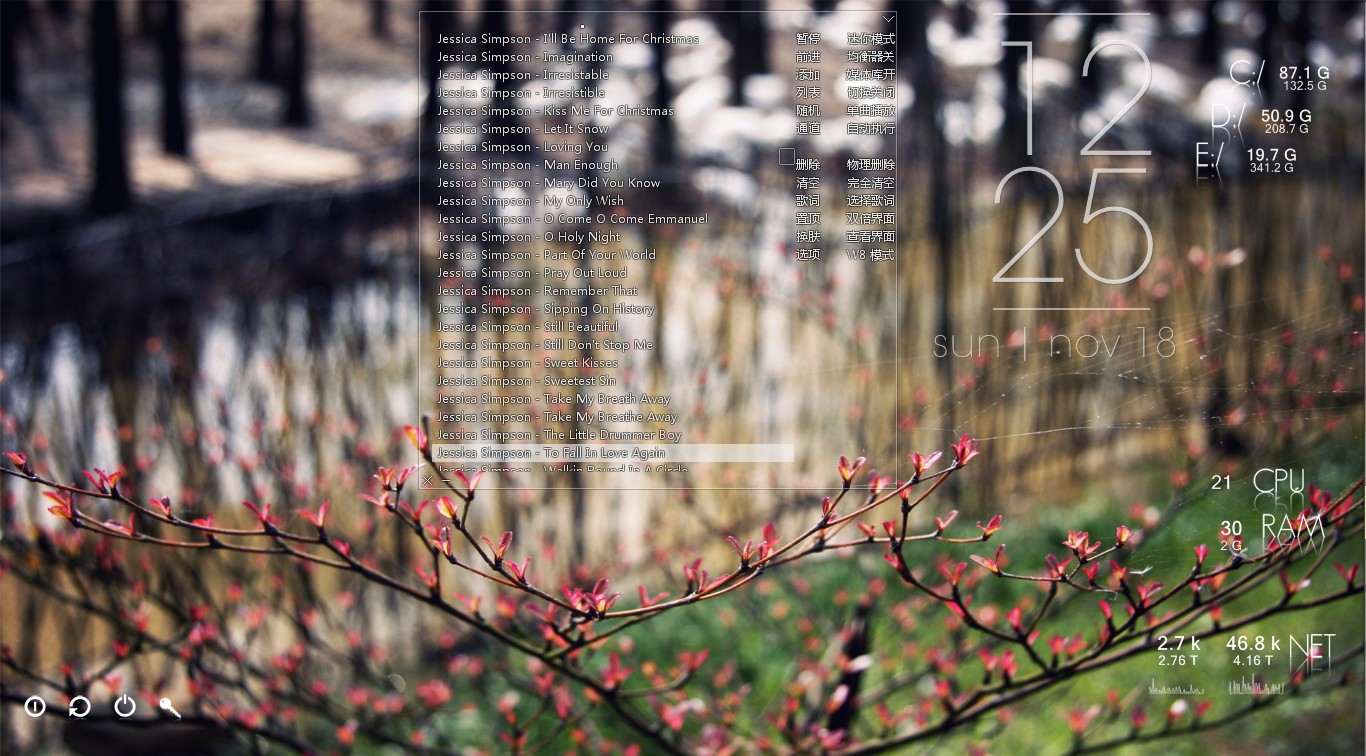
Minimalist local music player for windows, transparent, borderless and buttonless.

Features:

  • Portable, free, open-source software. (Delphi, MIT open-source license)
  • Operating System: Windows XP/7/8/10, 简体 / 繁體 / English / Unicode
  • Minimalist, transparent, “no interface, only music”.
  • Optimized for local lossless music playback. Powered by Bass library, with excellent performance and high quality sound effects. Modular design, can be highly customized.
  • Supports lightweight media library, lyrics and visual effects. Can be minimized to the system tray, takes very few system resources, suitable to listening to music when working.
  • These features come from user suggestions: tag editing, automatic switching list, play queue, mouse gestures, equalizer, audio device selection, the global volume wheel (over systray), font settings, minimalist mode, mouse transparent, pin to desktop and a simple layout.
  • Supports APE / FLAC / WavPack / MP3 / OGG / TTA / TAK / Musepack / AAC / AC3 ​​/ WMA / Wav / CD / ALAC / Aiff / MOD / CUE (almost all local music formats from lossy to lossless, and supports video formats by plug-in)

mcool.jpg

mcool.appinn.me

StereoTool ~ Analysis & Imaging Tool


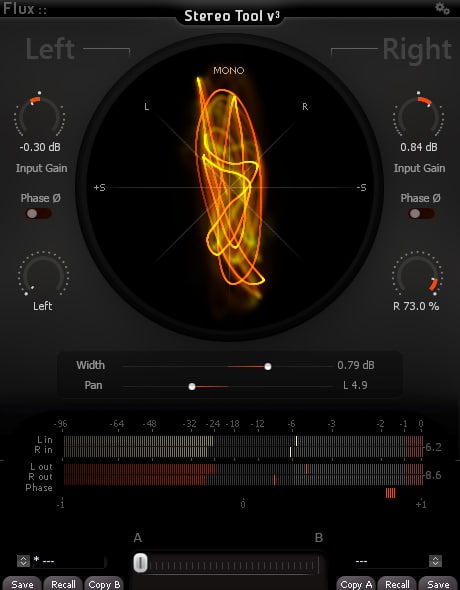
The Complete Stereo Imaging And Analysis Tool. StereoTool offers ultra-precise control of input gain and individual pan for left and right channels, accurate visual feedback reflecting the signal content with; a vectorscope, PPM meters for inputs/outputs, phase correlation meter permanently monitoring the signal and individual left and right polarity reversal – No dongle or registration required – 100% Freeware!

stereotool-v3-full

www.flux.audio/project/stereo-tool-v3

WaveSurfer ~ Visualize & Manipulate Sound


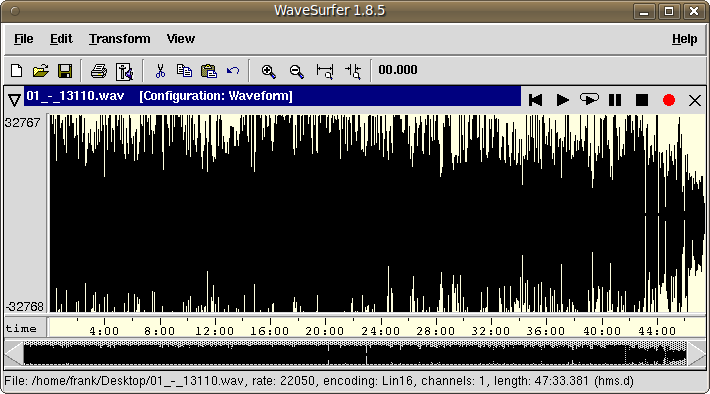
WaveSurfer is an open source tool for sound visualization and manipulation. Typical applications are speech / sound analysis and sound annotation / transcription. WaveSurfer may be extended by plug-ins as well as embedded in other applications.
Features:

  • Customizable – users can create their own configurations. Localization support.
  • Extensible – new functionality can be added through a plugin architecture.
  • Embeddable – WaveSurfer can be used as a widget in custom applications.
  • Transcription file formats – reads, and writes HTK (and MLF), TIMIT, ESPS/Waves+, and Phondat. Support for encodings and Unicode.
  • Multi-platform – Linux, OSX & Windows.
WaveSurfer

sourceforge.net/projects/wavesurfer
en.wikipedia.org/wiki/WaveSurfer

Clementine ~ Modern Player & Library Organizer


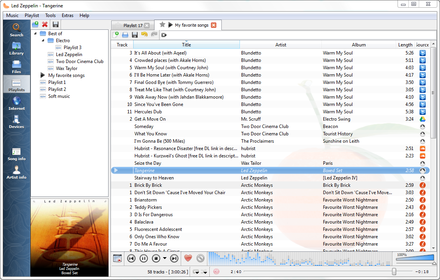
Clementine is a multi-platform music player. It’s inspired by Amarok 1.4, focusing on a fast and easy-to-use interface for searching and playing your music.

  • Search and play your local music library.
  • Listen to internet radio from Spotify, Groovesharks, SomaFM, Magnatune, Jamendo, SKY.fm (radiotunes), Digitally Imported, JAZZRADIO.com, Soundcloud, Icecast and Subsonic servers.
  • Search and play songs you’ve uploaded to Box, Dropbox, Google Drive, and OneDrive.
  • Create smart playlists and dynamic playlists.
  • Tabbed playlists, import and export M3U, XSPF, PLS and ASX.
  • CUE sheet support.
  • Play audio CDs.
  • Visualizations from projectM.
  • Lyrics and artist biographies and photos.
  • Transcode music into MP3, Ogg Vorbis, Ogg Speex, FLAC or AAC.
  • Edit tags on MP3 and OGG files, organize your music.
  • Fetch missing tags from MusicBrainz.
  • Discover and download podcasts.
  • Download missing album cover art from Last.fm and Amazon.
  • Cross-platform – works on Windows, Mac OSX and Linux.
  • Native desktop notifications on Linux (libnotify) and Mac OSX (Growl).
  • Remote control using an Android device, a Wii Remote, MPRIS or the command-line.
  • Copy music to your iPod, iPhone, MTP or mass-storage USB player.
  • Queue manager.
Clementine Version 1.2-1
Playlist tab, while listening to songs from multiples Internet services

www.clementine-player.org
www.clementine-player.org/downloads
github.com/clementine-player/Clementine
flathub.org/apps/org.clementine_player.Clementine
en.wikipedia.org/wiki/Clementine_(software)
Clementine Music Player Tutorial

F-Droid

An Android remote control for Clementine

f-droid.org/packages/de.qspool.clementineremote