Pine Player ~ MacOS HQ Up Sampling Max 32bit 768kHz


Pine Player is an exclusive listening digital music player for music lovers who use the OSX operating system. It can play almost all existing digital audio forms such as MP3, FLAC, APE, AAC, M4A, WAV, AIFF, OGG, WMA, DSD, SACD ISO etc. and it also has a strong playing capability for listening to CUE files in the most convenient way.

1.     Maximum 32Bit 768kHz Up Sampling Function

Pine Player supports various kinds of PCM formats, so it can play sound sources from 16 to 32 bit; it can also reproduce clear and abundant sound quality by supporting a maximum of 768kHz.

Pine Player’s unique Over Sampling Filter is a technique that upconverts an ordinary MP3 file into a 32bit, maximum of 768kHz, and high sound quality sound source and sends it to the DAC for it to be played in best performance. Ordinary MP3 files’ sound quality can actually be heard more clearly and plentifully. Obviously, HD audio files such as MQS and DSD can be upconverted to a maximum of 768kHz as well.

2.     Convenient and Strong Playlist & Prevention of Text Cracking

Pine Player has a very convenient playlist because users can save and manage the music they wish to listen to, change the order of the music being played by simply dragging, and express any kind of language or text encoding perfectly because of its flawless decoding function. There is no Korean code cracking.

3.     Cross Fade and Gapless set-up

Cross Fade function, which is a technique that decreases the gap between songs when listening to files on the playlist or overlaps the songs for no gaps at all, can be set into seconds.

4.     Mass Storage of Audio Queue for Real Time Converting

Pine Player prevents damage of sound quality by having a high-powered Audio Queue for processing excessive amount of digital data. Therefore, it takes a considerable amount of memory compared to other music players.

5.     Automatic Isolation of Damaged Sound Sources

Pine Player has an automatic isolation function for damaged sound sources called Vault. If a damaged sound source is detected while playing the music, the music is stopped and taken to the Vault file for isolation. Through this convenient function, users can easily figure out which sound source is damaged and restore it.

Even with all these functions, Pine Player is a free app. Moreover, there are not any marketing or advertising material. Especially, no information including personal ones are sent to the outside or the Internet.

www.digipine.com/index.php?mid=pineplayer

midisport-macos ~ M-Audio MIDISPORT USB 64-bit MIDI Device Driver For MacOS


This project provides an open source MacOS v10.14, v10.15, v11.6 (Mojave, Catalina, Big Sur) compatible CoreMIDI 64 bit device driver for M-Audio’s MIDISPORT range of USB MIDI interfaces. This driver supports the following devices:

  • MIDISPORT 1×1
  • MIDISPORT 2×2
  • MIDISPORT 4×4
  • MIDISPORT 8×8/S
  • Oxygen 8 Keyboard

Other devices which are compatible may also work, although presently, these are the only ones which have been tested.

github.com/leighsmith/midisport-macos
sourceforge.net/projects/midisport-macos

sndcpy ~ Forward Android Audio To VLC


This tool forwards audio from an Android 10 device to the computer. It does not require any root access. It works on GNU/LinuxWindows and macOS.

The purpose is to enable audio forwarding while mirroring with scrcpy. However, it can be used independently.

github.com/rom1v/sndcpy

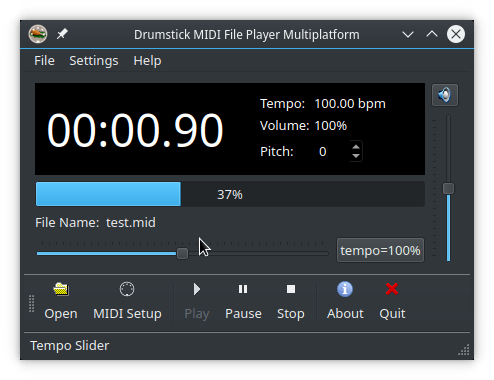
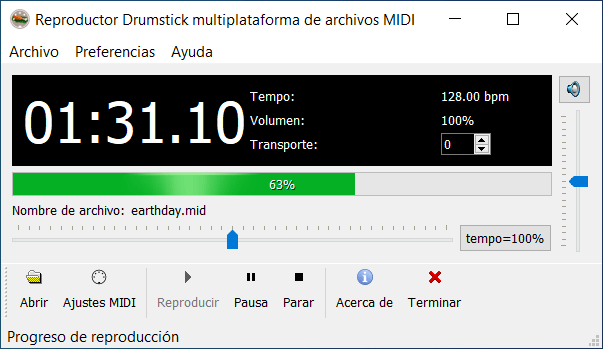
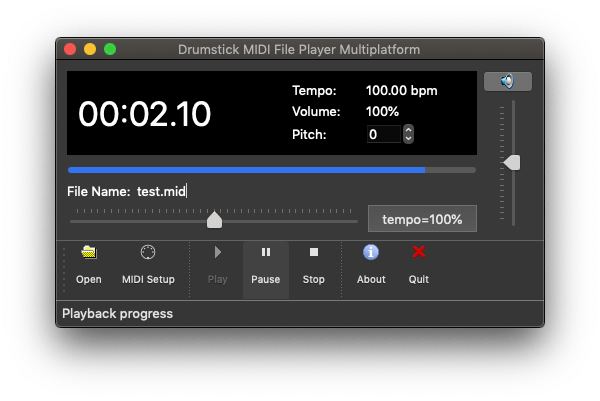
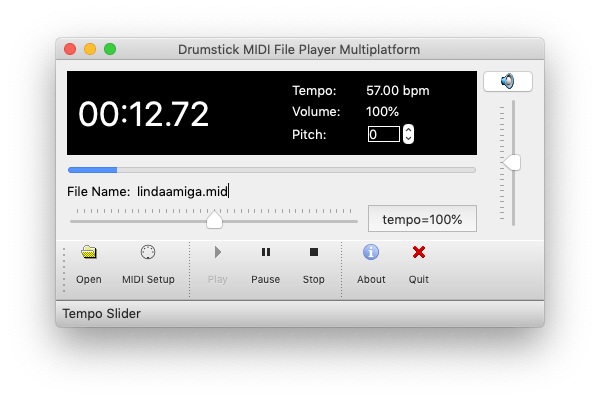
Drumstick ~ Multiplatform MIDI FIle Player


Featured MIDI File Player for Linux, Windows, and macOS written in C++, and using Qt5 and Drumstick2.

Features:

  • MIDI Output to hardware MIDI ports, or any other Drumstick backend
  • Transpose song tonality between -12 and +12 semitones
  • Change MIDI volume level (using MIDI CC7)
  • Scale song speed between half and double tempo
  • Plays Standard MIDI Files (.MID, .KAR) and Cakewalk project files (.WRK)

sourceforge.net/projects/dmidiplayer

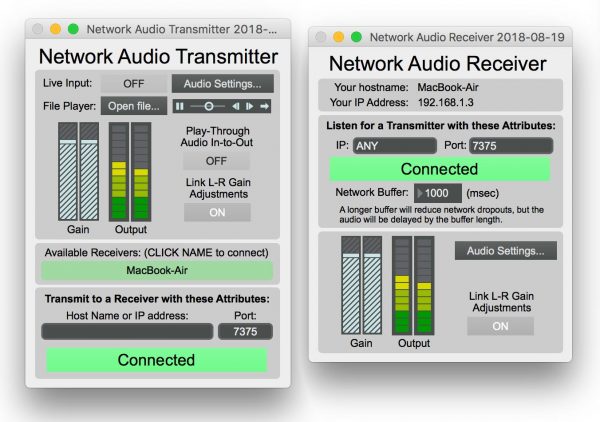
Network Audio Transmitter ~ MacOS Network Transport


Transmit / receive uncompressed stereo audio over a local network. Turn two Macs into a really expensive XLR cable… for free!

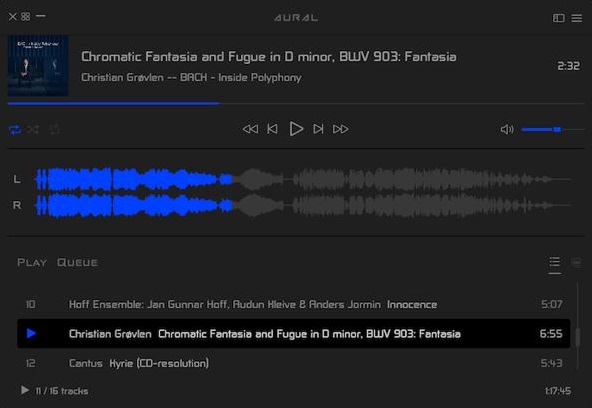
Aural Player ~ Winamp For Macs


Aural Player is an audio player for macOS. Inspired by the classic Winamp player for Windows, it is designed to be to-the-point, easy to use, and customizable, with support for a wide variety of popular audio formats and some sound tuning capabilities for audio enthusiasts.

github.com/maculateConception/aural-player

DGuitar ~ Guitar Pro File Player & Viewer


DGuitar is a Guitar Pro (*.GP4,*.GP3,GTP) viewer and player that works under Linux, MacOs, Solaris, BSD or Windows or any other Operational System that has Java Runtime Environment 1.4 or later installed.

dguitar.sourceforge.net

Twonker ~ Overtone Series MIDI VST


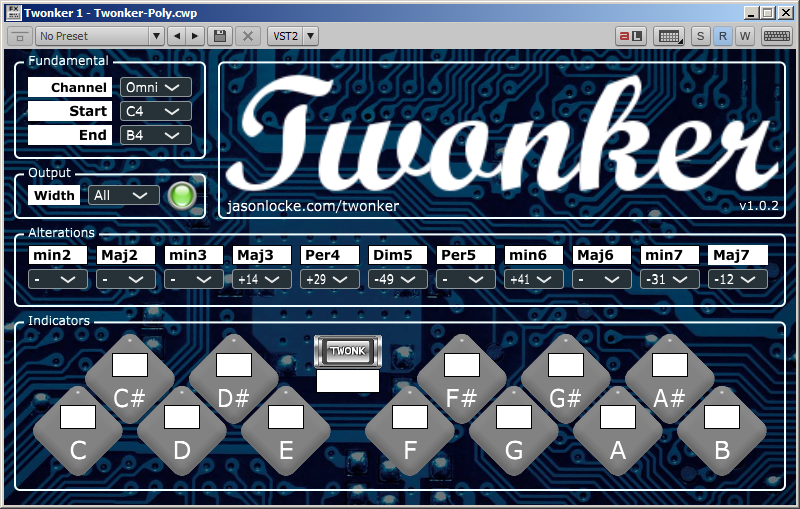
The Twonker is a free VST MIDI Plugin that allows a digital piano (or any MIDI instrument) to play tones from the Overtone Series. It is designed to run within most Digital Audio Workstations as a Synth Plugin on MacOS, Windows, and Linux.

The Twonker allows a musician to play overtones in a predictable and flexible manner, using a regular MIDI-based keyboard. In essence, it behaves like twelve different pianos tuned to twelve different “Overtone Scales”.

Features:

  • Runs on MacOS, Windows, and Linux
  • Built on the portable JUCE application framework
  • Functions as a Synth with MIDI input and output

www.jasonlocke.com/twonker

sourceforge.net/projects/twonker

AUDMES ~ Oscilloscope & Spectrum Analyzer


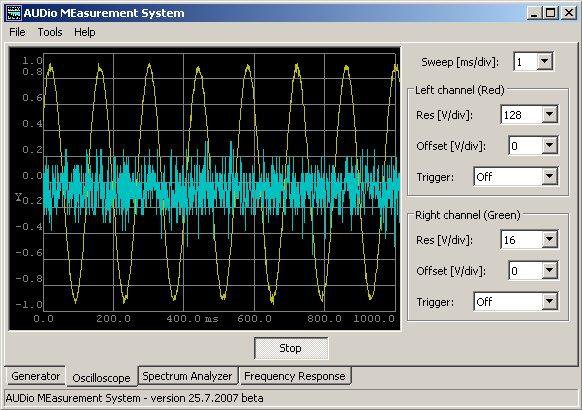
AUDio MEasurement System – multi-platfrom system for audio measurement through a PC sound card. Incorporates generator, oscilloscope, audio spectrum analyzer (FFT) and frequency sweep characteristic. Can be compiled and works under Linux, Windows and MacOS.

Features:
  • Display audio spectrum (FFT)
  • Show wave form
  • Generate tones
  • Only requires a sound card
  • Uses WxWidgets
  • Source code available

sourceforge.net/projects/audmes

Resources:

en.wikipedia.org/wiki/Spectrum_analyzer
en.wikipedia.org/wiki/Oscilloscope

Mp3VoiceStamp ~ Automatic Voice Annotation


Athletes’ companion: adds synthesized voice overlay with various info and on-going timer to your audio files.

Features:

  • Automatic voice volume adjustment based on music file volume
  • Supports batch processing of multiple files
  • Features dry-run mode for quick tests
  • Highly customizable
  • Minimal runtime dependencies
  • Works on Linux, Mac OS and Windows
  • Free

github.com/MarcinOrlowski/Mp3VoiceStamp

AudioWorks ~ Tagging & Conversion Suite


A cross-platform, multi-format audio conversion and tagging suite for .NET and PowerShell. Formats currently supported are MP3, MP4 AAC, FLAC, Apple Lossless (ALAC), Opus, Ogg Vorbis and Wave.

This project supplants PowerShell Audio by targeting both Windows PowerShell and PowerShell Core (Windows, Linux and MacOS).

github.com/jherby2k/AudioWorks

Soundsync ~ Cross-platform Virtual Cables


Soundsync is a web and desktop app to manage every audio source and every audio output in your home from a single interface. Link any audio source to multiple speakers connected to any devices on your home network. Soundsync will keep the music synchronized between all of them.

Features:

  • 🆓 Free to use
  • 🕸️ Work with any number of connected devices, audio sources, audio outputs and every link of your choosing
  • 🎶 Compatible with a lot of different audio sources (Spotify Connect with a premium account, Airplay, Hardware Audio input (line in / microphone), Linux system audio ; coming soon: Windows system audio, UPnP and more)
  • 🔊 Broadcast sound to any speaker connected to a computer (Windows, MacOS, Linux, RapsberryPi), a web browser (Chrome, Firefox) or a Chromecast and soon more
  • 🔗 Group speakers together to synchronize them to the same audio source
  • 🎛️ Control everything from a web browser
  • 🔓 Not linked to any external service, works offline, no account creation

github.com/geekuillaume/soundsync