daktilo (“typewriter” in Turkish, pronounced “duck-til-oh”, derived from the Ancient Greek word δάκτυλος for “finger”) is a small command-line program that plays typewriter sounds every time you press a key. It also offers the flexibility to customize keypress sounds to your liking. You can use the built-in sound presets to create an enjoyable typing experience, whether you’re crafting emails or up to some prank on your boss.
eyeD3 is a Python tool for working with audio files, specifically MP3 files containing ID3 metadata (i.e. song info).
It provides a command-line tool (eyeD3) and a Python library (import eyed3) that can be used to write your own applications or plugins that are callable from the command-line tool.
I wrote this because I wanted a command line tool that could add album art to (and save from) mp3 files, compute replaygain and save them as ID3 tags (readable by Winamp, etc).
Features:
Write (all) Text, URL and Picture frame tags, with description.
Compute replay-gain values and set them as ID3v2.3 tags.
Apply and Undo volume gain (as mp3gain).
Extract pictures from mp3 files.
Inspect ID3 v1.1, v2.3, and v2.4 tags.
Inspect detailed info on mp3 files, including lametag data.
ReSampler is a high-performance command-line audio sample rate conversion tool which can convert audio file formats with a variety of different bit-depths and audio channel configurations. ReSampler compiles and runs on Windows, Linux and macOS
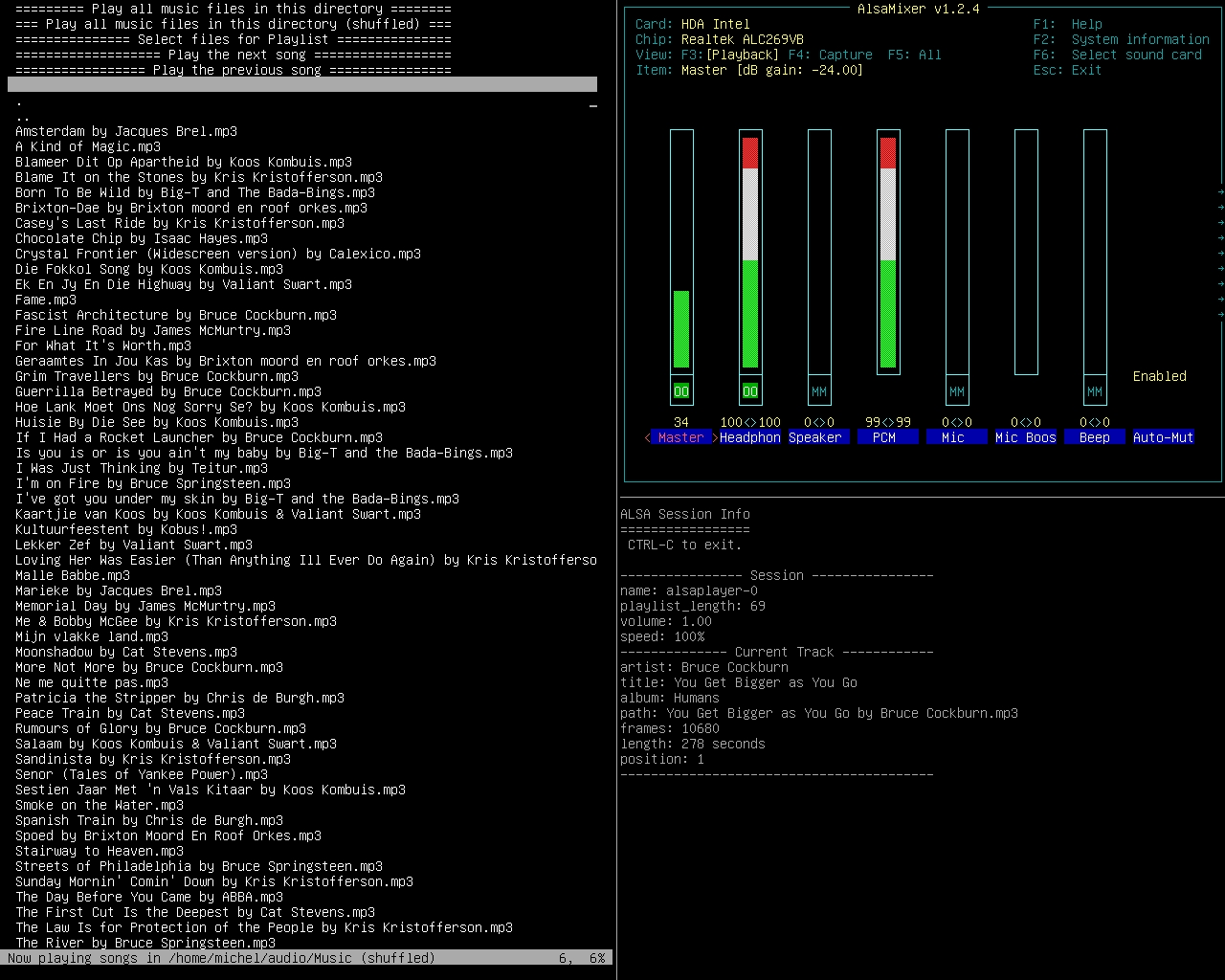
mp3menu lets you select and play your music files using iselect and AlsaPlayer. Mainly MP3’s, but this will actually play anything AlsaPlayer and libaudio can handle, so WAV and FLAC are covered, as well as a bunch of ancient formats dating back to the 1980s. Sadly, M4A is not.
Requires: 1. AlsaPlayer 2. Iselect 3. Bash – mp3menu is a bash script. It might work with zsh, dash and other shells, or it might not.
dkaac reads linear PCM audio in either WAV, raw PCM, or CAF format,
and encodes it into either M4A / AAC file.
If the input file is "-", data is read from stdin. Likewise, if the
output file is "-", data is written to stdout if one of streamable AAC
transport formats are selected by **-f**.
When CAF input and M4A output is used, tags in CAF file are copied into
the resulting M4A.
github.com/nu774/fdkaacgithub.com/mstorsjo/fdk-aaclaunchpad.net/ubuntu/bionic/+package/fdkaacpackages.debian.org/stretch/fdkaac
wrk2mid is a command line utility for translating WRK (Cakewalk) files into MID (standard MIDI files). This project depends on Qt and Drumstick libraries.




 The Audio File