
DawVert is a Project File Converter
github.com/SatyrDiamond/DawVert
Tag Archives: CLI

Elektroid ~ Sample & MIDI Device Manager
Elektroid is a sample and MIDI device manager. It includes the
elektroidGUI application and theelektroid-cliCLI application.

github.com/dagargo/elektroid
flathub.org/apps/io.github.dagargo.Elektroid
Share this:

ReSampler ~ Command Line Audio Conversion
ReSampler is a high-performance command-line audio sample rate conversion tool which can convert audio file formats with a variety of different bit-depths and audio channel configurations. ReSampler compiles and runs on Windows, Linux and macOS
github.com/jniemann66/ReSampler
Share this:

mp3menu ~ Linux Console Audio Player
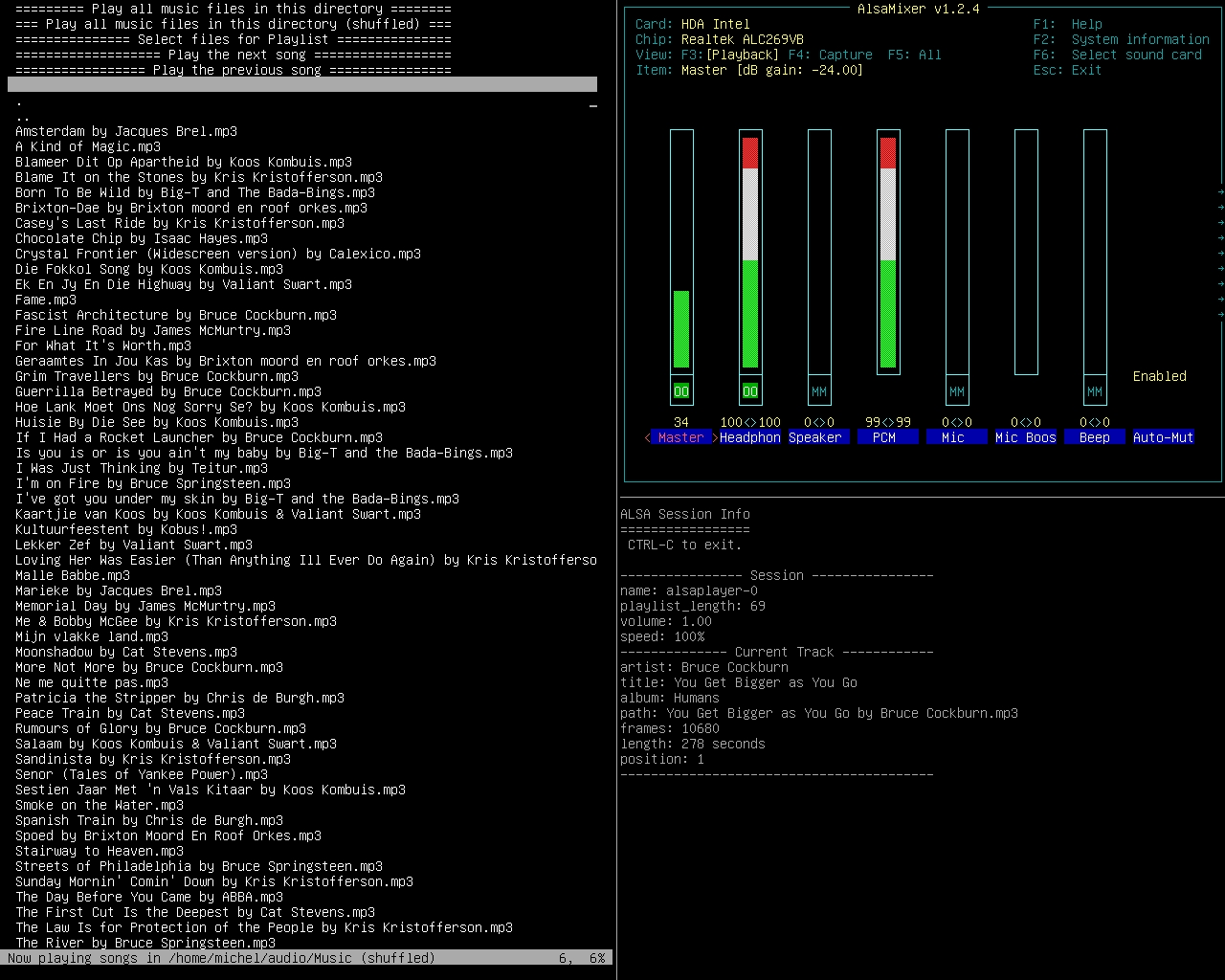
mp3menu lets you select and play your music files using iselect and AlsaPlayer. Mainly MP3’s, but this will actually play anything AlsaPlayer and libaudio can handle, so WAV and FLAC are covered, as well as a bunch of ancient formats dating back to the 1980s. Sadly, M4A is not.
Requires:
1. AlsaPlayer
2. Iselect
3. Bash – mp3menu is a bash script. It might work with zsh, dash and other shells, or it might not.
Share this:

fdkaac ~ Command Line Frontend For libfdk-aac Encoder
dkaac reads linear PCM audio in either WAV, raw PCM, or CAF format,
and encodes it into either M4A / AAC file.

If the input file is "-", data is read from stdin. Likewise, if the
output file is "-", data is written to stdout if one of streamable AAC
transport formats are selected by **-f**.

When CAF input and M4A output is used, tags in CAF file are copied into
the resulting M4A.

github.com/nu774/fdkaac
github.com/mstorsjo/fdk-aac
launchpad.net/ubuntu/bionic/+package/fdkaac
packages.debian.org/stretch/fdkaac
Share this:

wrk2mid ~ Convert Cakewalk™ To MIDI
wrk2mid is a command line utility for translating WRK (Cakewalk) files into MID (standard MIDI files). This project depends on Qt and Drumstick libraries.
Features:
- Reads WRK (Cakewalk) files
- Writes MID (Standard MIDI Files)
sourceforge.net/projects/wrk2mid
Share this:

Pydub ~ Linux Command Line Editor
Pydub lets you do stuff to audio in a way that isn’t stupid.
pydub.com
github.com/jiaaro/pydub
Share this:

wtfplay ~ Linux High Quality Sound
Wtfplay project is an initiative to create a quality music player for Linux. Ultimately the project has just one objective – deliver the best sound quality possible – with no compromises.
Initially the player has been created: wtfplay. Soon the project evolved and wtfplay-live Linux distribution was born.
wtfplay-live is a minimalist Linux distribution purely dedicated to audio playback. It does not have many features, but offers exceptional sound quality as a reward. Simply put: it is created to play music and it plays music well.
The main features of wtfplay-live are:
- Memory based, bit perfect playback of WAV and FLAC files with PCM data (16 and 24 bit, up to 384kHz), and DSF files with DSD data.
- Fully command line driven. No graphical mode. No network either. The whole system is optimised for sound playback from local disks.
- A small text mode user interface: wtfcui – for more convenient usage.
- Precisely tailored Linux kernel for best sound performance.
- Distributed as Live CD: does not require installation on a hard disk, does not make any changes to your computer configuration.
- Very small system size: the distribution ISO image is less than 50MB.
- Good documentation – to give you all information that you need to comfortably listen to music.
The philosophy of wtfplay project is simple: provide the minimum set of features for easy use and focus 100% efforts on sound quality.
Share this:

DrumGizmo ~ Multilayered Drum App & Plugin
DrumGizmo is an open source, multichannel, multilayered, cross-platform drum plugin and stand-alone application. It enables you to compose drums in midi and mix them with a multichannel approach. It is comparable to that of mixing a real drumkit that’s has been recorded with a multi mic setup.
Features:
- Stand-alone, Lv2 and VSTi versions available
- Open drumkit file format, allowing the community to create their own drumkits
- Drum velocity, allowing for several different hit velocities for each drum
- Multichannel output, making it possible to mix it just the way you would a real drumkit
- Optional built-in humanizer, analyzing the midi notes, adjusting velocities on-the-fly
- Stand-alone midi renderer, generating .wav files, 1 for each channel
- Stand-alone midi input, making it possible to use DrumGizmo as a software sampler for an electronic drumkit
Share this:

unflac ~ Command Line FLAC Splitter
A command line tool for fast frame accurate audio image + cue sheet splitting.
This project is started mostly out of frustration over supporting split2flac with all the external dependencies and their quirks.
Share this:

ARITA ~ Extraordinary Linux Audio Player
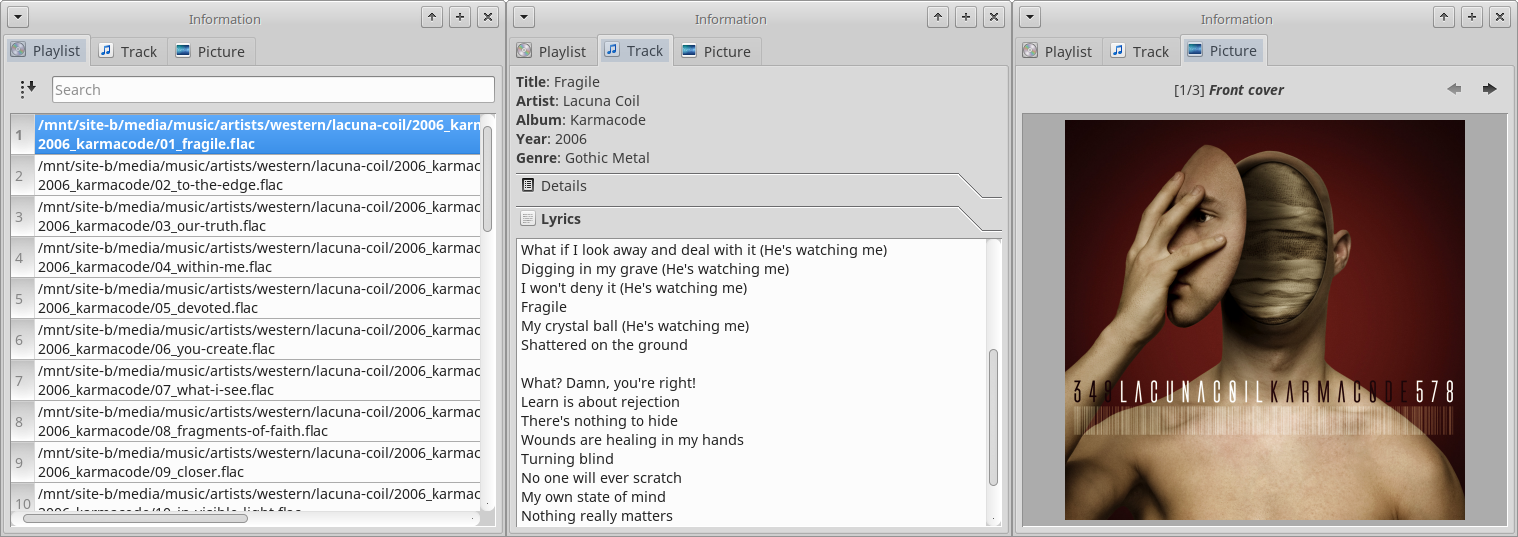
Core ideas behind this project:
* Your filesystem should remain tidy and clean – let’s pack tracks into uncompressed archives a.k.a. “libraries” (this was inspired by a common practice of video game developers to store all game resources in one or several packages). Less files – less clutter.
* Tags suck (especially ID3) – let’s utilize XML/YAML/JSON to describe entire albums.
* Storing cover image in every track is a waste of space – let’s have one TIFF/PNG/FLIF file per library.
* Being able to verify integrity of files in your music collection is a good feature, so let’s use hash lists (MD5, SHA1 etc.) for libraries.
* Rather than having to dig through lots of directories in order to select what you want to listen at the very particular moment it is much more convenient to have a centralized per-user database with a quick access to any track/album in your precious collection.
sourceforge.net/projects/arita/
Share this:

Adcd ~ Unix CLI CD Player
Adcd is a CD player for GNU/Linux with a ncurses (text mode) interface.
Adcd can play all the tracks from a disc in order (linear mode), or in the order specified by the user (playlist mode), and includes all the functions expected in a stand-alone cd player, including random play and loop mode.
Adcd also features a non-interactive mode for those who want to play their CDs while using the console for something else.
Most probably the CD drive needs to be connected to the audio card through an analog audio cable for adcd to be able to play the CD. You may also need a mixer program like rexima or aumix to activate the audio card.


