Limiter, compressor, reverberation, equalizer and auto volume effects for Pulseaudio applications.
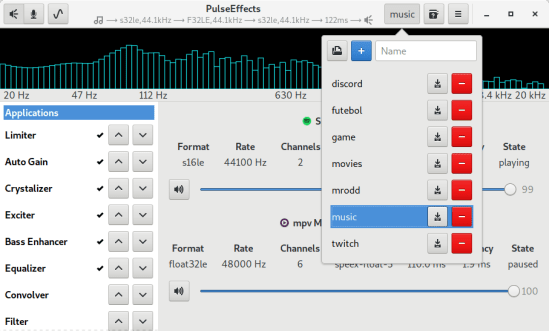

Limiter, compressor, reverberation, equalizer and auto volume effects for Pulseaudio applications.

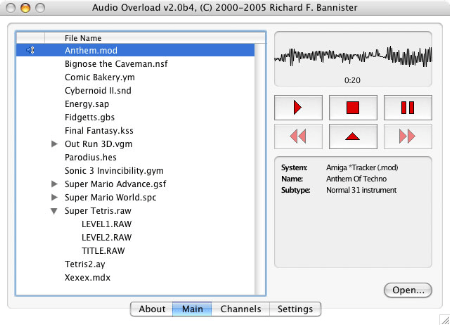
Audio Overload emulates the sound hardware of vintage consoles and computers, allowing you to listen to completely authentic renditions of classic video game tunes. Audio Overload does not play music from arcade games; for that you should use M1.

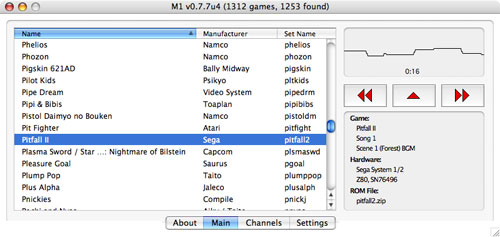
M1 plays the music from arcade games by running the code in the original ROMs (not supplied). This allows entirely authentic playback of classic video game tunes while you work. M1 does not play music from console and computer games; for that you should use Audio Overload.

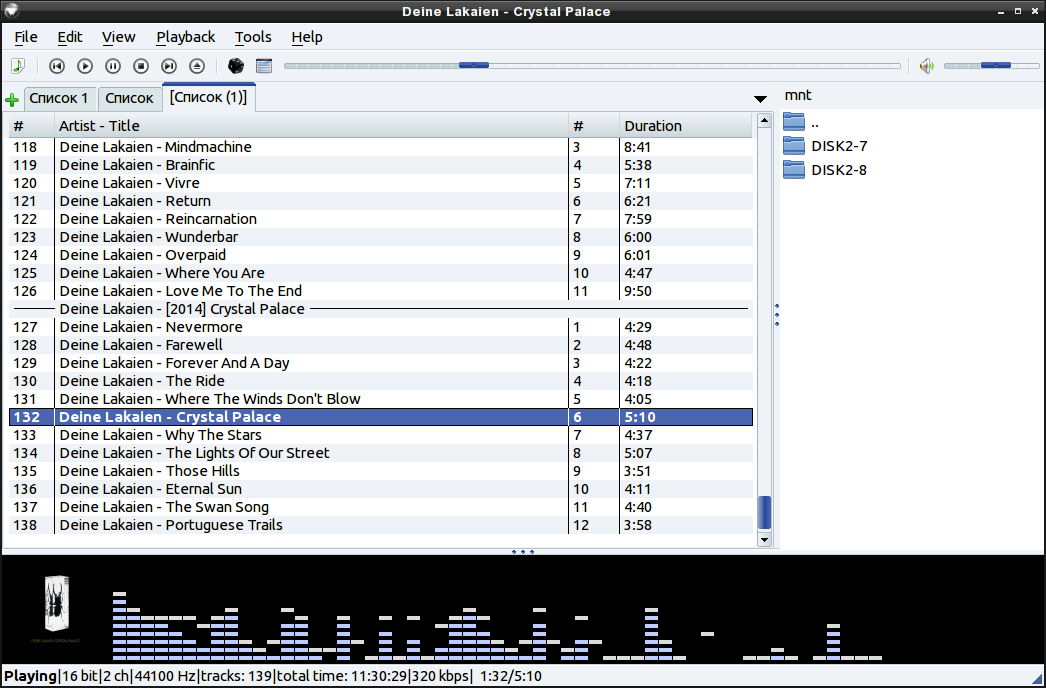
This program is an audio player, written with the help of the Qt library. The user interface is similar to winamp or xmms. An alternative user interface is also available.
qmmp.ylsoftware.com
sourceforge.net/projects/qmmp-dev
qmmp-modern
An attempt to support “modern” Winamp skins in a Qmmp plugin.

Nuvola (Linux) Apps are web apps running in Nuvola Apps Runtime that provides them with more native user experience and richer desktop integration features than standard web browsers can offer. Nuvola specializes in music streaming services and offers background playback, handling of media key, integration with media player applets, Last.fm scrobbling, lyrics fetching, and much more.
Although Nuvola should work in all Linux desktop environments, we currently test only GNOME (Ubuntu, Fedora), Unity (Ubuntu), and Pantheon (elementaryOS). We hope to explore other desktops in the future.

Volumio is an headless audiophile music player, designed to play music with the highest possible fidelity. Volumio runs on most embedded devices (Raspberry Pi, UDOO, Odroid, Cubieboard, Beaglebone, Pine64, Allo Sparky…) and on any ordinary PC (x86).
Volumio is a free and open source Linux distribution, designed and fine-tuned exclusively for music playback. It runs on a variety of devices, typically small and inexpensive computers like the Raspberry PI, but also on low power PCs, notebooks or thin clients.
By flashing (installing) Volumio on any of these platforms, it will then become an headless audiophile music player. Headless means that the only way to control it will be with another mobile phone, computer or tablet.
This is made possible by Volumio’s User Interface: a web applications that runs on any device with a browser, and that allows for an easy and intuitive control of your playback sessions. All communications between the web app and Volumio will happen through your home network.

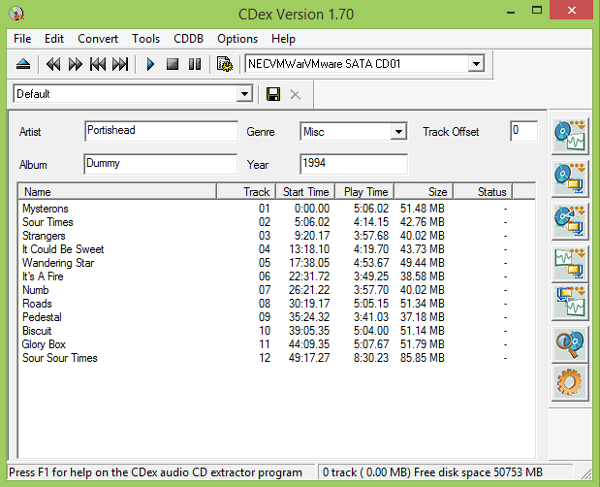
CDex can extract the data directly (digital) from an Audio CD, which is generally called a CD Ripper or a CDDA utility. The resulting audio file can be a plain WAV file (useful for making compilation audio CDs) or the ripped audio data can be compressed using an audio encoder such as MP3, FLAC, AAC, WMA or OGG. Many other encoders are supported.

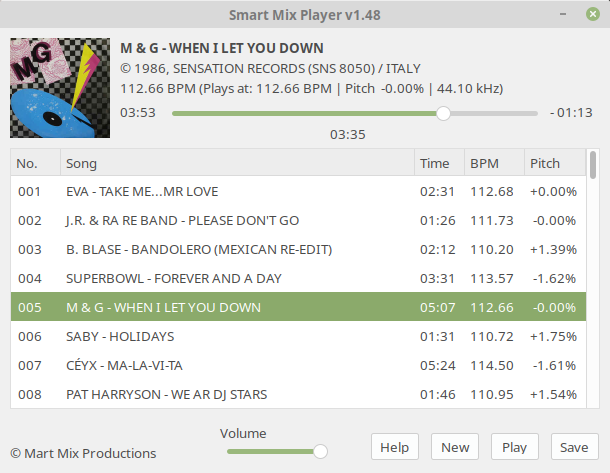
Smart Mix Player is a free auto disc jockey player for Linux and Windows. It plays audio files as a non stop mix, but not in the way that traditional auto DJ software does!
Most of these players mix songs together at the end of a song with a simple fade out and fade in. Smart Mix Player goes a big step further and mixes like a real DJ!

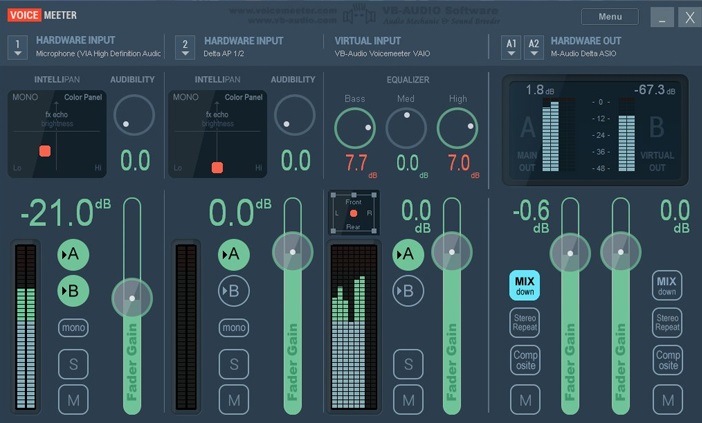
Voicemeeter is a Windows audio mixer application endowed with a virtual audio device used for virtual inputs or outputs in order to mix and manage any audio sources from or to any other audio devices or applications.

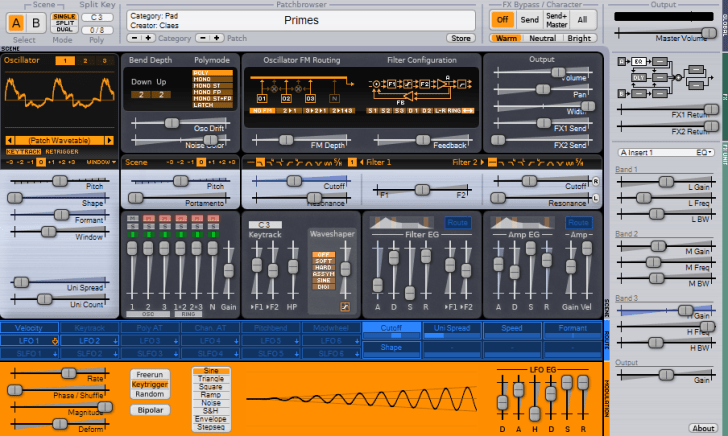
This is the synthesizer plug-in Surge which Claes Johanson (@kurasu) previously sold as a commercial product via the company vember audio.
As he is too busy with other projects and no longer wanted to put the effort into maintaining Surge across multiple platforms, he decided to give it a new life as an open-source project.
It was originally released in 2005, and was one of Claes’ first larger projects. It is reliable and sounds great.

System-wide audio equalizer for the Mac. Basic edition is free and open source. Improves your audio listening on OSX / macOS. Experience music on your Mac, how it’s meant to be.

eqmac.app
github.com/bitgapp/eqMac

… Although Csound has a strong tradition as a tool for composing electro-acoustic pieces, it is used by composers and musicians for any kind of music that can be made with the help of the computer. Csound has traditionally been used in a non-interactive score driven context, but nowadays it is mostly used in in a real-time context. Csound can run on a host of different platforms including all major operating systems as well as Android and iOS. Csound can also be called through other programming languages such as Python, Lua, C/C++, Java, etc.


