The purpose of beets is to get your music collection right once and for all. It catalogs your collection, automatically improving its metadata as it goes using the MusicBrainz database. Then it provides a bouquet of tools for manipulating and accessing your music.
Because beets is designed as a library, it can do almost anything you can imagine for your music collection. Via plugins, beets becomes a panacea:
Fetch or calculate all the metadata you could possibly need: album art, lyrics, genres, tempos, ReplayGain levels, or acoustic fingerprints.
Get metadata from MusicBrainz, Discogs or Beatport. Or guess metadata using songs’ filenames or their acoustic fingerprints.
Transcode audio to any format you like.
Check your library for duplicate tracks and albums or for albums that are missing tracks
Browse your music library graphically through a Web browser and play it in any browser that supports HTML5 Audio and lots more.
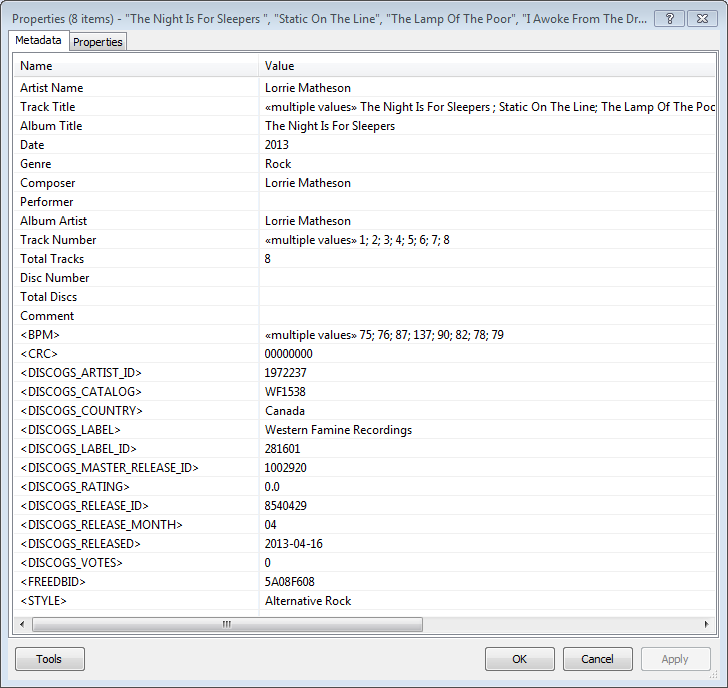
Greatly extend the information in your music files by using the foo_discogs component to tag albums with Discogs information. Once the additional Discogs release information is stored in the song tags, it’s possible to search for catalog numbers, secondary artists or studios, etc. You can now also create toolbar buttons which open the corresponding artist or release pages in Discogs, the artist’s own website or other links.
download Discogs album and artist artwork
retrieve more information than most taggers
goes that extra length to make sure retrieved data is correct and well formatted
flexible tag mapping allows you to write only what you want, where you want
use meta-data in tags to display Discogs artist / label / release web pages able to later update specified tags (useful in update ratings)
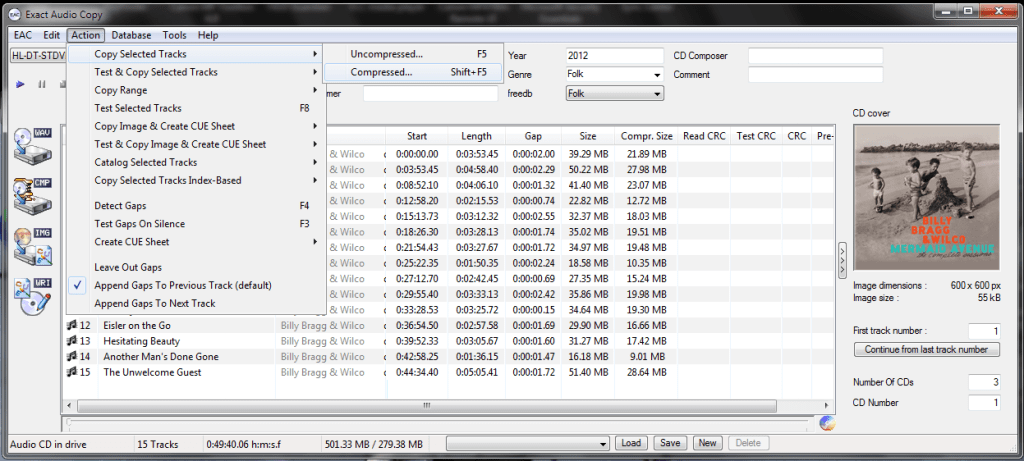
Exact Audio Copy, also known as EAC is often used to create an exact copy of a CD which can be stored in a digital media archive or audio library. The goal is to preserve all information from a CD, such that the CD can be recreated from an archive and / or is playable from an audio library. With EAC, the original audio files and a .cue file, an exact copy can be reburnt back onto a CDR; and with FLAC files, a compressed lossless music library may be built. Creating an individual folder which contains the album’s compressed audio files and a cue file is done via the following method:
Open EAC and select the FLAC encoder
Insert the CD you wish to archive
If using the freedb or CTDB plugins, select the correct cover art
You may also add lyrics to each track at this point
Verify that the downloaded information is complete and correct
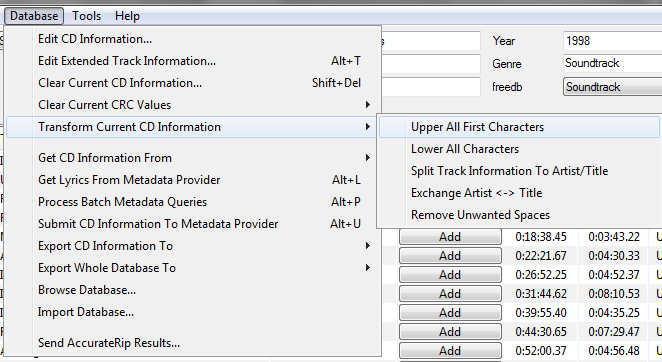
Convert all CD information to title case
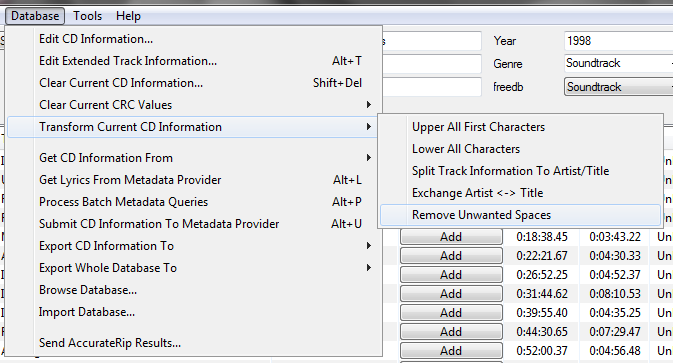
Remove any extra spaces
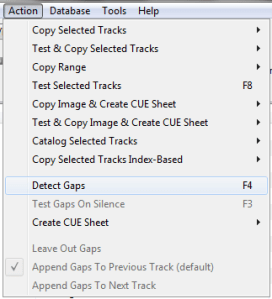
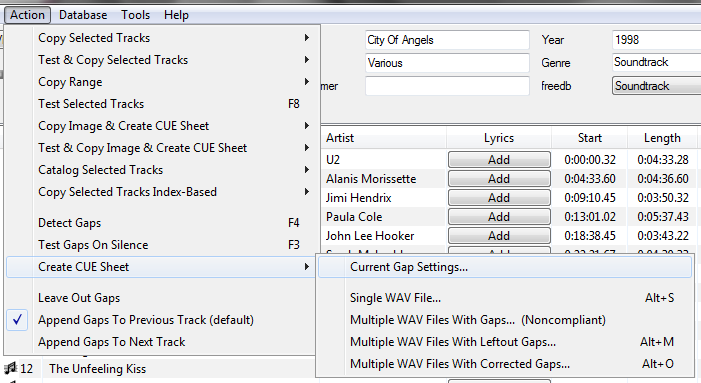
Detect the CD’s gaps
Create the cue sheet and album folders
Rip the CD in Burst Mode, which creates the individual audio files
Switch to Secure Mode and re-rip tracks any tracks that did not rip accurately
This process also creates an EAC log file in the same folder.
The AcousticBrainz project aims to crowd source acoustic information for all music in the world and to make it available to the public. This acoustic information describes the acoustic characteristics of music and includes low-level spectral information and information for genres, moods, keys, scales and much more. The goal of AcousticBrainz is to provide music technology researchers and open source hackers with a massive database of information about music. ~ AcousticBrainz
ReplayGain is … a technique invented to achieve the same perceived playback loudness of audio files. ~ Hydrogenaudio Knowledgebase
ReplayGain … allows players to normalize loudness for individual tracks or albums. This avoids the common problem of having to manually adjust volume levels between tracks when playing audio files from albums that have been mastered at different loudness levels. ~ en.wikipedia.org/wiki/ReplayGain
If you’re using track gain, every song is played at 89 dB; no song is any louder than any other. If you’re using album gain, tracks will be played at 89 dB plus or minus a few dB, depending on how much louder or quieter each track is relative to the other tracks on the album. By definition, album gain is not going to make all tracks as loud as possible; the quieter tracks are going to remain that much quieter than the louder tracks, and they’ll average out to 89. ~ Hydrogen Audio
Using ReplayGain in Foobar
(1) First set the ReplayGain target values:
Preferences / Playback / ReplayGain Source mode: by playback order Processing: apply gain and prevent clipping according to peak
Foobar2000 Preferences – Playback – ReplayGain
Recommended Values:
Set Preferences / Preamp / Without RG values: to around -8.0 db
If you are also playing tracks which aren’t RG-tagged, they’ll be playing quite loud in comparison to the RG-tagged ones. To mitigate that, you can set the “Without RG info” Preamp level to, say, -11.9. This will make the player pretend they have -11.9 dB album gain. Thus if you played a non-RG-tagged copy of that loudest track, it would be played at 89 dB instead of its natural 100.91 dB, and would thus match the level that all the RG-tagged tracks are played at. However, then the quieter non-RG-tagged tracks would still be that much quieter. So you may find -8 or so to be a better “without RG info” preamp level, on average.~ HA Forum
I usually set my non-RG preamp to somewhere in the range of -7.0 dB to -9.0 dB. ~ HA Forum
If you listen to modern music -7dB/-10dB value should be correct. If you listen to older music, keep the value a bit lower because the average level of recently released tracks are higher. ~ eolindel.free.fr/foobar0.9/Replaygain
(2) Next scan files:
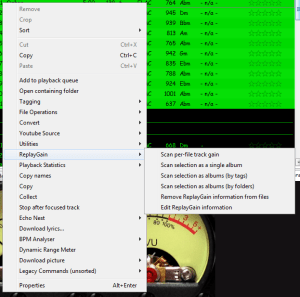
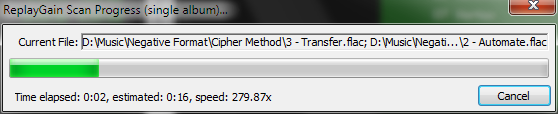
Select Files / Right mouse / ReplayGain / Scan selection as single album (adds album and track ReplayGain tags)
Once the files are scanned, they can be played.
True Peak Scanner
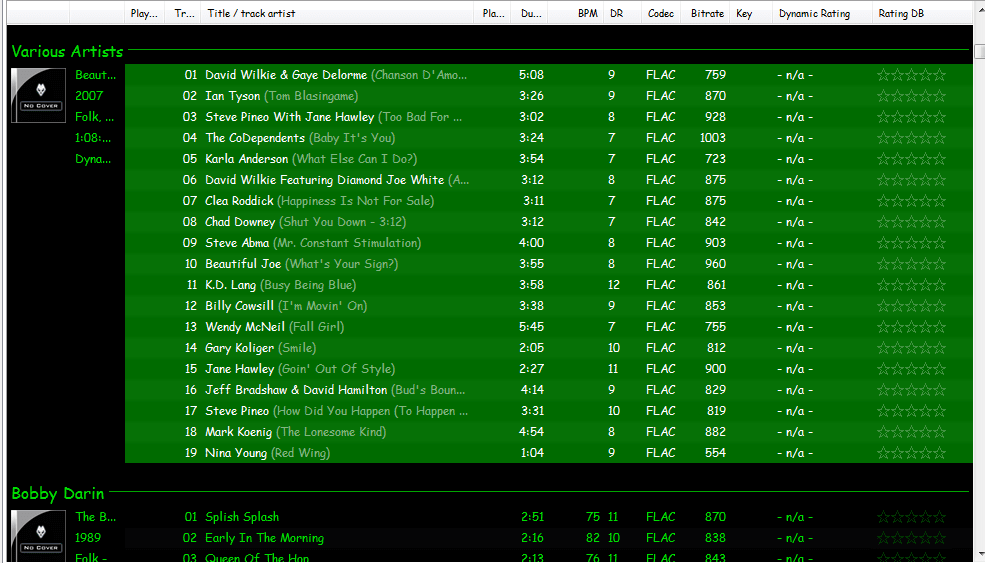
The foo_truepeak component scans ReplayGain, Dynamic Range, LUFS, PLR RMS values, etc.
Foobar ReplayGain Override Component
For older versions that lack the “by playback order” option, this component provides a way to specify which ReplayGain modes to use for each playback order. Track gain is probably desirable for random playback while with regular playback album gain is more suitable.
Track Volume (-18dB is equivalent to the ReplayGain target volume of 89dB) $if(%replaygain_track_gain%,$puts(X,$sub(-1800,$replace(%replaygain_track_gain%,.,)))$ifequal($get(X),0,0,$ifgreater($get(X),0,$replace(+$substr($num($get(X),4),1,2),+0,+),$replace($substr($num($get(X),5),1,3),-0,-))).$substr($num($get(X),5),4,5) dB)
Album Gain (relative to the ReplayGain target volume) [%replaygain_album_gain%]
ReplayGain’s Album Volume $if(%replaygain_album_gain%,$puts(X,$sub(8900,$replace(%replaygain_album_gain%,.,)))$ifgreater($get(X),9999,$substr($get(X),1,3).$substr($get(X),4,5),$substr($get(X),1,2).$substr($get(X),3,4)) dB))
Album Volume (-18dB is equivalent to the ReplayGain target volume of 89dB) $if(%replaygain_album_gain%,$puts(X,$sub(-1800,$replace(%replaygain_album_gain%,.,)))$ifequal($get(X),0,0,$ifgreater($get(X),0,$replace(+$substr($num($get(X),4),1,2),+0,+),$replace($substr($num($get(X),5),1,3),-0,-))).$substr($num($get(X),5),4,5) dB)
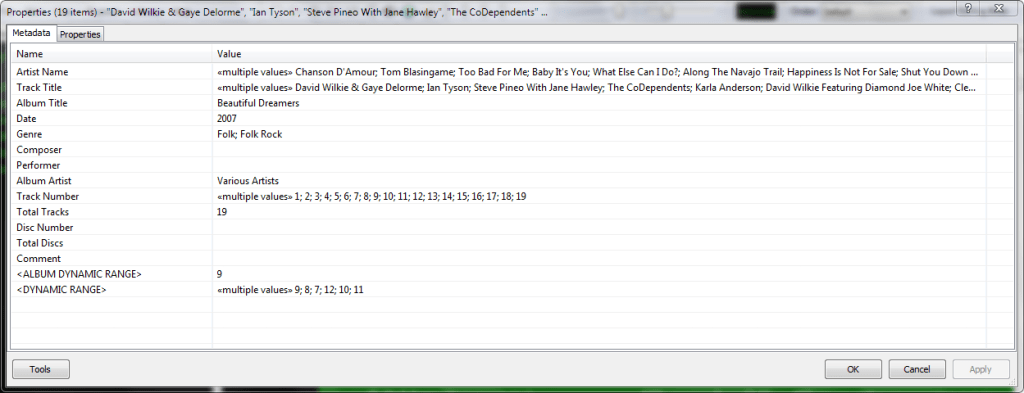
Do you have albums where the artist’s names are in the track title field, and the title of the track is in the artist name field? Here’s how to fix this.
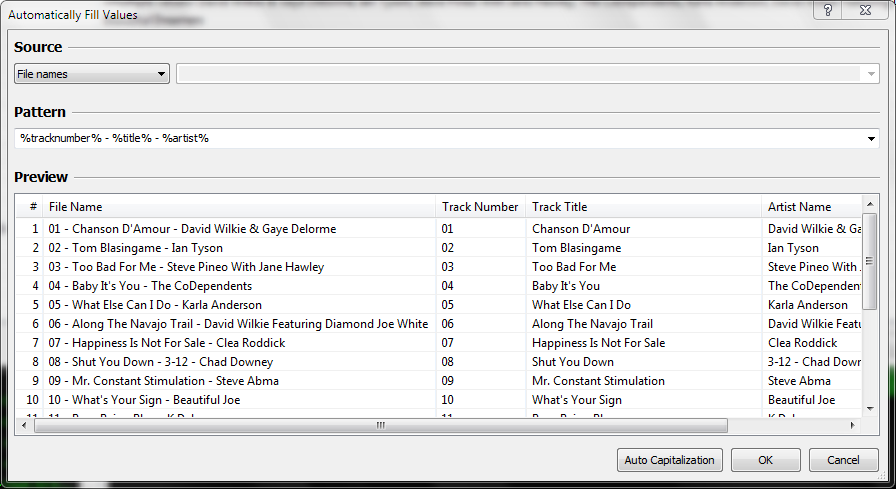
Start by checking the file names. If the file names have both artist name and track title information, then the fix is easy, just retag the files using the Automatically fill values function.
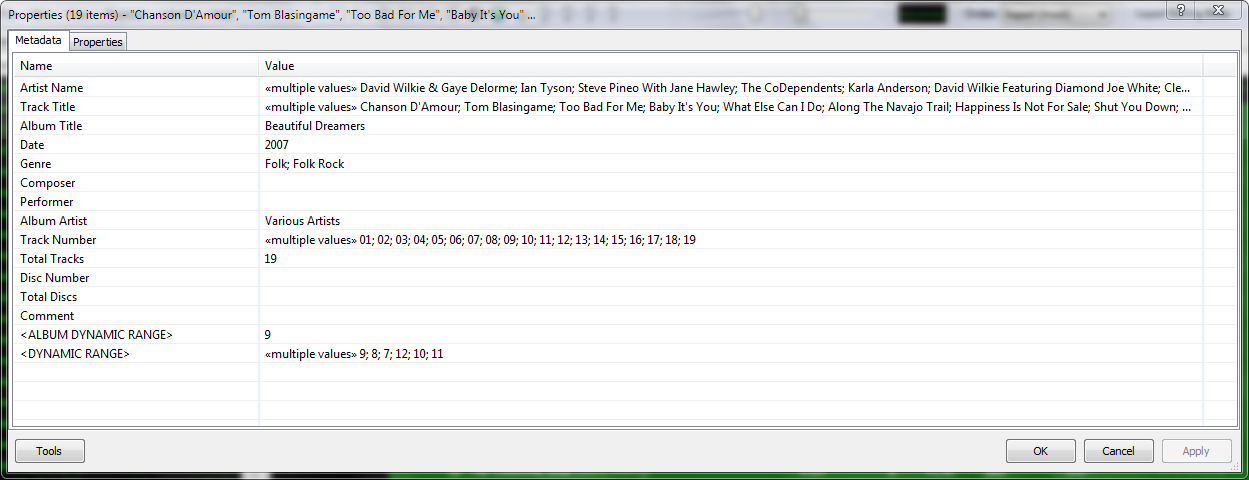
First, select the files, then open the Properties dialog window.
Right click and select Automatically Fill Values…
Then with the source set to File names, fill in or select a Pattern which puts the information in the correct fields.
After you select Ok, Foobar will retag the files properly.
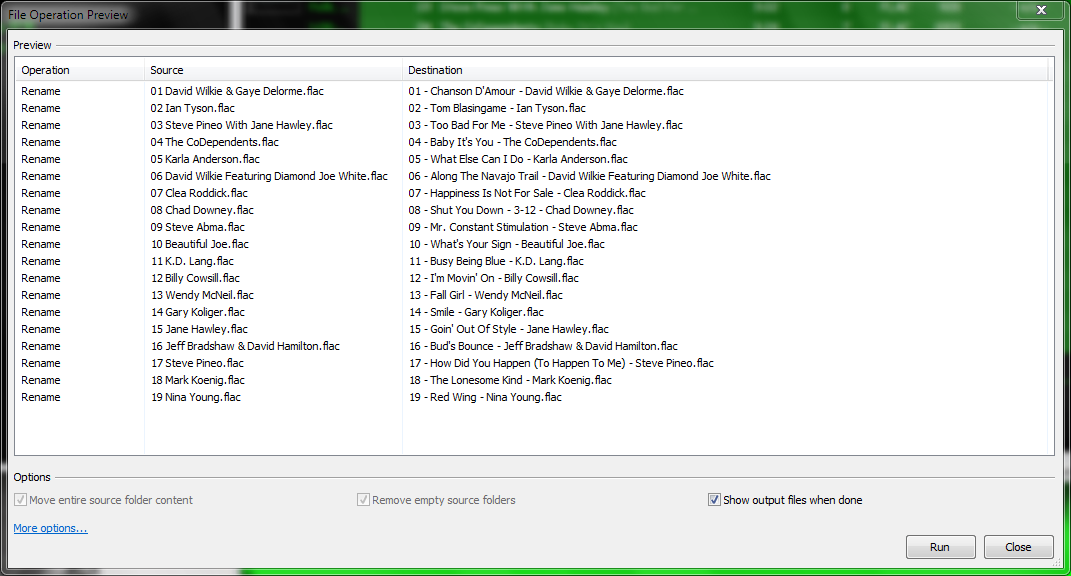
However, if the file names don’t contain both artist names and track title information, you’ll have to rename the files from the tags first. Select the files then right click and select File Operations>Rename
and after the files have been renamed, carry out the rest of the above procedure.
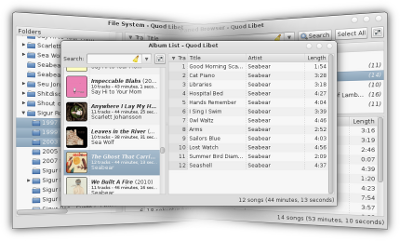
Quod Libet is a GTK+-based audio player written in Python, using the Mutagen tagging library. It’s designed around the idea that you know how to organize your music better than we do. It lets you make playlists based on regular expressions (don’t worry, regular searches work too). It lets you display and edit any tags you want in the file, for all the file formats it supports.
Unlike some, Quod Libet will scale to libraries with tens of thousands of songs. It also supports most of the features you’d expect from a modern media player: Unicode support, advanced tag editing, ReplayGain, podcasts & Internet radio, album art support and all major audio formats – see the screenshots.
Ex Falso is a program that uses the same tag editing backend as Quod Libet, but isn’t connected to an audio player. If you’re perfectly happy with your favorite player and just want something that can handle tagging, Ex Falso is for you.
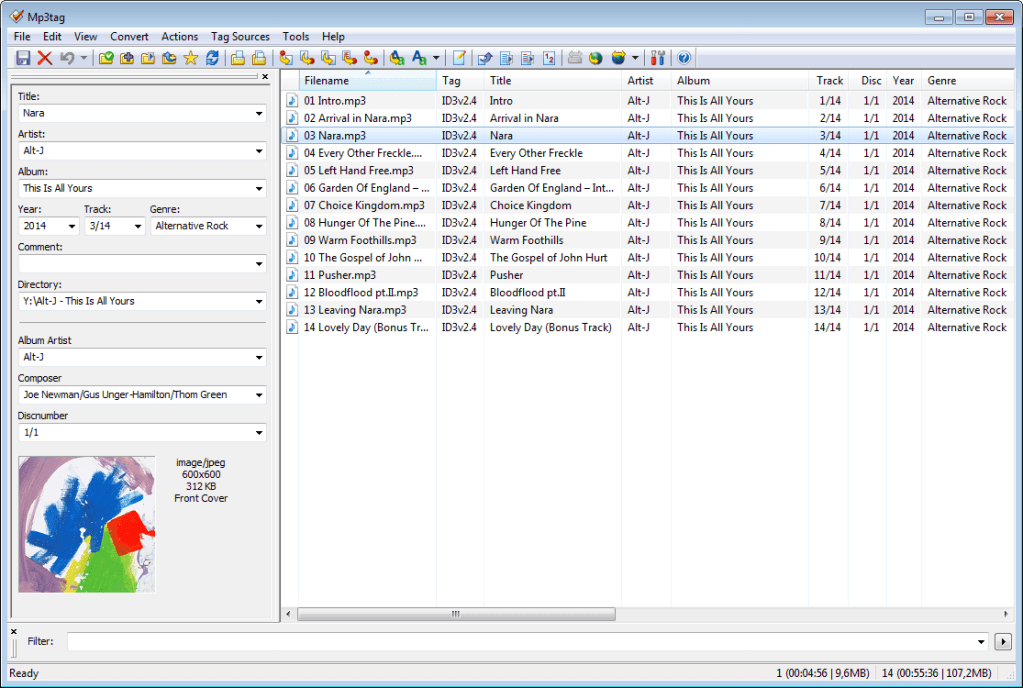
Mp3tag is a powerful and easy-to-use tool to edit metadata of audio files.
It supports batch tag-editing of ID3v1, ID3v2.3, ID3v2.4, iTunes MP4, WMA, Vorbis Comments and APE Tags for multiple files at once covering a variety of audio formats.
Furthermore, it supports online database lookups from, e.g., Discogs, MusicBrainz or freedb, allowing you to automatically gather proper tags and download cover art for your music library.
You can rename files based on the tag information, replace characters or words in tags and filenames, import/export tag information, create playlists and more.
Sadly, this service was terminated as of March 2020, apparently due to corporate indifference.
freedb was a free CD and music database service to look up textual metadata about music, audio or data CDs. This was done by a client which queried the freedb database. As a result, the client displayed the artist, CD title, track list and some additional information. Clients are for example CD players, CD rippers and CD burning software.














 The Audio File