shelfelf ~ Web Player Frontend & Remote


The shelfelf is a web frontend to send commands to your music player (iTunes, mpd, squeezebox, xmms2,…). The shelfelf works with all tested browsers (except for Microsoft’s Internet Explorer, Amiga’s AWeb and lynx), but the interface is designed for tablets (with a browser running in full screen mode) like Apple’s iPad. Linux (or Mac OS X) with Apache webserver, MySQL database and the ability to send commands to your stereo equipment is required.

Features:

  • elf at the shelf
  • coverflow
  • full text search
  • record stack
  • communication with other shelfelves

sourceforge.net/projects/shelfelf
shelfelf.vaubeh.de

OpenBroadcaster ~ Broadcast Your Stream


OBPlayer is a stable and secure UNIX-based media streaming playout application that can operate as a standalone player or controlled over a network by a managing OBServer. It can be installed remotely at a transmitter site, in the studio or as multiple virtual headless processes.

OBPlayer is built with rules based intelligence to continue broadcasting no matter what happens. It functions by continually syncing with OBServer, looking for updated schedules, media, and priority broadcasts. If there is a blank spot in the schedule, it falls back to a Default Playlist. If that fails, it goes into Fallback Media Mode. If that fails, it plays from the analog input bypass. Finally, it will play a test signal as a last resort. OBPlayer will always play valid CAP (Common Alerting Protocol) Alerts at the highest priority.

OBPlayer can be run in a variety of configurations:

  • Headless OBPlayer (CLI Process)
  • LIVE Assist with Mobile HTML5 Touch Screen interface
  • GTK desktop application for a Digital Display and output to CATV
  • Standalone Emergency Alerting CAP Player supporting audio, image and video
  • Support For IPAWS CAP Profile Version 1.0 via Alert-Hub

github.com/openbroadcaster/obplayer

OpenBroadcaster focuses on reliability, accessibility and scalability over a having a bloated range of half baked / buggy features. It has an organic AJAX interface built with Gstreamer, HTML5 and Javascript to deliver a web application in support of broadcast radio and TV automation, media asset management and dynamic community programming. One OBServer may manage one or more OBPlayer in a synchronized network configuration or have the server and playout on one device or VM. There is a robust Plugin Module Architecture with many modules extending the core server application. The server has a Documented API to enable sharing digital media assets and metadata with revocable secure keys.

github.com/openbroadcaster/observer
openbroadcaster.com

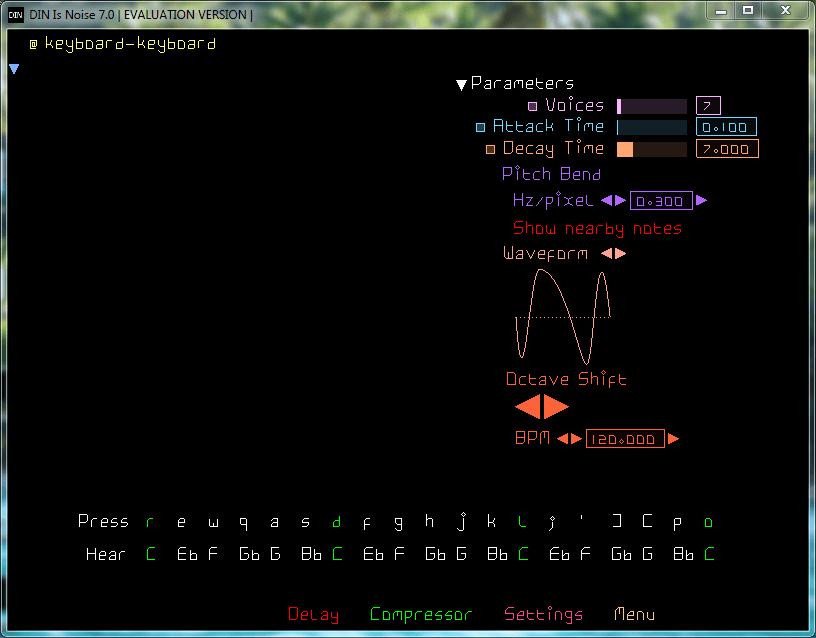
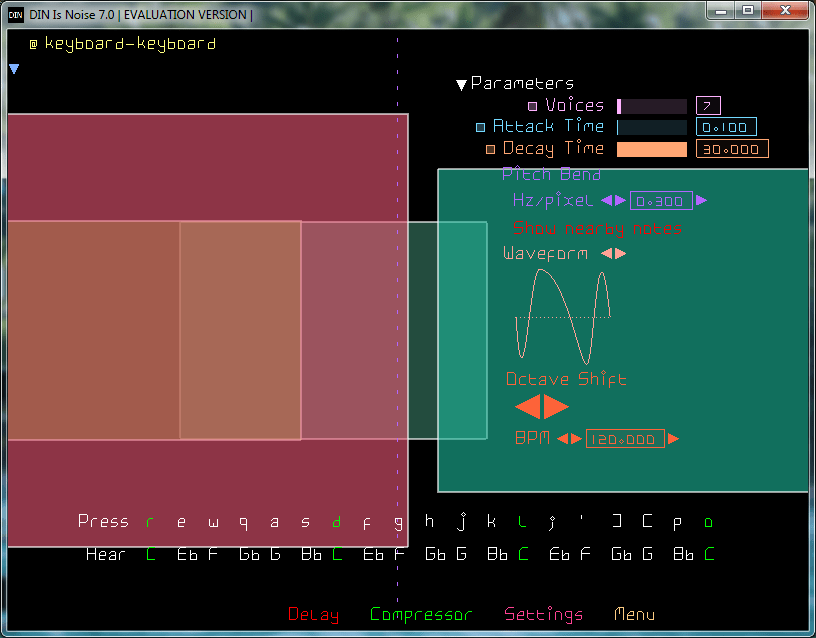
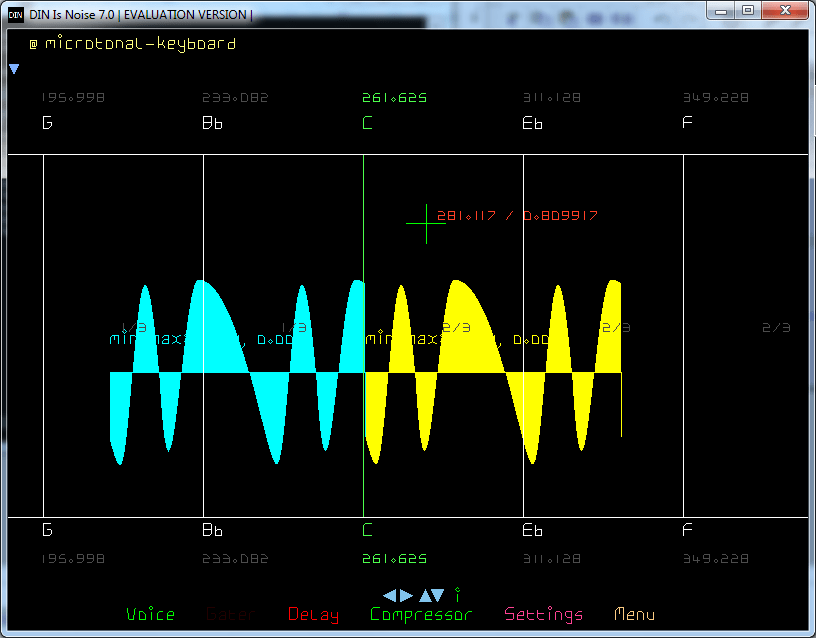
DIN Is Noise ~ Synth Of A 3rd Kind


It forgets history, To not repeat it.
It doesn’t hide analog music hardware, In digital music software.
You had pulse, sine, triangle and sawtooth, And went forth and made electronic music.
Now there is just the Bezier curve. Go make your pulsesinetriangle and sawtooths. Or thisthisthis and this.
TOPLAP Nick thinks this is nothing new, His old men did it in the 60s, Punching numbers into cards. Now you edit waveforms with a GUI, And watch the sound change before your ears.
Has it got ADSR? It’s got DADSARSADS.
Filters? No because Additive not Subtractive.
Modulation? Bezier on Carrier and Modulator. Wolf that Chowning.
Notes? Yes + Infinite microtones in between.
Input? MIDI Keyboard. Computer keyboard.

dinisnoise.org

foo_dop ~ Foobar2000 iPod Manager


iPod manager allows you to transfer music to Apple iPods from foobar2000.

Features include:

  • artwork support
  • ReplayGain to SoundCheck conversion
  • gapless playback support
  • automatic conversion of unsupported audio formats
  • smart playlist creation

yuo.be/ipod-manager
github.com/reupen/ipod_manager
hydrogenaud.io/index.php/topic,45160.0

ExoPlayer ~ Extensible Android Media Player


ExoPlayer is an application level media player for Android. It provides an alternative to Android’s MediaPlayer API for playing audio and video both locally and over the Internet. ExoPlayer supports features not currently supported by Android’s MediaPlayer API, including DASH and SmoothStreaming adaptive playbacks. Unlike the MediaPlayer API, ExoPlayer is easy to customize and extend, and can be updated through Play Store application updates. ExoPlayer modules can be obtained from JCenter. It’s also possible to clone the repository and depend on the modules locally. The easiest way to get started using ExoPlayer is to add it as a gradle dependency. You need to make sure you have the Google and JCenter repositories included in the build.gradle file in the root of your project. n addition to library modules, ExoPlayer has multiple extension modules that depend on external libraries to provide additional functionality. Some extensions are available from JCenter.

Features:

  • Provides an alternative to Android’s MediaPlayer API
  • Plays audio and video both locally and over the Internet
  • DASH and SmoothStreaming adaptive playbacks
  • Easy to customize and extend, and can be updated through Play Store application updates
  • ExoPlayer modules can be obtained from JCenter
  • Clone the repository and depend on the modules locally

github.com/google/ExoPlayer

MicMute ~ Windows Microphone Level Utility


MicMute is a small program that will enable you to easily manage the level of a connected microphone. The application also supports push-to-talk thanks to the built-in ‘Transmitter Mode’. While it runs minimized in the system tray, MicMute can be controlled through keyboard shortcuts you choose. The software uses tray notification balloons and it also has a sound signal option you can activate.

sourceforge.net/projects/micmute

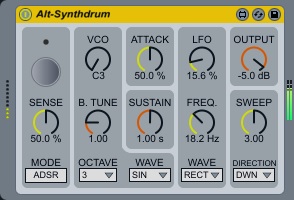
ALT-Synthdrum ~ Monophonic Drum Synthesizer


Yet another simple monophonic drum synth. Yes, inspired by 1970’s drum synths.

Features:

  • Punchy pseudo attack sound. (“ATTACK” dial is for volume, not attack rate)
  • Dynamic LFO and SWEEP generator.
  • Rectangle wave is made of simulated RC circuits. Also has additional saw wave for VCO and LFO.

h1data.github.io/m4l
maxforlive.com/library/device/5278/alt-synthdrum
www.ableton.com/trial
maxforlive.com/library

foo_mediacontrol ~ Windows 10 Media Control Overlay


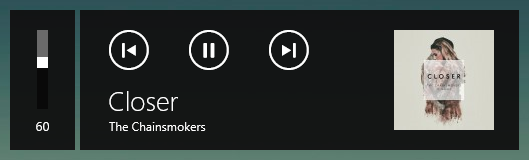
Adds the ability for foobar2000 to interact with the Windows 10 media control overlay.

github.com/Hual/foo_mediacontrol
hydrogenaud.io/index.php?topic=113248.0

LosslessCut ~ Lossless Audio Video Editing


The swiss army knife of lossless video / audio editing

LosslessCut aims to be the ultimate cross platform FFmpeg GUI for extremely fast and lossless operations on video, audio, subtitle and other related media files. The main feature is lossless trimming and cutting of video and audio files, which is great for saving space by rough-cutting your large video files taken from a video camera, GoPro, drone, etc. It lets you quickly extract the good parts from your videos and discard many gigabytes of data without doing a slow re-encode and thereby losing quality. Or you can add a music or subtitle track to your video without needing to encode. Everything is extremely fast because it does an almost direct data copy, fueled by the awesome FFmpeg which does all the grunt work.

Features:

  • Lossless cutting of most video and audio formats
  • Losslessly cut out parts of video / audio (for cutting away commercials etc.)
  • Losslessly rearrange the order of video / audio segments
  • Lossless merge / concatenation of arbitrary files (with identical codecs parameters, e.g. from the same camera)
  • Lossless stream editing: Combine arbitrary tracks from multiple files (ex. add music or subtitle track to a video file)
  • Losslessly extract all tracks from a file (extract video, audio, subtitle, attachments and other tracks from one file into separate files)
  • Batch view for fast multi-file workflow
  • Remux into any compatible output format
  • Take full-resolution snapshots from videos in JPEG / PNG format
  • Manual input of cutpoint times
  • Apply a per-file timecode offset (and auto load timecode from file)
  • Change rotation / orientation metadata in videos
  • View technical data about all streams
  • Timeline zoom and frame / keyframe jumping for accurate cutting around keyframes
  • Saves per project cut segments to project file
  • View FFmpeg last command log so you can modify and re-run recent commands on the command line
  • Undo/redo
  • Give labels to cut segments
  • View segment details, export / import cut segments as CSV
  • Import segments from: MP4 / MKV chapters, Text file, YouTube, CSV, CUE, XML (DaVinci, Final Cut Pro)
  • Video thumbnails and audio waveform
  • Edit file metadata and per-stream metadata
  • Edit per-stream disposition
  • Cut with chapter marks
  • Annotate segments with tags
  • View subtitles

mifi.github.io/lossless-cut

OooPlayer ~ Lightweight Windows Audio Player


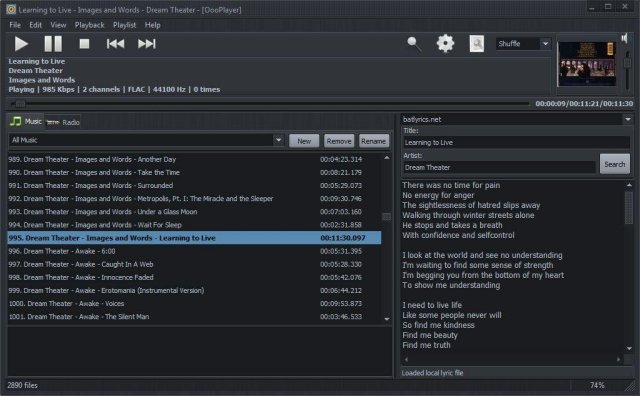
OooPlayer is a free audio player for Microsoft® Windows®. It has a clean, lightweight user interface and it is also friendly with your computer resources. It is one of the best candidates if you’re looking for an alternative to Winamp® or just looking for a simple, easy-to-use music and radio player. It’s written in Delphi and uses Bass library and its plugins from www.un4seen.com

The listed versions are clean, without no bundles/installers and it has support for most popular audio formats (see below in the features section). This player is released under the GNU General Public License version 2.0 and is available in two versions: installer and portable.

Features:

  • user-friendly and with a low impact on resource usage
  • support for most audio formats: MP3, FLAC, OGG, MPC, WMA, AC3, SPX, AAC, ALAC, APE, TTA, OFR, WV, OPUS, TAK etc.
  • support for gapless playback (uninterrupted playback of sequential/consecutive audio tracks)
  • support for M3U and M3U8 playlists
  • integrated lyric downloader (it doesn’t work with certain files such as covers)
  • save your own playlists in M3U, M3U8 or PPF format
  • built-in support for radio stations (huge list available) including details about the current radio
  • multiple options available: shuffle, repeat, search, jump, find etc.
  • available as installer and portable version.

www.fosshub.com/OooPlayer
github.com/ozok/OooPlayer

Stargate ~ Open Source Digital Audio Workstation


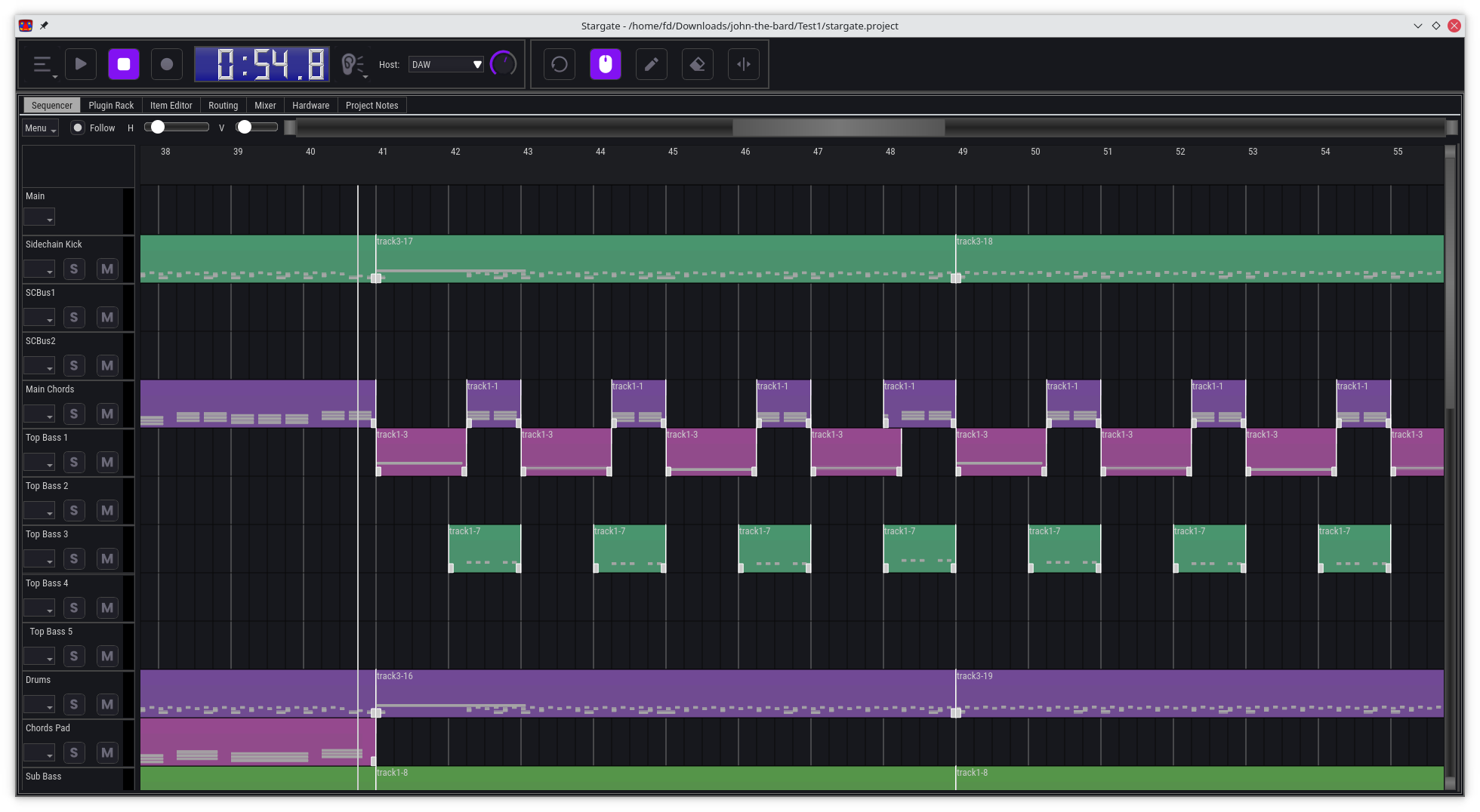
Stargate is an all-in-one DAW and plugin suite, designed to be a comprehensive solution for music production, with a focus on providing unique and innovative features, especially for EDM production.

Features:

  • A digital audio workstation (DAW) with a powerful pattern-based workflow
  • A comprehensive suite of built-in instrument and effect plugins
  • A basic wave editor
  • Powerful track routing matrix with easy sidechaining
  • Modular mixer architecture. Mixer channels are a type of plugin that can be chosen per track send, mix and match plugins, or skip them when not needed
  • Runs on Windows, Mac and Linux, x86 and ARM. Can be ported to other platforms if there is sufficient demand
  • Everything you need to create music in a single package, no need to install additional software
  • Revolutionary CPU efficiency for DAW and plugins, minimum recommended hardware: Raspberry Pi 4, or a 15 year old laptop with a dual core CPU, 1GB of RAM and a 720p display.
  • Support for display resolution from 720p to 4k and above.
  • Optional portable flash drive install on Windows and MacOS
  • Broad audio and MIDI hardware support using Portaudio and Portmidi

github.com/stargateaudio/stargate
github.com/stargatedaw

Free Clip ~ Transparently Boost Volume


Free Clip is an intuitive multi algorithm soft clipper / wave shaper plugin, available as a Windows VST or Mac Audio Unit. The plugin allows you to choose between a range of wave shapes or ‘sigmoid functions’, from the most transparent but harshest hard clip, to the ‘softest’ but most saturated arctangent shape. You can then intuitively set the ceiling level using the slider that perfectly matches the level meter next to it. Oversampling is also available to remove high frequency aliasing; when oversampling is on this does introduce peaks slightly over the ceiling level however, so if you intend to use this plugin with oversampling as the final plugin on the master chain, ensure the ceiling level is set appropriately and/or the post-oversampling clip setting is set.

This plugin is a great way to conveniently transparently boost volume without clipping your DAW, whether it be an individual stem or sound effect, or an entire track that you made. It is recommended that the hardclip, quantic or cubic shape be used for mastering, as these introduce no or minimal saturation.

The plugin can be also used as a more traditional saturation / distortion plugin by setting a ‘softer’ wave shape, such as algebraic or arctangent – simply lower the ceiling level to provide more saturation to the signal – just remember to boost the output afterwards. Alternatively you can boost the input gain into the clipper for the same effect. In this case, increasing the oversampling value is helpful if you’re hearing high frequency aliasing! Be warned that high oversampling values such as 16 or 32 times can be very heavy on the CPU.

gitlab.com/JHVenn/Free-Clip