Modern Flyouts ~ Windows Volume Flyout


This application aims to provide a Fluent Design System based replacement for the old, built-in, Metro Design based Audio/Airplane mode/Brightness flyouts in Windows which are shown while pressing the media or volume keys or even the brightness keys or when airplane/flight mode is toggled.

In case of Windows 11, this application will have the same UI but will provide additional features and customizability compared to the built-in redesigned flyouts.

github.com/ModernFlyouts-Community/ModernFlyouts
modernflyouts-community.github.io

BassBoom ~ Music App & Library


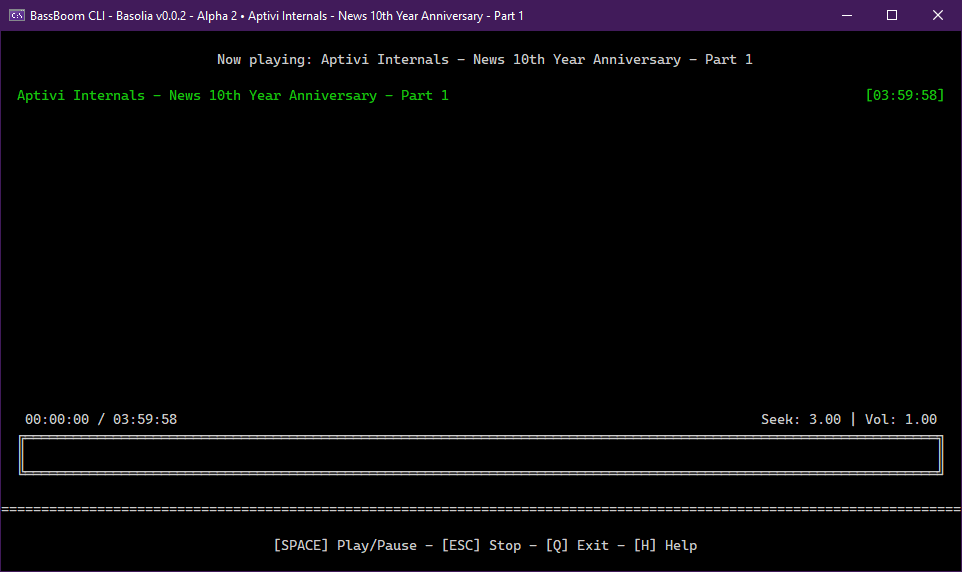
BassBoom is a music player made with C# using the fast mpg123 library as the native backend that handles the music playback and song information, including the playback device information.

This library is a viable library aimed for cross-platform music playing because we’ve selected mpg123 as the MP3 backend library for its ease of use and for its fast music playback. This library is frictionless as it aims for stability and cross-platform compatibility.

In addition to your regular music files, BassBoom also supports online MPEG radio stations that you can use to play your own favorite radio stations, as long as they don’t use AAC or any other codec that BassBoom doesn’t support.

github.com/Aptivi/BassBoom

ButterChurn ~ Online Milkdrop 2 Visualizer


ButterChurn is a WebGL2 implementation of the Milkdrop 2 visualizer.

butterchurnviz.com
chromewebstore.google.com/detail/audiovisualizer
chromewebstore.google.com/detail/butterchurn-music-visuali
github.com/free-music-by-eatme/Milkdrop-Butterchurn-for-Web

Deej ~ Hardware Volume Mixer


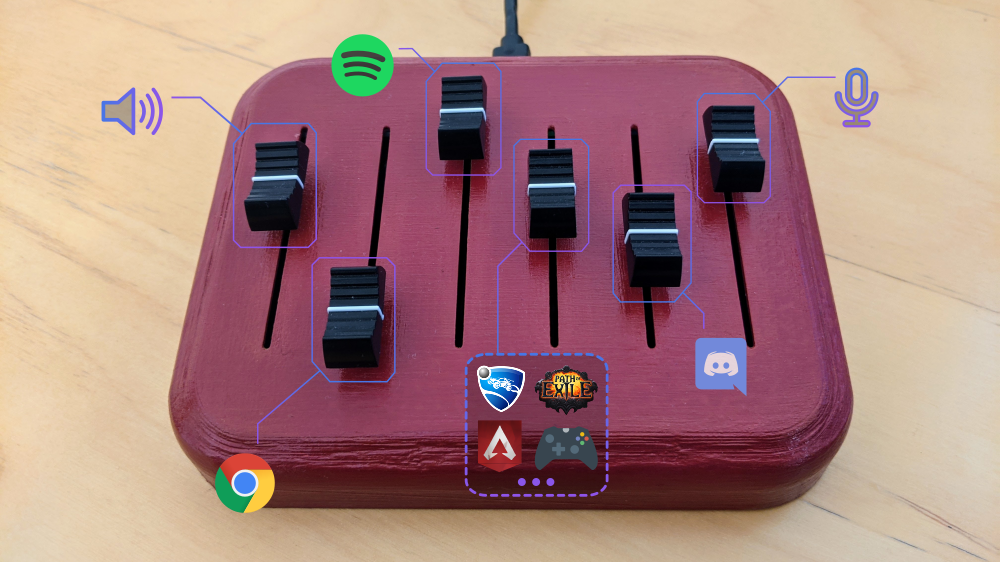
deej is an open-source hardware volume mixer for Windows and Linux PCs. It lets you use real-life sliders (like a DJ!) to seamlessly control the volumes of different apps (such as your music player, the game you’re playing and your voice chat session) without having to stop what you’re doing.

red deej hardware with five sliders

github.com/omriharel/deej

Satunes ~ Android mp3 Player


Satunes is an mp3 player on Android. Use it to listen your music from your audio files stored in your Android phone (Android Lollipop 5.1.1 and later).

This entire project is under GNU/GPL v3 and it’s applied on all versions of this project (even the code pushed from the very first commit.)

github.com/antoinepirlot/Satunes

Able Player ~ Web Server Side Player


Fully accessible cross-browser HTML5 media player.

Features:

  • Supports both audio and video.
  • Supports either a single audio track or an entire playlist.
  • Includes a full set of player controls that are keyboard-accessible, properly labeled for screen reader users, and controllable by speech recognition users.
  • Includes customizable keyboard shortcuts that enable the player to be operated from anywhere on the web page (unless there are multiple instances of the player on a given page; then the player must have focus for keyboard shortcuts to work).
  • Features high contrast, scalable controls that remain visible in Windows High Contrast mode, plus an easy-to-see focus indicator so keyboard users can easily tell which control currently has focus.
  • Supports closed captions and subtitles in Web Video Timed Text (WebVTT) format, the standard format recommended by the HTML5 specification.
  • Supports chapters, also using WebVTT. Chapters are specific landing points in the video, allowing video content to have structure and be more easily navigated.
  • Supports text-based audio description, also using WebVTT. At designated times, the description text is read aloud by browsers, or by screen readers for browsers that don’t support the Web Speech API. Users can optionally set their player to pause when audio description starts in order to avoid conflicts between the description and program audio.
  • Supports audio description as a separate video. When two videos are available (one with description and one without), both can be delivered together using the same player and users can toggle between the versions.
  • Supports adjustable playback rate. Users who need to slow down the video in order to better process and understand its content can do so; and users who need to speed up the video in order to maintain better focus can do so.
  • Includes an interactive transcript feature, built from the WebVTT chapter, caption and description files as the page is loaded. Users can click anywhere in the transcript to start playing the video (or audio) at that point. Keyboard users can also choose to keyboard-enable the transcript, so they can tab through its content one caption at a time and press enter to play the media at the desired point.
  • Features automatic text highlighting within the transcript as the media plays. This feature is enabled by default but can be turned off if users find it distracting.
  • Supports YouTube and Vimeo videos.
  • Provides users with the ability to customize the display of captions and subtitles. Users can control the font style, size, and color of caption text; plus background color and transparency; all from the Preferences dialog. They can also choose to position captions below the video instead of the default position (an semi-transparent overlay).
  • Supports fallback content if the media cannot be played (see section on Fallback for details).
  • Includes extensive customization options. Many of the features described above are controlled by user preferences. This is based on the belief that every user has different needs and there are no one-size-fits-all solutions. This is the heart of universal design.

ableplayer.github.io/ableplayer

FluentFlyout ~ Windows Audio Flyout


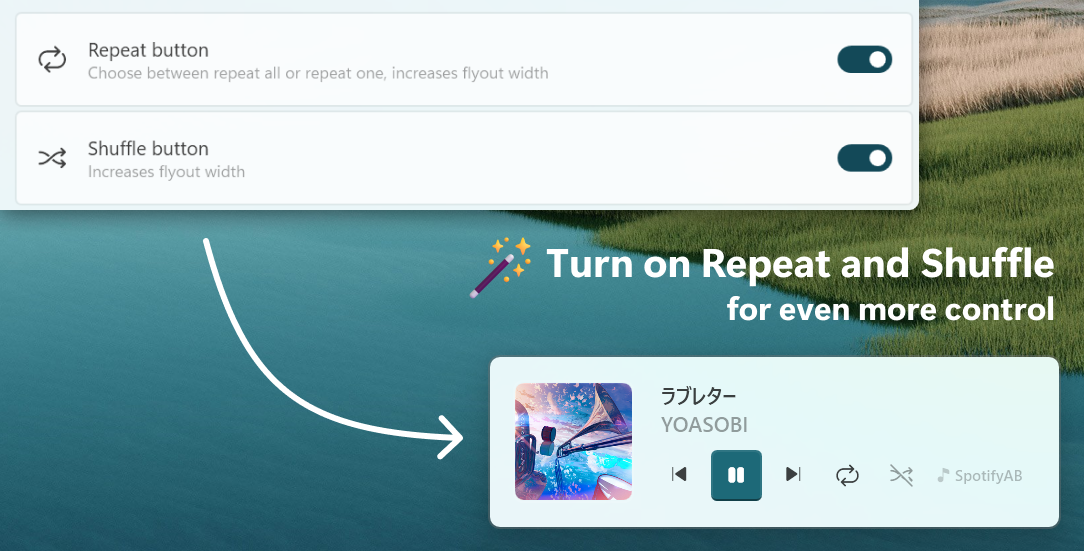
FluentFlyout is a simple and modern audio flyout for Windows, built with Fluent 2 Design principles. The UI seemingly blends in with Windows 10/11, providing you an uninterrupted, clean, and native-like experience when controlling your media.

FluentFlyout features smooth animations, blends with your system’s color themes, includes multiple layout positions and a suite of personalization settings while providing media controls and information in a nice and modern looking popup flyout.

Features:

  • Native Windows-like design
  • Uses Fluent 2 components
  • Utilises Windows Mica blur
  • Supports Light and Dark mode
  • Matches your device color theme
  • Smooth animations
  • Customizable flyout positions
  • Includes Repeat All, Repeat One and Shuffle
  • Listens to both volume and media inputs
  • Sits unobtrusively in system tray
  • Audio flyout: Displays Cover, Title, Artist and media controls
  • “Up Next” flyout: shows what’s next when a song ends
  • Lock Keys flyout: displays the status of lock keys at a glance

github.com/unchihugo/FluentFlyout

UVR ~ Ultimate Vocal Remover GUI


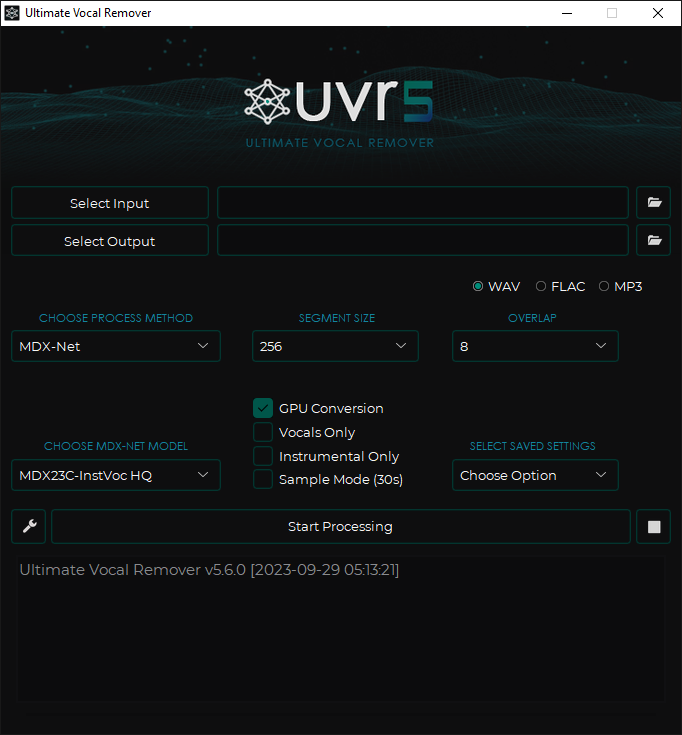
This application uses state-of-the-art source separation models to remove vocals from audio files. UVR’s core developers trained all of the models provided in this package (except for the Demucs v3 and v4 4-stem models).

github.com/Anjok07/ultimatevocalremovergui

SAC ~ State-Of-The-Art Lossless Audio Compression


Sac is a state-of-the-art lossless audio compression model.

Lossless audio compression is a complex problem, because PCM data is highly non-stationary and uses high sample resolution (typically >=16bit). That’s why classic context modelling suffers from context dilution problems. Sac employs a simple OLS-NLMS predictor per frame including bias correction. Prediction residuals are encoded using a sophisticated bitplane coder including SSE and various forms of probability estimations. Meta-parameters of the predictor are optimized with DDS on by-frame basis. This results in a highly asymmetric codec design.

Technical features:

  • Input: wav file with 1-16 bit sample size, mono/stereo, pcm
  • Output: sac file including all input metadata
  • Decoded wav file is bit for bit identical to input wav file
  • MD5 of raw pcm values

github.com/slmdev/sac
hydrogenaudio.org/index.php/topic,127096.0
encode.su/threads/1137-Sac-(State-of-the-Art)-Lossless-Audio-Compression

Live Compositor ~ Realtime Video & Audio Mixing


Live Compositor is an engine for applying effects to videos and for combining multiple videos together. On a very basic level, it is an application which exposes an HTTP API. The API allows you to specify where to get input videos, and how to modify and compose them together. The resulting outputs can then be written to a file or streamed to a separate service.

compositor.live
compositor.live/playground
github.com/software-mansion/live-compositor

Online Multichannel Peakmeter Using AudioWorklet


hydrogenaud.io/index.php/topic,126685