XMMS ~ Extensible Unix Player


XMMS is a multimedia player for unix systems. XMMS stands for X MultiMedia System and can play media files such as MP3, MOD’s, WAV and others with the use of Input plugins.

XMMS is mainly targeted at music playback, but through third party plugins some rudimentary video capabilities exists, but there are much better systems other than XMMS for video support.

It was modeled after Winamp from the Windows operating system. XMMS is not a port of Winamp but was written from scratch by Mikael and Peter Alm.
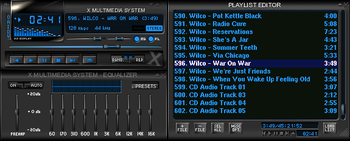
XMMS

www.xmms.org

IMMS is an intelligent playlist plug-in for XMMS that tracks your listening patterns and dynamically adapts to your taste. It is incredibly unobtrusive and easy to use as it requires no direct user interaction.

sourceforge.net/projects/imms

Nebulus is an OpenGL visual plugin for XMMS. It’s conceptually a compilation of various
OpenGL effects that depends on the music.

nebulus.tuxfamily.org

gmorgan ~ Cross-platform Rhythm Station


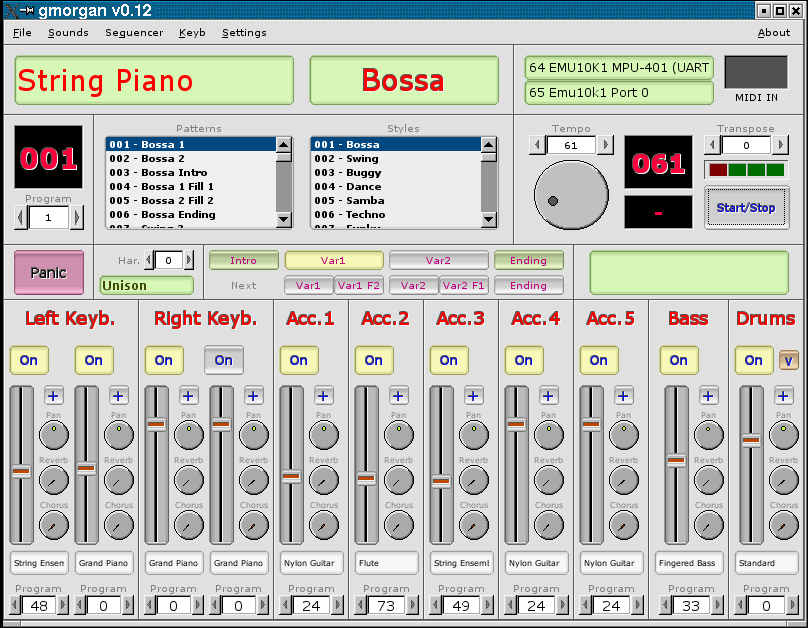
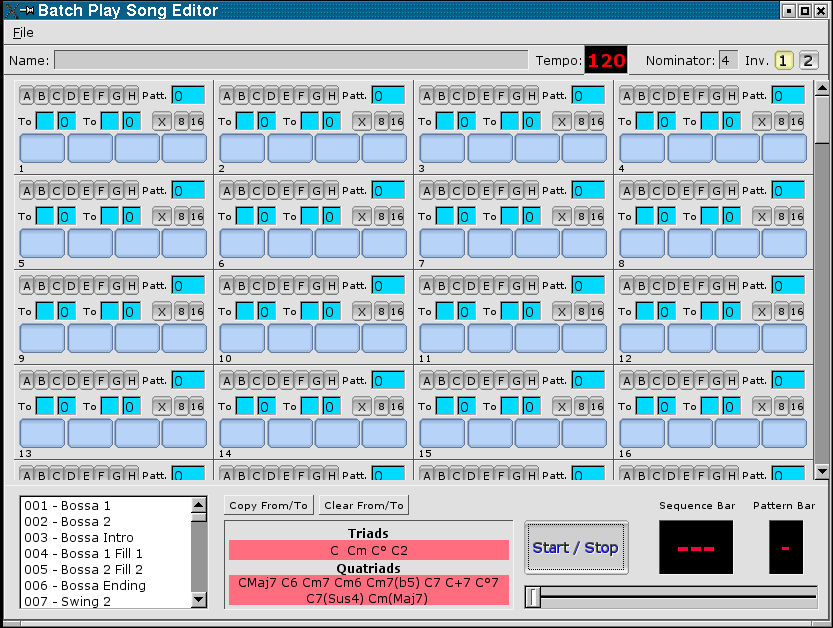
gmorgan is a rhythm station, a modern organ with full editable accompaniment for play in real time emulating the capabilities of commercial rhythm stations “Korg”,”Roland”, “Solton” … also has a small pattern based sequencer like “Band in a Box”. Uses the capabilities of ALSA sequencer to produce MIDI accompaniment.

gmorgan.sourceforge.net
deb-multimedia.org/dists/testing/main/binary-armhf/package/gmorgan

AV Linux ~ Install & Create


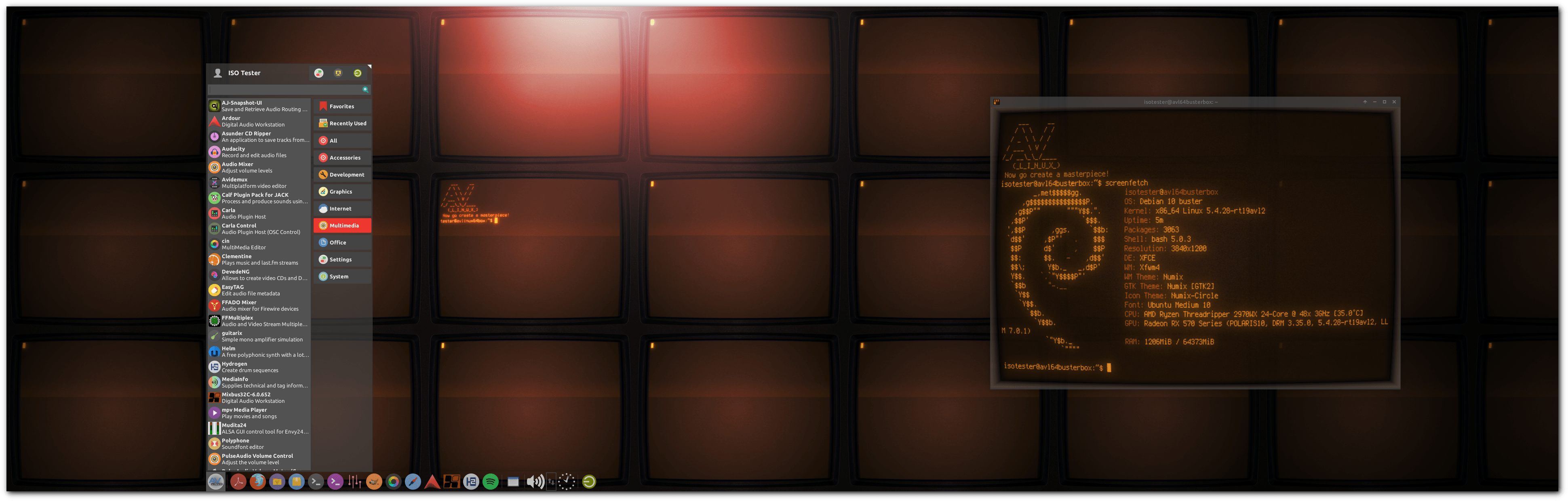
AV Linux is a free shared downloadable and installable snapshot ISO image based on Debian/GNU Linux pre-configured to be a turnkey AV content creation system pre-configured and ready to “Install and Create”.

Features:

  • Originates from 32bit and 64bit snapshots of the Debian Stable Distribution.
  • Custom Realtime Preempt Kernel for optimal low-latency Audio potential.
  • CPU governed for performance by default.
  • Extra tweaks for performance, meets all criteria of the included Realtime Configuration Quick Scan.
  • Some special custom packaging not found in default Repositories.
  • Fast and Light XFCE4 Desktop Environment with attractive customizations.
  • falkTX’s KXStudio Repositories for up to date Audio Applications.
  • Extensive Audio/Video and Administrator-friendly Custom Actions.
  • Seamless JACK Audio/MIDI environment with PulseAudio Integration.
  • Extended Application platforms Flatpak and Docker included.
  • Robust Environment for developers: Compilers, GIT, SVN, BZR, tools and development libs.
  • Mozilla builds of Firefox and Thunderbird.

AVL-2020Desktop

www.bandshed.net/avlinux
www.bandshed.net/iso/
www.wikihow.com/Install-AV-Linux
distrowatch.com/table.php?distribution=avlinux
en.wikipedia.org/wiki/AV_Linux

Seq24 ~ Minimal MIDI Sequencer


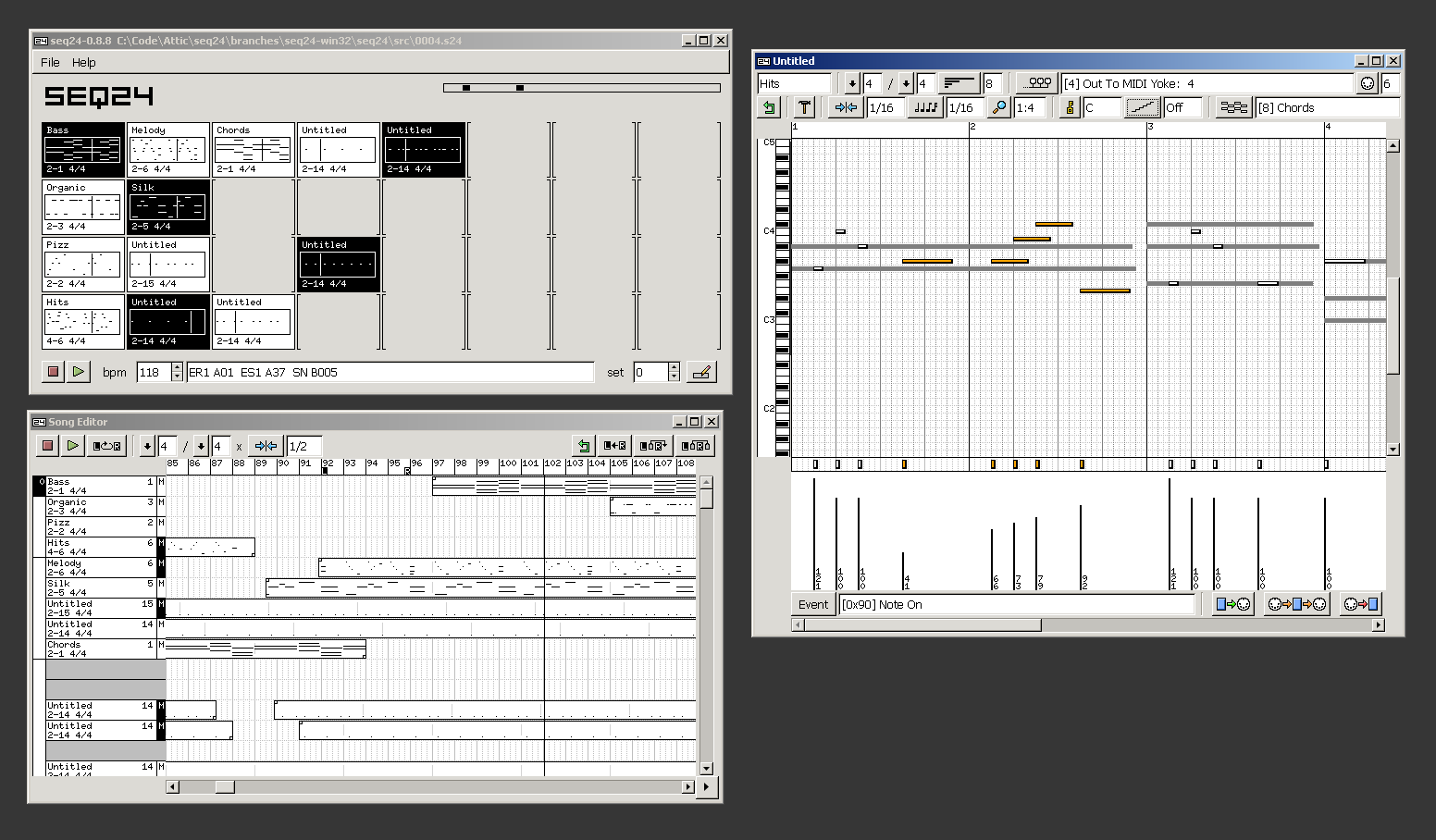
Seq24 is a minimal loop based midi sequencer. It was created to provide a very simple interface for editing and playing midi ‘loops’. After searching for a software based sequencer that would provide the functionality needed for a live performance, such as the Akai MPC line, the Kawai Q80 sequencer, or the popular Alesis MMT-8, I found nothing similar in the software realm. I set out to create a very minimal sequencer that excludes the bloated features of the large software sequencers, and includes a small subset of features that I have found usable in performing.

seq24.large

www.filter24.org/seq24
en.wikipedia.org/wiki/Seq24

Rakarrack ~ Guitar Effects For Linux


Rakarrack is a richly featured multi-effects processor emulating a guitar effects pedalboard. Effects include compressor, expander, noise gate, graphic equalizer, parametric equalizer, exciter, shuffle, convolotron, valve, flanger, dual flange, chorus, musical delay, arpie, echo with reverse playback, musical delay, reverb, digital phaser, analogic phaser, synthfilter, varyband, ring, wah-wah, alien-wah, mutromojo, harmonizer, looper and four flexible distortion modules including sub-octave modulation and dirty octave up. Most of the effects engine is built from modules found in the excellent software synthesizer ZynAddSubFX. Presets and user interface are optimized for guitar, but Rakarrack processes signals in stereo while it does not apply internal band-limiting filtering, and thus is well suited to all musical instruments and vocals. Rakarrack is designed for Linux distributions with Jack Audio Connection Kit.

rakarrack

rakarrack.sourceforge.net
sourceforge.net/projects/rakarrack

ReZound ~ Multi-platform Audio Editor


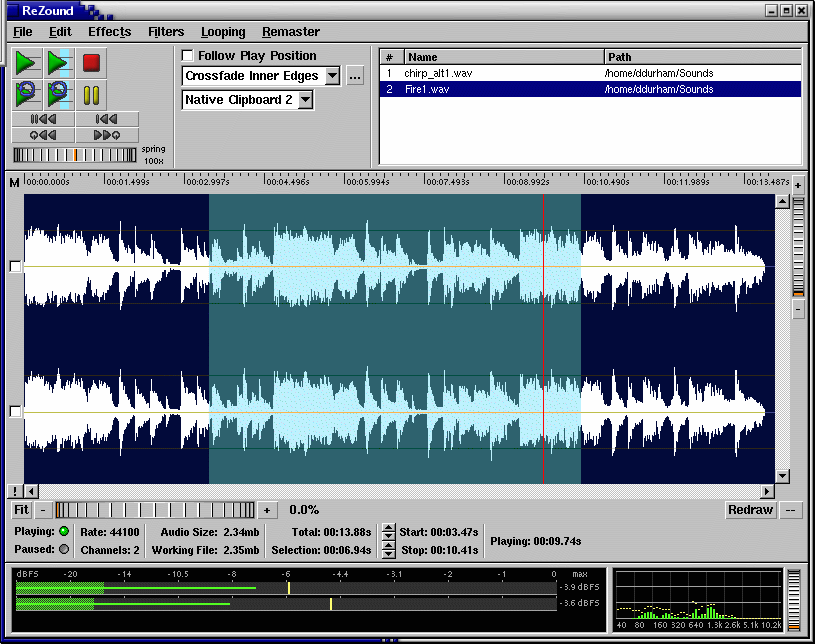
ReZound aims to be a stable, open source, and graphical audio file editor primarily for, but not limited to, the Linux operating system.

ReZound

rezound.sourceforge.net
sourceforge.net/projects/rezound
github.com/ddurham2/rezound

Bristol ~ Audio Synthesis Emulation


Bristol is synth emulation package for a diverse range of vintage synthesisers, electric pianos and organs. The application consists of a multithreaded audio synthesizer and a user interface called brighton.

Features:

  • Over thirty emulators to mix and match
  • Multitimbral engine
  • Simultaneous splits and layers of different emulators
  • Distributed graphical user interface and engine
  • ALSA Audio and MIDI support
  • Jack Audio and MIDI support
  • OSS Audio and MIDI support
  • LADI Session Manager support
  • JACK Session Manager support
  • Text Based Command Line Interface option
  • Monophonic key preference note logic option

bristol.sourceforge.net
sourceforge.net/projects/bristol

Network Audio System ~ Client Server Sound


The Network Audio System is a network transparent, client/server audio transport system.

Features:

  • Device-independent audio over the network
  • Lots of audio file and data formats
  • Can store sounds in server for rapid replay
  • Extensive mixing, separating, and manipulation of audio data
  • Simultaneous use of audio devices by multiple applications
  • Used by a growing number of ISVs
  • Small size
  • Free! No obnoxious licensing terms

www.radscan.com/nas
sourceforge.net/projects/nas

Asunder ~ Linux Audio CD Ripper


Asunder is a graphical Audio CD ripper and encoder for Linux. You can use it to save tracks from an Audio CD as any of WAV, MP3, OGG, FLAC, Opus, WavPack, Musepack, AAC, and Monkey’s Audio files.

asunder

littlesvr.ca/asunder
snapcraft.io/asunder-casept

Cdrdao ~ Disk-At-Once Recording


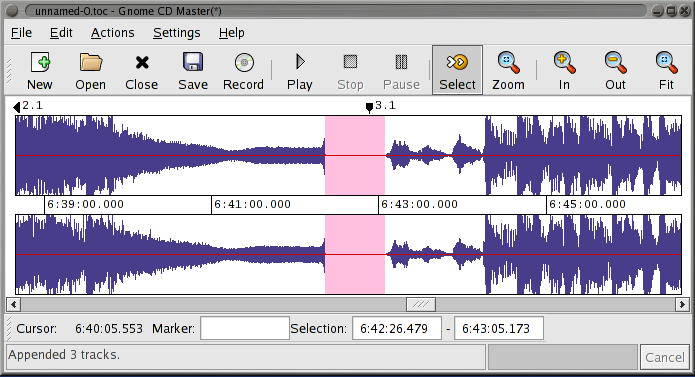
Cdrdao records audio or data CD-Rs in disk-at-once (DAO) mode based on a textual description of the CD contents.

Advantages of Disk-At-Once (DAO) Recording:

Recording in disk-at-once mode writes the complete disc, i.e. lead-in, one or more tracks and lead-out, in a single step. The commonly used track-at-once (TAO) mode writes each track independently which requires link blocks between two tracks. Older CD-recorder models forced a two second pause (pre-gap) between two tracks whereas newer models allow adjusting of the pause length in TAO mode reducing the number of link blocks to a minimal amount. However, with TAO it is generally not possible to define the data that is written in pre-gaps. But exactly this feature makes audio CD recording interesting, e.g. by creating hidden bonus tracks or track intros in pre-gaps like it is common habit on commercial CDs. Finally, DAO recording is the only way to write data to the unused R-W sub-channels for e.g.  CD-G or CD-TEXT.

Features:

  • Full control over length and contents of pre-gaps (pause areas between tracks). Pre-gaps may be completely omitted, e.g. for dividing live recordings into tracks.
  • Control over sub-channel data like:
    • catalog number
    • copy, pre-emphasis, 2-/4-channel flags
    • ISRC code
    • index marks
  • Support for exact audio, data and mixed mode CD copying.
  • Support for R-W sub-channel writing.
  • Tracks may be composed of different audio files supporting non destructive cut.
  • Accepts WAVE and raw audio files.
  • CD-TEXT reading and writing with drives that support it.
  • CDDB access to automatically create CD-TEXT data.
  • Support for on-the-fly copying.

cdrdao.sourceforge.net
github.com/cdrdao
wiki.hydrogenaud.io/index.php?title=Cdrdao
en.wikipedia.org/wiki/Cdrdao

Frontend (GUI):
gcdmaster
cdrdao.sourceforge.net/gcdmaster

Yoshimi ~ Linux Software Synthesizer


Yoshimi is a software audio synthesizer, originally forked from ZynAddSubFX. Follow the links in the header for help with downloading and running it. You can also check out the manuals for detailed help, and listen to examples of music created with Yoshimi. Once you have it all set up, here are just some of the features you will find:

  • Three separate engines, each with distinctive characteristics, can be used together or individually
  • Sixteen engine kits for the ultimate in multi-layering of engines, or for synthesized drum kits
  • Vector Control, manage up to four independent sounds on any channel with faders or an X/Y midi joystick
  • Solo step through up to 16 sounds seamlessly while playing in real time (including vector sounds)
  • Microtonal Tuning, Scala-compatible scales and keymaps
  • Extensive Midi-Learn, capture almost all internal controls and many switches with ordinary 7-bit values, or NRPNs, or even 7-bit NRPNs, then edit the responses
  • Command Line Access, headless operation and high accessibility, for those with sight- or motor control issues
  • Rich variations of tone and timbre, Yoshimi provides the means to ensure no two notes are ever identical – just like in the real world
Yoshimi

yoshimi.sourceforge.net
en.wikipedia.org/wiki/Yoshimi_(synthesizer)

jack-keyboard ~ Virtual Keyboard For JACK MIDI


jack-keyboard is a virtual MIDI keyboard – a program that allows you to send JACK MIDI events ( 😉 play using your PC keyboard). It’s BSD-licensed. User interface is GTK-based.

jack-keyboard

sourceforge.net/projects/jack-keyboard