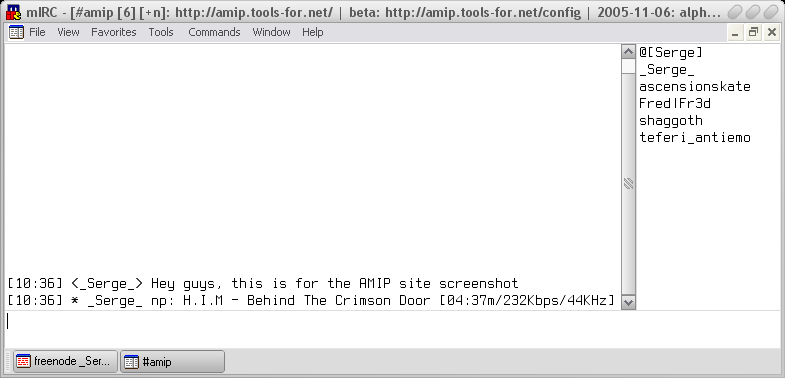
Add on for many popular players that announces the current playing track on many instant messaging platforms.
amip.tools-for.net/wiki/amip/features

Add on for many popular players that announces the current playing track on many instant messaging platforms.
amip.tools-for.net/wiki/amip/features

Moosic is a music player for Unix systems. It focuses on convenient and powerful playlist management. It consists of a server process that maintains a queue of songs to be played and one or more client programs which sends commands to the server. The server continually runs through its song queue, popping songs off the top of the list and playing each with an external program. The client is a simple command-line utility which allows you to easily perform powerful operations upon the server’s queue, including the addition of whole directory trees, automatic shuffling, and song removal according to regular expressions. The server comes configured to play MP3, Ogg, MIDI, MOD, and WAV files, but can be configured to also play any other file format you want.
http://nanoo.org/software/moosic/

A GTK2/GTK3 interface to MPlayer. The power of MPlayer combined with a friendly interface for your desktop; You can play all your multimedia (audio, video, CD, DVDs, and VCDs, streams etc.), organize, sort and create playlists, take screenshots while playing videos, be notified about media changes. Full DVD and MKV chapter support, when supported by Mplayer. Subtitle support with the ability to specify preferred audio and subtitle languages if the media supports it. Support for cover art retrieval from Amazon.com for audio media files with artist and/or album information contained in the file.
https://sites.google.com/site/kdekorte2/gnomemplayer

AudioMass lets you record, or use your existing audio tracks, and modify them by trimming, cutting, pasting or applying a plethora of effects, from compression and paragraphic equalizers to reverb, delay and distortion effects. AudioMass also supports more than 20 hotkeys combinations and a dynamic responsive interface to ensure ease of use and that your productivity remains high. it is written solely in plain old-school javascript, weights approximately 65kb and has no backend or framework dependencies.

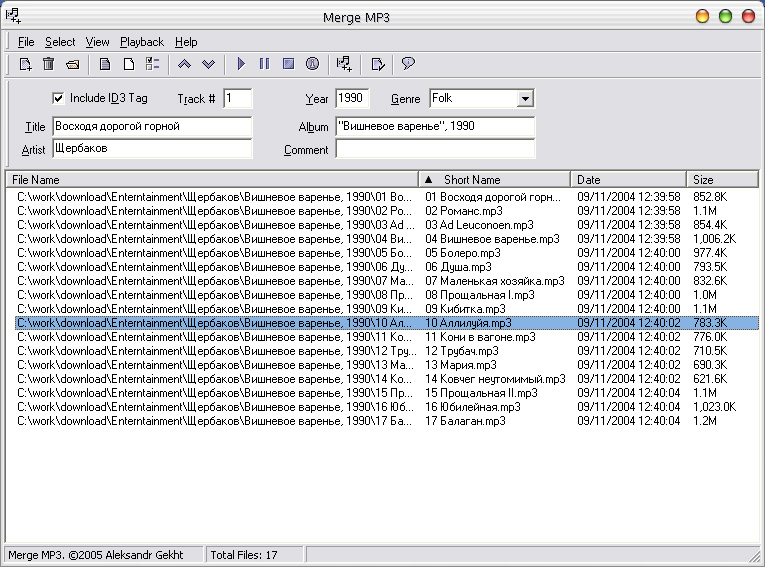
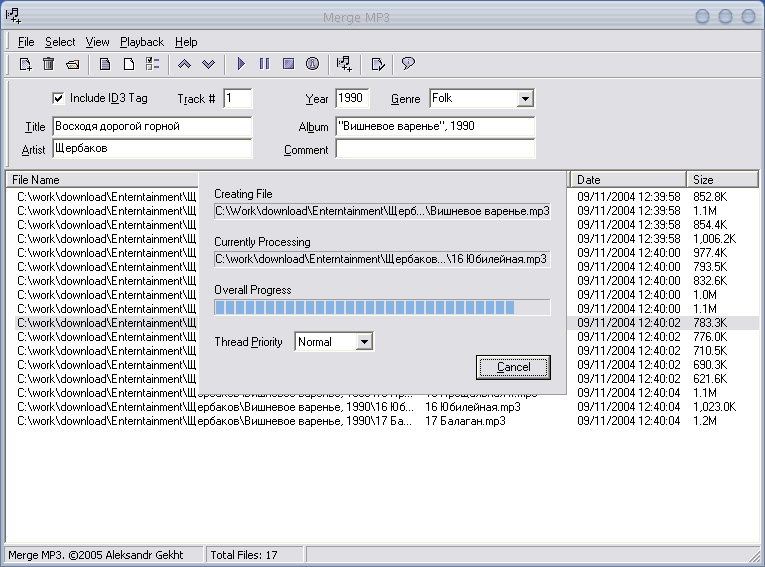
It is often necessary to merge multiple sound files into one recording. This need may arise for various reasons: merge ripped CD tracks into one, combine multiple chapters of an audiobook, etc. There are many great programs to achieve this, but very few of them are actually free. I’ve discovered that while all of these programs perform the task well, they also contain lots of other features, making them too complicated for the tasks. This is why when I needed the plain vanilla merging utility, I could not find one that was free – and decided to write one myself. The added benefit of writing one myself, of course, is that it has exactly the features I need – and none that I don’t. When it was done – I decided to give it away for free – to alleviate some of the pains I had.
Features:
www.shchuka.com/software/mergemp3

flactag is a tagger for whole-album FLAC files with embedded CUE sheets, that retrieves data from the MusicBrainz service.
https://sourceforge.net/projects/flactag/


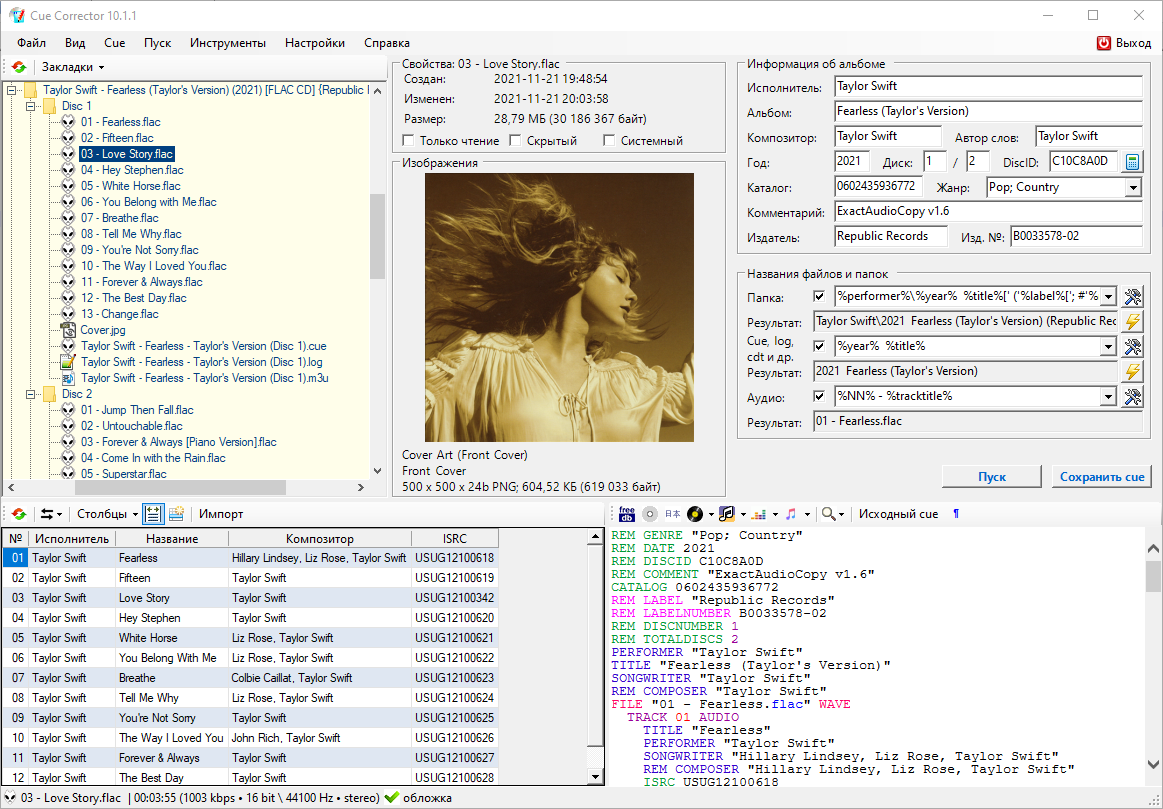
CUE Corrector is a multifunctional program for working with index cards, which has a wide range of possibilities for reading, creating and editing them. The program is capable of performing many operations that arise during the use of index cards, from a simple replacement of an audio file extension in it to a complete change of its content, without making any changes to the index markup.
The program also has a large number of tools that allow you to edit the index maps in a set of associated files and folders, thus treating it as part of the “index map, extract report, audio files and covers” complex. The algorithms implemented for this make it possible to extremely simplify and automate many operations to bring the complex to the desired user form, convenient for storing and organizing – creating collections.
cuecorrector.ucoz.net
hydrogenaud.io/index.php?topic=112882.0

Chrome Music Lab is a website that makes learning music more accessible through fun, hands-on experiments.
Many teachers have been using Chrome Music Lab as a tool in their classrooms to explore music and its connections to science, math, art, and more. They’ve been combining it with dance and live instruments. Here’s a collection of some uses we’ve found on Twitter.
Yes. Check out the Song Maker experiment, which lets you make and share your own songs.
Nope. Just open any experiment and start playing.
All our experiments are all built with freely accessible web technology such as Web Audio API, WebMIDI, Tone.js, and more. These tools make it easier for coders to build new interactive music experiences. You can get the open-source code to lots of these experiments here on Github.
You can play with these experiments across devices – phones, tablets, laptops – just by opening the site on a web browser such as Chrome.
musiclab.chromeexperiments.com

TAK stands for (T)om’s lossless (A)audio (k)ompressor. Besides, it’s a throwback to a (not very philanthropic) character from Stephen King’s “Regulators”. Early semi-public evaluation versions operated under the working title YALAC .
www.thbeck.de/Tak/Tak
wiki.hydrogenaud.io/index.php?title=TAK
hydrogenaud.io/index.php?topic=120760
www.foobar2000.org/components/view/foo_input_tak
foobar.hyv.fi/?view=foo_input_tak


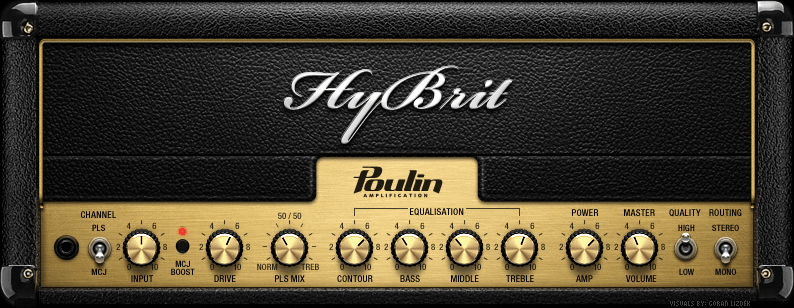
HyBrit Head is an hybrid amp model based on two famous British gears.
The PLS channel is actually an hybrid of the two (tweaked) channels (Normal and Treble) of the real thing. Both channels are actually processed and the mix of the two signals can be adjusted through the PLS MIX knob. The other channel, MCJ, is also a tweaked version of the real thing. So, this amp simulator doesn’t represent anything specifically but it does have the character of the British amp.

mypiano_jukebox is a mypiano_chung bass.dll based MIDI jukebox, MIDI files & folder player with a virtual acoustic piano recorded on Isabelle’s upright piano, with a smartphone. The sounds, reverb, chorus and volume are variable with the number of played notes and the sustain switch, just like a real piano.
sourceforge.net/projects/mypiano-jukebox

What sets this frontend for ffmpeg apart from other stereo simulators is it creates an illusion of actual stereo separation. More importantly, it produces none of the weird phasing, and/or time delay artifacts. And very little, if any of the tone discoloration, when those others aren’t meticulously set up just right. All this is accomplished by using the ffmpeg crossover audio filter to split the sound into 8 frequency bands. The split points are based on center frequencies of a typical 1/3 octave equalizer. Those 8 bands are then panned in varying degrees to left and right. The varying width of each band is set to achieve the best balance between the left and right channels.
sourceforge.net/projects/ultimate-mono2stereo

 The Audio File