
WildMIDI is a simple software MIDI player which has a core software synthesizer (softsynth) library that can be used with other applications.
www.mindwerks.net/projects/wildmidi
github.com/Mindwerks/wildmidi
Author Archives: tom2tec

TAP-plugins ~ LADSPA Linux Plugins
Tom’s Audio Processing plugins is a selection of LADSPA plugins for audio engineering on the Linux platform. Intended for use in a professional DAW environment such as Ardour, it includes high quality reverberation, echo, eq, limiter & more.
tomscii.sig7.se/tap-plugins/index
sourceforge.net/projects/tap-plugins
github.com/tomszilagyi/tap-plugins
Share this:

FoobarSync ~ Syncronize Your Media
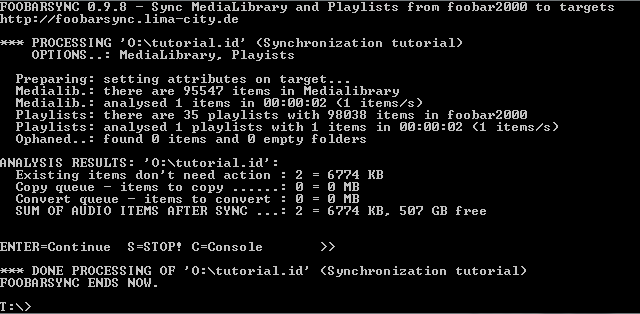
FoobarSync is an command line driven VBscript which will synchonize parts from your foobar2000 Medialibrary and Playlists to one or more targets in a very flexible way.
Lets say you have a USB-Stick for your car entertainment system plus an Android device. Sure you want to have some music in your car and on your Android. But your car only accepts MP3 and needs a special folder-layout while your Android device plays many formats, but you want to save space and therefore want lower bitrates. And at least you want to have different albums and playlists in your car then on your Android. FoobarSync will help you to meet those demands plus more.
FoobarSync will get a subset of items from your Medialibrary AND your playlists, defined by a search-query and other rules. The selected items can be defined per target (one configuration file per target). This configuration file is stored in the root folder of the target. When synchronizing each item is checked against the defined rule sets and then a) copied to the target or b) converted to the target. If your subset (choosen items) in foobar2000 changes, these changes will get synchonized as soon as you rerun FoobarSync.
foobarsync.lima-city.de/wikka/HomePage
hydrogenaud.io/index.php?topic=108834.0
Share this:

QMP3Gain ~ MP3Gain Graphical User Interface
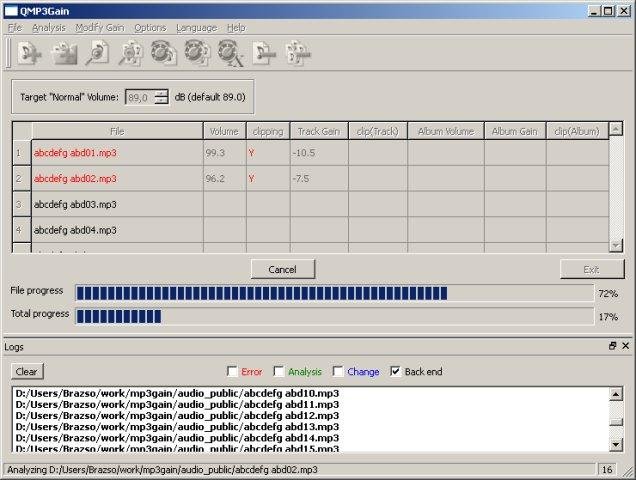
User interface front end supporting famous MP3Gain engine which analyzes and losslessly adjusts MP3 files to a specified target volume. A complete re-creation (made in QT5) of the original MP3Gain GUI, however it can be run on more platforms.
Features:
- MP3
- volume
- lossless
- multiplatform
- GUI
sourceforge.net/projects/qmp3gain
Share this:

Proximity ~ Changing Recording Depth Plugin
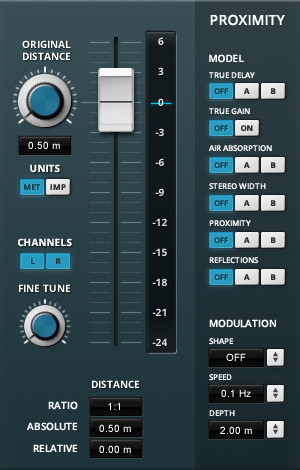
The plug-in is an easy to use distance “pan-pot” based on several psycho-acoustic models. The idea is to give mixing engineer a reliable tool which allows him to manipulate the “depth” of several sound source in a straight forward and convincing manner.
Several models can be combined:
- Distance signal delay by speed of sound
- Distance gain loss
- Absorption of high-frequencies in air
- Stereo width manipulation
- Proximity effect of virtual microphone
- Distance based early reflections
All models can be turned on and off to taste. Distance modulation options extend the creative possibilities even further. Units can be switched from metric (meters) to imperial (inches).
Share this:

VirtuoZo! ~ Find Scales, Chords & Generate Music
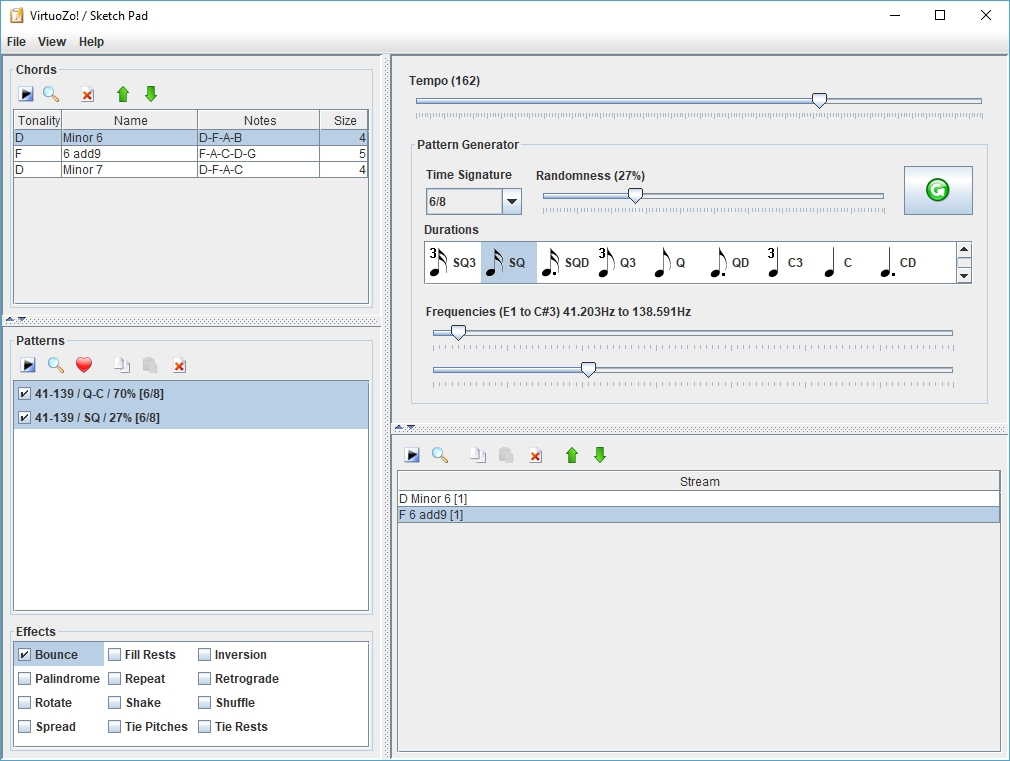
This software can be used to search scales & chords from a large and expandable database (XML). Thanks to the jmusic project (jmusic.sourceforge.io), this is also possible to generate music starting from these scales & chords and export the result to MIDI file.
Features:
- Scales & chords finder
- Music generator (MIDI)
sourceforge.net/projects/virtuozo
Share this:

GAUDIKA ~ Multi-format Music Player
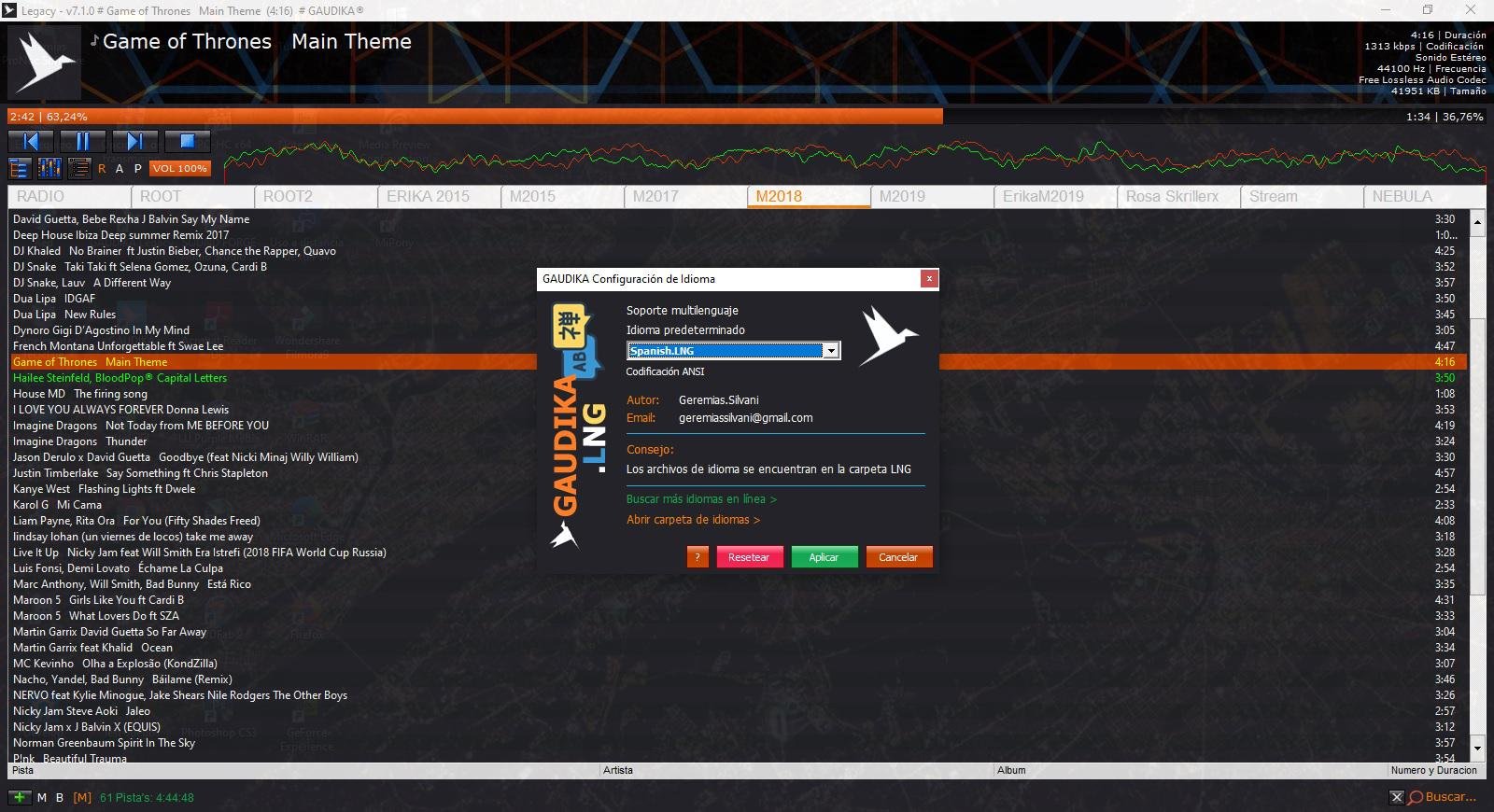
Portable audio player based on BASS library, Lightweight, Fast and easy to use. Now supports multiple languages.
Share this:

Webamp ~ Winamp As A Webpage


XOralizer ~ Virtual Crossover Utility
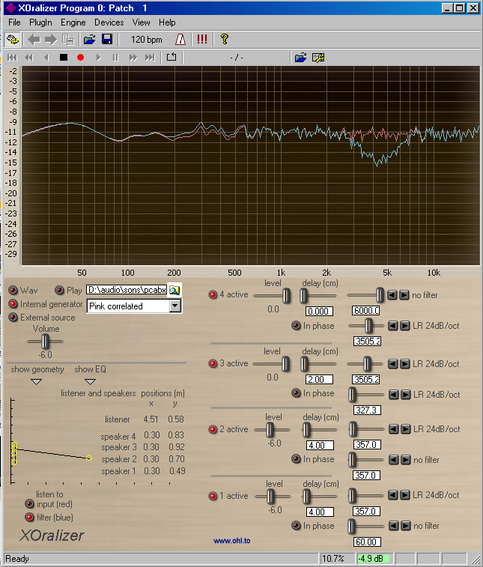
The definitive software to listen to your crossover! You can create a 4 ways speaker (or WMTMW…), position the speakers, define the crossover and then move the listener to hear and see the response changing.
Share this:

AppAudioConfig ~ Audio App Registry Editor
Starting from Windows Vista, you are allowed to change the sound volume of every application separately, and after you exit from the application, the last settings are saved in the Registry under:
HKEY_CURRENT_USER\Software\Microsoft\InternetExplorer\LowRegistry\Audio\PolicyConfig\PropertyStore
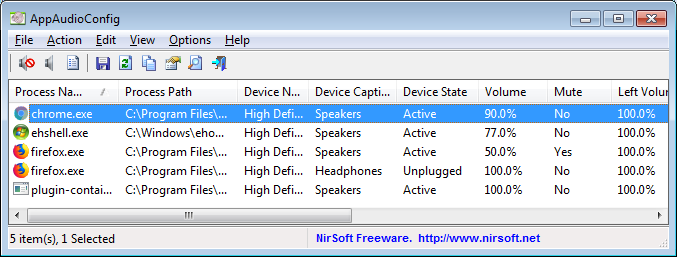
So the next time you run the application, your last settings are used. This tool displays your current audio settings of every application on your system, and allows you to easily change the setting of multiple applications at once. You can change the mute/unmute status, the sound volume level, and the right/left audio balance of the application.
Share this:

Krush ~ Bit Crushing & Downsampling Plugin
With its bit crushing and downsampling algorithms, Krush combines the crispy taste of the digital realm with the warmth of its drive stage and analog modeled resonant filters. A modulation section allows you to quickly add extra life to the sound by modulating any parameter.
The sound palette produced by Krush ranges from the dirtiest digital effects to crunchy modulated colours, with all the classic and weirdest bit-crushing effects in between.
Share this:

foo_hdcd ~ Foobar2000 HDCD Decoder
This PCM postprocessor component, currently utilized by the CDDA, WAV, FLAC, and WavPack inputs, will process 16-bit PCM data with HDCD packets into 20-bit PCM. If it fails to find any packet headers within the first 5 seconds of a track, it gives up.
The HDCD status will be indicated in the info variable “hdcd,” retrievable with either %__hdcd% or $info(hdcd). Extra info variables are “hdcd_peak_extend,” “hdcd_transient_filter” and “hdcd_gain.”
Also included is a simple scanner that processes up to 5 seconds of each track selected and reports all tracks which contain HDCD information. If users want it, I will impement a full file scanner that also reports which HDCD features are used throughout the tracks.
hydrogenaud.io/index.php/topic,79427.0
Those FLACs should still contain HDCD information, and the %__hdcd% info tag should be showing as much in the status bar. (Or in the playlist, if you have a playlist view that updates with dynamic metadata.)
hydrogenaud.io/index.php/topic,79427.msg720656.html#msg720656
www.foobar2000.org/components/view/foo_hdcd
References:
en.wikipedia.org/wiki/High_Definition_Compatible_Digital
Formatting Examples:
Foobar2000 / DUI / status or title bar:
(‘$if($info(hdcd) PRESENT,%__hdcd_gain% HDCD’,’ pe=%__hdcd_peak_extend% tf=%__hdcd_transient_filter%,no HDCD)’)’
hydrogenaud.io/index.php/topic,114177.msg940475.html#msg940475
$if(%__hdcd%,’ (‘HDCD – pe:%__hdcd_peak_extend% tf:%__hdcd_transient_filter% gain:%__hdcd_gain%’)’,)
hydrogenaud.io/index.php/topic,79427.msg716302.html#msg716302
%codec% | %bitrate% kbps | %samplerate% Hz | %channels% | %playback_time%[ / %length%] $if(%__hdcd%,' 'HDCD - Peak Extend: %__hdcd_peak_extend% Transient Filter: %__hdcd_transient_filter% Gain: %__hdcd_gain%' ',)hydrogenaud.io/index.php/topic,79427.msg716575.html#msg716575

 The Audio File