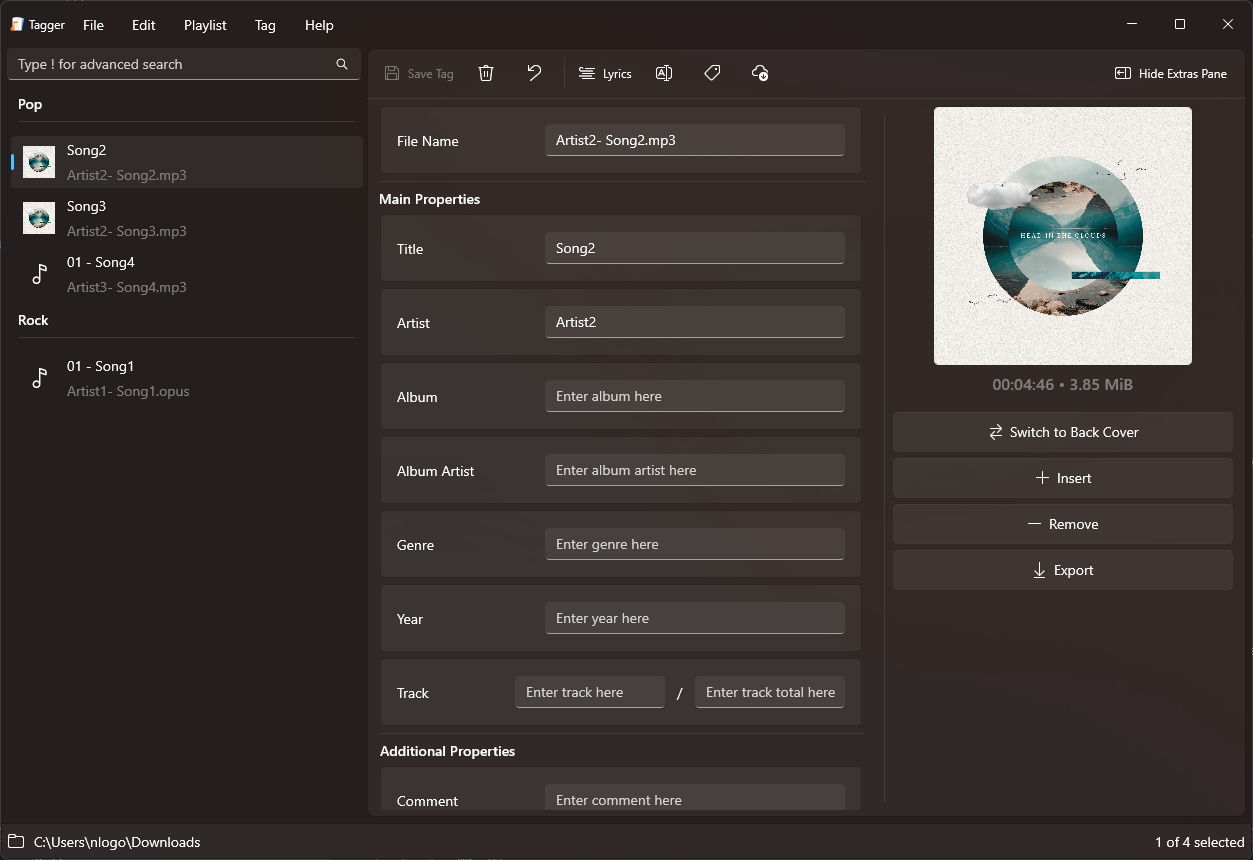
Gleamy Audio Player ~ Local Player & Downloader


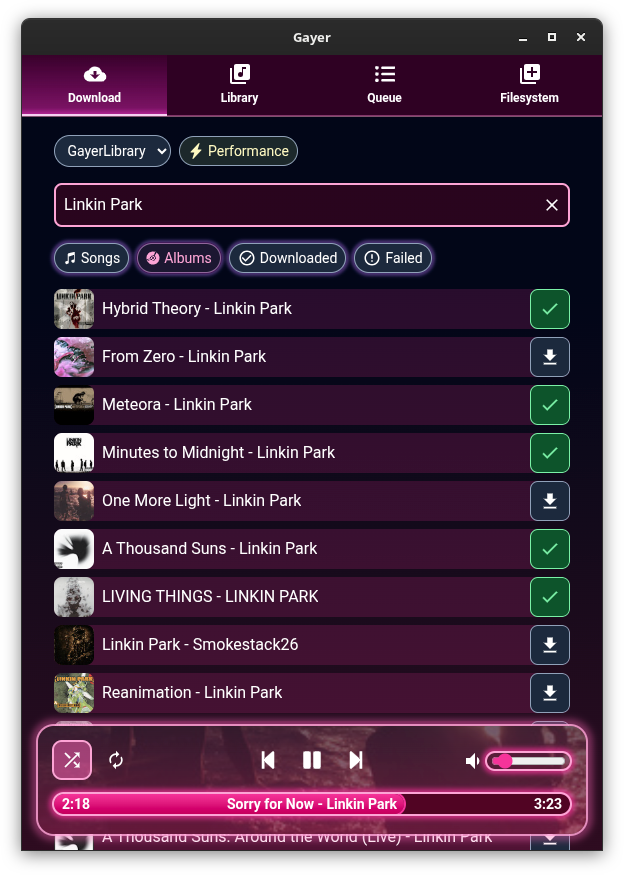
Local music player and downloader.

Features:

  • Play local audio in different ways
  • Drag and drop multiple files and folders from your file manager onto the app to add them to the queue
  • Build and search your own custom audio library in app, by registering locations from your computer
  • Manually select a folder to open
  • Reorder and shuffle queue
  • Loop current or whole queue
  • Create your own playlists
  • Import and export your playlists to .M3U format
  • Automatically download missing playlist tracks
  • Search and download songs and albums directly from the internet, using yt-dlp
  • Allow downloading songs and playlists using direct url
  • Lyrics auto fetching from song file name + caching
  • Change lyrics source if they are incorrect or sync is broken
  • Power saving / appearance toggle, if your machine struggles with pretty blurs and overly long queues :p
  • Automatically fetches album cover art using filename and parent directory name + caching
  • Enable / disable auto cover art fetching
  • Link your Youtube account (by using your browser’s cookies) to download content that fails otherwise
  • Looks cute and pretty :3
Gleamy User Interface

github.com/esteakacrownie/gayer
Pot-O MusiQT ~ Python Music Player


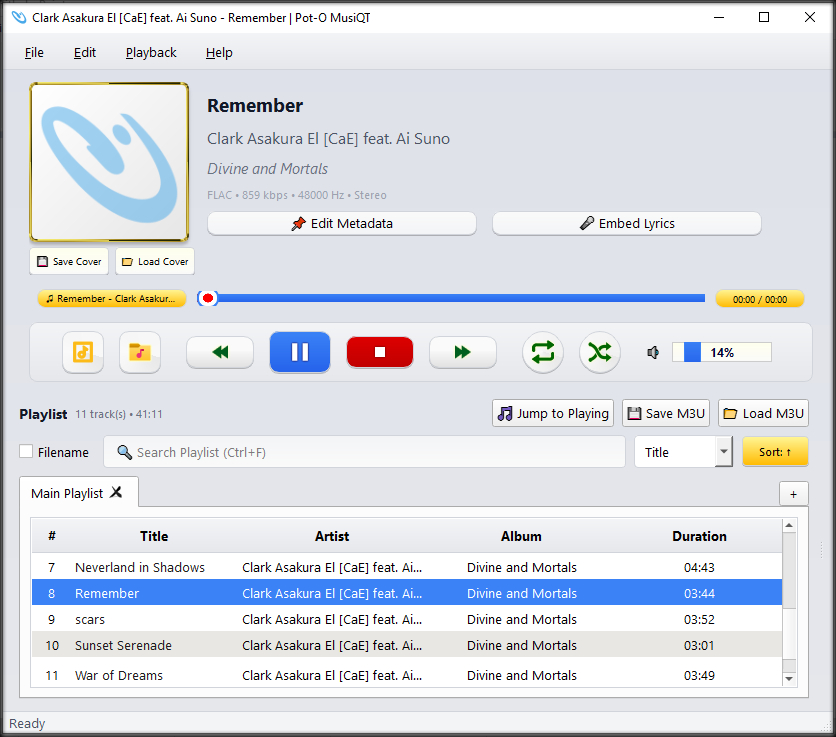
Pot-O MusiQT is a lightweight yet feature-rich desktop music player built with Python and PyQt5, designed for users who want a clean interface, strong playlist control, and practical everyday playback features without unnecessary complexity.

It focuses on local media playback, fast interaction, and keyboard-friendly operation, while still offering modern conveniences such as metadata handling, lyrics viewing, and smooth playback transitions.

Features:

  • JSON-backed
  • Edit Metadata
  • Embed Lyrics
  • Rename File by Metadata
  • Open ZIP File
  • Edit Cover
  • Show Lyrics
  • Play Video Clip
  • Save & Load M3U Playlist
  • Export Playlist to CSV & JSON
  • Search result as new playlist
  • Multiple Instances
  • User friendly UI/UX
  • Search by Metadata & Filename
  • Support common popular audio files (e.g. MP3, FLAC, AAC, M4V, OGG) and many more
  • Play music audio files
  • Safe file operations
  • Totally offline (No need for internet connection)
  • Lightweight in size, RAM & CPU usage
  • Stable
  • No equalizer or visualizer
  • Freeware

sourceforge.net/projects/pot-o-musiqt

Zenamp ~ Player With Visualizations & Games


Multi-format audio player with MIDI, minigames, playlists & many visualizations

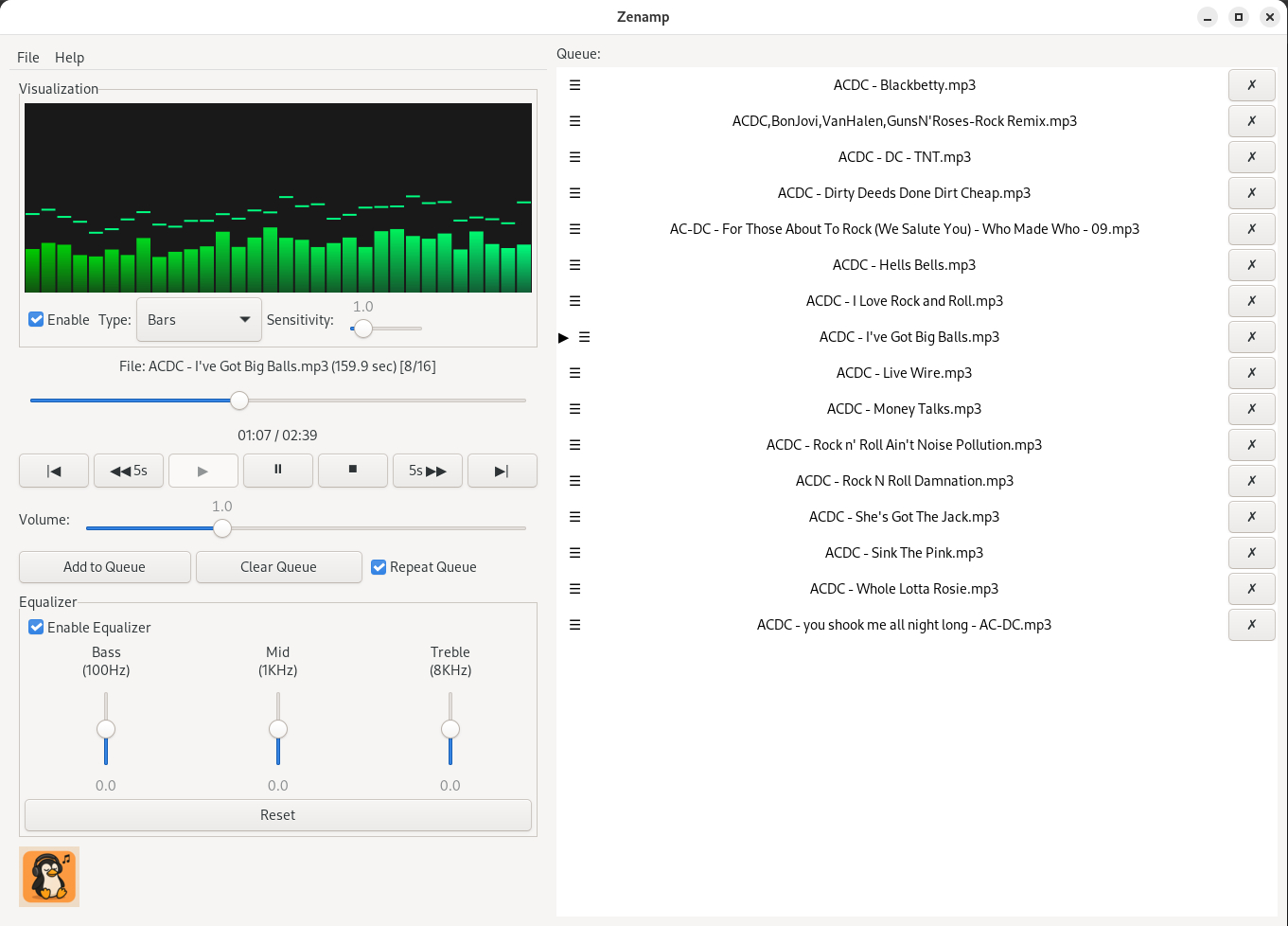
Lightweight GTK3 audio player supporting MIDI, WAV, MP3, OGG, FLAC, AIFF, and Opus formats. Features OPL3 FM synthesis for authentic MIDI playback, drag-and-drop playlist queue, real-time spectrum visualization, 10-band equalizer, and M3U playlist support. Built with SDL2 audio backend for cross-platform compatibility across Linux and Windows. Includes intuitive controls with keyboard shortcuts, 5-second seek buttons, and efficient format conversion. Perfect for musicians and audio enthusiasts needing reliable playback of both modern and legacy audio formats. Multi-threaded architecture ensures smooth performance. MIT License.

Features:

  • Music Player
  • Queue Support
  • Playlist Support
  • Visualizations
  • Minigames
Zenamp user interface

sourceforge.net/projects/midiplayer
apps.microsoft.com/detail/9p7ddq785vq2

swp ~ Simple Webstream Player


Simple Webstream Player, to listen and record web radios and other streams.

Features:

  • Simple Webstream Player, to listen to and record web radio and other web streams in mp3, aac and opus format.
  • Auto select the type of audio format.
  • Change live the tempo and pitch.
  • Show ICY tag, including image.
  • Record in wav format.
  • Can also play webstreams from https.
  • Import/Export m3u list of web radio files.
  • You may choose what audio device to use.

sourceforge.net/projects/simplewebplayer

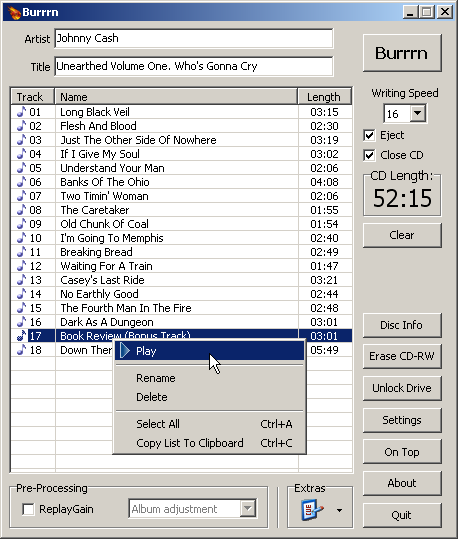
Burrrn ~ Burn Audio CDs The Easy Way!


Burrrn is a little tool for creating audio CDs with CD-Text from various audio files. Supported formats are: wav, mp3, mpc, ogg, aac, mp4, ape, flac, ofr, wv, tta, m3u, pls and fpl playlists and cue sheets. You can also burn EAC’s noncompliant image + cue sheets! Burrrn can read all types of tags from all these formats (including ape tags in mp3). Burrrn uses cdrdao.exe for burning.

www.burrrn.net

Fooyin ~ Linux Audio Player


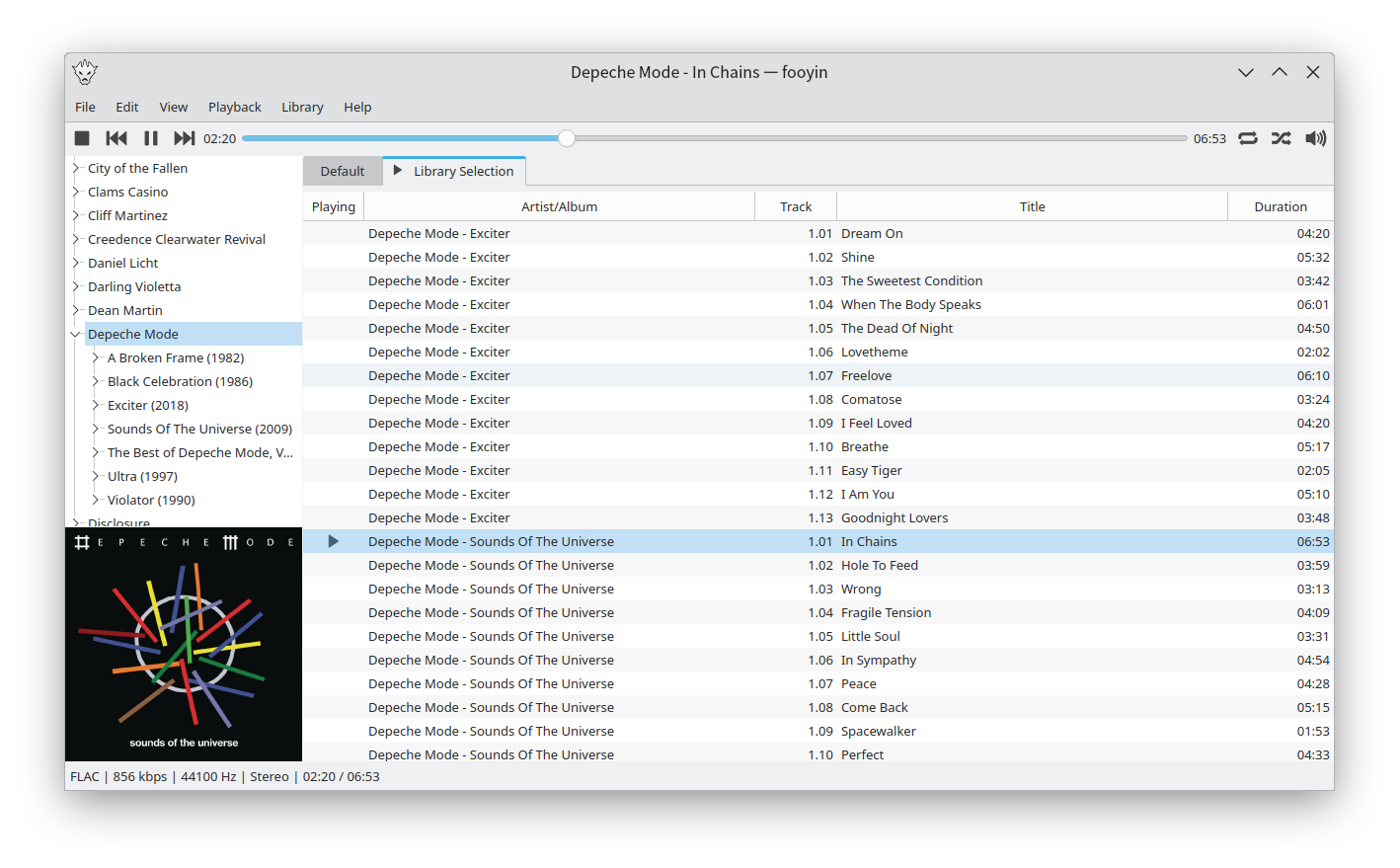
Fooyin is a customisable music player for Linux. Fooyin features a layout editing mode in which the entire user interface can be customised, starting from a blank state or a default layout. FooScript takes this further by extending the customisation to individual widgets themselves.

Features:

  • Playback FLAC, MP3, MP4, Vorbis, Opus, WavPack, WAV, AIFF, Musepack, Monkey’s Audio
  •  Playback popular VGM and tracker module formats
  •  Gapless playback
  •  Add and play files from within compressed archives
  •  Audio output and device configuration
  •  CUE sheet support (including embedded)
  •  Fully customisable layout, starting from a blank window
  •  Customisable keyboard shortcuts
  •  Filter library on any field(s)
  •  Create and manage playlists
  •  Import/export playlists (M3U/M3U8)
  •  Extensible using a plugin system
  •  Tag editing
  •  Library tree, including directory structure view
  •  Directory browser
  •  Waveform seekbar
  •  MPRIS support
  •  ReplayGain support
  •  Scrobbling

www.fooyin.org
github.com/ludouzi/fooyin

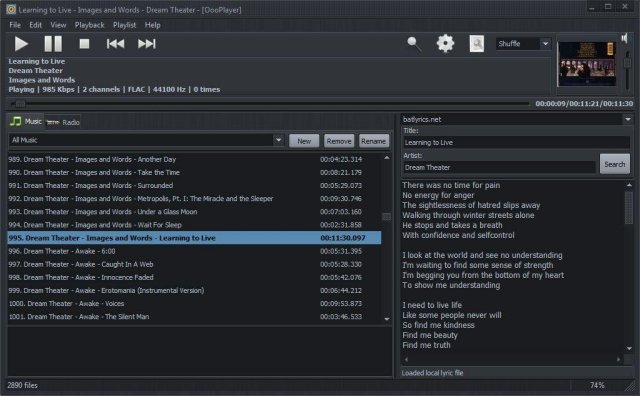
OooPlayer ~ Lightweight Windows Audio Player


OooPlayer is a free audio player for Microsoft® Windows®. It has a clean, lightweight user interface and it is also friendly with your computer resources. It is one of the best candidates if you’re looking for an alternative to Winamp® or just looking for a simple, easy-to-use music and radio player. It’s written in Delphi and uses Bass library and its plugins from www.un4seen.com

The listed versions are clean, without no bundles/installers and it has support for most popular audio formats (see below in the features section). This player is released under the GNU General Public License version 2.0 and is available in two versions: installer and portable.

Features:

  • user-friendly and with a low impact on resource usage
  • support for most audio formats: MP3, FLAC, OGG, MPC, WMA, AC3, SPX, AAC, ALAC, APE, TTA, OFR, WV, OPUS, TAK etc.
  • support for gapless playback (uninterrupted playback of sequential/consecutive audio tracks)
  • support for M3U and M3U8 playlists
  • integrated lyric downloader (it doesn’t work with certain files such as covers)
  • save your own playlists in M3U, M3U8 or PPF format
  • built-in support for radio stations (huge list available) including details about the current radio
  • multiple options available: shuffle, repeat, search, jump, find etc.
  • available as installer and portable version.

www.fosshub.com/OooPlayer
github.com/ozok/OooPlayer

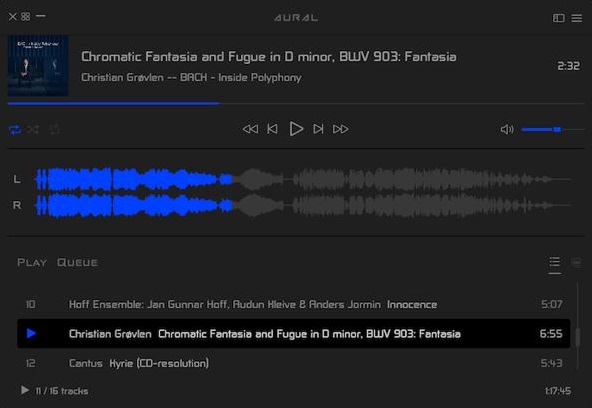
Aural Player ~ Winamp For Macs


Aural Player is an audio player for macOS. Inspired by the classic Winamp player for Windows, it is designed to be to-the-point, easy to use, and customizable, with support for a wide variety of popular audio formats and some sound tuning capabilities for audio enthusiasts.

github.com/maculateConception/aural-player

MOC ~ Music On Console


MOC (music on console) is a console audio player for LINUX / UNIX designed to be powerful and easy to use.

You just need to select a file from some directory using the menu similar to Midnight Commander, and MOC will start playing all files in this directory beginning from the chosen file. There is no need to create playlists as in other players.

However if you want to combine some files from one or more directories on one playlist, you can still do it. The playlist will be remembered between runs or you can save it as an m3u file and load it whenever you want.

Need the console where MOC is running for more important things? Need to close the X terminal emulator? You don’t have to stop listening to the music – just press q and the interface will be detached leaving the server running. You can reattach it later, or you can attach one interface in the console, and another in the X terminal emulator, no need to switch just to play another file.

MOC plays smoothly, regardless of system or I/O load because it uses the output buffer in a separate thread. It provides gapless playback because the next file to be played is precached while the current file is playing.

Internet streams (Icecast, Shoutcast) are supported.

moc.daper.net

Clementine ~ Modern Player & Library Organizer


Clementine is a multi-platform music player. It’s inspired by Amarok 1.4, focusing on a fast and easy-to-use interface for searching and playing your music.

  • Search and play your local music library.
  • Listen to internet radio from Spotify, Groovesharks, SomaFM, Magnatune, Jamendo, SKY.fm (radiotunes), Digitally Imported, JAZZRADIO.com, Soundcloud, Icecast and Subsonic servers.
  • Search and play songs you’ve uploaded to Box, Dropbox, Google Drive, and OneDrive.
  • Create smart playlists and dynamic playlists.
  • Tabbed playlists, import and export M3U, XSPF, PLS and ASX.
  • CUE sheet support.
  • Play audio CDs.
  • Visualizations from projectM.
  • Lyrics and artist biographies and photos.
  • Transcode music into MP3, Ogg Vorbis, Ogg Speex, FLAC or AAC.
  • Edit tags on MP3 and OGG files, organize your music.
  • Fetch missing tags from MusicBrainz.
  • Discover and download podcasts.
  • Download missing album cover art from Last.fm and Amazon.
  • Cross-platform – works on Windows, Mac OSX and Linux.
  • Native desktop notifications on Linux (libnotify) and Mac OSX (Growl).
  • Remote control using an Android device, a Wii Remote, MPRIS or the command-line.
  • Copy music to your iPod, iPhone, MTP or mass-storage USB player.
  • Queue manager.
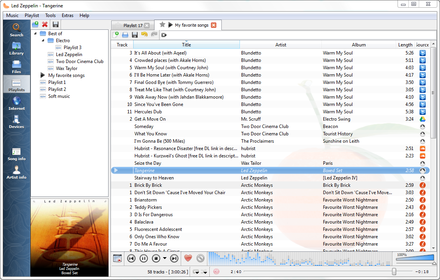
Clementine Version 1.2-1
Playlist tab, while listening to songs from multiples Internet services

www.clementine-player.org
www.clementine-player.org/downloads
github.com/clementine-player/Clementine
flathub.org/apps/org.clementine_player.Clementine
en.wikipedia.org/wiki/Clementine_(software)
Clementine Music Player Tutorial

F-Droid

An Android remote control for Clementine

f-droid.org/packages/de.qspool.clementineremote

CreateM3U ~ m3u Playlist Creator


Drag & drop files or folders to create .m3u playlists. For each folder, a single .m3u file is created named after that folder. It will not replace already existing playlists of that name. The generated playlists do not contain EXTM3U information because a simple .m3u is nothing more than a text file with a list of file names per line. The initial tool for this task for me was a batch file. 😉

As the generated playlists only include filenames without any path, and they are located with the media files, they can be moved together with the files, as an example, for portable mp3 player usage.

createm3u

lostfound.raum108.de/create_m3u

Continue reading →