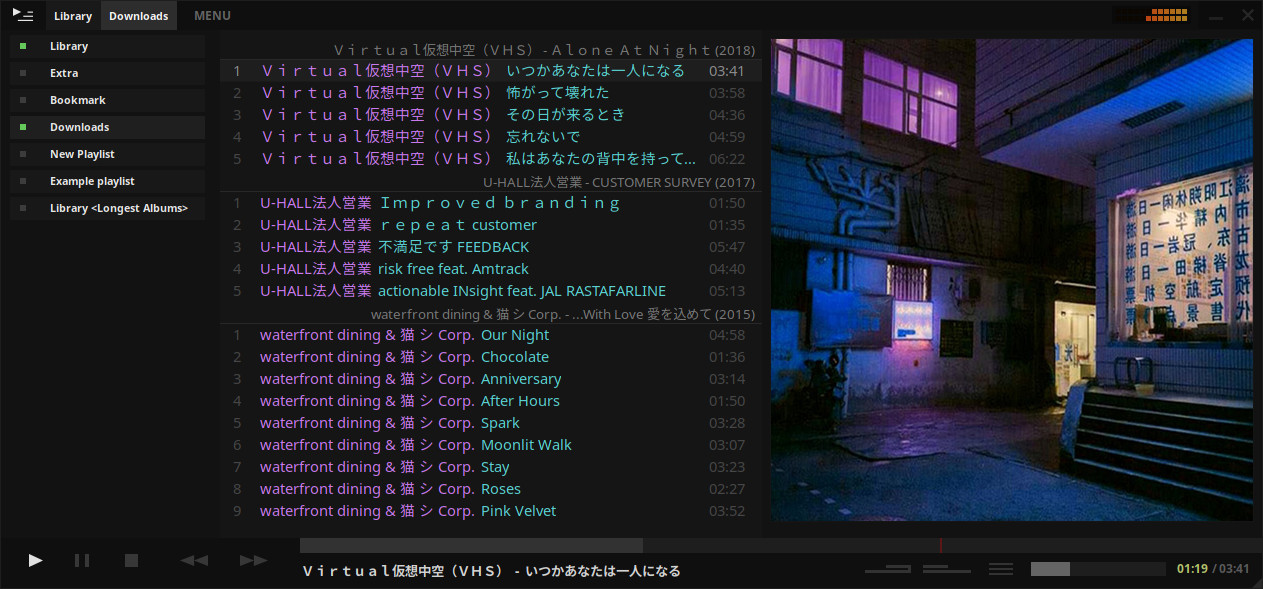
A music player for the desktop. Designed to be powerful, simple and streamlined, putting the user in control of their music collection. Uses the proprietary BASS audio library for playback.
tauonmusicbox.rocks
github.com/Taiko2k/tauonmb

A music player for the desktop. Designed to be powerful, simple and streamlined, putting the user in control of their music collection. Uses the proprietary BASS audio library for playback.
tauonmusicbox.rocks
github.com/Taiko2k/tauonmb

Aqualung is an advanced music player originally targeted at the GNU/Linux operating system, today also running on FreeBSD and OpenBSD, with native ports to Mac OSX and even Microsoft Windows. It plays audio CDs, internet radio streams and podcasts as well as sound files in just about any audio format and has the feature of inserting no gaps between adjacent tracks.
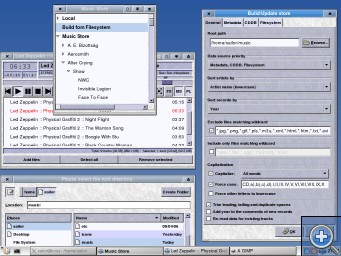
Default Skin
Website
Download
GitHub
SourceForge
Wikipedia

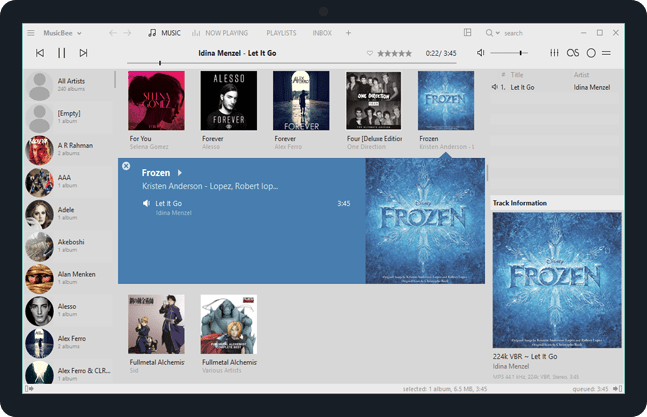
Enjoy a great music experience with MusicBee, the ultimate music manager and player. Play your music the way you want. Turn your computer into a music jukebox.
MusicBee makes it easy to manage, find, and play music files on your computer. Use auto-tagging to clean up your messy music library. MusicBee also supports podcasts, web radio stations and SoundCloud integration.
Supports AcoustID, Discogs, Last.FM, Milkdrop, ReplayGain and UPnP / DLNA
getmusicbee.com
getmusicbee.com/downloads
getmusicbee.com/addons
Wiki
en.wikipedia.org/wiki/MusicBee
sourceforge.net/projects/additional-tagging-tools/

The purpose of beets is to get your music collection right once and for all. It catalogs your collection, automatically improving its metadata as it goes using the MusicBrainz database. Then it provides a bouquet of tools for manipulating and accessing your music.
Because beets is designed as a library, it can do almost anything you can imagine for your music collection. Via plugins, beets becomes a panacea:
- Fetch or calculate all the metadata you could possibly need: album art, lyrics, genres, tempos, ReplayGain levels, or acoustic fingerprints.
- Get metadata from MusicBrainz, Discogs or Beatport. Or guess metadata using songs’ filenames or their acoustic fingerprints.
- Transcode audio to any format you like.
- Check your library for duplicate tracks and albums or for albums that are missing tracks
- Browse your music library graphically through a Web browser and play it in any browser that supports HTML5 Audio and lots more.

Mixxx has everything you need to start making DJ mixes in a tight, integrated package. Whether you’re DJing your next house party, spinning at a club, or broadcasting as a radio DJ, Mixxx has what you need to do it right.
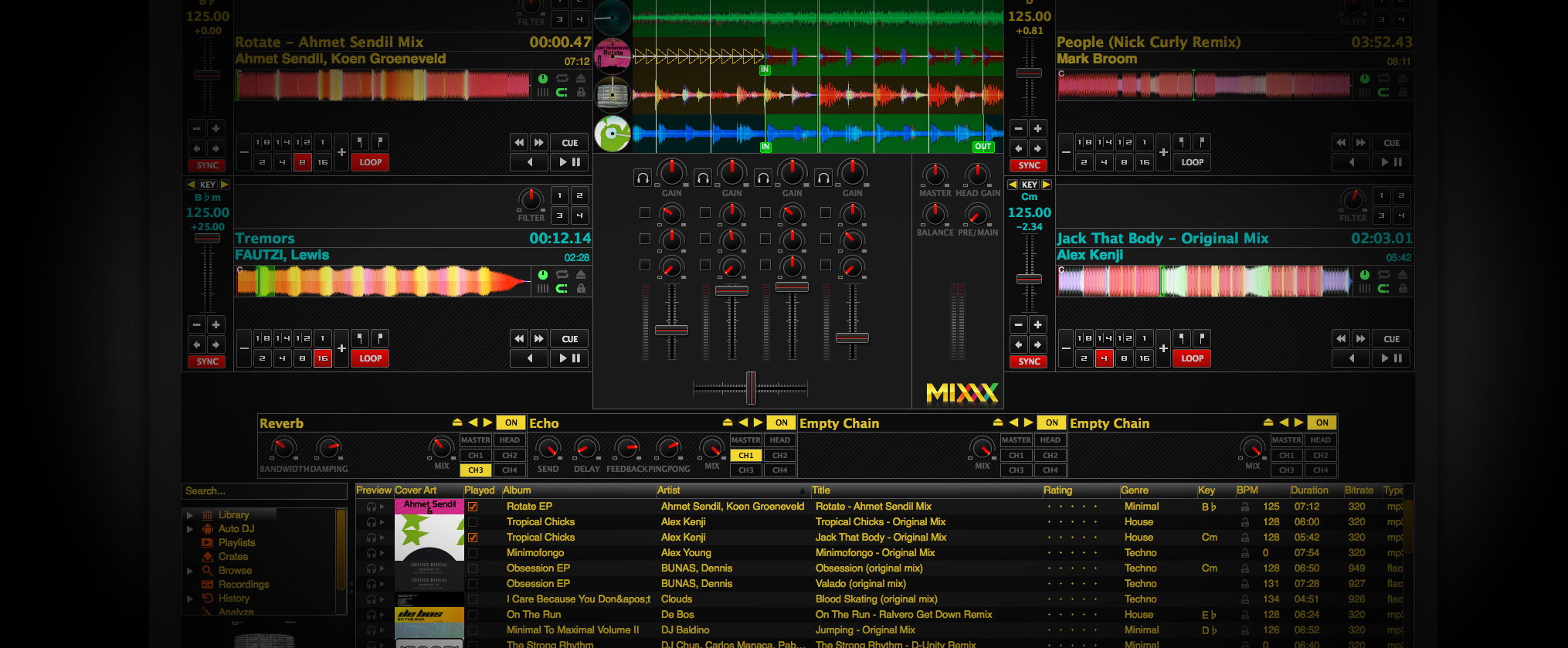
Cross-platform, extensible, multi-language, open source & skinnable freeware. Support for iTunes, MusicBrainz, ReplayGain and Traktor.
mixxx.org
Download
Manual
Wiki
Blog
Wikipedia
Github Repository

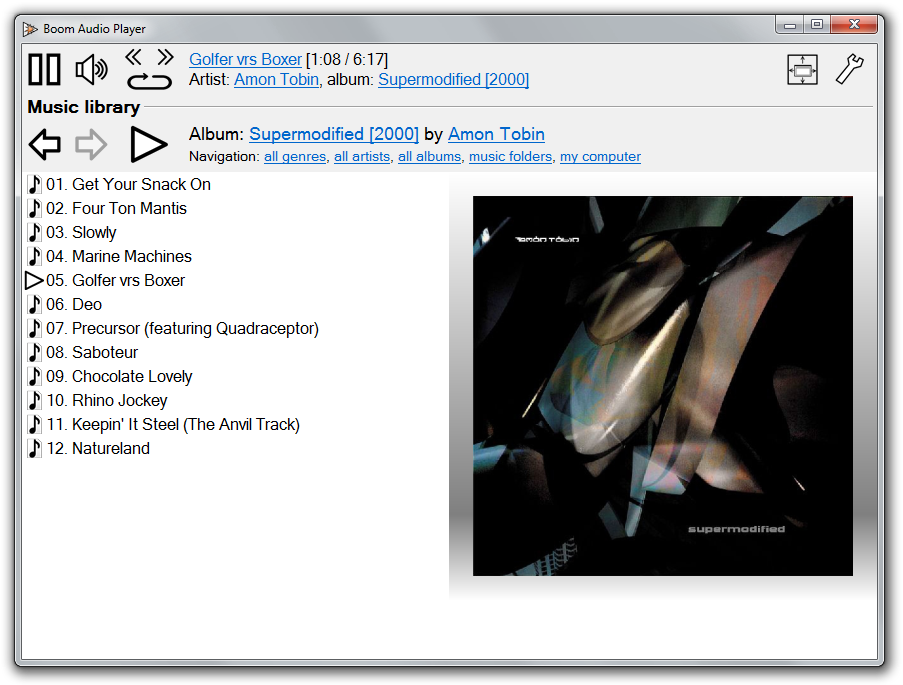
Frome the same developer who brought you Foobar2000 comes Boom.
Boom is an easy to use audio player intended for casual computer users who do not wish to spend their time on figuring more sophisticated software out. All of its most important features are easily accessible out-of-the-box.
Features:
- No installation or administrator rights required! Just download and run.
- Gapless playback of properly encoded files. Enjoy smooth transitions between tracks.
- ReplayGain support. External software is currently required to write ReplayGain information to file tags to utilize this functionality.
- Contents of your music folders are shown, in a convenient structured genre/artist/album/song view.
- By default, contents of “my music” folder or Windows Music library folders are shown. You can configure Boom to index music from any other folders though.
- You can install Boom to removable media and have it index contents of the folder it is installed in.
- Are your files badly tagged or missing tags all together? No problem, Boom can browse your music library by its folder structure.
- Supports variety of popular audio formats, including: MP3, Ogg Vorbis, FLAC, Musepack (MPC), WavPack, WAV, AIFF, MP4/M4A, WMA.
- For emergency tagging needs, Boom includes a simplified version of the foobar2000 Properties dialog.
- Easily configured to run from removable media.
- Multi-language support.
perkele.cc/software/boom
apps.microsoft.com/detail/9NQNS46R8T75

ReplayGain is … a technique invented to achieve the same perceived playback loudness of audio files. ~ Hydrogenaudio Knowledgebase
ReplayGain … allows players to normalize loudness for individual tracks or albums. This avoids the common problem of having to manually adjust volume levels between tracks when playing audio files from albums that have been mastered at different loudness levels. ~ en.wikipedia.org/wiki/ReplayGain
If you’re using track gain, every song is played at 89 dB; no song is any louder than any other. If you’re using album gain, tracks will be played at 89 dB plus or minus a few dB, depending on how much louder or quieter each track is relative to the other tracks on the album. By definition, album gain is not going to make all tracks as loud as possible; the quieter tracks are going to remain that much quieter than the louder tracks, and they’ll average out to 89. ~ Hydrogen Audio
Preferences / Playback / ReplayGain
Source mode: by playback order
Processing: apply gain and prevent clipping according to peak

Set Preferences / Preamp / Without RG values: to around -8.0 db
If you are also playing tracks which aren’t RG-tagged, they’ll be playing quite loud in comparison to the RG-tagged ones. To mitigate that, you can set the “Without RG info” Preamp level to, say, -11.9. This will make the player pretend they have -11.9 dB album gain. Thus if you played a non-RG-tagged copy of that loudest track, it would be played at 89 dB instead of its natural 100.91 dB, and would thus match the level that all the RG-tagged tracks are played at. However, then the quieter non-RG-tagged tracks would still be that much quieter. So you may find -8 or so to be a better “without RG info” preamp level, on average.~ HA Forum
I usually set my non-RG preamp to somewhere in the range of -7.0 dB to -9.0 dB. ~ HA Forum
I recommend setting the slider labelled “Without RG info” to -8.0 (that’s minus eight) or less. ~ www.bobulous.org.uk/misc/Replay-Gain
If you listen to modern music -7dB/-10dB value should be correct. If you listen to older music, keep the value a bit lower because the average level of recently released tracks are higher. ~ eolindel.free.fr/foobar0.9/Replaygain
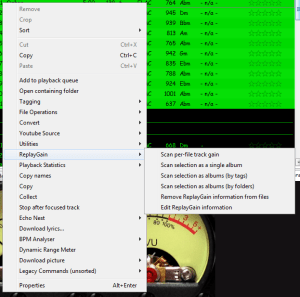
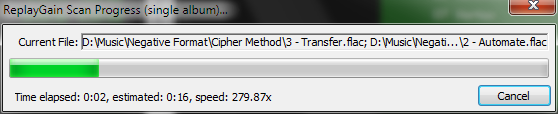
Once the files are scanned, they can be played.
The foo_truepeak component scans ReplayGain, Dynamic Range, LUFS, PLR RMS values, etc.
For older versions that lack the “by playback order” option, this component provides a way to specify which ReplayGain modes to use for each playback order. Track gain is probably desirable for random playback while with regular playback album gain is more suitable.

Download ~ www.foobar2000.org/components/view/foo_rg_trn
Alternative ReplayGain engine. Should be faster as it does not use FFT.
www.foobar2000.org/components/view/foo_arg
WinAmp’s use of these RG tags is enabled / disabled via the General Preferences – Playback – Replay Gain options ~ forums.winamp.com/showthread.php?t=345520
Win32 dll to normalize wav pcm files using replaygain
sourceforge.net/projects/rspgain
foo_dsp_replaygain ~ Temporary Replaygain
wiki.hydrogenaud.io/index.php?title=ReplayGain
wiki.hydrogenaud.io/index.php?title=ReplayGain_1.0_specification
replaygain.hydrogenaud.io/proposal/index.html
replaygain.hydrogenaud.io/proposal/calibration.html
www.hydrogenaud.io/forums/index.php?showtopic=96391
www.hydrogenaud.io/forums/index.php?showtopic=35255
www.techspot.com/tweaks/foobar/index
stephan.win31.de/music.htm#rg-levels
Track Gain (relative to the ReplayGain target volume)
[%replaygain_track_gain%]ReplayGain’s Track Volume
$if(%replaygain_track_gain%,$puts(X,$sub(8900,$replace(%replaygain_track_gain%,.,)))$ifgreater($get(X),9999,$substr($get(X),1,3).$substr($get(X),4,5),$substr($get(X),1,2).$substr($get(X),3,4)) dB))Track Volume (-18dB is equivalent to the ReplayGain target volume of 89dB)
$if(%replaygain_track_gain%,$puts(X,$sub(-1800,$replace(%replaygain_track_gain%,.,)))$ifequal($get(X),0,0,$ifgreater($get(X),0,$replace(+$substr($num($get(X),4),1,2),+0,+),$replace($substr($num($get(X),5),1,3),-0,-))).$substr($num($get(X),5),4,5) dB)Album Gain (relative to the ReplayGain target volume)
[%replaygain_album_gain%]ReplayGain’s Album Volume
$if(%replaygain_album_gain%,$puts(X,$sub(8900,$replace(%replaygain_album_gain%,.,)))$ifgreater($get(X),9999,$substr($get(X),1,3).$substr($get(X),4,5),$substr($get(X),1,2).$substr($get(X),3,4)) dB))Album Volume (-18dB is equivalent to the ReplayGain target volume of 89dB)
$if(%replaygain_album_gain%,$puts(X,$sub(-1800,$replace(%replaygain_album_gain%,.,)))$ifequal($get(X),0,0,$ifgreater($get(X),0,$replace(+$substr($num($get(X),4),1,2),+0,+),$replace($substr($num($get(X),5),1,3),-0,-))).$substr($num($get(X),5),4,5) dB)Track Peak
hydrogenaud.io/index.php?topic=121273.msg1000424#msg1000424
[%replaygain_track_peak_db%]

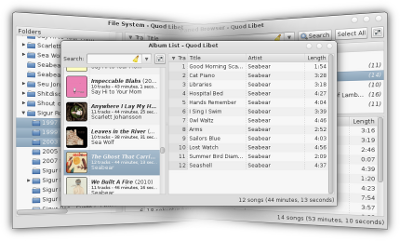
Quod Libet is a GTK+-based audio player written in Python, using the Mutagen tagging library. It’s designed around the idea that you know how to organize your music better than we do. It lets you make playlists based on regular expressions (don’t worry, regular searches work too). It lets you display and edit any tags you want in the file, for all the file formats it supports.
Unlike some, Quod Libet will scale to libraries with tens of thousands of songs. It also supports most of the features you’d expect from a modern media player: Unicode support, advanced tag editing, ReplayGain, podcasts & Internet radio, album art support and all major audio formats – see the screenshots.
Ex Falso is a program that uses the same tag editing backend as Quod Libet, but isn’t connected to an audio player. If you’re perfectly happy with your favorite player and just want something that can handle tagging, Ex Falso is for you.
Website
Download
Features
Guide
Screenshots

dBpoweramp Music Converter – mp3 converter, FLAC, WAV, AAC and Apple Lossless. Free Download (21 day full trial), start converting today!

An advanced and evolved freeware audio player for Android, Mac, Windows and Wine. Foobar2000 can be extensively extended, modified and themed.
This is the basic Default User Interface or DUI. You will need to configure and extend the DUI Foobar2000 interface according to your preferences and requirements.
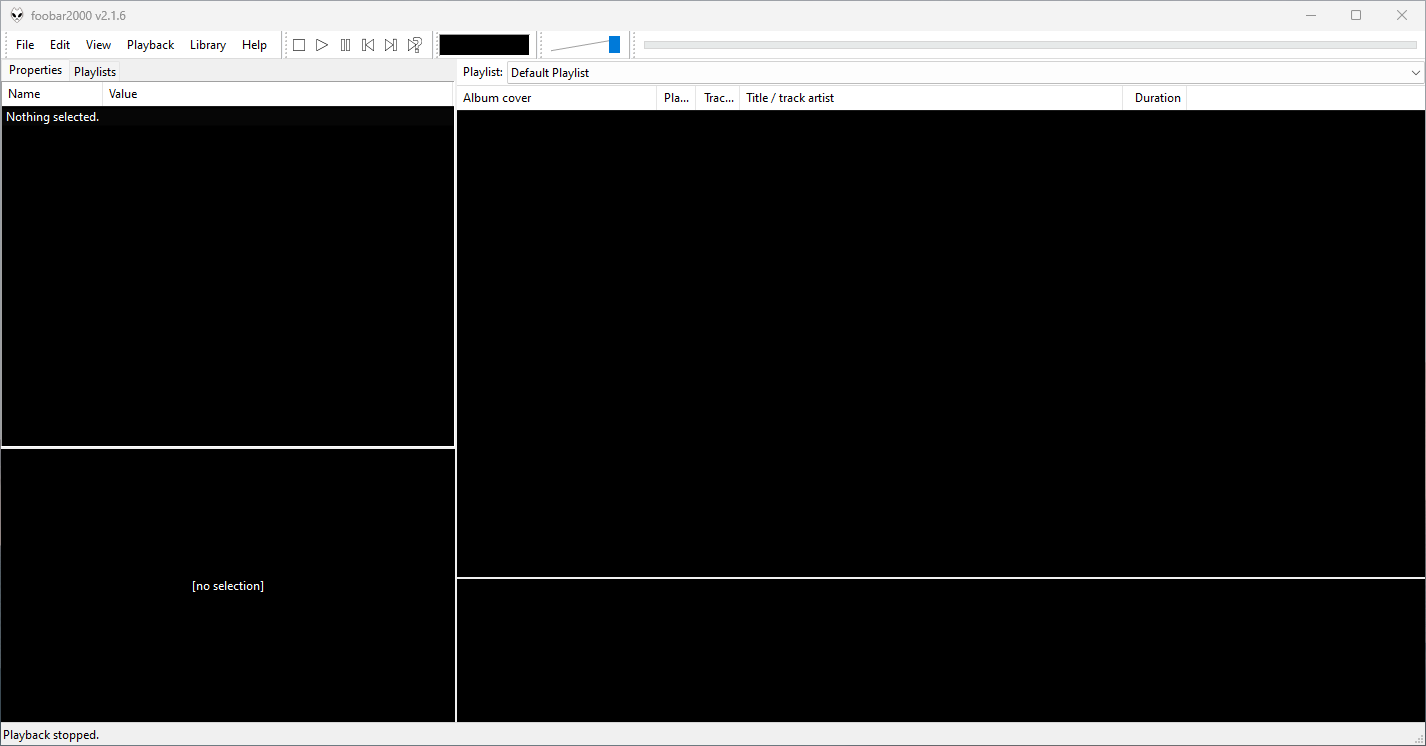
Foobar2000 is not limited to the Default User Interface or DUI. There is an alternative popular interface called Columns User Interface or CUI. CUI is most often used for theming or skinning foobar2000. There is also a Classic User Interface but it is rarely used or referenced.

 The Audio File