
Receiptify is a tool that displays a Apple Music, last.fm or a Spotify user’s 10 most-played tracks from the last month, last 6 months, and all time in a Receipt-like format.
receiptify.herokuapp.com
Tag Archives: last.fm

My Music Habits ~ Analyze Your Music History
My Music Habits analyzes music listening trends for Last.fm members and provides insight on the diversity of music being listened to.
The music listening trends are broken down into artist/album/track trends and can be viewed over a variety of time periods.
www.mymusichabits.com
Share this:

RaspyFi ~ Headless Audio Player
RaspyFi is an open source linux distribution. It will transform your Raspberry Pi into an audiophile source, in 10 minutes without hassles. It comes ready to play, and it’s compatible with almost every USB DAC available. You can consider it as a Voyage-MPD version for Raspberry Pi. But it’s simpler to use and it has several other functionalities!
With RaspyFi you’ll be able to play your music library directly from an USB Storage or from your NAS. You can also listen to your favourite web-radios and scrobble your favourite tunes from Spotify, Last.fm and Soundcloud. You will be amazed about the sound quality! RaspyFi’s core feature is this. We are trying to get every bit of your music to play as accurate as can be, optimizing every aspect of the system.
RaspyFi supports asynchronous playback to take advantage of the latest DACS, it features a nice webgui you can use to configure it without hassles and to play your library from your pc, your smartphone or your tablet.
You can connect your little Raspberry Pi to your Audio System, sit on your couch, use your favourite device (Win,Mac,Android,iOS) as a remote control and enjoy your music as it is. With RaspyFi your Pi never sounded so good!
Updated to: Volumio ~ Headless Audiophile Player
Share this:

Pano ~ An Android Scrobbler For Last.FM
Scrobble from anything including video streaming apps, less known audio players or even a song playing in your IM app. (if they send audio metadata to the Android system)
Features:
- No Ads ever
- Scrobble from anything which produces audio with metadata, including Youtube, Chrome, Telegram etc.
- Scrobble to last.FM, LibreFM, GNU FM and Listenbrainz
- View scrobble count in notification
- Verify the metadata with last.FM’s records before scrobbling
- View track, album, artist and album artist details
- View scrobbles from a specified date
- Work with scrobbles (love a track, cancel a scrobble)
- Edit recent scrobbles for free
- Delete existing scrobbles
- Offline caching and scrobbling
- Check what your friends are listening to and view their profiles
- Scrobble a song from mic or the S app (Android 8+)
- Supports TVs (Oreo and lower needs adb commands)
- Supports Pixel Now Playing
- Import & export settings and saved edits
- Intents for apps like Tasker, Macrodroid, etc.
- View top artists, albums or tracks
- View daily, weekly, monthly or yearly scrobble count graphs
- I’m feeling lucky, a shuffle all for your entire listening history
- Fetch albums and album artists from last.fm, if missing, before scrobbling
- Search
- Weekly / monthly top scrobble notifications
- Add / remove personal tags
- Customizable home screen widget
- Mix and match themes
- Block metadata from scrobbling
- Pattern edits (up to 30)

github.com/kawaiiDango/pScrobbler
play.google.com/store/apps/details?id=com.arn.scrobble
en.wikipedia.org/wiki/Last.fm#Scrobbling
Share this:

CloudTunes ~ Web Player For The Cloud
CloudTunes provides a unified interface for music stored in the cloud (YouTube, Dropbox, etc.) and integrates with Last.fm, Facebook, and Musicbrainz for metadata, discovery, and social experience. It is similar to services like Spotify, except instead of local tracks and the fixed Spotify catalog, CloudTunes uses your files stored in Dropbox and music videos on YouTube.
https://github.com/jakubroztocil/cloudtunes
Share this:

Tomahawk ~ Metadata Based Player
Tomahawk is basically a player for music metadata. At its core it decouples the metadata about a song from the source and reassembles it for each user based on their individual music accessibility and rights. In short, given the name of a song and artist, Tomahawk will find the right source, for the right user at the right time. This fundamentally different approach to music enables a range of new music consumption and sharing experiences previously not possible.
Music Sources:
- Local music library (MP3, Ogg, FLAC and many other formats)
- Networked music libraries (other connected computers)
Subscription Music Services
- Spotify
- Beats Music
- Google Play Music (on-demand streaming and music locker)
- TIDAL
- Rdio (Android only)
- Deezer (Android only)
Free Streaming / Music Promotion Platforms
Network/Cloud storage
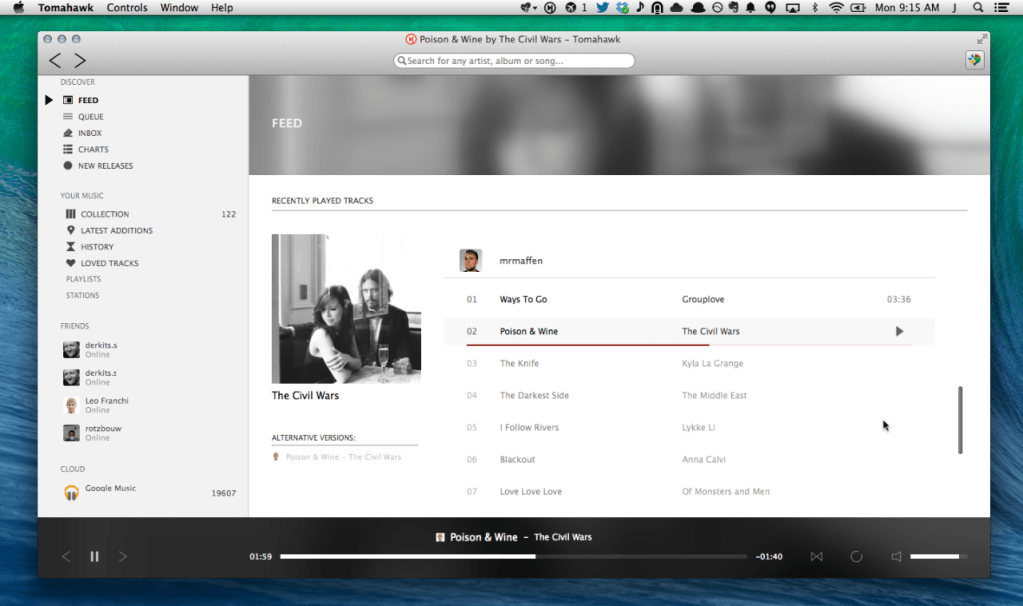
https://github.com/tomahawk-player/tomahawk
Share this:

Cog ~ Opensource Mac OSX Player
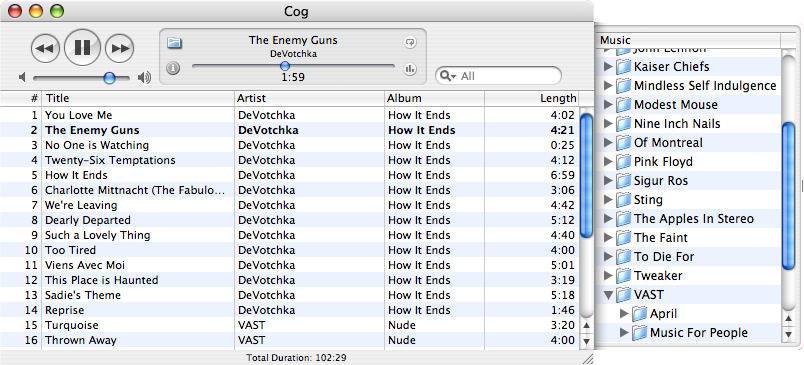
a free open source audio player for OS X
Features:
www.cogx.org
sourceforge.net/projects/cogosx
Share this:

Nuclear ~ Stream From Free Sources
A modern music player focused on streaming from free sources.
Features:
- Searching for and playing music from YouTube (including integration with playlists), Jamendo, and SoundCloud
- Searching for albums (powered by Last.fm and Discogs), album view, automatic song lookup based on artist and track name (in progress, can be dodgy sometimes)
- Song queue, which can be exported as a playlist
- Loading saved playlists (stored in json files)
- Scrobbling to last.fm (along with updating the ‘now playing’ status)
- Newest releases with reviews – tracks and albums
- Browsing by genre
- Radio mode (automatically queue similar tracks)
- Unlimited downloads (powered by youtube)
- Realtime lyrics
- Browsing by popularity
- List of favorite tracks
- Listen from local library

nuclear.js.org
github.com/nukeop/nuclear
Share this:

foo_bestversion ~ Foobar2000 Compares Track Qualities
foo_bestversion is a Foobar2000 component which can pick the best versions of tracks from your library, (plus last.fm top tracks list grabbing).
github.com/hymerman/foo_bestversion
hydrogenaud.io/index.php?topic=100019.0
Share this:

Rhythmbox ~ Gnome Audio Player
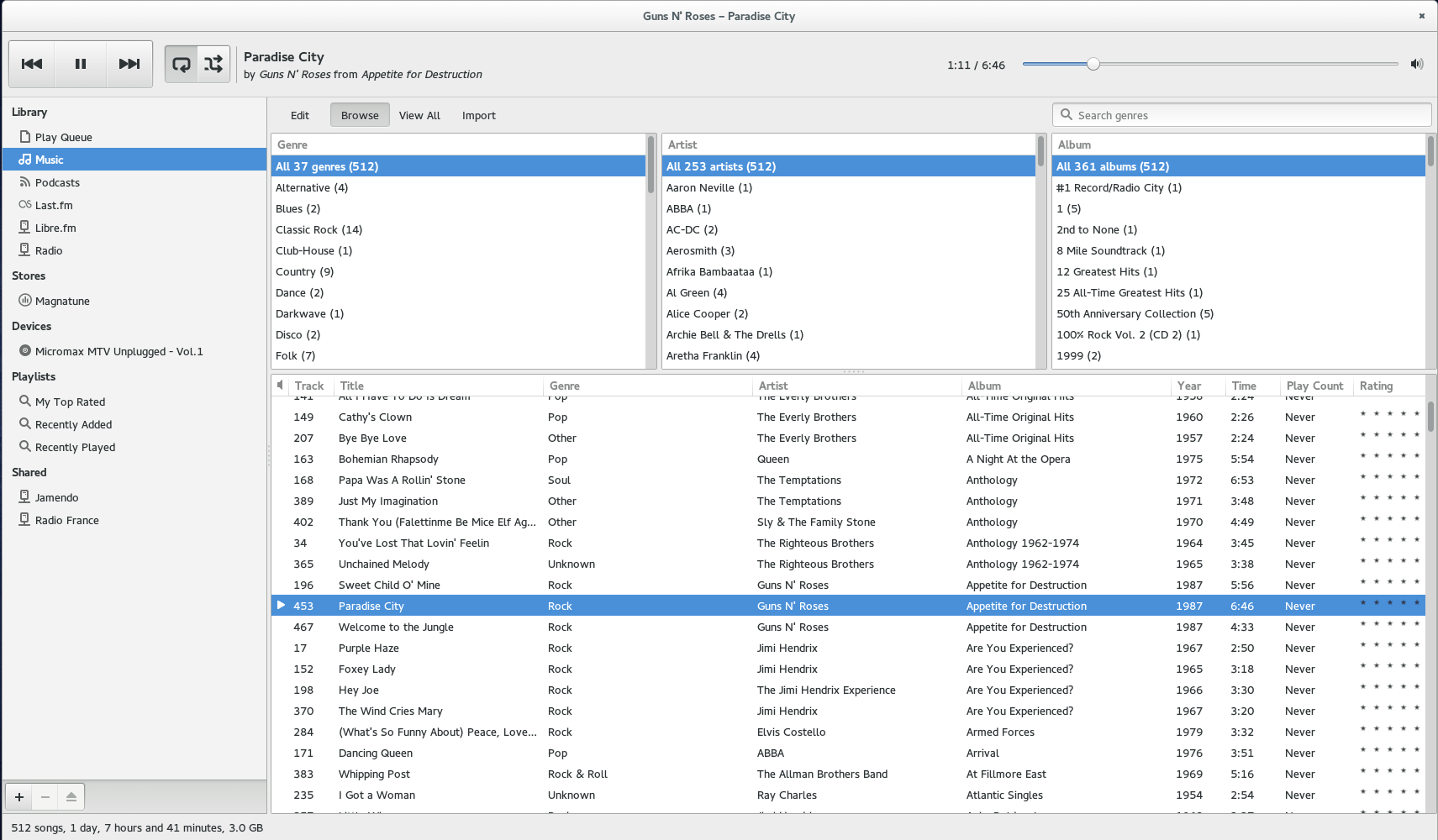
Rhythmbox is a music playing application for GNOME.
wiki.gnome.org/Apps/Rhythmbox
en.wikipedia.org/wiki/Rhythmbox
Share this:

Soft Playlists ~ Foobar & Last.fm
Can create different Last.fm related playlists:
- loved tracks of a single user, multiple users, friends or neighbours.
- recent tracks of a single user, multiple users, friends or neighbours.
- top tracks of a single user, multiple users, friends or neighbours over different periods.
- top tracks of an artist.
- top tracks of artists similar to an artist.
- top tracks with certain tag.
- tracks similar to a track.
Can also…
- love, unlove, ban and unban a track on your Last.fm account.
- add a track to a custom playlist on your Last.fm account.
- save and load XSPF playlists (make playlists without hard paths). This makes it possible to easily share playlists with other people. Also when you restructure your library (change location of your music files), these playlists will continue to work.
www.foobar2000.org/components/view/foo_softplaylists
hydrogenaud.io/index.php?topic=76133.0
Integrating Last.fm with Foobar2000 Using Soft Playlists
Step 1: Install Soft Playlists
Begin by downloading the foo_softplaylists component from the foobar2000 website. Once downloaded, open foobar2000 and navigate to File → Preferences → Components → Install…, then select the downloaded .fb2k-component file. Restart foobar2000 to activate the plugin. This component enables you to generate dynamic playlists directly from your Last.fm data.
Step 2: Connect Your Last.fm Account
After installation, go to Preferences → Tools → Soft Playlists → Last.fm. Enter your Last.fm username and password to authorize the connection. Once you are logged in, the plugin can fetch your loved tracks, recent plays, top tracks, and tag-based data.
Step 3: Creating Loved Tracks Playlists
Soft Playlists can generate playlists of tracks in your library that are marked as loved on Last.fm. Simply create a new playlist, Open the Library Menu and choose the “Loved Tracks” option, and the plugin will match these tracks with your local files and create a new playlist. You can now play or sort these loved tracks directly from foobar2000.
Step 4: Generating Top Tracks Playlists
You can also create playlists based on top tracks from your Last.fm account, your friends, or neighbors. Select the “Top Tracks” option and filter by user, artist, or tag. This allows you to automatically build playlists of your most-played tracks, popular tracks by similar artists, or tracks labeled with specific moods or genres.
Step 5: Recent Tracks Playlists
Soft Playlists supports recent tracks queries from Last.fm. You can generate playlists of your most recently played tracks or recent tracks from other users. This is ideal for keeping up to date with current listening trends.
Additional Features:
Soft Playlists allows you to save sharable playlists in XSPF format, which keeps them portable and resilient to file location changes. The plugin also lets you love or unlove tracks directly from foobar2000, updating your Last.fm account automatically. This integration creates a seamless workflow between your local library and Last.fm.
Adding a toolbar button to love a track:
- Right click the Foobar2000 toolbar and select “
Customize Buttons...“ - In the
Available Commands Panel, open “Context Menu” and then “Last.fm” - Select
"Last.fm Love Track” and click the “Add” button then click “Ok” - Change the button icon to a Last.fm icon (.ico file)
Tips and Considerations
Soft Playlists is an older 32bit component. The plugin works best if most of your Last.fm scrobbled tracks are present in your local library. For more advanced integration, consider combining Soft Playlists with Spider Monkey Panel scripts to pull additional data, such as playcounts, tags, or charts.
Share this:

Last.fm ~ Online Music Profiling
Last.fm is a music service that learns what you love. Create your own profile, track what you listen to (we call this scrobbling) and get cool stuff like your own music charts, new music recommendations, and a big ol’ community of other music lovers.
www.last.fm
Last.fm ~ Scrobblers
foo_scrobble ~ Foobar2000 & Last.FM
Soft Playlists ~ Foobar & Last.fmFree Music Downloads:
www.last.fm/music/+free-music-downloadsResources:
www.tapmusic.net
github.com/nicfit/TopFM

 The Audio File