DISTRHO Ildaeil is mini-plugin host working as a plugin, allowing one-to-one plugin format reusage. The idea is to load it as a plugin inside your DAW and then the other “real” plugin inside Ildaeil. This allows, for example, a VST3 host to load LV2 plugins and vice-versa.
The Ildaeil name comes from the korean 일대일, which means “one to one”.
Features:
The current formats Ildaeil can work as are:
JACK/Standalone
CLAP
LV2
VST2
VST3
And it can load the following plugin formats:
Internal (from Carla)
LADSPA
DSSI
LV2
VST2
VST3
CLAP
JSFX
With a few extra formats through the “Load from file…” action:
Audio files (through internal audio file player, synced to transport)
MIDI files (through internal MIDI file player, synced to transport)
Stream from LMS and send audio to the build-in amplifier, the line-out jack, the spdif connector or another Bluetooth speaker. You can also use an external I2S DAC if you connect it to the general purpose 5/8 pins connector and tweak the software. Synchronization works.
Stream from a Bluetooth device and send audio to the same outputs, except of course for sending to another Bluetooth speaker … There is no guarantee of audio/video synchronization at this point
Stream from an AirPlay1 device (iPhone, iTunes …) to the same outputs, including to a Bluetooth speaker. Synchronization works.
Add your own buttons, rotary encoder and map/combine them to various functions (play, pause, volume, next …
Use IR control by adding a simple receiver compatible with 38kHz device (no pullup resistor or capacitor needed)
Add a display like this one which can be directly connected to the 6-pins header. Currently SH1106, SSD1306, SSD1322, SSD1326/7, SSD1351, ST7735 and ST7789 displays are supported.
daktilo (“typewriter” in Turkish, pronounced “duck-til-oh”, derived from the Ancient Greek word δάκτυλος for “finger”) is a small command-line program that plays typewriter sounds every time you press a key. It also offers the flexibility to customize keypress sounds to your liking. You can use the built-in sound presets to create an enjoyable typing experience, whether you’re crafting emails or up to some prank on your boss.
This application can be used to find artifacts in audio files generated by signal processors. It analyses the signal variance across the audio duration, then generates a graph of the results.
The following types of audio can analysed: * Music * Sine Tones * Noise (White, Pink, etc)
If the audio recording is split across multiple files, they can be loaded into this application collectively and will be treated as a single stream. Multiple batches can also be loaded, in order to process multiple recordings in one continuous operation. The scanners can only process audio files up to 2.5GB, but the file splitter function can be used to break up large files into smaller ones.
Windows VU Meter is a standalone application that mimics an old stereo’s VU or audio level meters. Designed for Microsoft® Windows Vista® and up (even tested on Windows 7®), the program has no intervening toolbars or window frames to allow the program to allow a clean interface and make it easy to overlay on top of a program you’re using. Features of the program include:
For Microsoft ® Windows Vista ®, and after testing, works with Windows 7 ® as well.
Clean interface that includes no toolbars or window dressings
Ability to select response time of VU Meter, selectable of 150ms or default 300ms. Response time is the amount of time it takes the needles to make a full swing of the gauge.
User selectable interface component coloring. Program saves and remembers settings the next time it’s run.
Option setting to allow always-on setting, allowing the program to be laid over another program that you’re monitoring the audio levels for. An example image.
User option to alter the maximum value of the VU Meter. This is handy for videos or music that were recorded at a lower value. The above example image is an example of this too.
All program options and commands are handled by right-clicking the interface.
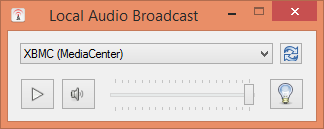
This simple application captures the local audio playback in Windows and sends it over the local network to a UPnP renderer. I originally wrote it to stream Spotify music playback from my computer over the home network to my HTPC running XBMC/Kodi (since I wasn’t satisfied with the available Spotify plugins), it can be used for any audio though.
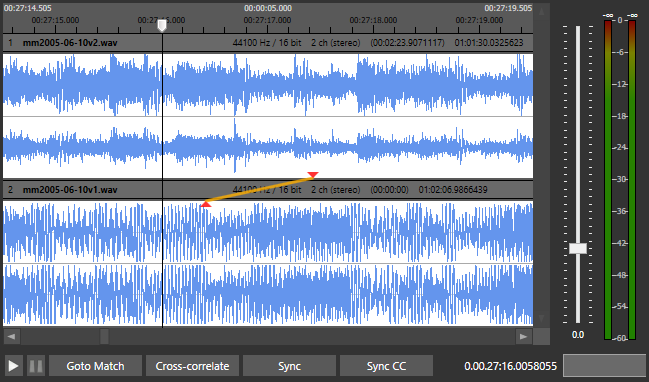
AudioAlign is a research tool to investigate automatic synchronization of audio and video recordings that have either been recorded in parallel at the same event or contain the same aural information. It is designed as a GUI for the Aurio library.









 The Audio File
