jack-keyboard is a virtual MIDI keyboard – a program that allows you to send JACK MIDI events ( 😉 play using your PC keyboard). It’s BSD-licensed. User interface is GTK-based.

sourceforge.net/projects/jack-keyboard

jack-keyboard is a virtual MIDI keyboard – a program that allows you to send JACK MIDI events ( 😉 play using your PC keyboard). It’s BSD-licensed. User interface is GTK-based.
sourceforge.net/projects/jack-keyboard

Curlew is an easy to use, free and open-Source multimedia converter for Linux. It written in Python and GTK3 and it depends on FFmpeg or Libav.
Main features:
- Easy to use and clean user interface.
- Hide the advanced options with the ability to show them.
- Convert to more than 100 different formats.
- Allow to edit formats.
- Shutdown or suspend PC afer a conversion process.
- Show file informations (duration, remaining time, estimated size, progress value).
- Show file details using mediainfo.
- Allow to skip or remove file during conversion process.
- Preview file before conversion.
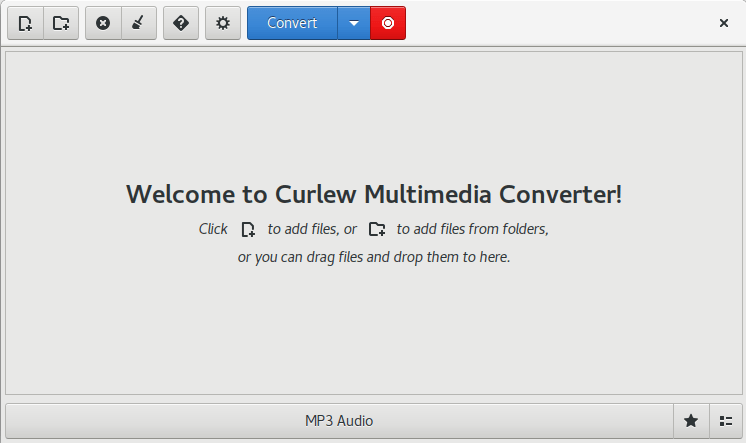
curlew.sourceforge.io
sourceforge.net/projects/curlew

Classic game sounds in VST form. As heard in late 80s / early 90s sound cards. Powered by DOSBox emulation.
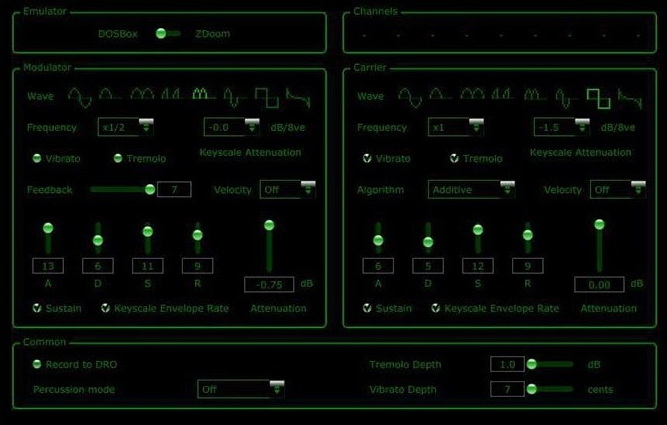
bsutherland.github.io/JuceOPLVSTi
github.com/bsutherland/JuceOPLVSTi

mp3tomid_chung is a realtime free polyphonic high quality mp3 audio to MIDI converter written in freebasic with fbsound. It converts mp3 files to polyphonic piano MIDI data sent to the chosen MIDI out port, connected, for example, to a MIDI recorder to produce MIDI files, or to the onboard PC MIDI mapper for direct listening.
Features:
chungswebsite.blogspot.com/search/label/mp3tomid_chung
- converts mp3 files to MIDI in realtime
- compatible with freemp3_chung & mp3_chung playlists (.mp3list files)
- include 3 band equalizer, autovol+compressor, speed control for the mp3 input
- auto pitch lock
- written in compiled freebasic and uses fbsound to handle mp3 files
- source code (.bas .bi freebasic files) is included in the zip file
- can run on a small netbook with Windows 7
- can export to MIDI files
- works with Windows 10 64 bits
sourceforge.net/projects/mp3tomidchung

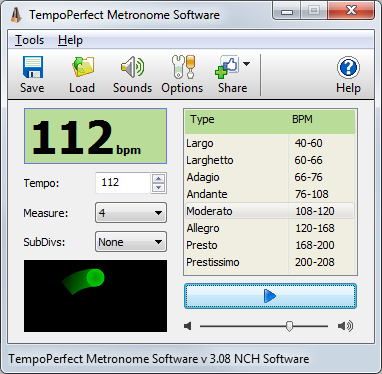
TempoPerfect is a free software metronome. Unlike mechanical metronomes, our software metronome provides a clear and precise beat that won’t wind down, making it an essential tool for any musician.
- Simple and intuitive interface
- Highly accurate beat simulation
- Accent the first beat in a measure
- Preset tempos include Largo, Allegro, Presto and more
- Visual beat indicator bar provides a helpful visual cue
- Create accurate beat patterns for simple or complex rhythms
- Subdivide beats to hear difficult patterns, such as triplets
- BPM Tempo Guide chart for each speed of music (e.g., Allegro=120-168)
- Subdivide beats into accented beats and regular beats to emphasize different patterns
- Use on your computer or as a metronome app on your mobile device
- TempoPerfect also includes a tempo guide within the program which is a helpful resource for remembering the BPM for particular speed markings (e.g., Allegro).

A SoundCloud player that lives in your menubar.

gillesdemey.github.io/Cumulus
github.com/gillesdemey/Cumulus

BPM Counter is a fast and accurate beats per minute detector for MP3 music. It may be helpful for DJs who need to get information about the entire music collection quickly and for any kind of remixing/sampling stuff. Do not trust online BPM databases, because each musical composition can have several versions with a different tempo. Don’t waste your time for manual tapping with a metronome, just navigate to any folder with music and BPM finder will show all compatible audio files (MP3 and WAV) and start BPM detection automatically.
Have you already encountered the fact that your analyzer returns half or double value? This is a fairly common mistake, called an octave error. Most often this happens with simplified algorithms that cut off the frequency spectrum of the audio signal. Seeing that, we use full-range audio decoders from Audio Converter Plus to ensure a balance between performance and precision.


“AutoDrum” is free, open source software for automatic drum performance. It has following features, and it can be used for imagination of compose, practice of instruments, and so on.
- 13 preset rhythm patterns can be used, and you can add your original rhythm pattern which is created by your MIDI sequencer.
- The tempo can be changed at any time while playing. Also, the tempo can be slaved to the external machine in slave mode.
- Mixer feature, which enables you to change velocity level or mute each drum instruments.
- Synchronized start and stop function, which enables you to start or stop with your performance with connected MIDI keyboard.
- MIDI Timing synchronizing clock can be received and sent.
- Only extracting zip file is required to execute. No need to install.
- User interface and documentation are Japanese, English, Chinese compliant.
- User interface is Windows XP / Vista / 7 /8.1’s theme compliant.
- Unicode compliant.
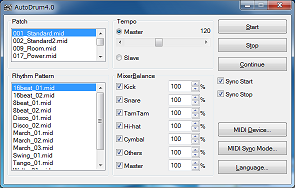
openmidiproject.osdn.jp/AutoDrum

- Measure Impulse-response
- Measure Phase-response
- Measure Frequency-response
- Measure Harmonic Distortion (THD)
- Make bandwidth limited measurements with no phase-errors
- Compare measurements
- Import Frequency-response & Impulse-response
- Export Frequency-responses & Impulse-responses
- Use open formats for saved files (zip, wav/flac, txt)

www.diyaudio.com/community/threads/holmimpulse-measuring-frequency-impulse-response
Note: It appears this software is no longer available from the original source.

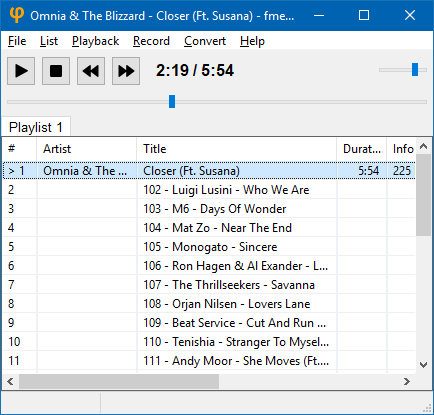
fmedia is a fast media player/recorder/converter for Windows, macOS, Linux and FreeBSD. It provides smooth playback and recording even if devices are very slow. It’s highly customizable and can be easily extended with additional plugins. Its low CPU & memory consumption saves energy when running on a notebook’s battery.
Play or convert audio files, record new audio tracks from microphone, save songs from Internet radio, and much more! fmedia is free and open-source project, and you can use it as a standalone application or as a library for your own software.
stsaz.github.io/fmedia
github.com/stsaz/fmedia

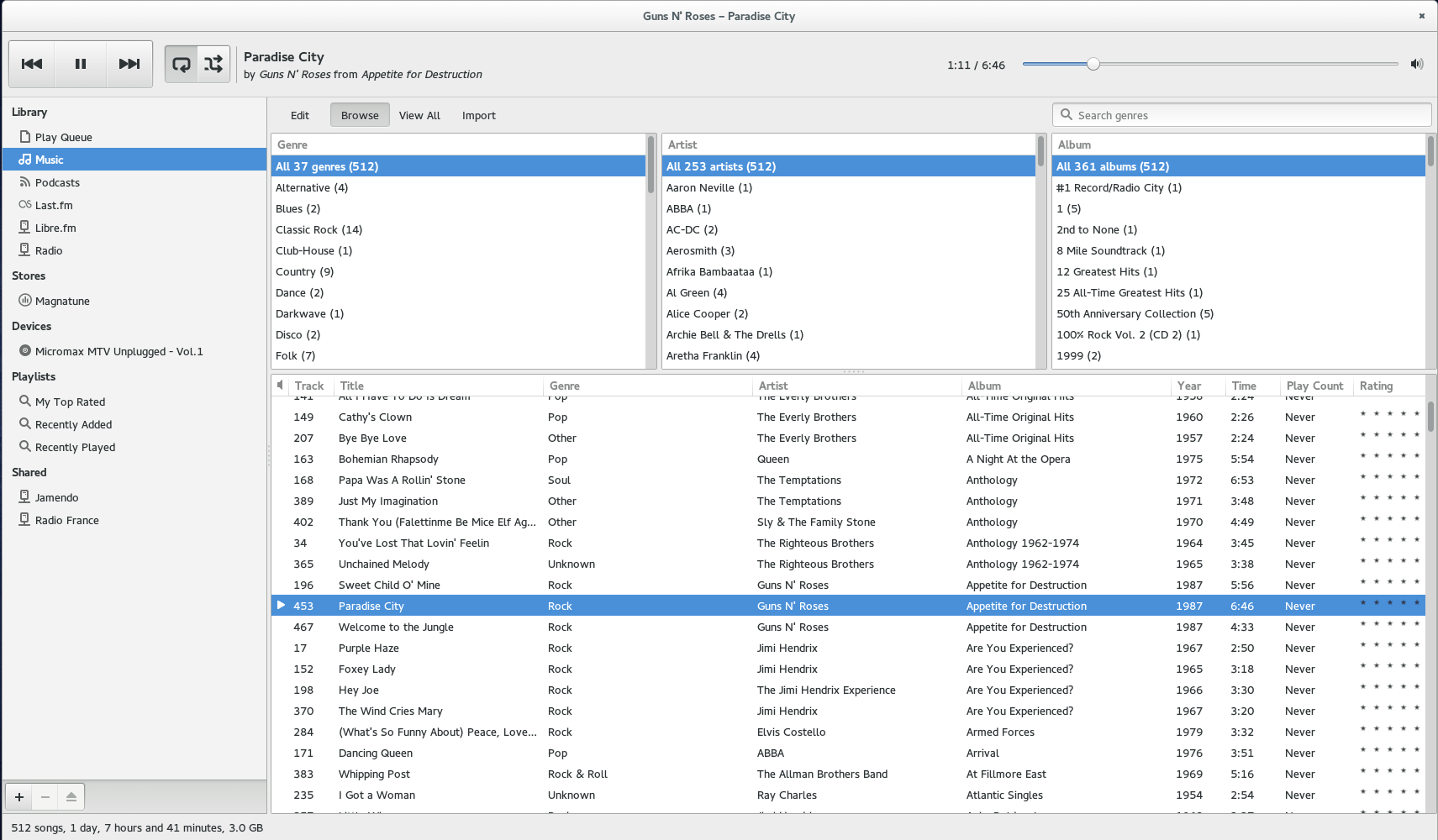
Rhythmbox is a music playing application for GNOME.
wiki.gnome.org/Apps/Rhythmbox
en.wikipedia.org/wiki/Rhythmbox

UADE is a music player for UNIX platforms that plays music formats used on the Amiga computer.

 The Audio File