
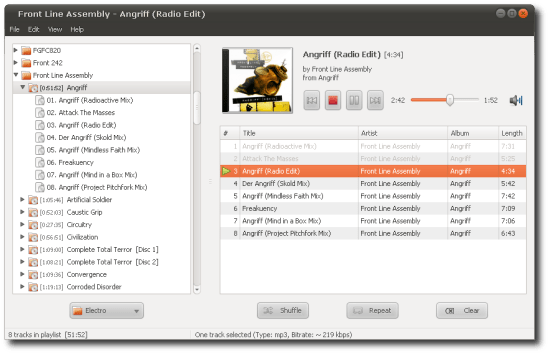
Decibel Audio Player is a GTK+ open-source (GPL) audio player for GNU/Linux. It is very straightforward to use thanks to a clean and user-friendly interface. It is especially targeted at Gnome and follows the Gnome HIG.
Decibel Audio Player is built around a highly modular structure that lets the user disable completely the features he does not need. A disabled feature uses absolutely no memory and no processor time.
Decibel Audio Player is a real audio player and does not include features that are not meant to be part of an audio player. These features, such as tagging files or burning CDs, generally have a better support in dedicated software. If you are looking for an audio player that can make coffee, then you should stay away from Decibel and give a try to other players (e.g., Amarok, Exaile).
Category Archives: Audio

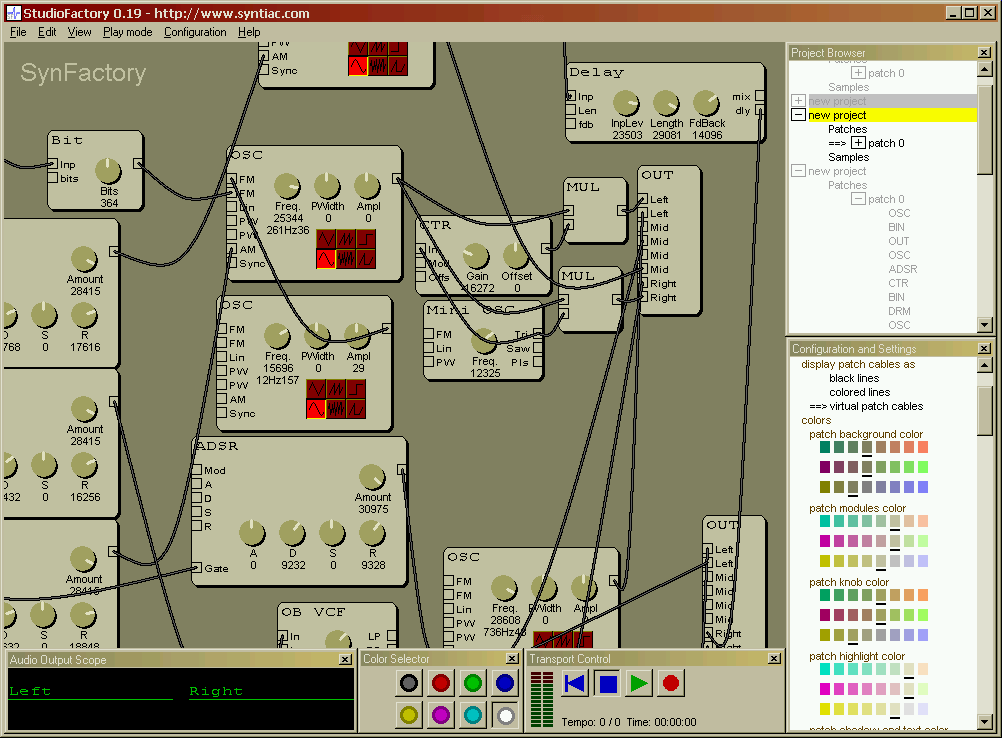
StudioFactory ~ Analog Modular Synthesizer
StudioFactory provides a complete virtual audio studio on your computer. It has a very powerful virtual analog modular synthesizer based on an improved version of the SynFactory synthesis engine. StudioFactory is fully compatible with SynFactory and can load all existing patch files. The synthesis engine is extended with additional modules that give access to MIDI and audio input. This makes it possible to play sounds generated by StudioFactory with an external MIDI-keyboard. With the audio input StudioFactory can be used as an standalone effect processor and provides reverb, echo and vocoder effects.
Share this:

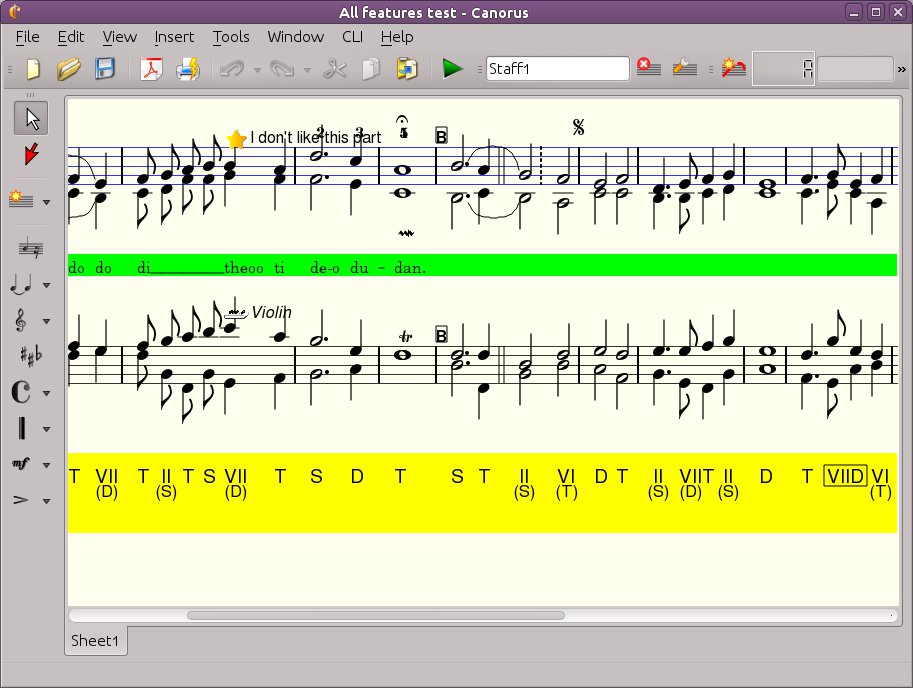
Canorus ~ Music Score Editor
Canorus is a free cross-platform music score editor. It supports an unlimited number and length of staffs, polyphony, a MIDI playback of notes, chord markings, lyrics and import/export filters to formats like MIDI, MusicXML, ABC Music, MusiXTeX and LilyPond.
sourceforge.net/projects/canorus
github.com/canorusmusic/canorus
Share this:

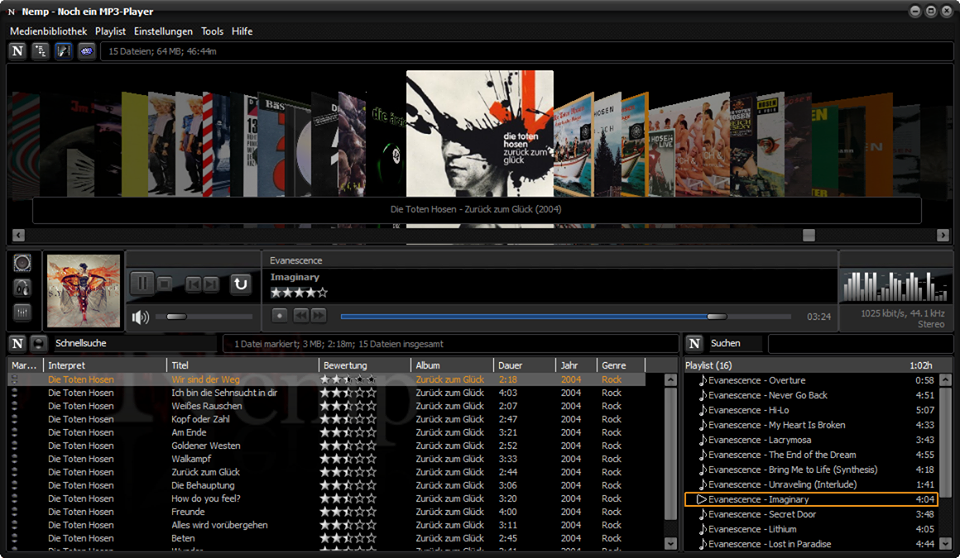
Nemp ~ Noch Ein mp3 Player
An intuitive mp3-player with many functions. It is portable and runs without installation – just download, unzip, run. Without permission, Nemp doesn’t fiddle with your mp3 files either, but leaves them as they are.
(“Noch ein mp3-Player” translates to “Yet another mp3-player”.)
gausi.de/nemp-en
github.com/DanielGausi/Nemp
Share this:

Foobar2000 ~ Columns User Interface (CUI)
Columns UI is an alternative skinnable user interface for the Foobar2000 audio player.
- Playlist view with columns, grouping and artwork
- In-line metadata editing
- Customizable layout through interchangeable panel and toolbar components
- Built-in panels: playlist view, artwork view, filter, item details, item properties, playlist list, playlist tabs, tab stack
- Built-in toolbars: menu, buttons, seekbar, playback order, volume, spectrum analyzer
- Extensible through official and third-party panel and toolbar components
Website
Documentation
Hydrogen Audio Forum
Advanced CUI Themes:
EOLE ~ github.com/Ottodix/Eole-foobar-theme
Georgia ~ hydrogenaud.io/index.php?topic=116190.0
CUI Components:
foobar2000.org/components/view/foo_uie_tagger_mod
foobar2000.org/components/view/foo_youtube
github.com/reupen/console_panel
- foo_uie_albumart
- foo_uie_albumart_mod
- foo_uie_albumlist
- foo_uie_biography
- foo_uie_color
- foo_uie_console
- foo_uie_elplaylist
- foo_uie_eslyrics
- foo_uie_esplaylist
- foo_uie_library_tree
- foo_uie_lyrics_panel
- foo_uie_lyrics2
- foo_uie_lyrics3
- foo_uie_metronome
- foo_uie_output_switcher
- foo_uie_panel_splitter
- foo_uie_playlists_dropdown
- foo_uie_ptb
- foo_uie_sql_tree
- foo_uie_trackinfo
- foo_uie_typefind
- foo_uie_vis_channel_spectrum
- foo_uie_vis_peakmeter_spectrum
- foo_uie_wsh_panel_mod
- foo_uie_wsh_panel_mod_plus
EOF
Share this:

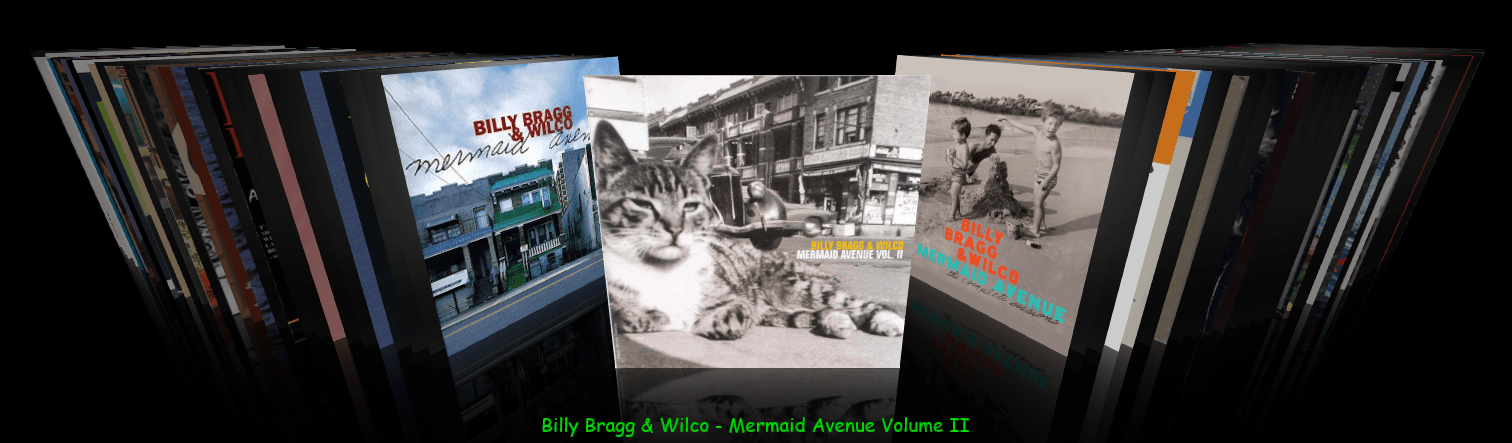
foo_chronflow ~ Foobar2000 Cover Flow Display
Adding a configurable Cover Flow display to Foobar2000. (Media Library Viewer)
- Download and install foo_chronflow.
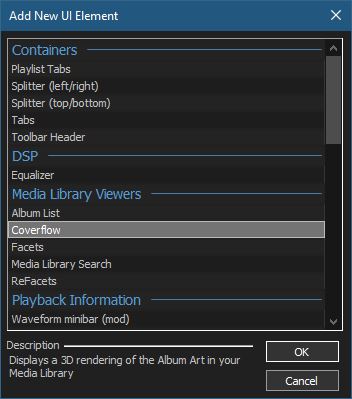
- Enable Layout Editing Mode and add a new panel or tab to the DUI.
- Right click within the new area and select Add New UI Element
- Select Coverflow from the Media Library Viewers list
- Disable Layout Editing Mode
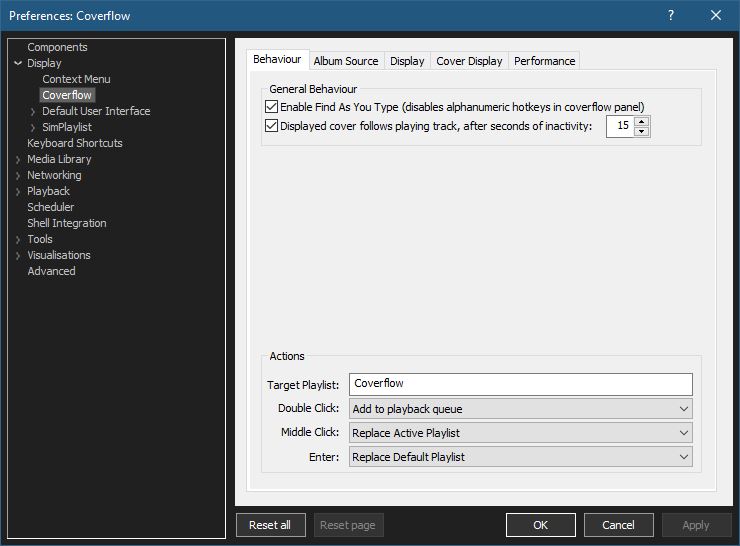
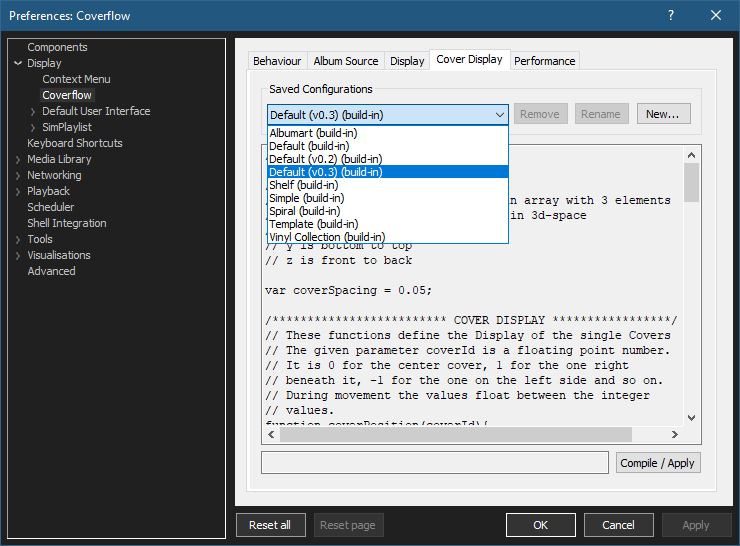
Coverflow Preferences:
Coverflow Preferences – Album Source:
- If covers aren’t being displayed, you can click Reload Sources
- Group By: & Sort By: work as headers do in a playlist
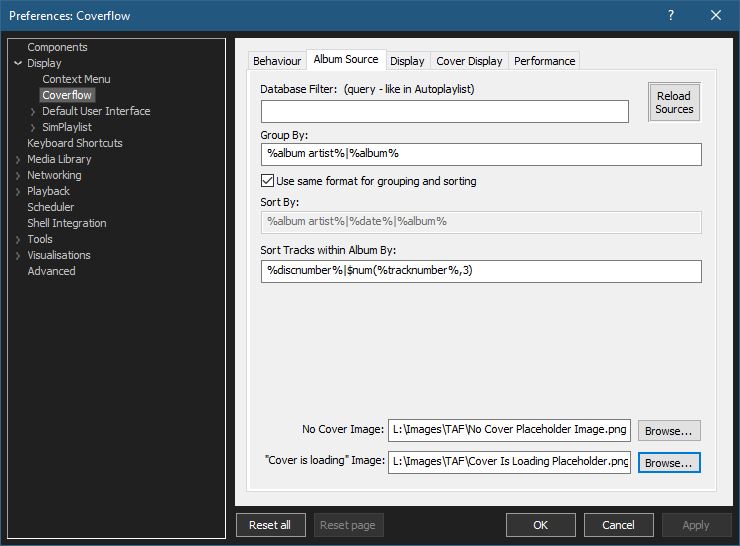
- Select placeholder images:
You can use your own images or click the ones below and save them to your computer.


Coverflow Preferences – Cover Display:
Select from various built in display configurations, modify or create a new one. Click Compile / Apply after selecting a list item.
github.com/Chronial/foo_chronflow
www.foobar2000.org/components/view/foo_chronflow
hydrogenaud.io/index.php/topic,108450.0
hydrogenaudio Wiki
Resources:
github.com/ghDaYuYu/foo_coverflowY
Share this:

Strawberry ~ Cross-platform Music Player
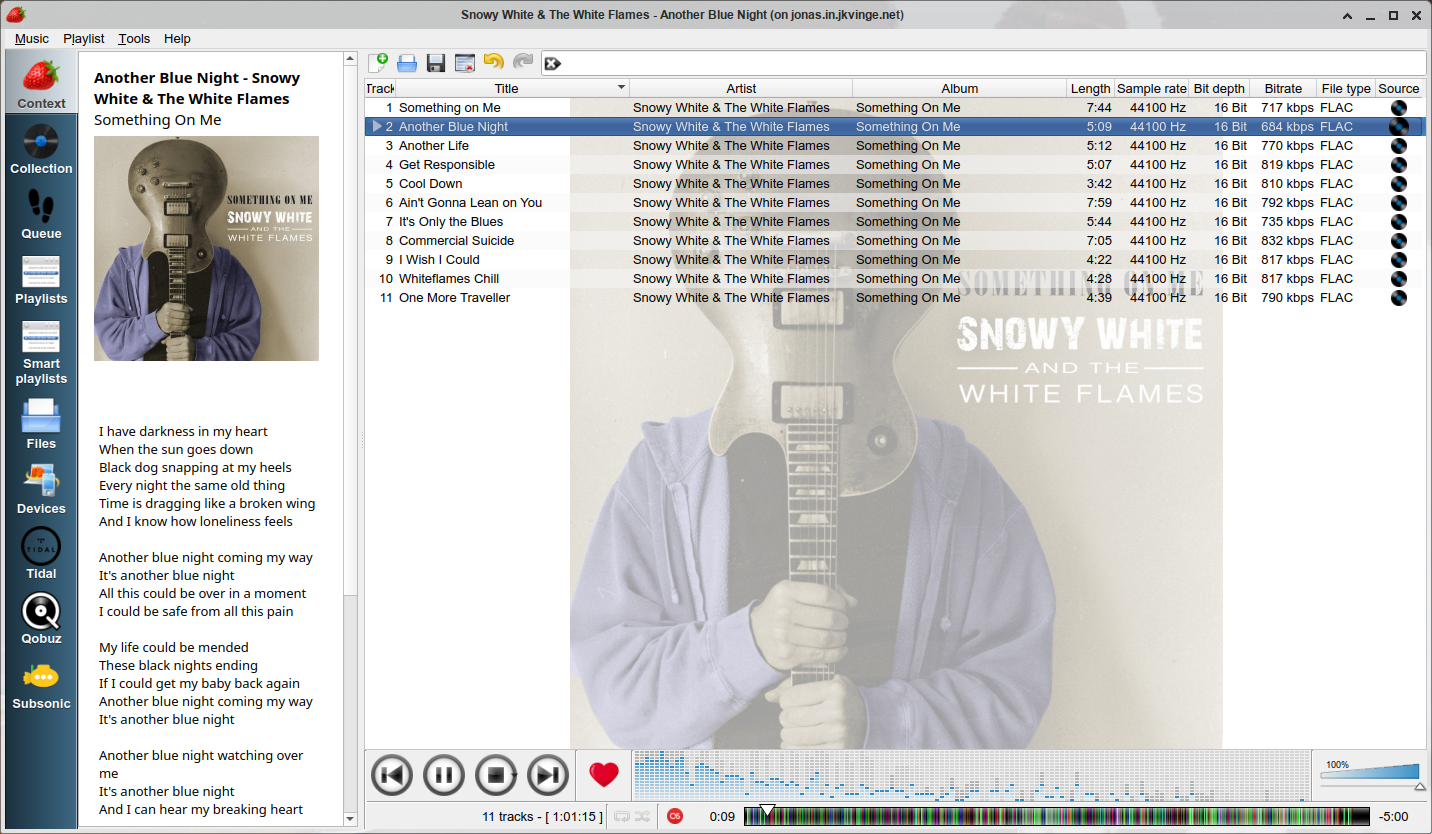
Strawberry is a music player and music collection organizer. It is a fork of Clementine released in 2018 aimed at music collectors, enthusiasts and audiophiles. The name is inspired by the band Strawbs. It’s based on a heavily modified version of Clementine created in 2012 and 2013. Strawberry is written in C++ and Qt 5.
- Play and organize music
- Supports WAV, FLAC, WavPack, DSF, DSDIFF, Ogg Vorbis, Speex, MPC, TrueAudio, AIFF, MP4, MP3, ASF and Monkey’s Audio
- Audio CD playback
- Native desktop notifications
- Playlists in multiple formats
- Advanced audio output and device configuration for bit-perfect playback on Linux
- Edit tags on music files
- Fetch tags from MusicBrainz
- Album cover art from Last.fm, MusicBrainz, Discogs, Tidal and Deezer
- Song lyrics from AudD
- Support for multiple backends
- Audio analyzer
- Audio equalizer
- Transfer music to iPod, iPhone, MTP or other mass-storage USB player
- Streaming support for Tidal, Qobuz and Subsonic
- Scrobbler with support for Last.fm, Libre.fm and ListenBrainz
www.strawbs.org
github.com/jonaski/strawberry
github.com/strawberrymusicplayer
sourceforge.net/projects/strawberry-music-player.mirror
flathub.org/apps/org.strawberrymusicplayer.strawberry
Share this:

Aria Maestosa ~ MIDI Editor & Sequencer
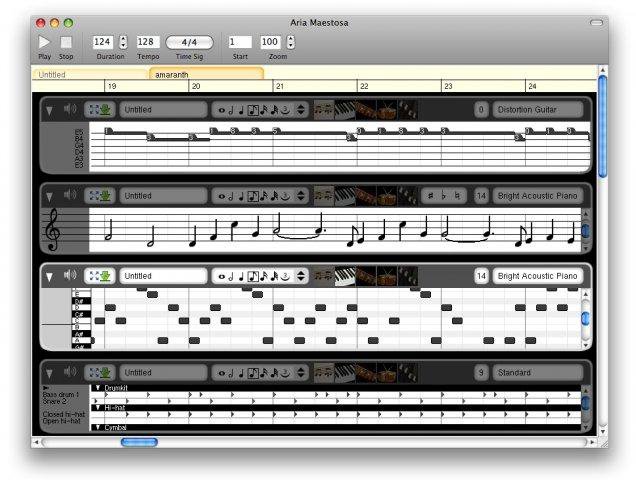
Aria Maestosa is a midi sequencer / editor. It lets you compose, edit and play midi files with a few clicks in a user-friendly interface offering score, keyboard, guitar, drum and controller views.
sourceforge.net/projects/ariamaestosa
github.com/ariamaestosa/ariamaestosa
Share this:

StereoTool ~ Analysis & Imaging Tool
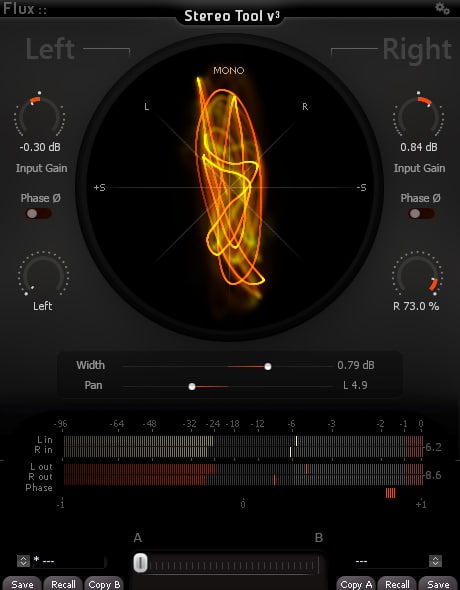
The Complete Stereo Imaging And Analysis Tool. StereoTool offers ultra-precise control of input gain and individual pan for left and right channels, accurate visual feedback reflecting the signal content with; a vectorscope, PPM meters for inputs/outputs, phase correlation meter permanently monitoring the signal and individual left and right polarity reversal – No dongle or registration required – 100% Freeware!
www.flux.audio/project/stereo-tool-v3
Share this:

orDrumbox ~ Cross-platform Drum Machine
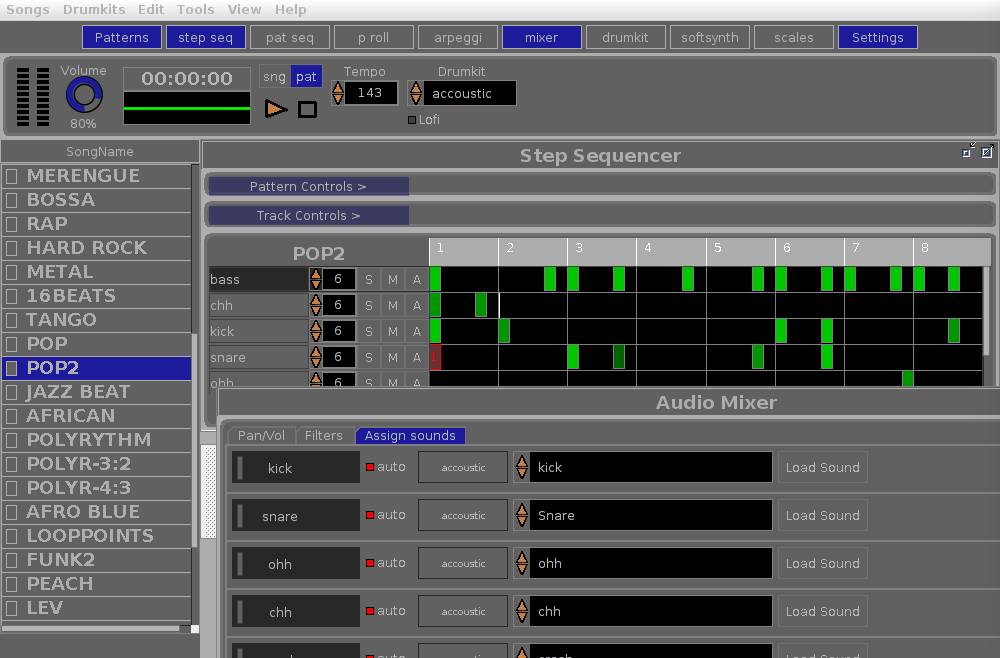
The orDrumbox is free drum machine software, designed to be as creative as possible with some unusual features: auto-composition, polyrhythms, custom arpeggiator, automatic sounds/track matching, custom soft synths, lo fi rendering and more … Ideal for experimentation and fast results.
- This software can automatically compose bass lines, melodic patterns and complete songs.
- It comes with a rhythms database and sounds database including musical items which can be fully edited.
- … and a fully customizable soft synth section adds many synthetics sounds as presets to the sounds library.
www.ordrumbox.com
sourceforge.net/projects/ordrumbox
www.facebook.com/ordrumbox
Share this:

Audiotool ~ Online Digital Audio Workstation
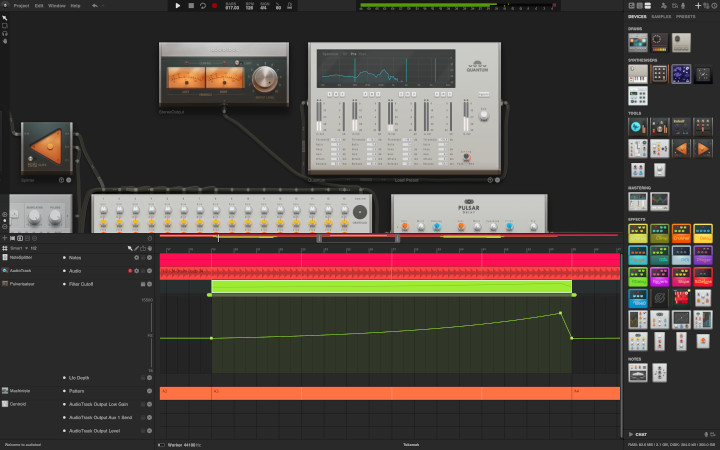
Start making music in the cloud. Audiotool is a powerful online music production studio right in your browser. All crafted with lots of love for the small details.
Share this:

BRP-PACU ~ Acoustic Analysis Tool
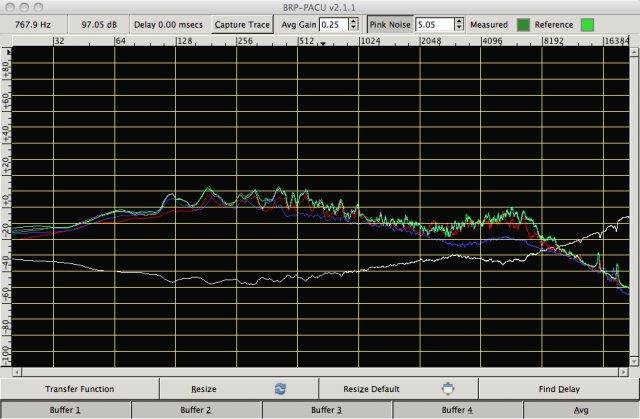
A cross platform dual channel FFT based Acoustic Analysis Tool to help engineers analyze live professional sound systems using the transfer function. One feature is the ability to capture four sample plots, average them, and invert to aid in final EQ.
- Four capture buffers, with auto-save (in case of crash) and save-as ability
- Averages buffers to a separate buffer and flips it for analysis
- Automatic delay calculation
- Impulse response capturing
- Pink Noise generation tool to eliminate need for an external Pink Noise source
- Uses JACK to route and manage audio paths
sourceforge.net/projects/brp-pacu

 The Audio File