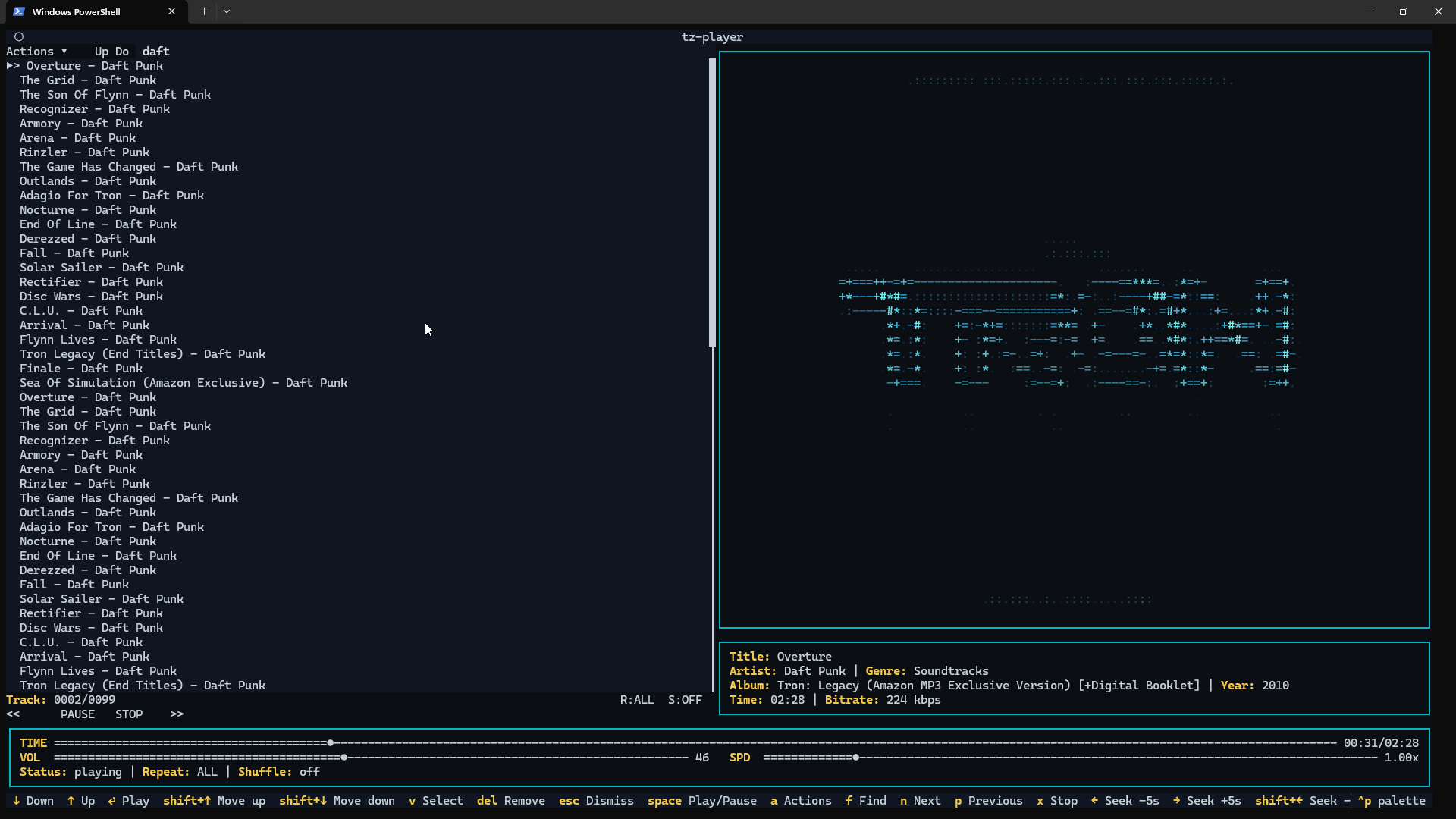
spotatui plays Spotify natively and streams YouTube, your local files, Subsonic or Navidrome and 30,000+ internet radio stations from a single keyboard-driven player. Spotify is optional. So is the AI DJ.
Native streaming. Play Spotify audio directly, no official app or spotifyd required — spotatui appears as its own Spotify Connect device (Premium required).
Synced lyrics. Line-by-line lyrics that follow playback.
Real-time audio visualizer. A system-wide FFT visualizer (press v) that reacts to whatever is playing.
Cross-source play queue. Press z on any track to queue it — the queue plays across every source before your current context resumes.
Lua plugins. Extend spotatui with event hooks, commands, keybindings, popups, and theming.
Listening history & recap. spotatui keeps a local play history and can generate a shareable HTML recap (spotatui history recap).
Full CLI. Most of what the UI does is scriptable — playback, search, playlists, shell completions. Run spotatui --help.
Lightweight. ~78 MB RAM while streaming, versus a full Electron client. See Performance.
Tonbandfetzen is a collection of command-line tools that allow you to compose music based on audio fragments generated from plain text input. It contains:
Dynamic Audio Normalizer is a library for advancedaudio normalization purposes. It applies a certain amount of gain to the input audio in order to bring its peak magnitude to a target level (e.g. 0 dBFS). However, in contrast to more “simple” normalization algorithms, the Dynamic Audio Normalizer dynamically re-adjusts the gain factor to the input audio. This allows for applying extra gain to the “quiet” sections of the audio while avoiding distortions or clipping the “loud” sections. In other words: The Dynamic Audio Normalizer will “even out” the volume of quiet and loud sections, in the sense that the volume of each section is brought to the same target level. Note, however, that the Dynamic Audio Normalizer achieves this goal without applying “dynamic range compressing”. It will retain 100% of the dynamic range within each “local” region of the audio file.
The Dynamic Audio Normalizer is available as a small standalone command-line utility and also as an effect in the SoX audio processor as well as in the FFmpeg audio/video converter. Furthermore, it can be integrated into your favorite DAW (digital audio workstation), as a VST plug-in, or into your favorite media player, as a Winamp plug-in. Last but not least, the “core” library can be integrated into custom applications easily, thanks to a straightforward API (application programming interface).
Enqueue/play Spotify share links or canonical URIs (no Spotify credentials required).
Search Spotify via SMAPI (Sonos Music API; uses your linked service in Sonos).
Optional Spotify Web API search (client credentials) if you want it.
YouTube handoff: resolve a YouTube URL with yt-dlp and hand the direct audio stream to Sonos.
Smart URL streaming: play-url runs a short-lived local MP3 proxy for YouTube, YouTube Music playlists, podcasts, radio streams, SoundCloud-style pages, and other URLs.
Live events: watch subscribes to AVTransport + RenderingControl and prints changes.
Scriptable output: --format plain|json|tsv plus --debug tracing.
shntool is a multi-purpose WAVE data processing and reporting utility. File formats are abstracted from its core, so it can process any file that contains WAVE data, compressed or not – provided there exists a format module to handle that particular file type.
shntool has native support for .wav files. If you want it to work with other lossless audio formats, you must have the appropriate helper program installed. The “Helper programs” section below contains links to helper programs for each format that shntool supports.
caudec is a command-line utility that transcodes (converts) audio files from one format (codec) to another, among other things.
It leverages multi-core CPUs and runs multiple processes concurrently (one per file and per codec, and more than one thread per codec when it supports it). The objective is to hog the CPU as much and as long as possible. One strategy is to sort input files by size, so that the largest files potentially get more threads towards the end of the job.
Supported output formats / codecs: all of the above, as well as LossyWAV / LossyFLAC, MP3, AAC (.m4a), Ogg Vorbis, Opus.
Supported platforms: macOS, Linux.
Transcoding to several different codecs at once is possible. In that case, decoding of input files is done only once.
Metadata is preserved (as much as possible) from one codec to another.
Artwork can be embedded into each file, and / or copied to the output directory. It can be done selectively (e.g. embed and / or copy one image for lossless files, and another image for lossy files).
Audio can be resampled (e.g. 48kHz to 44.1kHz) and downmixed (e.g. 6 channels to stereo). A profile can be provided to set a maximum value for the number of channels, bit depth and sampling rate. When a profile is provided, the source will only be altered after decoding and before encoding, if some metric of the source is above the given profile.
Multiprocess ReplayGain scanner for FLAC, WavPack, MP3, Ogg Vorbis, Opus.
Ability to hard link lossy files to a different directory when encoding to WavPack Hybrid. The point is to have two libraries that takes the storage of just one, with a lossy collection that has its own root directory and that’s easy to drag and drop to a device such as a smartphone or a Digital Audio Player (DAP).
Ability to touch files and album directories using metadata to reflect the music’s release date and duration (see example below).
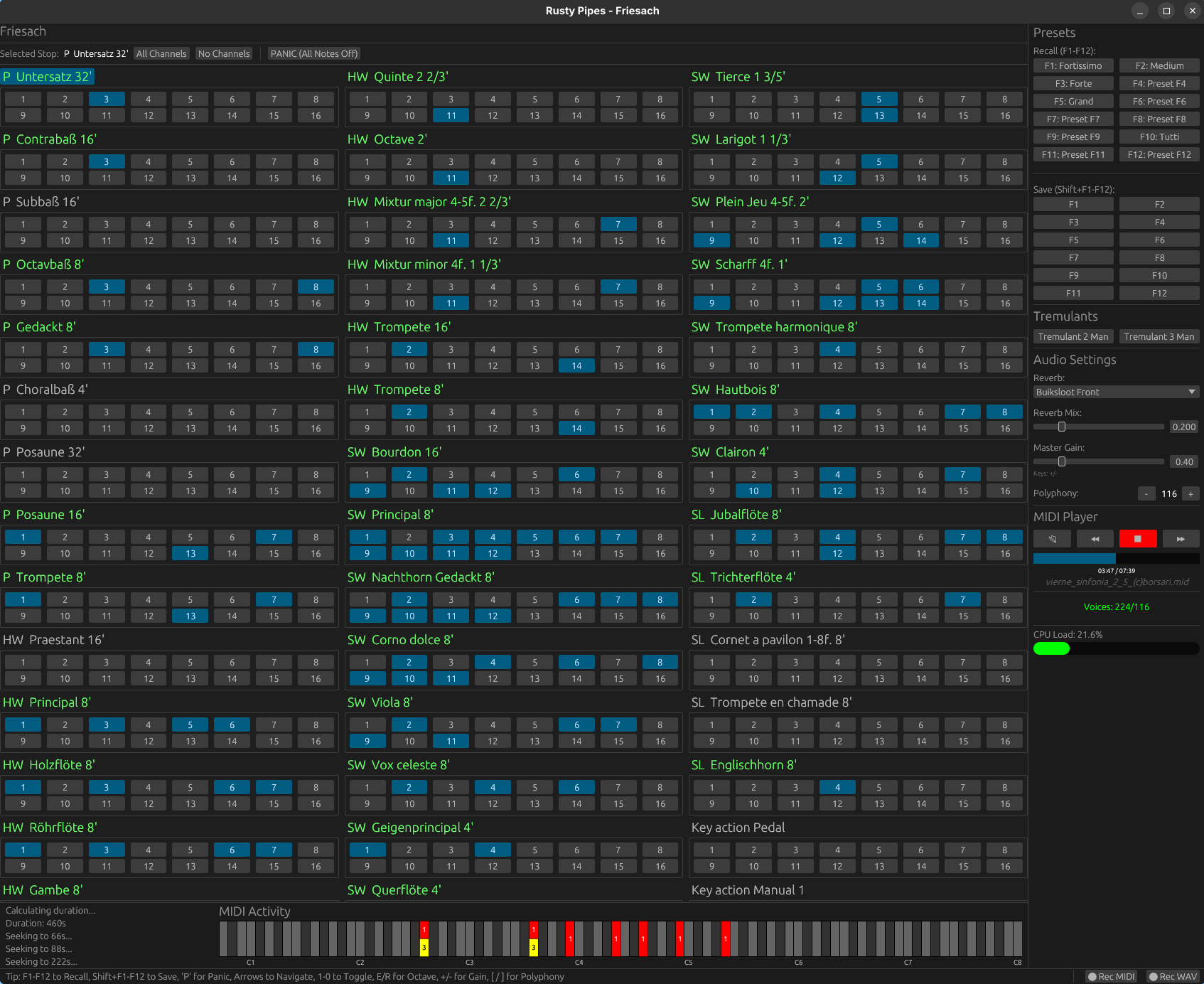
Rusty Pipes is a digital organ instrument compatible with GrandOrgue sample sets. It features both graphical and text-based user interface, can be controlled via MIDI and play back MIDI files. Rusty Pipes can stream samples from disk instead of load them into RAM, though a RAM precache mode similar to GrandOrgue and Hauptwerk is available too.
Partiels is an audio analysis application that allows you to explore the content and characteristics of sounds.
Features:
Partiels allows analysis of one or several audio files using Vamp plug-insloading data files, visualizing, editing, organizing, and exporting the results as images or text files that can be used in other applications such as Max, Pure Data, Open Music, etc.
Windows, Mac & Linux support
Multiformat support
Multichannel support
Multiaudiofile support
Analyzing audio with Vamp plug-ins
Visualizing results as spectrogram, lines, and markers
Loading results from CSV, LAB, JSON, CUE & SDIF formats
Batch processing
Command line interface to analyze, export, and convert results
Consolidating documents for sharing
Alongside Partiels, a wide range of analyses based on audio engines developed at IRCAM and outside are ported to Vamp plug-ins. These plug-ins allow you to perform FFT, LPC, transient, fundamental, formant, tempo, TTS and many other analyses. You can also find a large number of analysis plug-ins on the Vamp plug-ins website.