Luminous ~ A Home For Music You Own


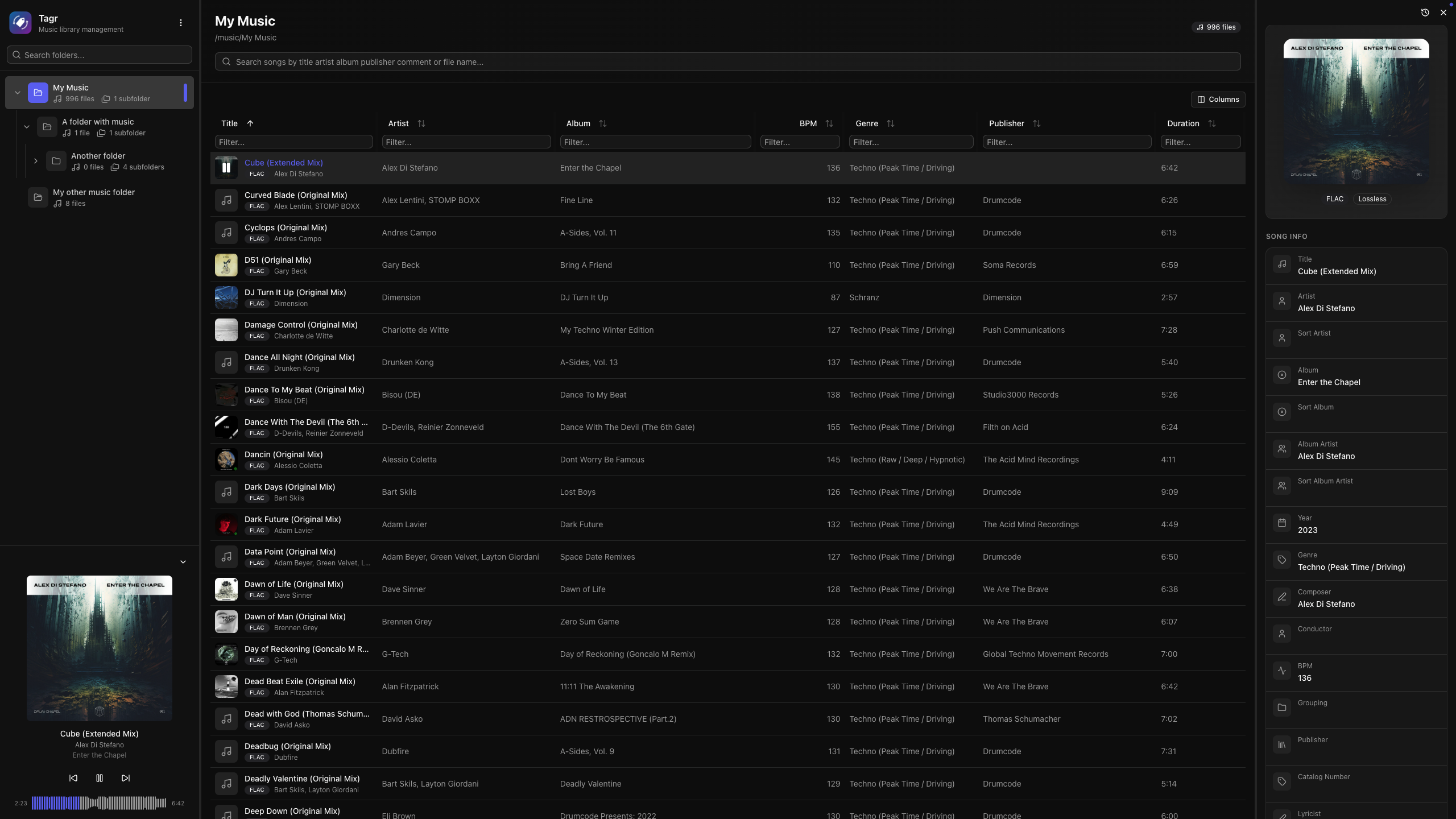
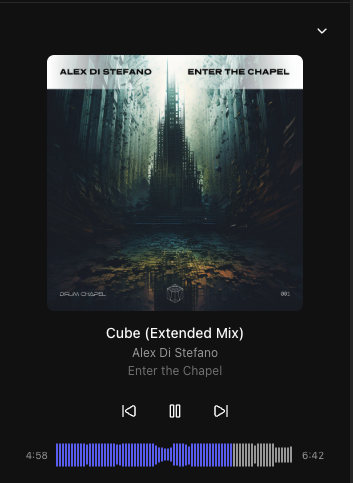
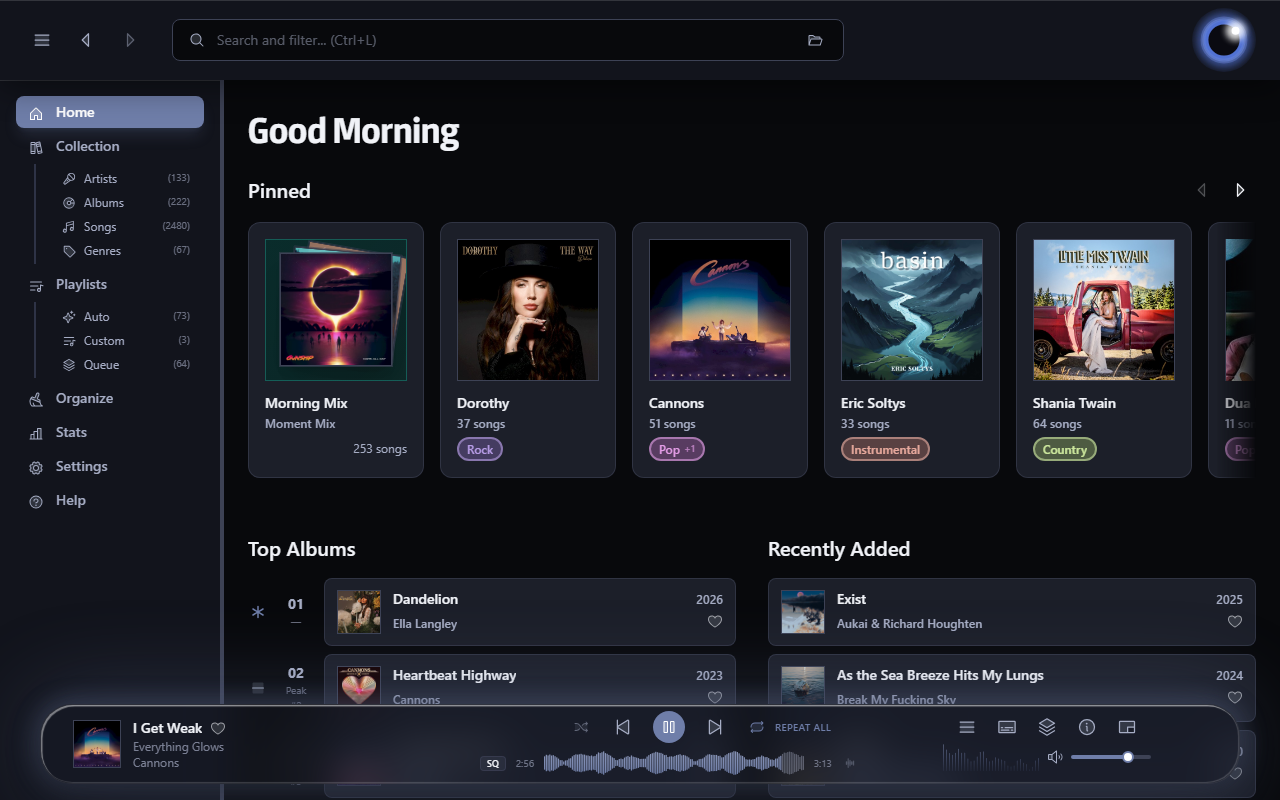
Luminous is a fast, local-first player for your own audio library. Built for anyone who wants the convenience of a modern streaming app without giving up ownership of their music. Turn a folder of files into a library you’ll enjoy browsing and listening to.

esoltys.dev/luminous
github.com/esoltys/luminous

tinytag ~ Python Tag Library


tinytag is a Python library for reading audio file metadata.

Features:

  • Read tags, images and properties of audio files
  • Supported formats:
    • ID3 v1, v1.1, v2.2, v2.3, v2.4
    • MP3 / MP2 / MP1
    • MP4 (MPEG-4 Audio / AAC / ALAC)
    • WAVE / WAV
    • OGG (FLAC / Opus / Speex / Vorbis)
    • FLAC
    • ASF (WMA)
    • AIFF / AIFF-C
  • Same API for all formats
  • Small, portable library
  • High code coverage
  • Pure Python, no dependencies
  • Supports Python 3.7 or higher

github.com/tinytag/tinytag

acidcat ~ Audio File Forensics


A pure-Python inspector, editor, and forensic tool for audio files and synth/DAW presets: read the metadata, decode the format structure byte by byte, flag anomalies, repair broken containers, and identify how a file was made.

Reads BPM, key, duration, tags, and format info from WAV, AIFF, MP3, FLAC, OGG, Opus, M4A, MIDI, and Serum presets. Also structurally decodes Bitwig (.bwpreset/.bwclip), Native Instruments (Massive/Absynth/Kontakt/NKS/KORE), Vital, NCW, SoundFont (SF2/SF3), tracker modules (MOD/XM/IT), MP4, VST FXP, ReCycle RX2, and RMID containers via inspect. Beyond reading: repair and validate fix and check container structure (stale sizes, offset tables, counts, pad bytes) without touching a byte of audio, and audit gives a forensic verdict (structure, integrity, hidden data, and the writing tool). One pure-Python dependency (mutagen); the native inspect walkers need nothing. Optional librosa analysis for BPM/key detection and ML feature extraction.

Also ships per-library SQLite indexes (acidcat index) tracked in a small global registry, plus an MCP server (acidcat-mcp) so an LLM can query your whole collection across libraries by bpm, key, tags, or full-text.

github.com/hed0rah/acidcat
github.com/hed0rah/acidcat-playground
www.databurn.org

Tonbandfetzen ~ Audio From Plain Text


Tonbandfetzen is a collection of command-line tools that allow you to compose music based on audio fragments generated from plain text input. It contains:

  • tz mel – generate sound fragments from plain text
  • tz guitar – read guitar tablature
  • tz stick – concatenate audio data
  • tz stack – superimpose audio data
  • tz stretch – rescale audio data
  • tz repeat – loop audio data
  • tz trim – strip leading and trailing silence
  • tz mono – unzip audio channels
  • tz harmonics – show spectra of wave samples
  • tz inspect – show information on audio file
  • tz riff2aiff – convert .wav(e) into .aif(f) files
  • tz aiff2riff – convert .aif(f) into .wav(e) files
  • tz tag – add ID3v2 metadata to .wav(e) files
  • tz play – generate and play sound fragments

github.com/janberges/Tonbandfetzen

foobar2000 ~ foo_filename_editor


Advanced file renamer component for foobar2000 media player. This plugin helps you rename your physical audio files on your hard drive based on their metadata tags, while ensuring a seamless, smart, and fully automated workflow.

Key Features:

  • Smart Track Number Padding: Automatically scans all selected tracks. If the album contains 100 or more tracks, it pads numbers to 3 digits (001, 002), otherwise it defaults to 2 digits (01, 02) dynamically.
  • Intelligent Compilation (Various Artists) Detection: Automatically checks %album artist% and %artist% tags. If it detects a compilation, it seamlessly applies your custom VA formatting template.
  • Advanced Case Conversion: Supports Title Case, Smart Title Case (keeps short words like a, an, the, and, with lowercase), Sentence case, ALL CAPS, and lowercase.
  • Roman Numerals Preservation: Intelligently detects standalone Roman numerals (e.g., Part iii) and forces them to uppercase (Part III) across all case conversion modes (except lowercase). Includes protection against false positives (words like MIX, DIV).
  • Extended Unicode & Ligature Support: Works perfectly with Windows native APIs, preserving and processing complex characters like æ, œ, ß, and language-specific diacritics.
  • Safe Formatting Menu: Quick insertion menu for popular tags and safely escaped syntax characters like '(', ')', '[', ']', and single/double quotes (', '').
  • Seamless Playlist Synchronization & Reload: Automatically replaces dead file links in all open playlists with the newly renamed paths. Instantly reloads file tags and durations in the background—no broken links, no manual reloading required!
  • Robust Error Handling: If a file cannot be renamed (e.g., if it is locked or currently playing), the plugin bypasses it without crashing and provides a detailed summary report of successful and failed files.
  • Persistent Settings: Remembers your custom single/VA templates, history list, checkboxes status, and even your preferred window column widths between sessions.

🎵 M3U/M3U8 Playlist Generation (v1.1)

The plugin now includes built-in support for generating playlist files automatically during the renaming process:

  • Save M3U Checkbox: Automatically creates a playlist file in the top-level directory of your processed files.
  • Custom Naming Templates: Use standard foobar2000 title formatting syntax (like %album% or %artist% - %album%) to dynamically name your playlist file.
  • EXTINF Metadata: Optional toggle to write standard #EXTM3U and #EXTINF headers containing track durations and formatted titles (%artist% - %title%).
  • Smart Conflict Resolution & Overwrite Toggle: Prevents accidental loss of data. If overwrite is disabled, the plugin safely creates incremented filenames like Playlist (1).m3u.
  • UTF-8 Compatibility: Playlists are written with a proper UTF-8 BOM, ensuring seamless support for non-ASCII characters, symbols, and ligatures.

github.com/VadimLevo/foo_filename_editor

foobar2000 ~ foo_musical_key


foo_musical_key is a foobar2000 component that detects the musical key of selected tracks with libkeyfinder or by ear via a MIDI piano keyboard interface, writes the result to foobar2000’s metadata database, and can write the key tag back into the source audio file.

The component adds a Musical Key Analyser context-menu group and ships as a standard .fb2k-component package for foobar2000 users.

Features:

  • Detect musical keys automatically for one or many selected tracks (libkeyfinder).
  • Detect the key of a single track manually by playing notes on your keyboard (MIDI out, Windows default GS synth).
  • Run automatic analysis in a background worker with foobar2000 progress UI.
  • Write detected keys to foobar2000’s metadata DB without touching the file.
  • Write the key tag from the DB into the audio file on disk (separate action).
  • Choose one of three output notations:
    • Standard (C, Am, Dbm)
    • Camelot (8B, 8A)
    • Open Key (1d, 1m)
  • Configurable tag name (default: Initial Key).
  • Build x86 and x64 binaries and package them into one .fb2k-component.

github.com/PEERSOFTdev/foo_musical_key
hydrogenaudio.org/index.php/topic,129518.0.

JuK ~ Audio Jukebox Application


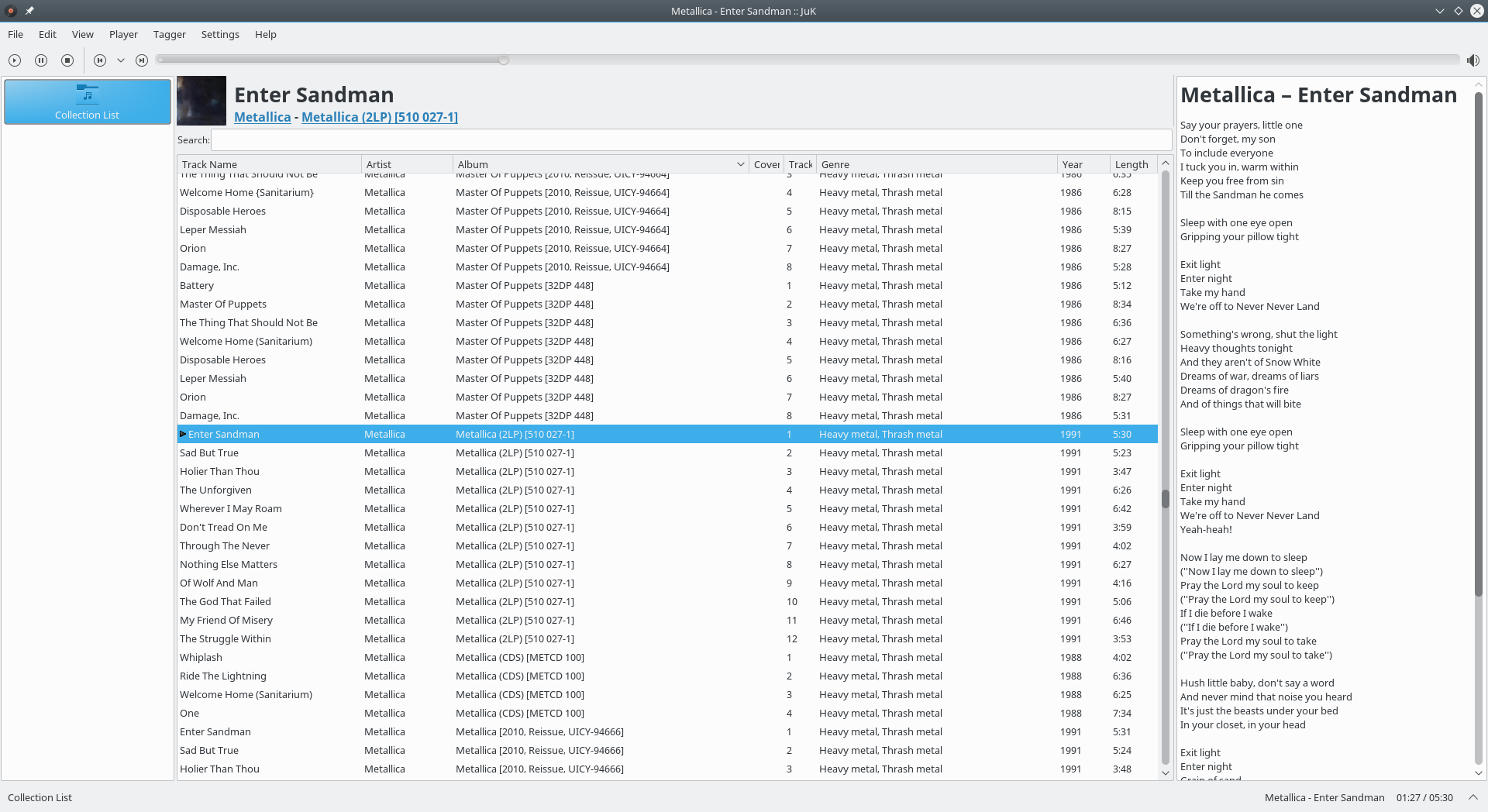
JuK is an audio jukebox application, supporting collections of MP3, Ogg Vorbis, and FLAC audio files. It allows you to edit the “tags” of your audio files, and manage your collection and playlists. Its main focus, in fact, is on music management.

Features:

  • Collection list and multiple user defined playlists
  • Ability to scan directories to automatically import playlists and music files on start up
  • Dynamic Search Playlists that are automatically updated as fields in the collection change
  • A Tree View mode where playlists are automatically generated for sets of albums, artists and genres
  • Playlist history to indicate which files have been played and when
  • Inline search for filtering the list of visible items
  • The ability to guess tag information based on the track’s file name
  • File renamer that can rename files based on the tag content
  • Tag reading and editing support for many formats including ID3v1, ID3v2 and Ogg Vorbis

apps.kde.org/juk
github.com/KDE/juk
invent.kde.org/multimedia/juk
en.wikipedia.org/wiki/JuK

Bitfake2 ~ Audio Tool Handler & Manipulator


Bitfake was originally created to detect fake .FLAC files through spectral analysis. It has since grown into a multipurpose CLI tool for handling music more easily and efficiently.

One common problem was that getting a track’s metadata required long ffprobe commands with messy output. Converting music with ffmpeg was also repetitive. The command itself is easy to remember, but writing scripts to convert entire directories felt inefficient and slow. This project now performs metadata and conversion tasks directly through linked libraries (TagLib/libsndfile/libav*).

Features:

  • Get metadata
  • Get ReplayGain info (useful for music players)
  • Spectral analysis on 44.1 kHz .FLAC files (higher sample rates may be misrepresented, so be careful)
  • Lossy diagnosis (banding score)
  • File Conversion + VBR Support (Works for outputs like .wav, .flac, .ogg, .mp3, .aac, .opus)
  • Tagging metadata (Works for single files, but not directories yet)
  • Calculating ReplayGain and applying it to files (Works for track replay gain iterating through directories, album replay gain is a bit funky?)
  • Directory Conversion (works for all previously mentioned formats!)
  • CoverArt+ (Brings along cover art among all conversions!)
  • Organizing Files by album! (Give a dir of random music, and bitfake will organize it – ty to uncognic)
  • Directory Tagging (YAY!)
  • Album folder renaming from tags (Artist – Album (Year))
  • Spectrogram generation (in .png)
  • Version info (WOW! BEST YET!)
  • MusicBrainz Syncing data.

github.com/Ray17x/bitfake2
gpo.zugaina.org/app-misc/bitfake2
repology.org/maintainer/ray%40atl.tools/feed-for-repo/gentoo_ovl_guru

Ear Tag ~ Edit Audio File Tags


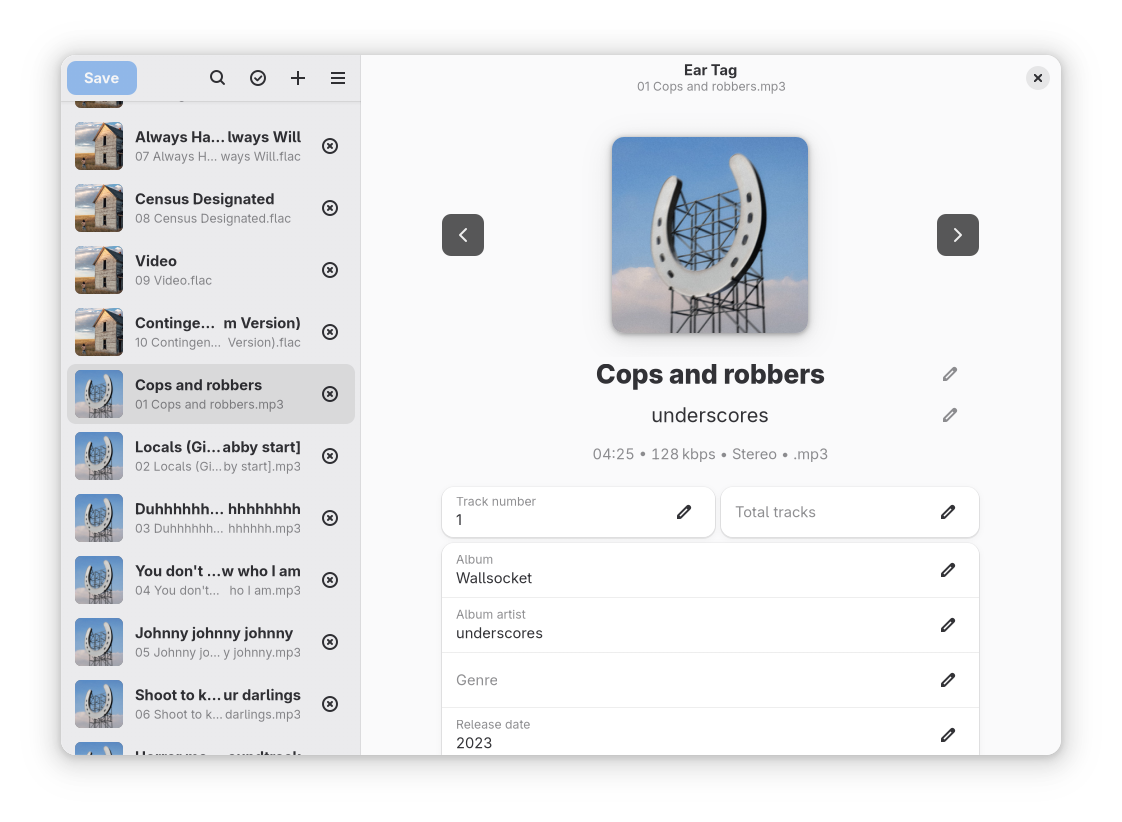
Ear Tag is a simple audio file tag editor. It is primarily geared towards making quick edits or bulk-editing tracks in albums/EPs. Unlike other tagging programs, Ear Tag does not require the user to set up a music library folder. It can:

  • Edit tags of MP3, WAV, M4A, FLAC, OGG and WMA files
  • Modify metadata of multiple files at once
  • Rename files using information from present tags
  • Identify files using AcoustID

Network access is only used for the “Identify selected files” option.

apps.gnome.org/EarTag
gitlab.gnome.org/World/eartag