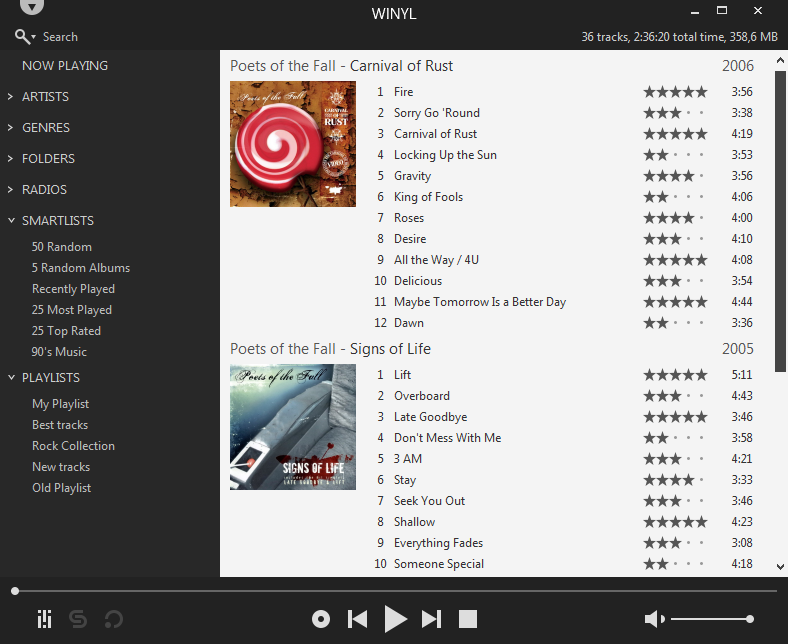
Winyl is a free digital audio player and music library application for organizing and playing audio on Windows.
Winyl offers great new ways to organize and enjoy all your music. Listen to music and radio, rate your favorite tracks, create playlists, browse song lyrics, tag music, all of this is very simple in Winyl.
Winyl uses the least system resources, it starts and working very fast. It’s the best choice for a laptop or netbook.
Unlike a lot of people, I strangely like to have my individual non-mixed tracks located in one flat folder and any mixes (such as Ministry Of Sound mix albums, etc…) go into another folder sorted by Albums in separate folders. I also embed all of my MP3s with the album art from the album it is from so they are fully portable across a multi-tude of systems.
Therefore, I want my original system kept as is for me, but software like Windows Media Center annoyingly requires you to have it structured in the ‘Album Artist -> Album’ directory structure with the album art stored as ‘Folder.jpg’.
I will not be ranting about how rubbish that required structure is on a technical level; I have got over that now :). But instead, I wrote a PERL script that runs on my Linux NAS that does the following:
Only runs on Linux – if anyone wants to code link support in for Windows / NTFS partitions, please go ahead and mail back the changes.
Scans a directory (–mp3dir) (recursion is optional using –recursive) for MP3s / M3U playlists and creates softlinks pointing back to the original files under the ‘Album Artist\Album’ folder structure within –linksdir.
The embedded album art is then checked across the album being processed to ensure it is the same – if not, a Warning is output leaving you to fix it. The embedded album art is created as ‘Folder.jpg’ for Windows Media Center.
If you want it to delete soft links for tracks / directories that no longer exist in –linksdir (i.e. if you have moved / renamed the original file), you can use –delnonexists.
On the off chance you want the –linksdir within the directory structure of –mp3dir, you can use –excludemp3dir to ensure the –linksdir isn’t double scanned.
For the first run, I strongly recommend not using the –createlinks switch so you can view any errors you may get.
You need to have the library MP3::Tag installed for this to run – you can get this from CPAN.
tone is a cross platform audio tagger and metadata editor to dump and modify metadata for a wide variety of formats, including mp3, m4b, flac and more. It has no dependencies and can be downloaded as single binary for Windows, macOS, Linux and other common platforms.
The code is written in pure C# and utilizes the awesome atldotnet library to provide full support for a wide variety of audio and metadata formats.
Features:
The main purpose of tone is to tag m4b audio books for myself. It is planned as a successor to [m4b-tool].
dump metadata of audio files
different metadata formats (e.g. chptfmtnative, ffmetadata, etc.)
file information (bitrate, channels, duration, etc.)
support for filterable json output (similar to jq)
extensive list of supported tags (default fields like album or *artist as well as custom fields, covers, chapters, etc.)
tag audio files with different kinds of metadata
different file formats (e.g. mp3, m4b, and flac)
extensive list of supported tags (default fields like album or *artist as well as custom fields, covers, chapters, etc.)
filename to tags via --path-pattern (see below)
custom javascript taggers via --script and --script-tagger-parameter
TagLib is a library for reading and editing the meta-data of several popular audio formats. Currently it supports both ID3v1 and ID3v2 for MP3 files, Ogg Vorbis comments and ID3 tags and Vorbis comments in FLAC, MPC, Speex, WavPack, TrueAudio, WAV, AIFF, MP4 and ASF files.
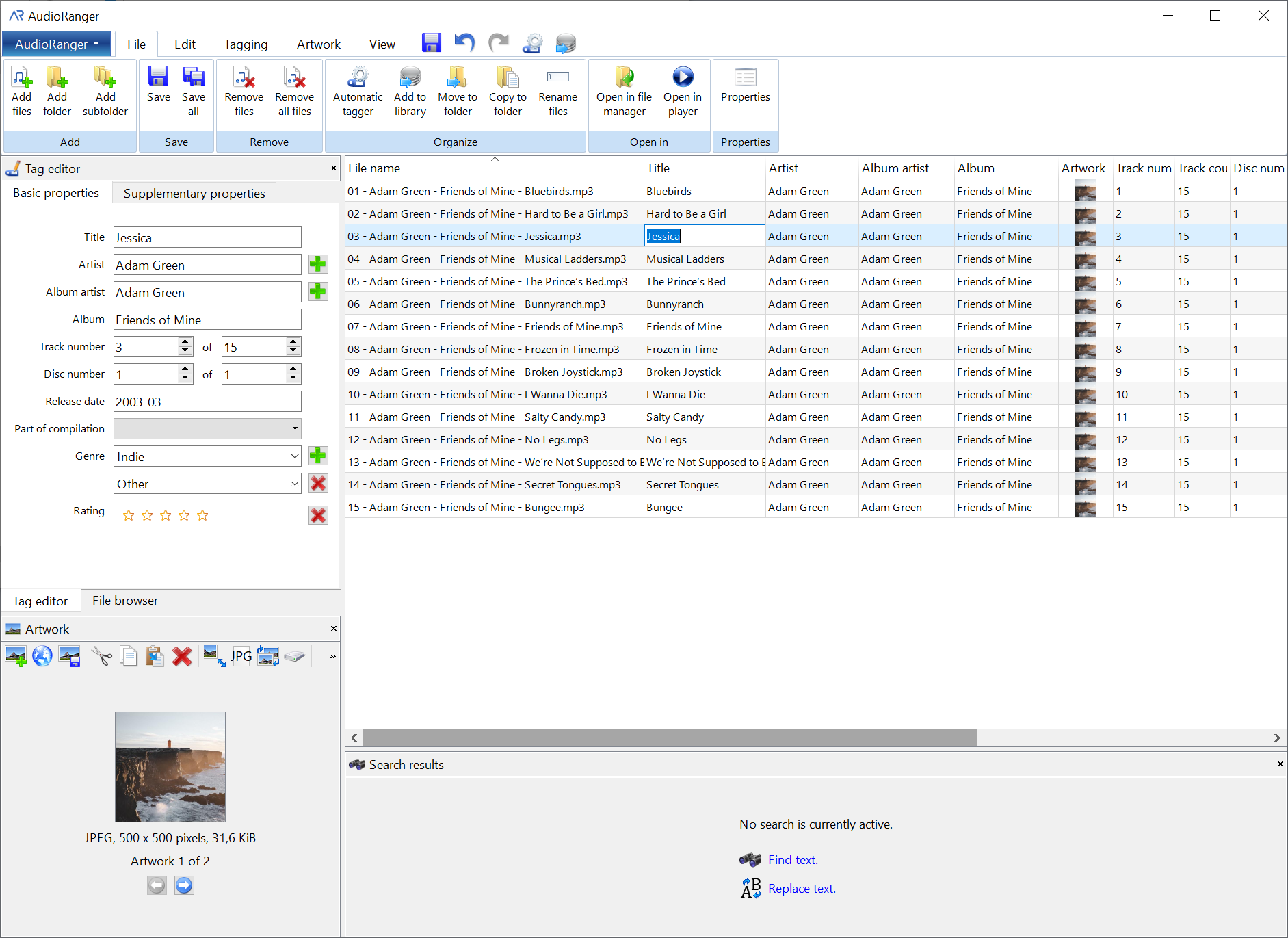
AudioRanger is a powerful and versatile music tagger designed to automatically identify and organize your digital music collection.Runs on Windows and Mac. Feature-rich free version available. (Has limits)