flactag is a tagger for whole-album FLAC files with embedded CUE sheets, that retrieves data from the MusicBrainz service.
https://sourceforge.net/projects/flactag/


flactag is a tagger for whole-album FLAC files with embedded CUE sheets, that retrieves data from the MusicBrainz service.
https://sourceforge.net/projects/flactag/

All the mp3 files of the music albums that you can download have different name formats or the information tags are empty. AudiQ is a very easy to use application that allows you to format the mp3 file names the way you decide. This application also fills the ID3 tags with the information of each song from the filename. Normalize your audio library.
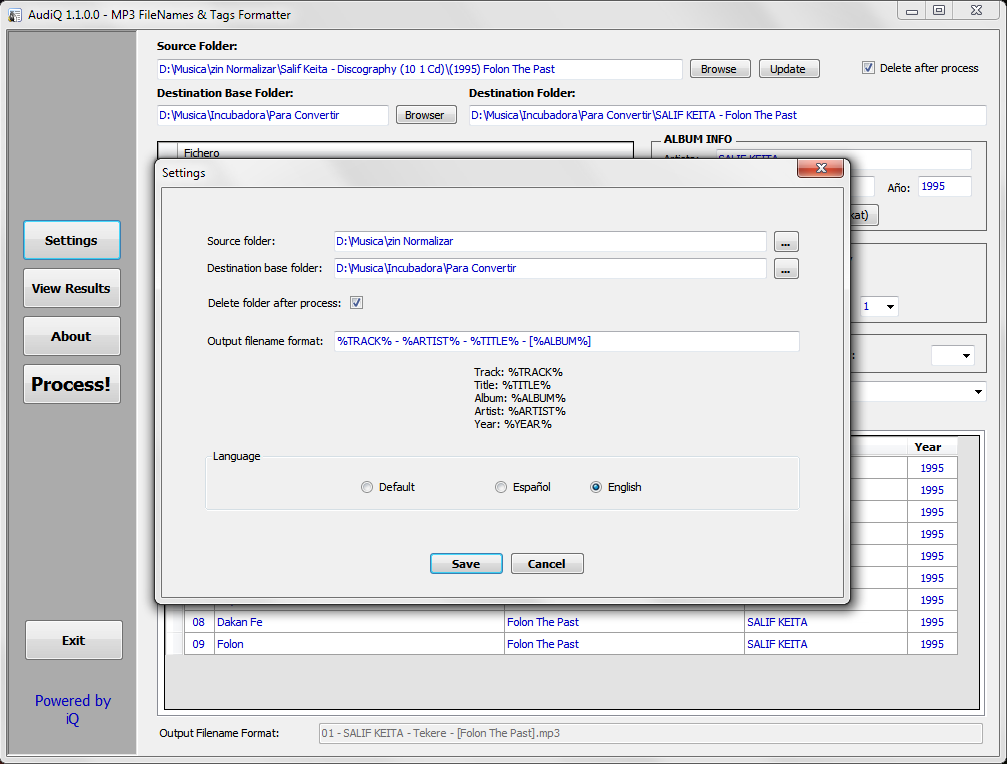
https://sourceforge.net/projects/audiq/

This is a very simple application to organize your files.
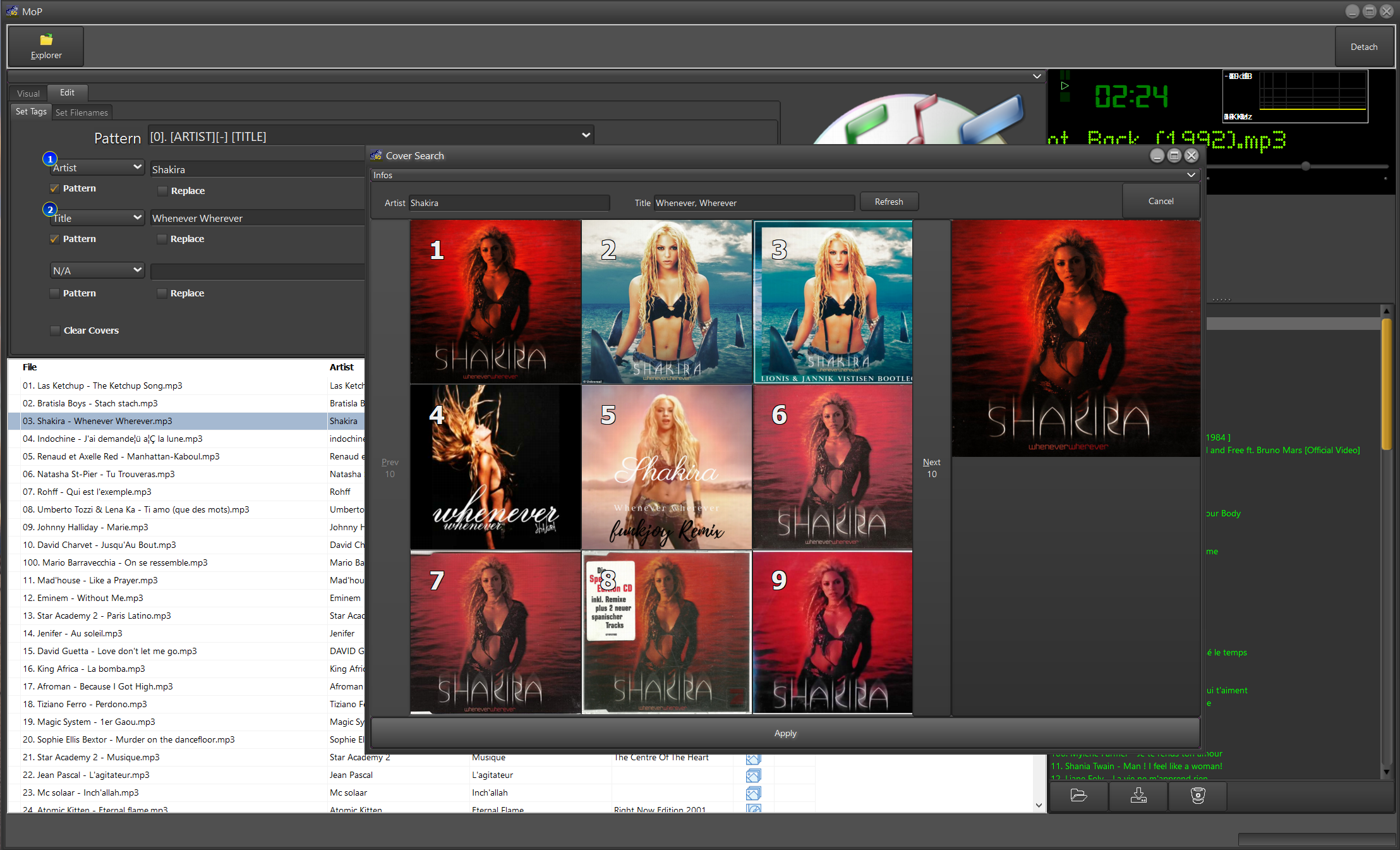
MoP does not use a database. It focuses on the files. The aim is to quickly and easily clean up your MP3 tags and filenames but, more important, to find the covers that are missing.
Where other softwares uses the “Album” to retrieve a cover, MoP uses the Artist AND the Title. So when you have huges collections of singles or compilations, you are able to find the covers for that song only.
Of course, it can search for albums covers as well.
MoP as a built in RegEx engine that will allow you to extract the missing tags based on the file name. You will also be able to rename your misformed MP3 files based on the tags according to any pattern you provide.
MoP will always be improved ….. As it will be my main application to manage and edit my huge MP3 collection. I will be more than happy to receive critics, suggestions and demands to make it evolve 🙂
https://sourceforge.net/projects/myownplayer/

A cross-platform, multi-format audio conversion and tagging suite for .NET and PowerShell. Formats currently supported are MP3, MP4 AAC, FLAC, Apple Lossless (ALAC), Opus, Ogg Vorbis and Wave.
This project supplants PowerShell Audio by targeting both Windows PowerShell and PowerShell Core (Windows, Linux and MacOS).

Sayonara is a small, clear and fast audio player for Linux written in C++, supported by the Qt framework. It uses GStreamer as audio backend. Sayonara is open source and uses the GPLv3 license. One of Sayonara’s goals is intuitive and easy usability. Currently, it is only available for Linux and BSD. Although Sayonara can be considered as a lightweight player, it has a lot of features in order to organize even big music collections. In contrast to the heavyweight players, the main focus of Sayonara is performance, low CPU usage and low memory consumption. Sayonara is a great alternative to players like Rhythmbox, Clementine or Amarok. Those who miss Winamp for Linux should give Sayonara a try.
Managing your library: You can manage your library by artists, albums, genres or file paths. Sayonara contains a sophisticated tag editor helping you to keep your collection clean. You can hold multiple playlists simultaneously, save/rename/delete or export them to common playlist file formats. With the multi library feature you can manage multiple directories as stand-alone libraries and copy and move tracks from one to another. There are even more complex library plugins like Soundcloud or SomaFM support.
Directory view: Some people don’t have a perfect tagged library and are more interested in the directory structure of their libraries. Sayonara provides various features to access and edit your music in the directory view.
Plugins: In addition, there are some useful plugins helping to enhance your comfort while listening. Some interesting plugins are the equalizer, a speed/pitch control, a crossfader, bookmarks for tracks and a broadcasting function.
Webstreams and Podcasts: You can record all tracks streamed from the internet. Your saved tracks automatically tagged, of course. When listening to ordinary webstreams, a history of all played tracks can be displayed. If webstreams or podcasts contain some chapter information, Sayonara also uses this information in order to provide fast jumping within these tracks.

sayonara-player.com
en.wikipedia.org/wiki/Sayonara_Player

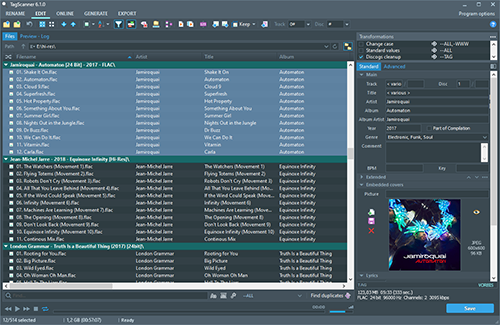
TagScanner is a powerful tool for organizing and managing your music collection. It can edit tags of most modern audio formats, supports ID3v1/v2, Vorbis comments, APEv2, WMA and MP4(iTunes) tags. You can rename files according to information from the tags, import tag information from filenames or other sources, perform any text replacement and transformations in tags and filenames. Also you may get album info and download covers via online databases like freedb, Discogs or MusicBrainz. You can create playlists in one click and export your collection to HTML, Excel or any user-defined format. Program has easy-to-use multilingual interface and built-in audio player.
Features:
- Rename files based on the tag and file information
- Powerful multiple files tag editor
- Import album information and covers from online databases like Discogs or MusicBrainz
- Generate tag information from file/foldernames
- Tag fields formatting and rearrangement
- Words replacement and case conversion from tags and filenames
- Supports MP3, OGG, FLAC, WMA, MPEG-4, Opus, Musepack, Monkey’s Audio, AAC, OptimFROG, SPEEX, WavPack, TrueAudio, WAV, AIFF, Direct Stream Digital files
- Supports ID3 1.0/1.1/2.2/2.3/2.4 tags, APE v1 and v2 tags, Vorbis Comments, WMA tags and MP4(iTunes) metadata
- Supports for embedded lyrics and cover art
- Resize cover art for portable devices on the fly
- TAGs versions conversions
- Quick playlists creation
- Export information to HTML, XML CSV or any user-defined format
- Full support for Unicode
- Multi-language interface
- Built-in audio player

Demlo is a music library organizer. It can encode, fix case, change folder
hierarchy according to tags or file properties, tag from an online database,
copy covers while ignoring duplicates or those below a quality threshold, and
much more. It makes it possible to manage your libraries uniformly and
dynamically. You can write your own rules to fit your needs best.
Demlo can address any of these recurring music library issues (and much more):
- Fix the lack of folder structure.
- Normalize tags, fix their case, chose which tags to keep and which to discard.
- Handle lossy and lossless audio differently.
- Handle mp3 id3tags hell…
- Handle multiple covers, whether embedded and/or external, resize covers,
discard bad quality ones.

Allows tagging files using data from MusicBrainz.
Features:
- Fetches data by automatically calculated MusicBrainz Disc ID, existing Artist/Album or MusicBrainz Album ID tags;
- Uses the latest version of MusicBrainz web service, which corresponds to the NGS data model;
- Supports many different tags, including artist, album, date, track number / total tracks, disc number / total discs, label, catalog number, barcode etc.;
- Supports MusicBrainz-specific tags: Artist ID, Album ID, Release Group ID, Disc ID, Track ID, album type, album status;
- Missing TOCs can be submitted to MusicBrainz from the context menu.
HA Support Topic
github.com/kbuffington/foo_musicbrainz
musicbrainz.org
en.wikipedia.org/wiki/MusicBrainz

WMP Tag Support Extender expand support of artist, title, etc. (“metatags”) information in Windows Media Player.
It adds support of APE tag format (read & write), FLAC MetaData (read & write), OGG Vorbis Comments (read-only), and MPEG4 ‘meta’ atom (read-only).
You can then extract the information save in your files and modify it directly in Media Library.
No need to use an external program, you manage your library with just ONE tool !
It supports:
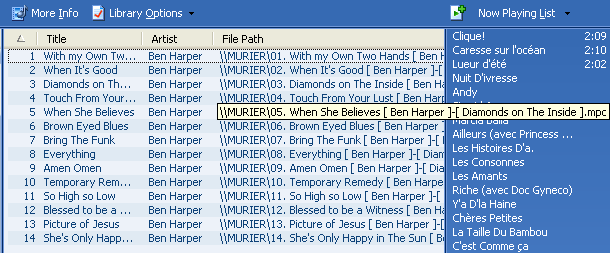

BPM Counter is a fast and accurate beats per minute detector for MP3 music. It may be helpful for DJs who need to get information about the entire music collection quickly and for any kind of remixing/sampling stuff. Do not trust online BPM databases, because each musical composition can have several versions with a different tempo. Don’t waste your time for manual tapping with a metronome, just navigate to any folder with music and BPM finder will show all compatible audio files (MP3 and WAV) and start BPM detection automatically.
Have you already encountered the fact that your analyzer returns half or double value? This is a fairly common mistake, called an octave error. Most often this happens with simplified algorithms that cut off the frequency spectrum of the audio signal. Seeing that, we use full-range audio decoders from Audio Converter Plus to ensure a balance between performance and precision.


SimpleTag is a cross-platform desktop tool, which allows to update the labels of all your music before incorporating it into a musical library or cloud service.
Nowadays, the amount of music we have in our equipment is large, it is no longer possible to manage with the traditional system of filenames and directories. The most convenient way is to use the concept of libraries that handle the big market music players: iTunes, Amarok, Windows Media Player, Google Music, … etc.
The labels of music files contains all the information on artist, album, genre, title, lyrics … etc, associated with a song. This information is used by music players to manage their libraries. A good labeling enhances the user experience.
Do you want your music in the cloud? Then before, you have to check the tag information is correct before incorporating. If you do not, you will be unable to locate many of your songs.
Features:
- Complete file information from audio fingerprint (AcoustID database). This uses the service provided by AcoustId (http://acoustid.org). One colors simple system gives you information about your search results
- Locate the covers of your songs by the artist/album the song. The location of the cover image, uses Google image services. It also incorporates images that are in the directory you’re processing, treating them as potential cover images.
- Allows mass renaming music files on disk, based on the tag information. If in addition to either your tagged songs, you want the file names follow a pattern that identifies them, you can use this feature.
- Supports MP3, Ogg/Vorbis formats
- Mass-tagging of multiple files
- Auto enumerate the selected songs. In many cases, the songs do not have track numbers. With this feature, you can set the sequence numbers for all the songs on an album.
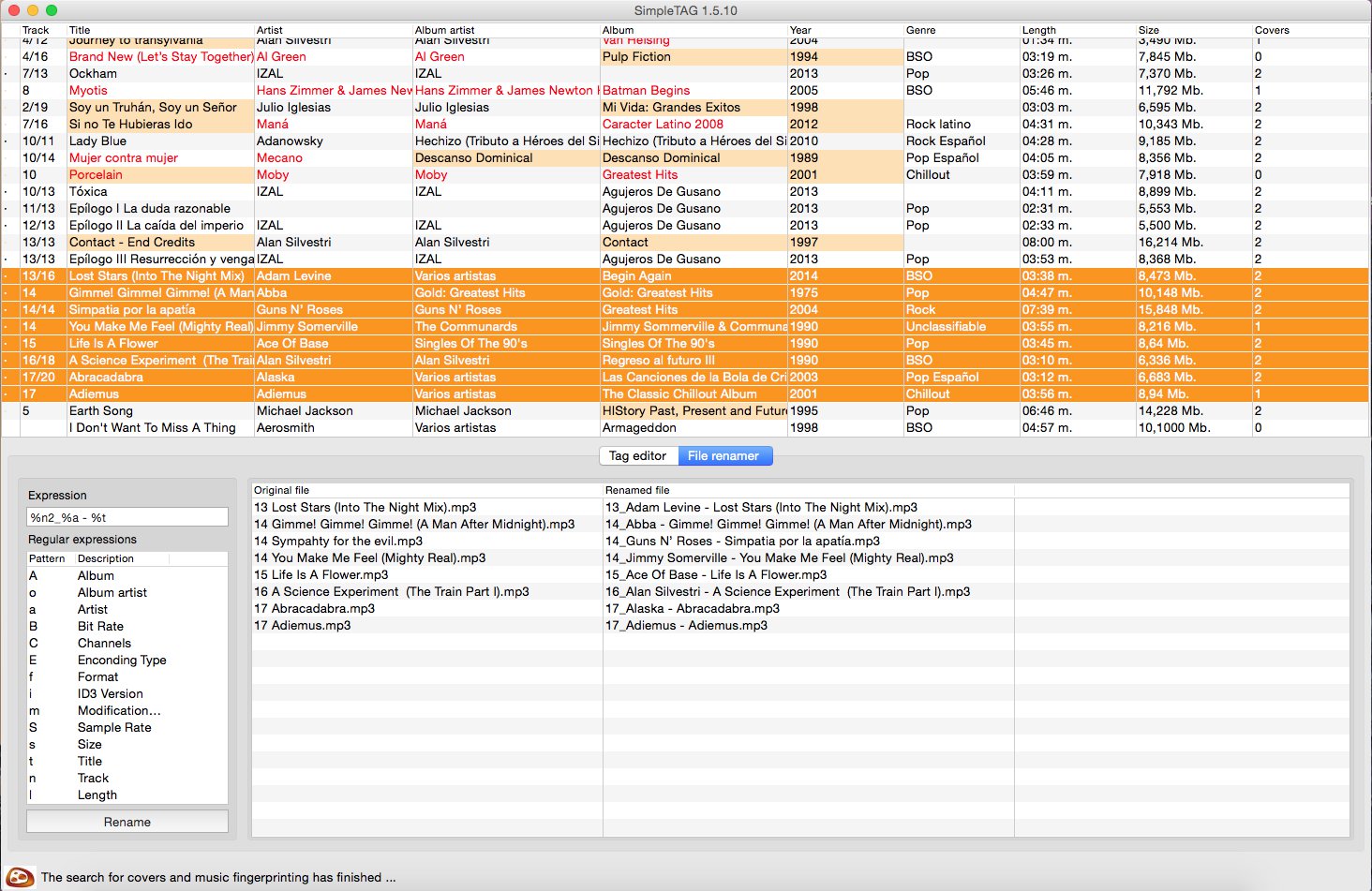
sourceforge.net/projects/simpletag

RompЯ is a music player with the emphasis on discovery – discovering more about the music you know, and discovering new music you don’t know yet. RompЯ is an interface that runs in a web browser on any device and controls a music player which can be on any other device. I recommend using Mopidy as the music player. When used with Mopidy and a Spotify Premium subscription RompЯ is a powerful Spotify client with many music discovery features.
Features:
- Collectioniser sorts your music by artist and album
- Directory browser
- Search
- Tagging and Rating of tracks
- Spotify, Soundcloud, GMusic, etc support (with Mopidy),
- Add tracks from Spotify, Soundcloud, etc to the collection on the fly
- Web Radio support, automatic Spotify search for radio tracks you like
- Podcast search and subscribe
- Alarm Clock
- Sleep Timer
- Album Cover Art
- Last.FM Scrobbling
- Automatic on-the-fly playlist generation based on tags, ratings, popularity, your listening habits, etc
- Get biographies of artists from various sources
- Album and artist suggestions based on your listening habits
- UI themes
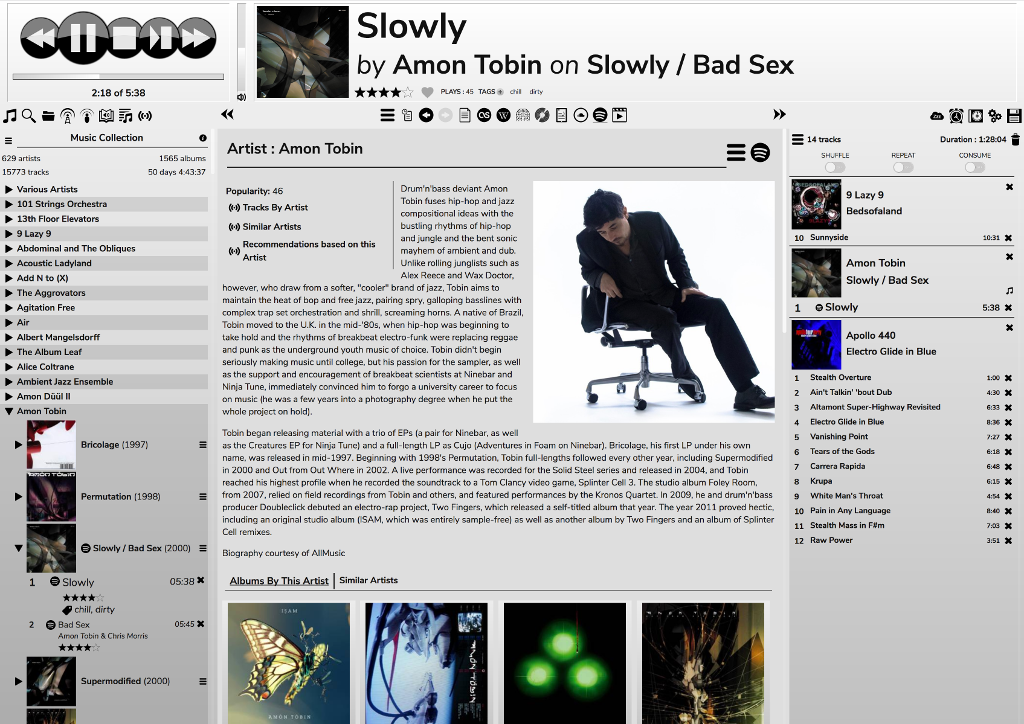
fatg3erman.github.io/RompR
github.com/fatg3erman/RompR


