SpectrumViewer ~ Windows Continuous Spectrum Display


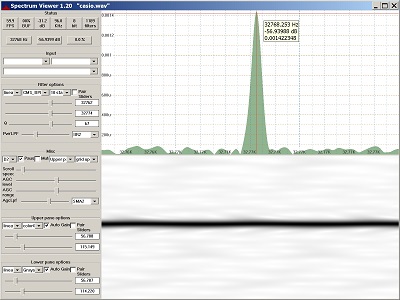
Display of audio spectrum from PC input or wave file.

Reads audio from Windows audio interface or wave file and creates a continuous spectrum display. Command line support for generating sine, square, triangle and sawtooth wave files. Uses biquad IIR digital filters for frequency detection, plus digital lowpass filters for smoothing. Highly configurable. 60+ FPS with suitable hardware. Manual or automatic gain control.

Features:

  • Continuous display update
  • Single function, easy to learn
  • Zoom in on small frequency or dB range
  • Resizable main window and repartitionable panes
  • Crosshair cursor when Ctrl is pressed
  • Single, stand-alone exe file, no install/uninstall
  • Builds with Visual Studio 2019 or 2022
  • Bit-perfect sine wave generation for all sample sizes

sourceforge.net/projects/spectrumviewer-for-windows

Spek ~ Acoustic Spectrum Analyzer


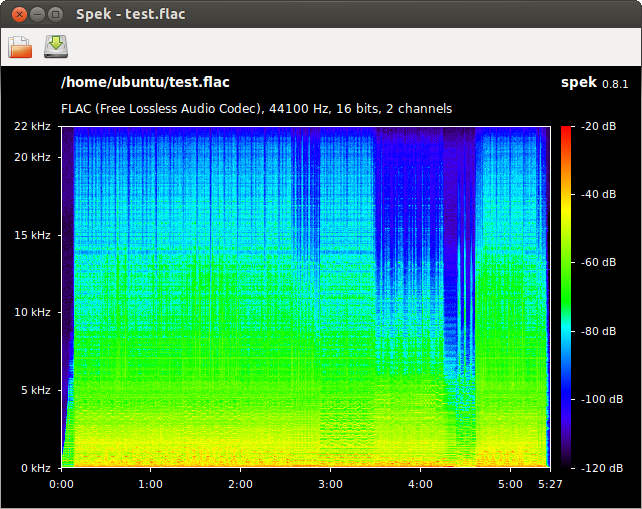
Spek (IPA: /spɛk/, ‘bacon’ in Dutch) helps to analyse your audio files by showing their spectrogram. Spek is free software available for Unix, Windows and Mac OS X.

Features:

  • Supports all popular lossy and lossless audio file formats thanks to the FFmpeg libraries.
  • Ultra-fast signal processing, uses multiple threads to further speed up the analysis.
  • Shows the codec name and the audio signal parameters.
  • Allows to save the spectrogram as an image file.
  • Drag-and-drop support; associates with common audio file formats.
  • Auto-fitting time, frequency and spectral density rulers.
  • Adjustable spectral density range.
  • Translated into 19 languages.
spek

spek.cc
github.com/alexkay/spek

References:

en.wikipedia.org/wiki/Spectrum_analyzer

Foobar2000 ~ Columns User Interface (CUI)


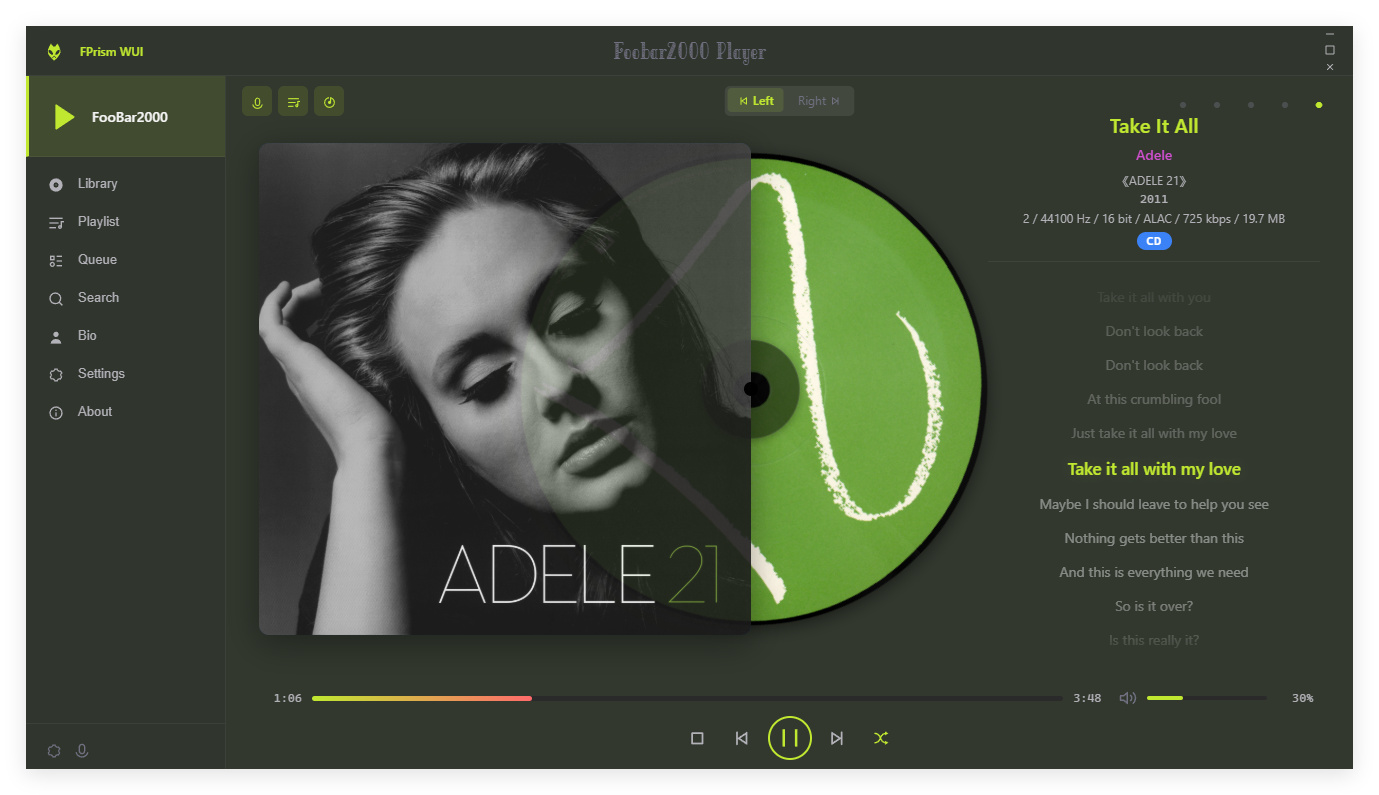
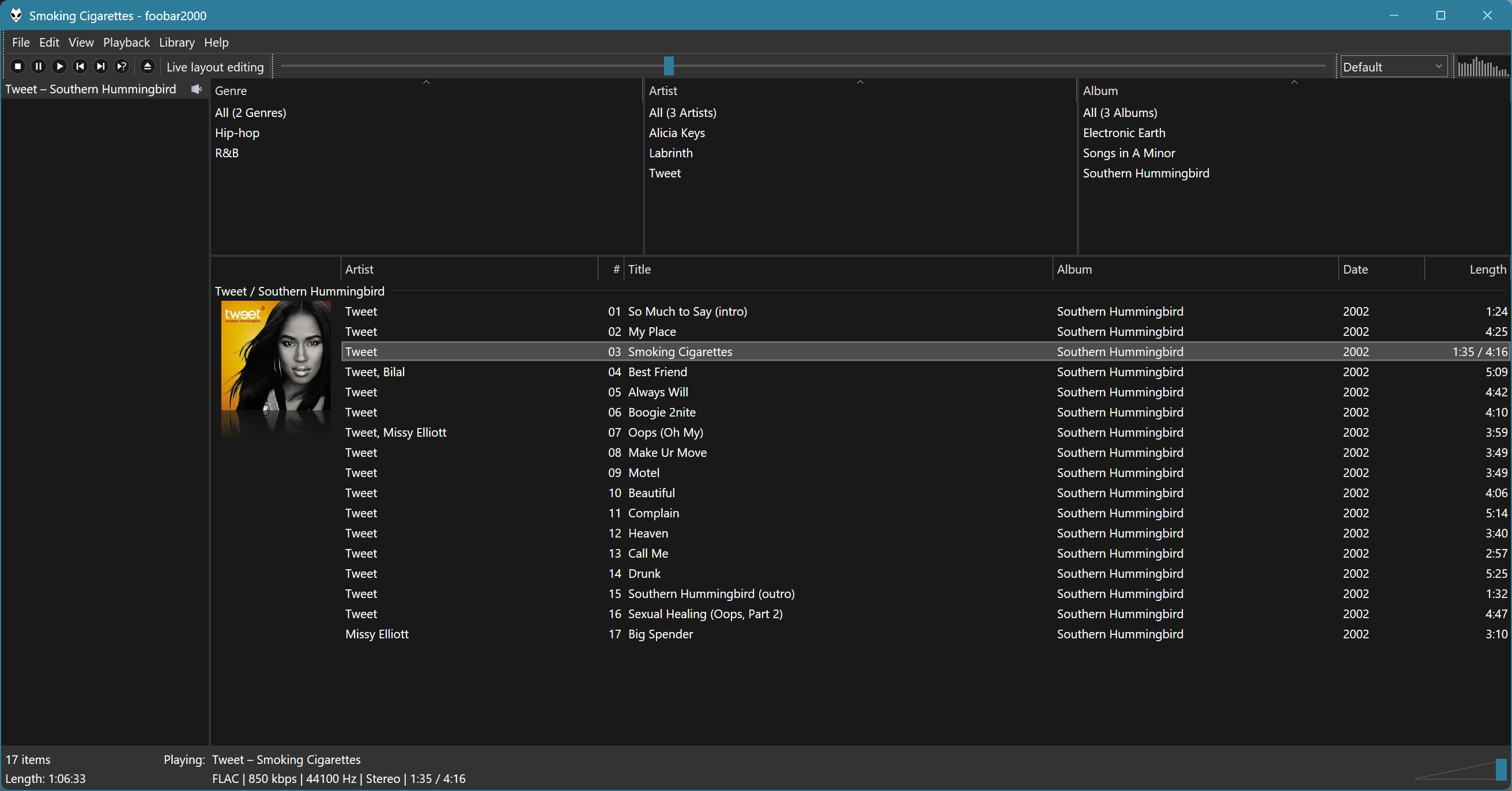
Columns UI is an alternative skinnable user interface for the Foobar2000 audio player.

  • Playlist view with columns, grouping and artwork
  • In-line metadata editing
  • Customizable layout through interchangeable panel and toolbar components
  • Built-in panels: playlist view, artwork view, filter, item details, item properties, playlist list, playlist tabs, tab stack
  • Built-in toolbars: menu, buttons, seekbar, playback order, volume, spectrum analyzer
  • Extensible through official and third-party panel and toolbar components

Website
Documentation
Hydrogen Audio Forum

Advanced CUI Themes:
EOLE ~ github.com/Ottodix/Eole-foobar-theme
Georgia ~ hydrogenaud.io/index.php?topic=116190.0

CUI Components:

foobar2000.org/components/view/foo_uie_tagger_mod
foobar2000.org/components/view/foo_youtube
github.com/reupen/console_panel

  1. foo_uie_albumart
  2. foo_uie_albumart_mod
  3. foo_uie_albumlist
  4. foo_uie_biography
  5. foo_uie_color
  6. foo_uie_console
  7. foo_uie_elplaylist
  8. foo_uie_eslyrics
  9. foo_uie_esplaylist
  10. foo_uie_library_tree
  11. foo_uie_lyrics_panel
  12. foo_uie_lyrics2
  13. foo_uie_lyrics3
  14. foo_uie_metronome
  15. foo_uie_output_switcher
  16. foo_uie_panel_splitter
  17. foo_uie_playlists_dropdown
  18. foo_uie_ptb
  19. foo_uie_sql_tree
  20. foo_uie_trackinfo
  21. foo_uie_typefind
  22. foo_uie_vis_channel_spectrum
  23. foo_uie_vis_peakmeter_spectrum
  24. foo_uie_wsh_panel_mod
  25. foo_uie_wsh_panel_mod_plus

EOF

foo_chronflow ~ Foobar2000 Cover Flow Display


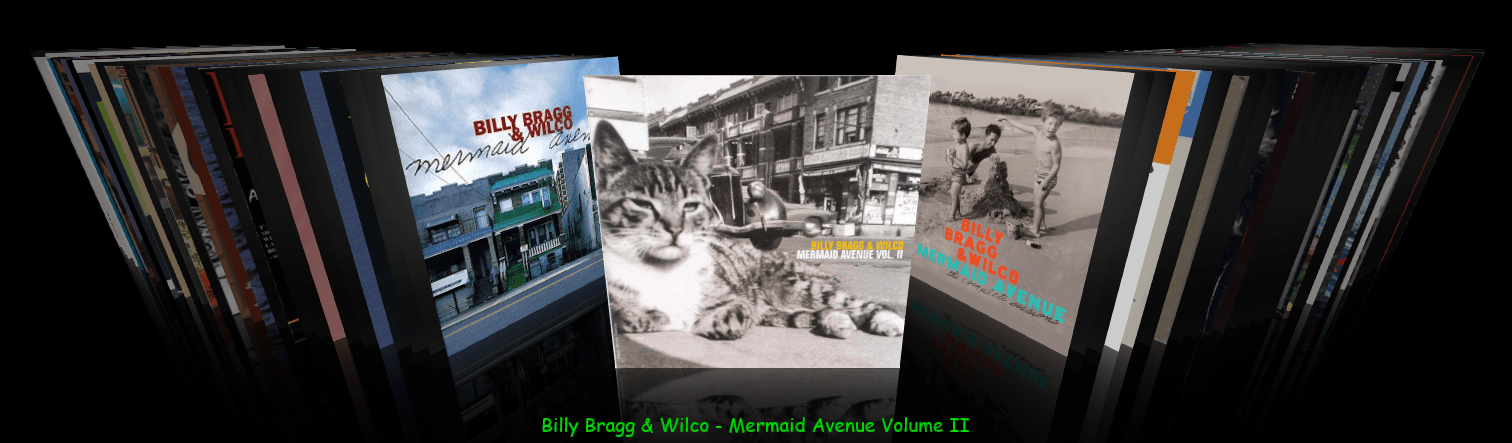
Adding a configurable Cover Flow display to Foobar2000. (Media Library Viewer)

foo_chronflow - no border
  1. Download and install foo_chronflow.
  2. Enable Layout Editing Mode and add a new panel or tab to the DUI.
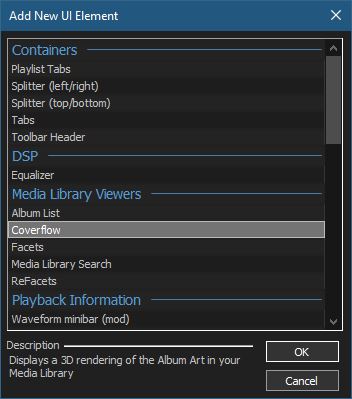
  3. Right click within the new area and select Add New UI Element
  4. Select Coverflow from the Media Library Viewers list
  5. Disable Layout Editing Mode

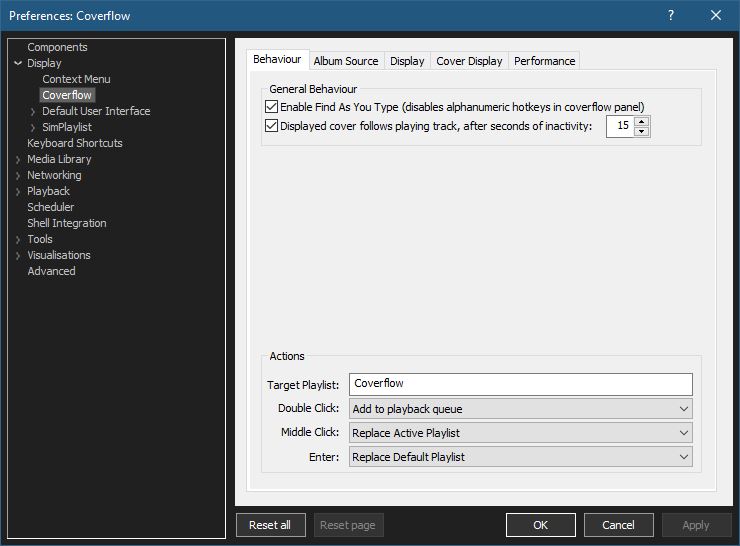
Coverflow Preferences:

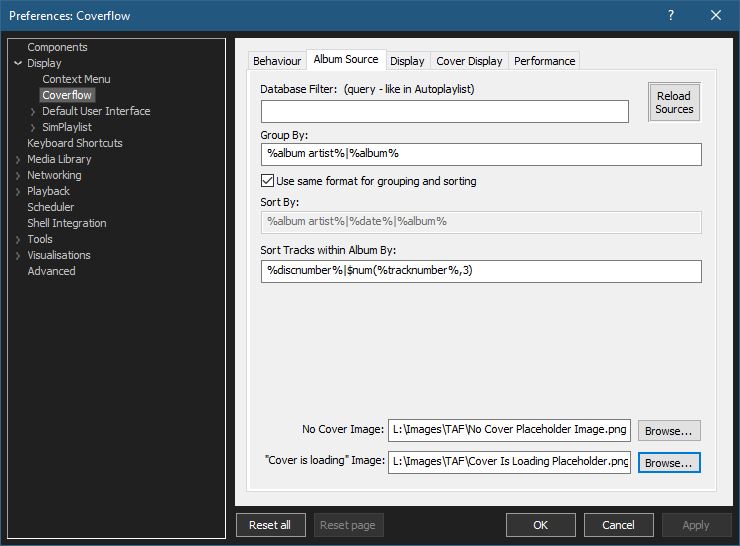
Coverflow Preferences – Album Source:

  • If covers aren’t being displayed, you can click Reload Sources
  • Group By: & Sort By: work as headers do in a playlist
  • Select placeholder images:

You can use your own images or click the ones below and save them to your computer.

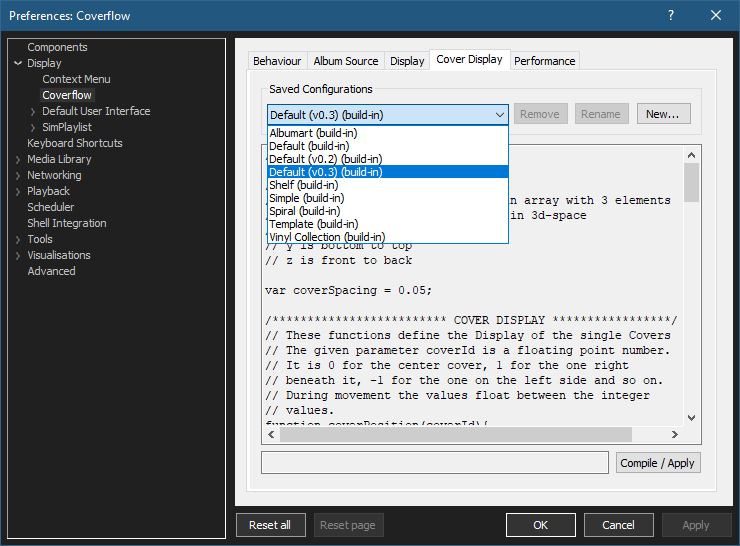
Coverflow Preferences – Cover Display:

Select from various built in display configurations, modify or create a new one. Click Compile / Apply after selecting a list item.

github.com/Chronial/foo_chronflow
www.foobar2000.org/components/view/foo_chronflow
hydrogenaud.io/index.php/topic,108450.0
hydrogenaudio Wiki

Resources:

github.com/ghDaYuYu/foo_coverflowY

StereoTool ~ Analysis & Imaging Tool


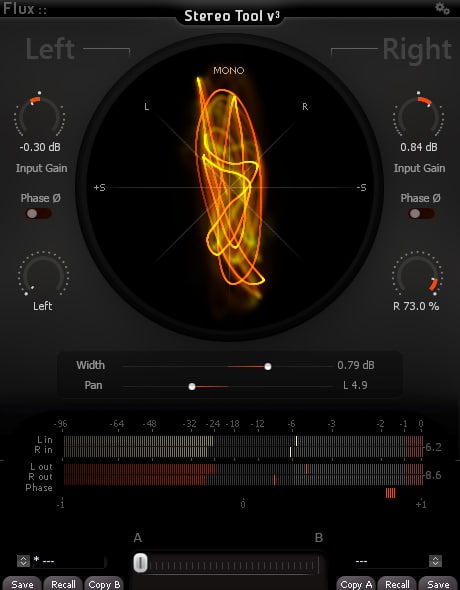
The Complete Stereo Imaging And Analysis Tool. StereoTool offers ultra-precise control of input gain and individual pan for left and right channels, accurate visual feedback reflecting the signal content with; a vectorscope, PPM meters for inputs/outputs, phase correlation meter permanently monitoring the signal and individual left and right polarity reversal – No dongle or registration required – 100% Freeware!

stereotool-v3-full

www.flux.audio/project/stereo-tool-v3

Friture ~ Real-Time Audio Analyzer


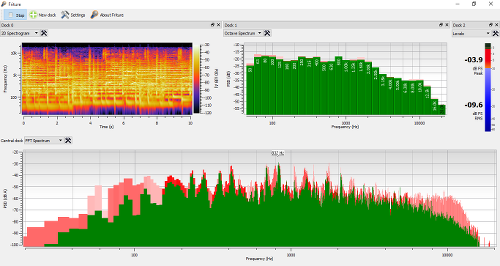
Friture is an application to visualize and analyze live audio data in real-time. Friture displays audio data in several widgets, such as a scope, a spectrum analyzer, or a rolling 2D spectrogram.

This program can be useful to analyze and equalize the audio response of a hall, or for educational purposes, etc.

The name Friture is a french word for frying, also used for noise in a sound.

Friture helps you to understand audio data with several widgets:

  • spectrum analyzer
  • rolling 2D spectrogram
  • fraction-of-octave analyzer
  • delay estimator
  • etc.
image of the friture user interface

friture.org
github.com/tlecomte/friture
apps.microsoft.com/detail/9PH4BL3F5Q2H

Spectralissime ~ Multiband Spectrum Analyzer


Spetralissime is a standalone Spectrum Analyzer application based on high precision band pass filter bank, more adapted to the human audition. Spectralissime gives a more consistent spectrum analysis and allows better understanding of any audio phenomena thanks to its constant precision, from 20 Hz to 20 kHz.

SpectralissimeScreenShot

www.vb-audio.com/Spectralissime
voicemeeter.com/vb-audio-spectralissime-professional-high-definition-multiband-audio-analyzer

Resources:

en.wikipedia.org/wiki/Spectrum_analyzer

Soundgrain ~ Granular Sound Synthesis


Soundgrain is a graphical interface where users can draw and edit trajectories to control granular sound synthesis. Soundgrain is written with Python/WxPython and uses Pyo as its audio engine.

Soundgrain_screenshot

ajaxsoundstudio.com/software/soundgrain

Album Art Downloader ~ Obtain Album Artwork


The Album Art Downloader is a program designed to make life easier for anyone who wishes to find and update their album art for their music collection. The sources for the pictures can be defined by creating plugin scripts.

albumartdownloader

sourceforge.net/projects/album-art
sourceforge.net/p/album-art/discussion
HydrogenAudio Topic

WaveSurfer ~ Visualize & Manipulate Sound


WaveSurfer is an open source tool for sound visualization and manipulation. Typical applications are speech / sound analysis and sound annotation / transcription. WaveSurfer may be extended by plug-ins as well as embedded in other applications.
Features:

  • Customizable – users can create their own configurations. Localization support.
  • Extensible – new functionality can be added through a plugin architecture.
  • Embeddable – WaveSurfer can be used as a widget in custom applications.
  • Transcription file formats – reads, and writes HTK (and MLF), TIMIT, ESPS/Waves+, and Phondat. Support for encodings and Unicode.
  • Multi-platform – Linux, OSX & Windows.
WaveSurfer

sourceforge.net/projects/wavesurfer
en.wikipedia.org/wiki/WaveSurfer

Youlean ~ Free Loudness Meter


Youlean Loudness Meter is your ultimate free VST, VST3, AU and AAX plugin for loudness measurement.

Youlean-Loudness-Meter

youlean.co/youlean-loudness-meter

Raven Lite ~ Visualize Sounds


Raven Lite is a free cross-platform software program that lets users record, save and visualize sounds as spectrograms and waveforms. Raven Lite is intended for students, educators, and hobbyists and can be used for learning about sounds, as an aid in birdsong recognition, and in musical instruction.

www.birds.cornell.edu