
Audio DiffMaker is a freeware tool set intended to help determine the absolute difference between two audio recordings, while neglecting differences due to level difference, time synchronization, or simple linear frequency responses.
The difference recording that results is only what has changed between the two recordings. If anything – a change of component, a treatment, mechanical damping, etc. – is having any audible effect on the audio signal in a system, the difference recording will have audible content. The end result is primarily intended to be evaluated by ear.
Presented at the 125th AES convention. “Detecting Changes in Audio Signals by Digital Differencing“
www.libinst.com/Audio DiffMaker
Tag Archives: WinXP

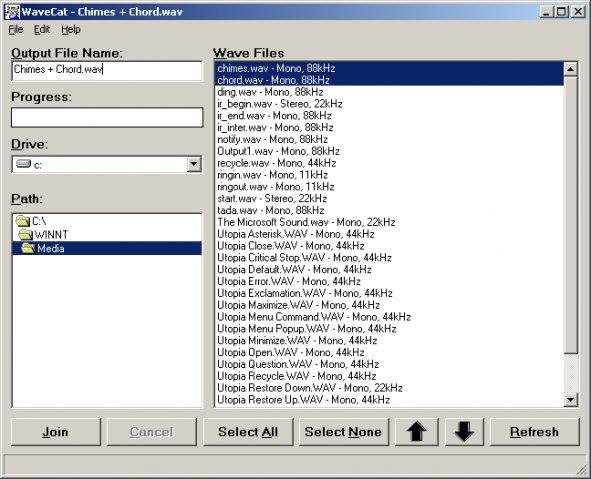
WaveCat ~ Combines Multiple WAV Files
Joins one or more WAV files together. If you rip a five CD book on tape, you’ll have a cluttered mess of about sixty audio files. WaveCat can turn your sixty files into one convenient large wav file. Suggestion: CDex –> WaveCat –> WinLame –> Single MP3 file.
Feature
sourceforge.net/projects/wavecat
- Concatenates multiple Wav files into one large file.
Share this:

Audiodope ~ Freeware Audio Editor
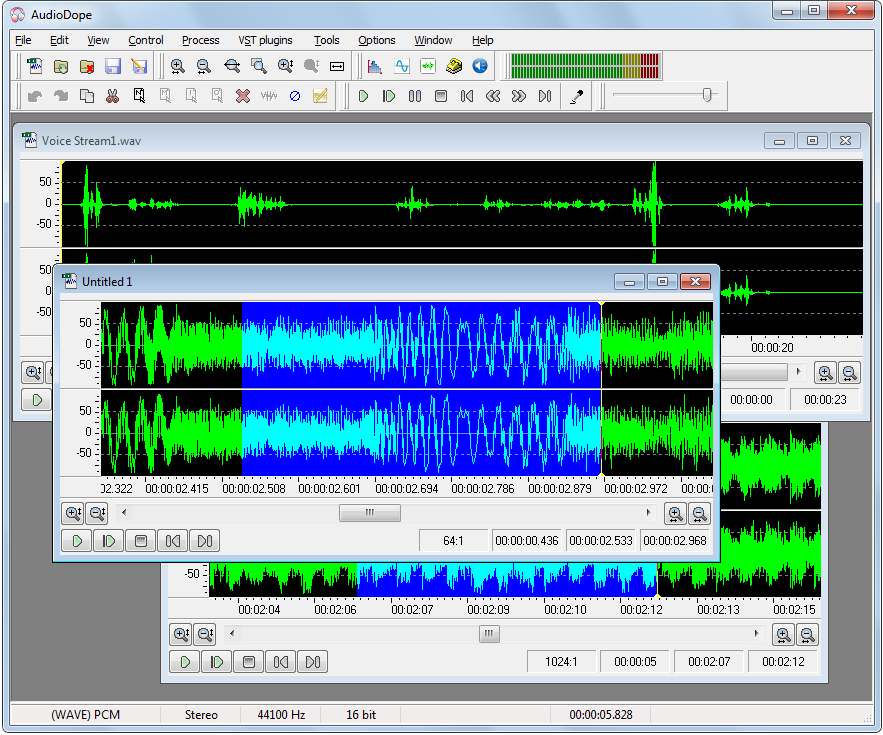
Audiodope is an audio editor. You can load and listen to music files of various formats such as wave, MP3, WMA, etc. You can also edit part or the whole stream with functions like copy, cut, paste, insert and delete. You may modify any part of the stream by applying audio effects and synthesize sound files.
Features:
- Sound editing functions such as copy, cut, paste, delete, insert, trim.
- Apply processes like click removal, DC offset correction, compressor, echo, fading, inversion, noise reduction, normalization, pitch scale, pitch shift, reverberation, reversing, sound 3D, tempo, true bass, volume
- Filters like, moving average, high-pass, low-pass, band-pass.
- Special effects like flanger, phaser, chorus, gargle.
- Listen to the audio file with play, pause, stop commands
- Record from any source
- Various tools like, frequency analyzer, tone generator, noise generator, DTMF synthesis, text to speech.
- Process any channel separately or both
- Apply third party VST plug-ins
Share this:

Sekaiju ~ Windows MIDI Sequencer & Editor
“Sekaiju” is free, open source MIDI sequencer / editor software for creating and editing MIDI data. You can record MIDI keyboard or synthesizer playing to the computer, and you can compose music to play with your MIDI modules or synthesizers. Since it allows editing of all kinds of events, and has an unlimited undo and redo feature, Sekaiju can also be used as a powerful MIDI editor. A real-time input which can input each MIDI channel messages into separate tracks at the same time is a popular feature .

openmidiproject.osdn.jp/Sekaiju
Share this:

Open Cubic Player ~ Old School Audio
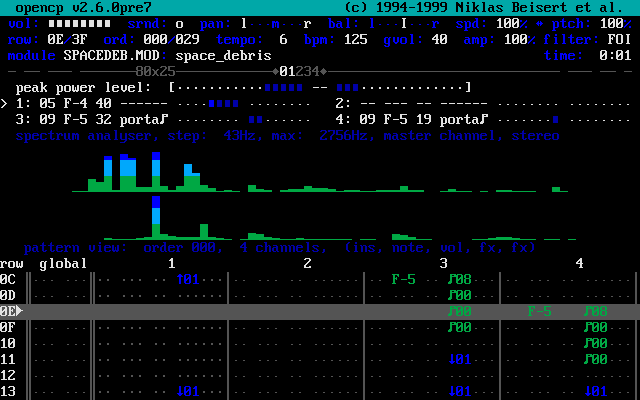
OPENCP is a music file player for DOS, Linux, Unix, Windows 95, ME & XP.
It’s derived from the Cubic Player 2.0 which was developed by Niklas Beisert.
Share this:

Wave Corrector ~ Digitize (Rip) Tapes & Vinyl
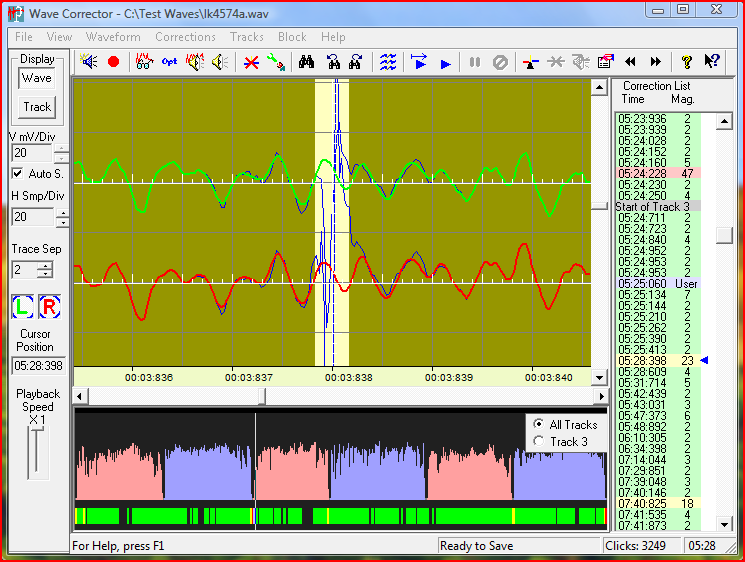
Transfer your old records and tapes to digital. Wave Corrector offers an integrated solution to record, clean-up and convert your music to digital audio formats. The program uses advanced digital processing to remove noise from old analogue recordings. Files can be transferred to CD or stored in your digital audio library. The program runs on the Microsoft Windows 2000/XP/Vista/7/8/8.1/10 platforms and on LINUX under Wine.
Share this:

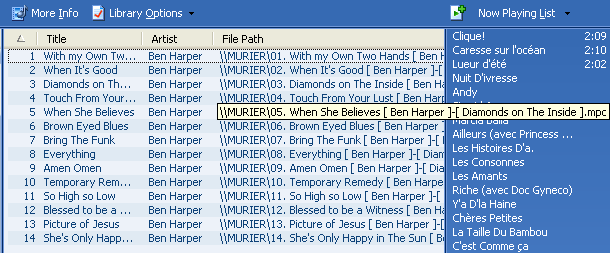
wmptagext ~ WMP Tag Support Extender
WMP Tag Support Extender expand support of artist, title, etc. (“metatags”) information in Windows Media Player.
It adds support of APE tag format (read & write), FLAC MetaData (read & write), OGG Vorbis Comments (read-only), and MPEG4 ‘meta’ atom (read-only).
You can then extract the information save in your files and modify it directly in Media Library.
No need to use an external program, you manage your library with just ONE tool !
It supports:
- Monkey’s audio (*.ape)
- MusePack (*.mpc)
- WavPack (*.wv)
- OptimFROG (*.ofr)
- FLAC (*.flac)
- Advanced Audio Coding (*.aac) <- READ-ONLY
- MPEG4 Audio (*.m4a) <- READ-ONLY
- Vorbis Comments (*.ogg) <- READ-ONLY
Share this:

FLAC Frontend ~ Lossless Encoding GUI
FLAC Frontend is a convenient way for Windows users not used to working with command lines to use the official FLAC tools. It accepts WAVE, W64, AIFF and RAW files for encoding and outputs FLAC or OGG-FLAC files. It is able to decode FLAC files, test them, fingerprint them and re-encode them. It has drag-and-drop support too. It is tested on Windows XP SP3 and Windows 7, but should work with Windows XP SP2 or newer. It requires .NET 2.0 or later.


sourceforge.net/projects/flacfrontend
Share this:

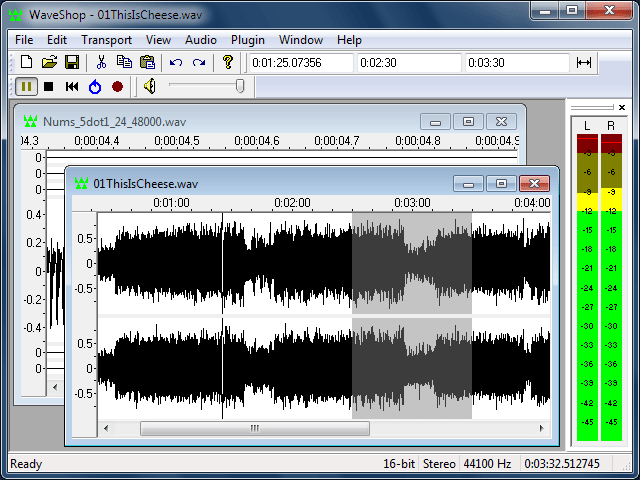
WaveShop ~ Windows Audio Editor
WaveShop is a free, open-source audio editor for Windows XP/Vista/7/8 32-bit and 64-bit. WaveShop is fast, lightweight, and bit-perfect, meaning samples aren’t altered unless they need to be. Editing a portion of an audio file only affects that portion; the rest of the file is untouched. Blocks of audio can be cut and pasted without changing their contents at all. This is especially useful for patching a finished master without corrupting its dither. Waveshop’s features include peak, RMS and spectral analysis, normalizing, fading, sample rate conversion, audio generation, plug-ins, and more, all with unlimited undo and comprehensive help.
waveshop.sourceforge.net/
sourceforge.net/projects/waveshop/
Share this:

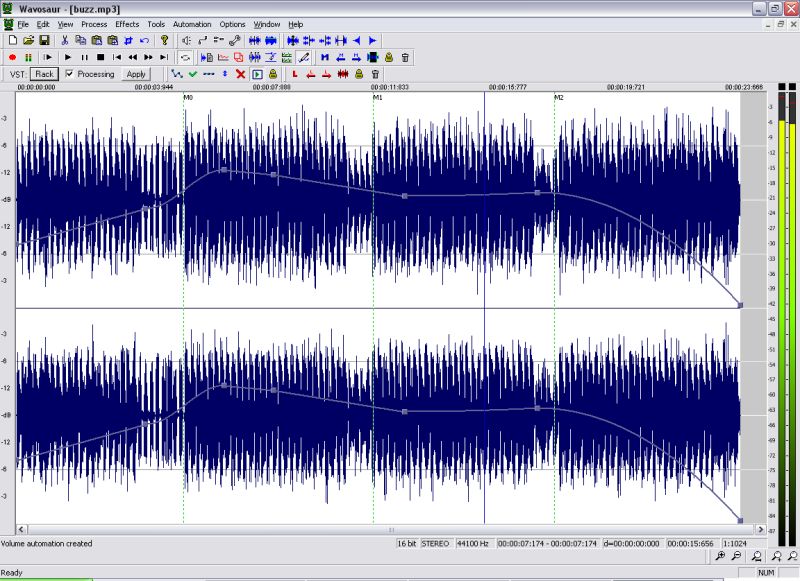
Wavosaur ~ Audio Editor With VST Support
Wavosaur is a cool free sound editor, audio editor, wav editor software for editing, processing and recording sounds, wav and mp3 files. Wavosaur has all the features necessary in order to edit audio (cut, copy, paste, etc.) produce music loops, analyze, record, and batch convert.
Wavosaur supports VST plugins, ASIO driver, multichannel wav files, real time effect processing.
The program has no installer and doesn’t write in the registry. Use it as a free mp3 editor, for mastering, sound design. The Wavosaur freeware audio editor works on Windows 98, Windows XP and Windows Vista.

 The Audio File