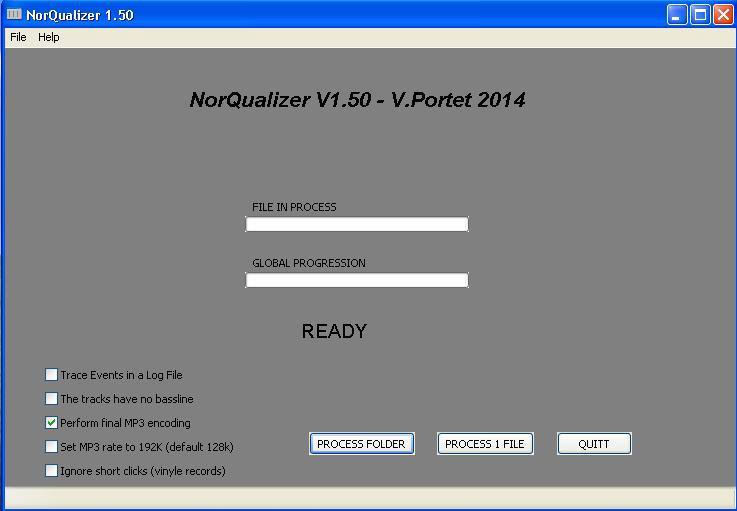
NorQualizer is a smart audio equalizer / normalizer which corrects audio files to get them all similar in terms of bandwidth and volume level. Especially useful for preparing audio CDs with files from different sources.
Wok Loudness simulates the loudness button on old HiFi amps, which alters the frequency response curve to correspond roughly with the equal loudness characteristic of the ear at lower volumes.
The level of high and low frequencies is increased at low listening levels, to compensate for the fact that as the volume of audio decreases, the ears lower sensitivity to extreme high and low frequencies may cause these signals to fall below threshold. As a result audio material may seem to become ‘thin’ sounding at low volumes, losing bass and treble, the ‘Loudness compensation’ button (often just labelled ‘Loudness’ or ‘Loud’) is intended to rectify this situation.
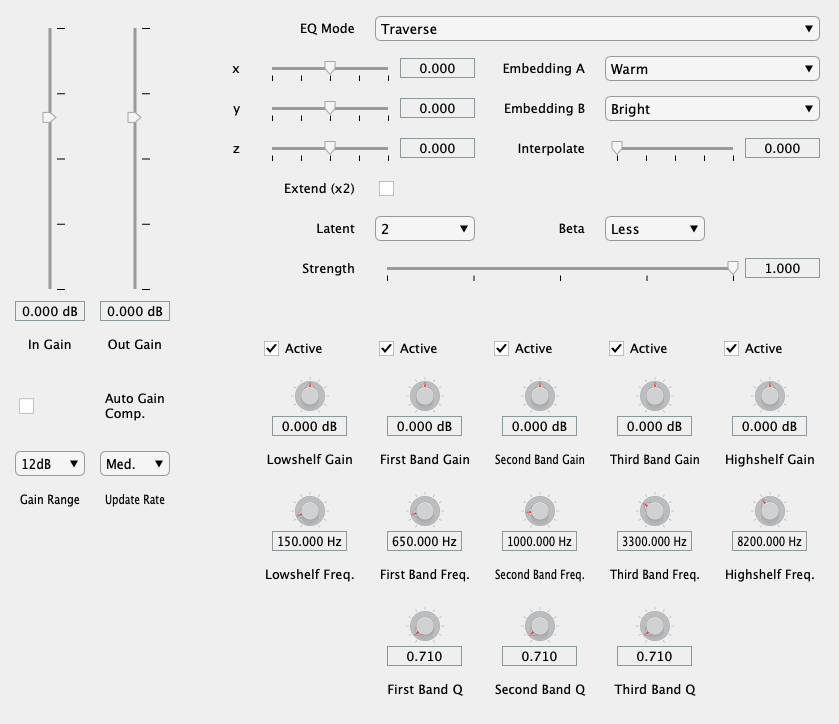
flowEQ uses a disentangled variational autoencoder (β-VAE) in order to provide a new modality for modifying the timbre of recordings via a parametric equalizer. By traversing the learned latent space of the trained decoder network, the user can more quickly search through the configurations of a five band parametric equalizer. This methodology promotes using one’s ears to determine the proper EQ settings over looking at transfer functions or specific frequency controls. Two main modes of operation are provided (Traverse and Semantic), which allow users to sample from the latent space of the 12 trained models.
Applications:
Quick and easy timbral adjustments
Automated timbral shifts over time for creative effects
Powerful ‘tone controls’ for users in a playback/listening setting
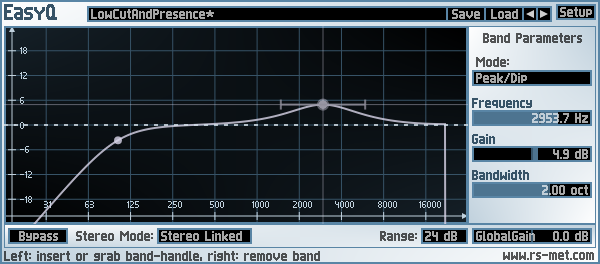
EasyQ is an easy-to-use equalizer with an arbitrary number of filter stages in series connection. Each of the filter stages can operate in one of the following modes: peak/cut (aka bell or parametric EQ), high- or low-shelving, notch and low- or highpass (both with either 6 or 12 dB/oct slope). EasyQ is also easy on the CPU and just does what an EQ is supposed to do without performing any additional voodoo. As such, it is well suited to serve as a go-to EQ for the routine equalizing tasks.
Key Features:
unlimited number of filter stages (“bands”)
each stage can be one of the following characteristics: bell, low-/high-shelf, low-/highpass (6 or 12 dB/oct), notch
clean equalization – no additional colorations
low CPU usage
+-48 dB gain range
stereo modes: linked, left/right, mid/side and mono
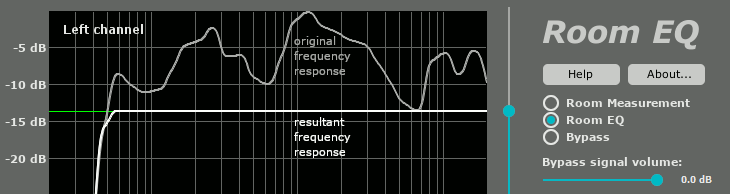
The frequency response of your room is very different in every point of the room. “Good” equalization in one point can worsen the sound in the neighboring point. Single-point equalization is not reliable and cannot be used in a professional room correction system. On the other hand, multipoint equalization is not simple; both the volume and the phase of the testing signal are very different in different points of the room. Simple averaging is not applicable. MathAudio Room EQ applies a state-of-the-art multipoint correction algorithm which ensures the best possible improvement in every point of the listening area.
Corrects deficiencies of room acoustics (multipoint compensation).
Corrects acoustic imperfections of speakers.
Avoids the pre-echo (pre-ringing) problem of conventional convolver-based room correction systems. The absence of pre-echo ensures the neutrality of the sound.
Works in rooms, halls and outdoor venues of any size.
Works with zero latency. Perfect for live performances and studio monitoring.
Doesn’t delay the audio track when playing video.
Corrects both amplitude and phase components of frequency response.
Quells resonance peaks of frequency response while leaving the deep notches.
Avoids the overcompensation which happens in conventional linearizing room correction systems.
Manually adjustable level of compensation allows one to reach the maximum transparency of the sound.
Supports full range of sample rates from 44,056 kHz up to 384 kHz. All sample rates are supported without resampling to avoid any possible loss in quality.
Includes a custom target curve feature.
Applies 64-bit signal path throughout.
Works with USB measurement microphones (e.g. MiniDSP UMIK-1 or Dayton Audio UMM-6) or standard measurement microphones (e.g. NADY CM100 or Dayton Audio EMM-6).
Supports microphone calibration files.
Applies a patented method of frequency response correction.
AutoEQ is a project for equalizing headphone frequency responses automatically and it achieves this by parsing frequency response measurements and producing a equalization settings which correct the headphone to a neutral sound. This project currently has almost 2000 headphones covered in the results folder. See Usage for instructions how to use the results with different equalizer softwares and Results section for details about parameters and how the results were obtained.
AutoEQ is not just a collection of automatically produced headphone equalization settings but also a tool for equalizing headphones for yourself. frequency_response.py provides methods for reading data, equalizing it to a given target response and saving the results for usage with EqualizerAPO. It’s possible to use different compensation (target) curves, apply tilt for making the headphones brighter/darker and adding a bass boost. It’s even possible to make one headphone sound (roughly) like another headphone.
Third major contribution of this project is the measurement data and compensation curves all in a numerical format except for Crinacle’s raw data. Everything is stored as CSV files so they are easy to process with any programming language or even Microsoft Excel.
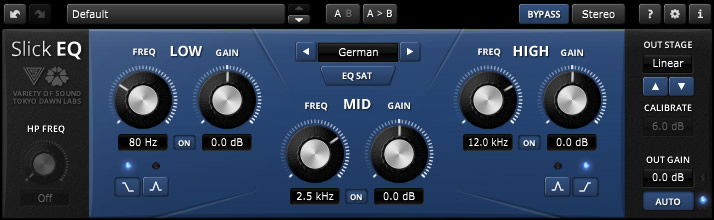
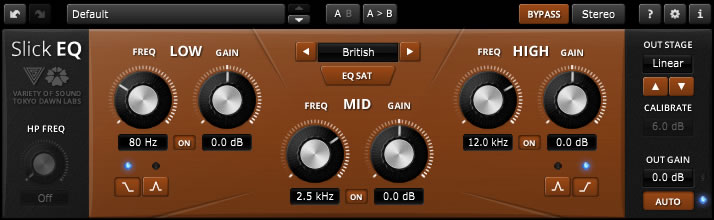
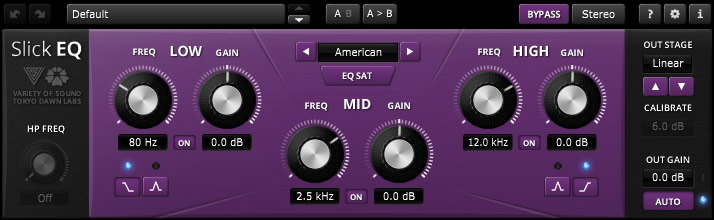
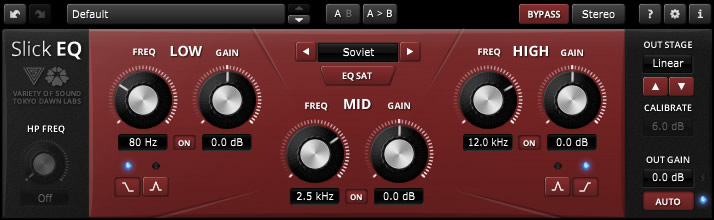
TDR VOS SlickEQ is a mixing / mastering equalizer designed for ease of use, musical flexibility and impeccable sound.
Three (and a half) filter-bands arranged in a classic Low/Mid/High semi-parametric layout offer fast and intuitive access to four distinct EQ modes, each representing a set of distinct EQ curves and behaviors. An elaborate auto gain option automatically compensates for changes of perceived loudness during EQ operation. Optionally, SlickEQ allows to exclusively process either the stereo sum or stereo difference (i.e. “stereo width”) without additional sum/difference encoding.
In order to warm up the material with additional harmonic content, SlickEQ offers a switchable EQ non-linearity and an output stage with 4 different saturation models. These options are meant to offer subtle and interesting textures, rather than obvious distortion. The effect is made to add the typical “mojo” often associated with classy audio gear.
An advanced 64bit multirate processing structure practically eliminates typical problems of digital EQ implementations such as frequency warping, quantization distortion and aliasing.
Beside the primary controls, the plug-in comes with an array of additional helpers: Advanced preset management, undo/redo, quick A/B comparison, copy & paste, an online help, editable labels, mouse-wheel support and much more.
Key specs and features:
Intuitive, yet flexible semi parametric EQ layout
Modern user interface with outstanding usability and ergonomics
Carefully designed 64bit “delta” multi-rate structure
Three EQ bands with additional 18dB/Oct high-pass filter
Four distinct EQ models: “American”, “British”, “German” and “Soviet” with optional non-linearity
Five output stages: “Linear”, “Silky”, “Mellow”, “Deep” and “Toasted”
Advanced saturation algorithms by VoS (“Stateful saturation”)
Highly effective and musically pleasing loudness compensated auto gain control
Stereo and sum/difference processing options
Toolbar with undo/redo, A/B, advanced preset management and more
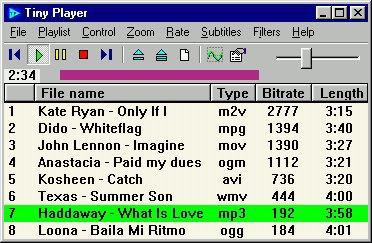
Audio, video and CD/DVD player that uses DirectShow technology. It can read (but not modify) ID3/Ogg/APE/WMA tags and show sub/srt/aqt/dks subtitles. CD information can be obtained from freedb, CD-TEXT or cdplayer.ini and submitted to freedb.
Features:
custom playback speed, single frame step, capture frame
you can change subtitles color, size, font, vertical position
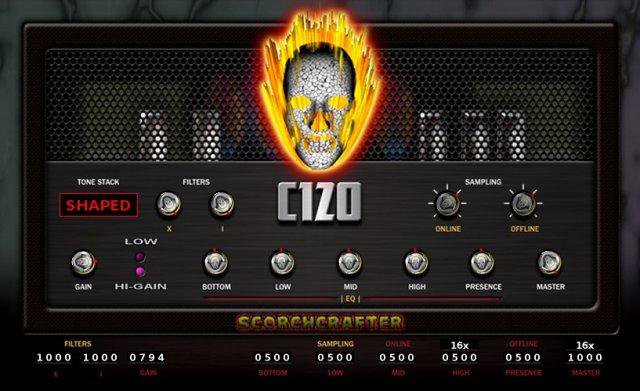
A group of audio DAW plug-ins targeting Windows (VST), Mac (VST/AU), and Linux, mostly for guitar amplifier simulation, with the C-120 being the flagship product (which started off long ago as a closed-source VST). Open source, mostly under GPL.
Features:
Up to 128-bit (internal) Multi-Stage Guitar Amplifier Layered Distortion, also runs in 64 and 32 bit modes
Native Mac and Linux ports coming soon
Advanced maths for tube-like guitar amplifier distortion, doesn’t use cheap waveshaping
Designed with dynamic response that changes according to the input level – Much more than just a basic “sample in, sample out”
Up to 12x Internal Oversampling, separate controls for live/online and off-line render
Multi-Band EQ – low, mid, high, contour, presence
Built-in custom convolution-based cab-mic effect, works with almost any sample rate and/or audio buffer size
New version of C120 has less clutter in GUI, separate page for advanced features
No commercial bloat!
GPL license, but just for the plug-in itself
Any rendered/processed audio is YOURS (any license you want)!
Hand-Coded in C++, pre-fab code or “wizards” were NOT used to build this!
Primarily built with MinGW-w64 and Code::Blocks IDE
NEW Jykwrakker plugin also features custom stereo reverb FX you won’t find elsewhere.
NEW Source code available under zlib license (long overdue)
This tool imitates the 7.1 to binaural sound effect of many surround virtualizations by making use of Equalizer APO’s convolution filter. Available impulse response that were recorded with activated…
Dolby Atmos Headphone
CMSS-3D
SBX Pro Studio Surround (also found in BlasterX Acoustic Engine & THX TruStudio Pro)
Dolby Headphone
Sennheiser GSX Binaural 7.1
DTS Headphone:X
Windows Sonic Headphone
Dolby Home Theater v4 Headphone Surround Virtualizer
Razer Surround
Out Of Your Head
Flux HEar V3
OpenAL and DirectSound3D HRTFs
Waves Nx
and many more!
Features:
many different headphone surround impulse responses
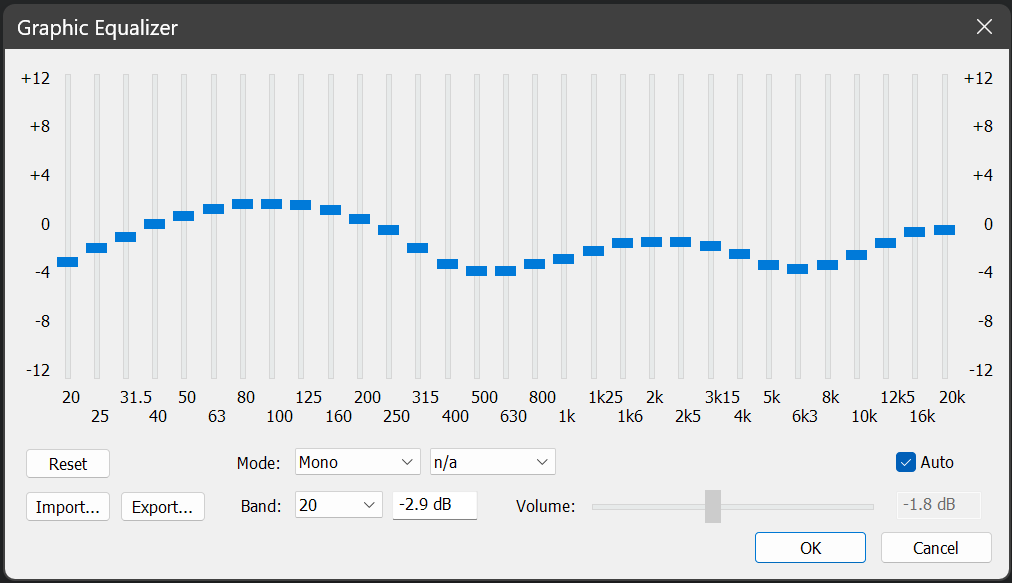
powerful graphic equalizer
equalizer presets for over 1000 popular headphones
use multiple devices on one sound card
extensive control over different volume levels
apply and save the processing onto your audio files
fully configurable crossfeed
quickly save & load profiles, even through hotkeys
This fairly simple tool converts all HeSuVi 14 channel presets into 7.0 formatted _L/_R stereo pairs, for use with the soon to be updated PulseAudio module-virtual-surround-sink, which I’ve updated with a faster FFT overlap-save convolver, eliminated the sample length limits for impulses, and added support for asymmetrical/dual impulse mode.
AIMP is a powerful free audio player for Windows OS that supports for local files, NAS, clouds and podcasts. Additionally, it includes powerful tools to operate with audio files.












 The Audio File