Bristol is synth emulation package for a diverse range of vintage synthesisers, electric pianos and organs. The application consists of a multithreaded audio synthesizer and a user interface called brighton.
Features:
Over thirty emulators to mix and match
Multitimbral engine
Simultaneous splits and layers of different emulators
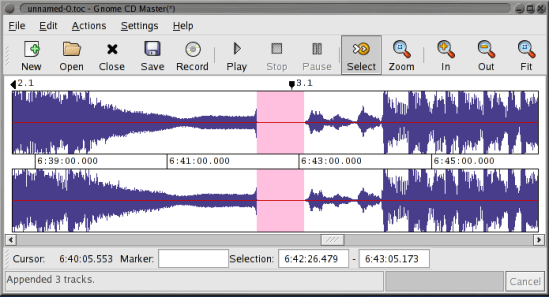
Mktoc simplifies the steps needed to create audio CD TOC files for the cdrdao CD burning program. For users familiar with EAC or CdrWin, TOC files are synonymous with CUE sheets. The primary goal of mktoc is to create TOC files using a previously generated CUE sheet.
Features:
Create a TOC file from a list of WAV files.
Convert an ExactAudioCopy (EAC) CUE file to the TOC format that is usable by cdrdao.
Multi-session aware CUE parsing, necessary for making CDDB and AccurateRip matchable discs.
Non-compliant CUE sheet support.
Support for various pregap methods.
Can create offset corrected WAV files for true ‘bit-for-bit’ accurate copies.
Fuzzy file name logic can correct common file name spelling variations.
Cdrdao records audio or data CD-Rs in disk-at-once (DAO) mode based on a textual description of the CD contents.
Advantages of Disk-At-Once (DAO) Recording:
Recording in disk-at-once mode writes the complete disc, i.e. lead-in, one or more tracks and lead-out, in a single step. The commonly used track-at-once (TAO) mode writes each track independently which requires link blocks between two tracks. Older CD-recorder models forced a two second pause (pre-gap) between two tracks whereas newer models allow adjusting of the pause length in TAO mode reducing the number of link blocks to a minimal amount. However, with TAO it is generally not possible to define the data that is written in pre-gaps. But exactly this feature makes audio CD recording interesting, e.g. by creating hidden bonus tracks or track intros in pre-gaps like it is common habit on commercial CDs. Finally, DAO recording is the only way to write data to the unused R-W sub-channels for e.g. CD-G or CD-TEXT.
Features:
Full control over length and contents of pre-gaps (pause areas between tracks). Pre-gaps may be completely omitted, e.g. for dividing live recordings into tracks.
Control over sub-channel data like:
catalog number
copy, pre-emphasis, 2-/4-channel flags
ISRC code
index marks
Support for exact audio, data and mixed mode CD copying.
Support for R-W sub-channel writing.
Tracks may be composed of different audio files supporting non destructive cut.
Accepts WAVE and raw audio files.
CD-TEXT reading and writing with drives that support it.
The sc68 is a Atari-ST and Amiga music player. It comes as a command line music player as well as libraries for developers and various plugins for well know programs.
LASTAR is a batch (non-interactive) audio processor for loudness adjustment and file splitting of a batch of audio recordings, using an audio transparent maximizer.
At the opposite of usual available software, loudness normalization is done on signal power, which leads to a louder and more homogeneous result than the usual “peak” normalization, in particular on live recordings.
Its purpose is:
to split, equalize and normalize digitized analog tapes or vinyl
to split, equalize and normalize live recordings from microphones (ex ZOOM H2 recordings)
fast and homogeneous normalization of a group of files (compilation for instance)
loudness and dynamic reduction for listening in a noisy environment (car…)
and so on…
This software aims to be very fast and easy to use : the most efficient computing techniques have been implemented, and there are very few parameters to set (most of them are automatically adjusted by analyzing the file).
v2strip is a simple command-line utility that lets you remove the ID3v2 tag from an MP3 file. The ID3v2 format is nice in many ways, but it can cause problems when being parsed by MP3 players and utilities that don’t support ID3v2 tags.
David Huron created Humdrum in the 1980s, and it has been used steadily for decades. Humdrum is a set of command-line tools that facilitates musical analysis, as well as a generalized syntax for representing sequential streams of data. Because it’s a set of command-line tools, it’s program-language agnostic. Many have employed Humdrum tools in larger scripts that use PERL, Ruby, Python, Bash, LISP, and C++.
Lplex is a console application meant to provide a free, quick, and hopefully painless way to:
Create lossless “audio-only” dvd-video discs from wav or flac audio files, featuring:
gapless playback.
md5 verification of audio data.
archival (dvd-rom) content.
Losslessly extract unencrypted lpcm audio streams from dvd-video to wav or flac format.
You’re already fully equipped for hi-res audio (up to 24-bit/96khz) if you have a typical dvd-player and digital amp, and lplex is a way to take advantage of this.
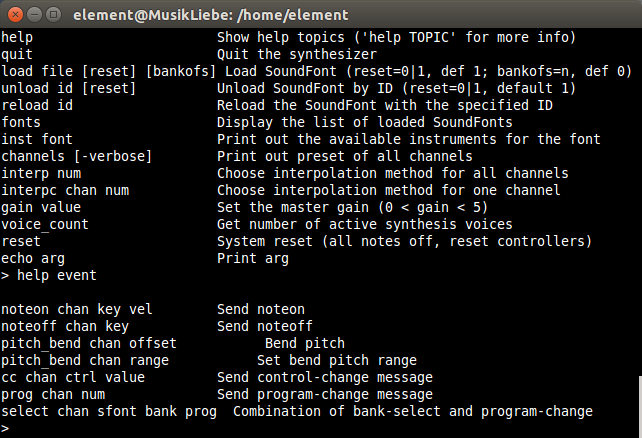
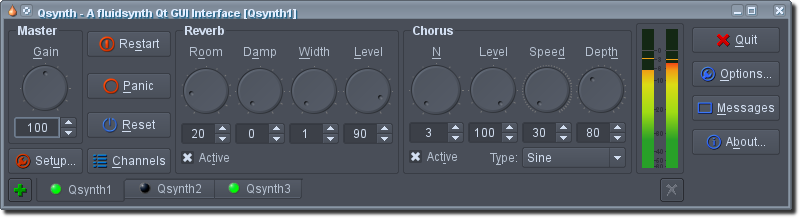
FluidSynth is a real-time software synthesizer based on the SoundFont 2 specifications and has reached widespread distribution. FluidSynth itself does not have a graphical user interface, but due to its powerful API several applications utilize it and it has even found its way onto embedded systems and is used in some mobile apps.
Features:
Cross platform support (Linux, macOS and Windows to name a few)
SoundFont 2 support
SoundFont 3 support (vorbis-compressed SF2)
Realtime effect control using SoundFont 2.01 modulators
Playback of MIDI files
Shared library which can be used in other programs
FluidPatcher is a performance-oriented interface for FluidSynth built using wxpython to create a simple GUI that allows live editing, selecting, and playing of patches. A patch is a collection of settings such as soundfont presets for each MIDI channel, control-change/sysex messages to send when the patch is selected, and midi router or effects settings. Groups of patches are stored in banks, which are saved as human-readable and -editable YAML files. This allows a musician to easily create complex combinations of synthesizer settings ahead of time and switch between them on the fly during a performance.
Features:
Live playing: Play on your MIDI controller and hear the results
Customization: Create your own combinations of instruments/effects
Extendability: Use the included libraries to design your own implementations/software
Mp3Wrap is a free and independent alternative to AlbumWrap. It’s a command-line utility that quickly wraps two or more mp3 files into one single large playable mp3, without losing filenames and ID3 information (and without decoding or encoding). It’s also possible to include other non mp3 files, such as playlists, info files and cover images inside the new mp3. You can easily produce a large mp3 file that you can split at any time by using mp3splt and in few seconds you’ll have all the original files again! It’s useful because files created with Mp3Wrap are much easier to share.
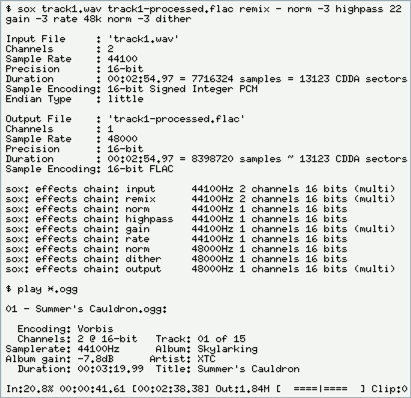
SoX is a cross-platform command line utility that can convert various formats of computer audio files into other formats. It can also apply various effects to these sound files, and, as an added bonus, SoX can play and record audio files on most platforms.
NirCmd is a small command-line utility that allows you to do some useful tasks without displaying a user interface. By running NirCmd with simple command-line options, or via a shortcut, you can decrease or increase the system volume, mute or unmute the system volume, speak the text currently in the clipboard or text file, change the default sound device, display a list of sound devices, change the volume of an app, change the display settings, turn off the monitor, open the door of a CD-ROM drive and more…








 The Audio File