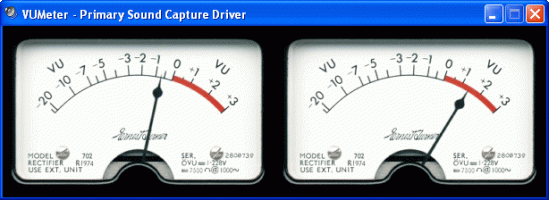
A standalone analog VU meter for monitoring PC playback & recording levels.

Exact Audio Copy, also known as EAC is often used to create an exact copy of a CD which can be stored in a digital media archive or audio library. The goal is to preserve all information from a CD, such that the CD can be recreated from an archive and / or is playable from an audio library. With EAC, the original audio files and a .cue file, an exact copy can be reburnt back onto a CDR; and with FLAC files, a compressed lossless music library may be built. Creating an individual folder which contains the album’s compressed audio files and a cue file is done via the following method:
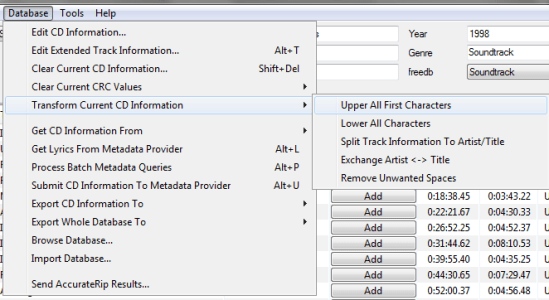

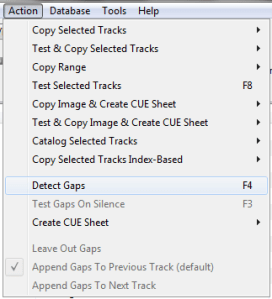
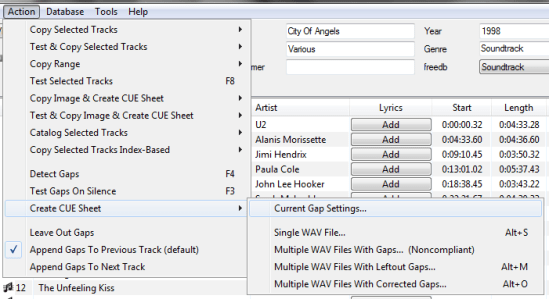

This process also creates an EAC log file in the same folder.
Determining Which EAC Gap Detection Method To Use:
hydrogenaud.io/index.php/topic,115657.msg954261.html#msg954261
Sources:
wiki.hydrogenaud.io/index.php?title=EAC_Lossless_Backup
wiki.hydrogenaud.io/index.php?title=EAC_Configuration_Wizard
dbpoweramp.com/spoons-audio-guide-cd-ripping.htm

ReplayGain is … a technique invented to achieve the same perceived playback loudness of audio files. ~ Hydrogenaudio Knowledgebase
ReplayGain … allows players to normalize loudness for individual tracks or albums. This avoids the common problem of having to manually adjust volume levels between tracks when playing audio files from albums that have been mastered at different loudness levels. ~ en.wikipedia.org/wiki/ReplayGain
If you’re using track gain, every song is played at 89 dB; no song is any louder than any other. If you’re using album gain, tracks will be played at 89 dB plus or minus a few dB, depending on how much louder or quieter each track is relative to the other tracks on the album. By definition, album gain is not going to make all tracks as loud as possible; the quieter tracks are going to remain that much quieter than the louder tracks, and they’ll average out to 89. ~ Hydrogen Audio
Preferences / Playback / ReplayGain
Source mode: by playback order
Processing: apply gain and prevent clipping according to peak

Set Preferences / Preamp / Without RG values: to around -8.0 db
If you are also playing tracks which aren’t RG-tagged, they’ll be playing quite loud in comparison to the RG-tagged ones. To mitigate that, you can set the “Without RG info” Preamp level to, say, -11.9. This will make the player pretend they have -11.9 dB album gain. Thus if you played a non-RG-tagged copy of that loudest track, it would be played at 89 dB instead of its natural 100.91 dB, and would thus match the level that all the RG-tagged tracks are played at. However, then the quieter non-RG-tagged tracks would still be that much quieter. So you may find -8 or so to be a better “without RG info” preamp level, on average.~ HA Forum
I usually set my non-RG preamp to somewhere in the range of -7.0 dB to -9.0 dB. ~ HA Forum
I recommend setting the slider labelled “Without RG info” to -8.0 (that’s minus eight) or less. ~ www.bobulous.org.uk/misc/Replay-Gain
If you listen to modern music -7dB/-10dB value should be correct. If you listen to older music, keep the value a bit lower because the average level of recently released tracks are higher. ~ eolindel.free.fr/foobar0.9/Replaygain
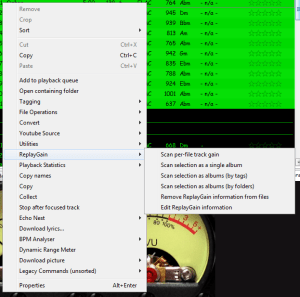
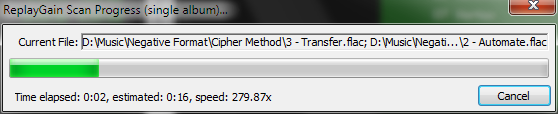
Once the files are scanned, they can be played.
The foo_truepeak component scans ReplayGain, Dynamic Range, LUFS, PLR RMS values, etc.
For older versions that lack the “by playback order” option, this component provides a way to specify which ReplayGain modes to use for each playback order. Track gain is probably desirable for random playback while with regular playback album gain is more suitable.

Download ~ www.foobar2000.org/components/view/foo_rg_trn
Alternative ReplayGain engine. Should be faster as it does not use FFT.
www.foobar2000.org/components/view/foo_arg
WinAmp’s use of these RG tags is enabled / disabled via the General Preferences – Playback – Replay Gain options ~ forums.winamp.com/showthread.php?t=345520
Win32 dll to normalize wav pcm files using replaygain
sourceforge.net/projects/rspgain
foo_dsp_replaygain ~ Temporary Replaygain
wiki.hydrogenaud.io/index.php?title=ReplayGain
wiki.hydrogenaud.io/index.php?title=ReplayGain_1.0_specification
replaygain.hydrogenaud.io/proposal/index.html
replaygain.hydrogenaud.io/proposal/calibration.html
www.hydrogenaud.io/forums/index.php?showtopic=96391
www.hydrogenaud.io/forums/index.php?showtopic=35255
www.techspot.com/tweaks/foobar/index
stephan.win31.de/music.htm#rg-levels
forum.audacityteam.org/t/replaygain-plug-in/22589
Track Gain (relative to the ReplayGain target volume)
[%replaygain_track_gain%]ReplayGain’s Track Volume
$if(%replaygain_track_gain%,$puts(X,$sub(8900,$replace(%replaygain_track_gain%,.,)))$ifgreater($get(X),9999,$substr($get(X),1,3).$substr($get(X),4,5),$substr($get(X),1,2).$substr($get(X),3,4)) dB))Track Volume (-18dB is equivalent to the ReplayGain target volume of 89dB)
$if(%replaygain_track_gain%,$puts(X,$sub(-1800,$replace(%replaygain_track_gain%,.,)))$ifequal($get(X),0,0,$ifgreater($get(X),0,$replace(+$substr($num($get(X),4),1,2),+0,+),$replace($substr($num($get(X),5),1,3),-0,-))).$substr($num($get(X),5),4,5) dB)Album Gain (relative to the ReplayGain target volume)
[%replaygain_album_gain%]ReplayGain’s Album Volume
$if(%replaygain_album_gain%,$puts(X,$sub(8900,$replace(%replaygain_album_gain%,.,)))$ifgreater($get(X),9999,$substr($get(X),1,3).$substr($get(X),4,5),$substr($get(X),1,2).$substr($get(X),3,4)) dB))Album Volume (-18dB is equivalent to the ReplayGain target volume of 89dB)
$if(%replaygain_album_gain%,$puts(X,$sub(-1800,$replace(%replaygain_album_gain%,.,)))$ifequal($get(X),0,0,$ifgreater($get(X),0,$replace(+$substr($num($get(X),4),1,2),+0,+),$replace($substr($num($get(X),5),1,3),-0,-))).$substr($num($get(X),5),4,5) dB)Track Peak
hydrogenaud.io/index.php?topic=121273.msg1000424#msg1000424
[%replaygain_track_peak_db%]

Do you have albums where the artist’s names are in the track title field, and the title of the track is in the artist name field? Here’s how to fix this.
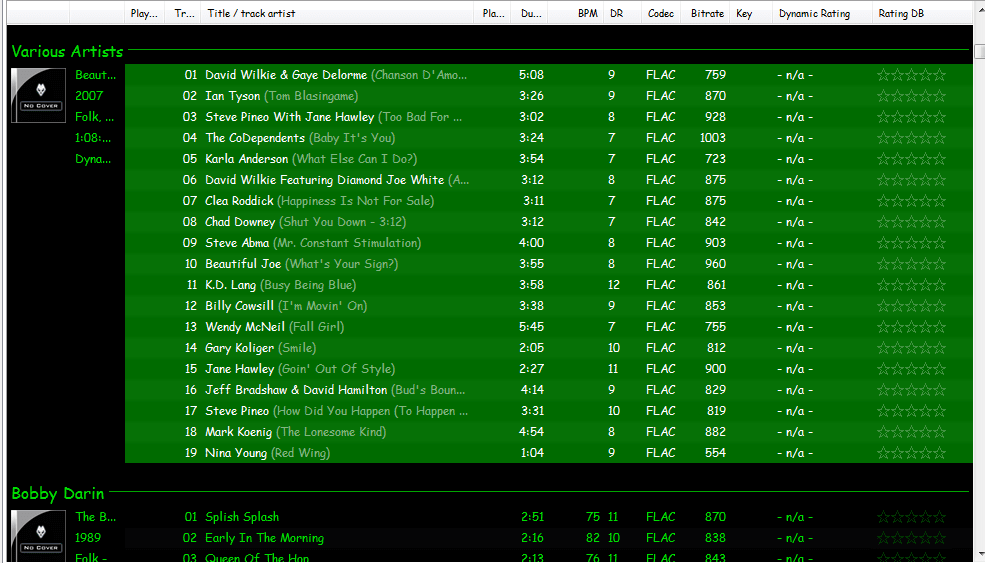
Start by checking the file names. If the file names have both artist name and track title information, then the fix is easy, just retag the files using the Automatically fill values function.
First, select the files, then open the Properties dialog window.
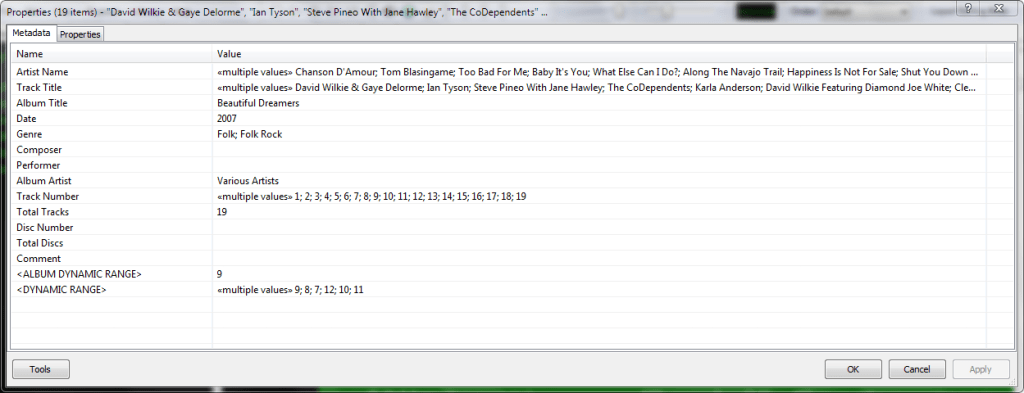
Right click and select Automatically Fill Values…

Then with the source set to File names, fill in or select a Pattern which puts the information in the correct fields.
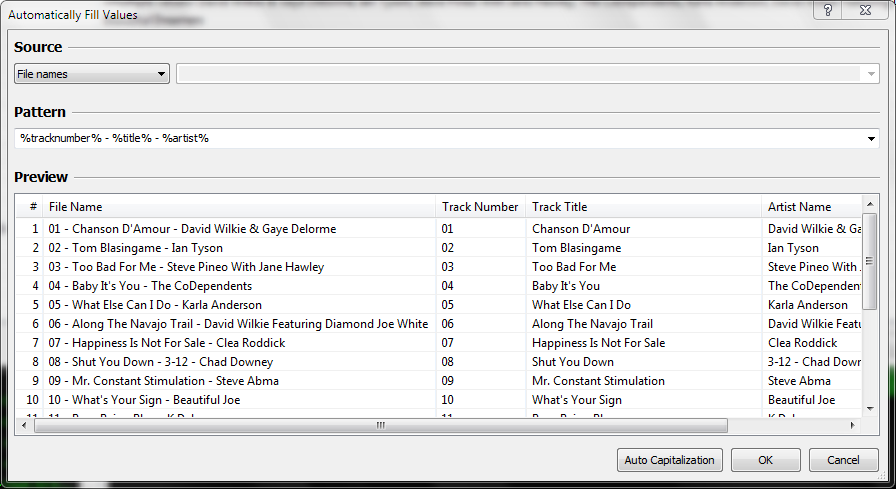
After you select Ok, Foobar will retag the files properly.
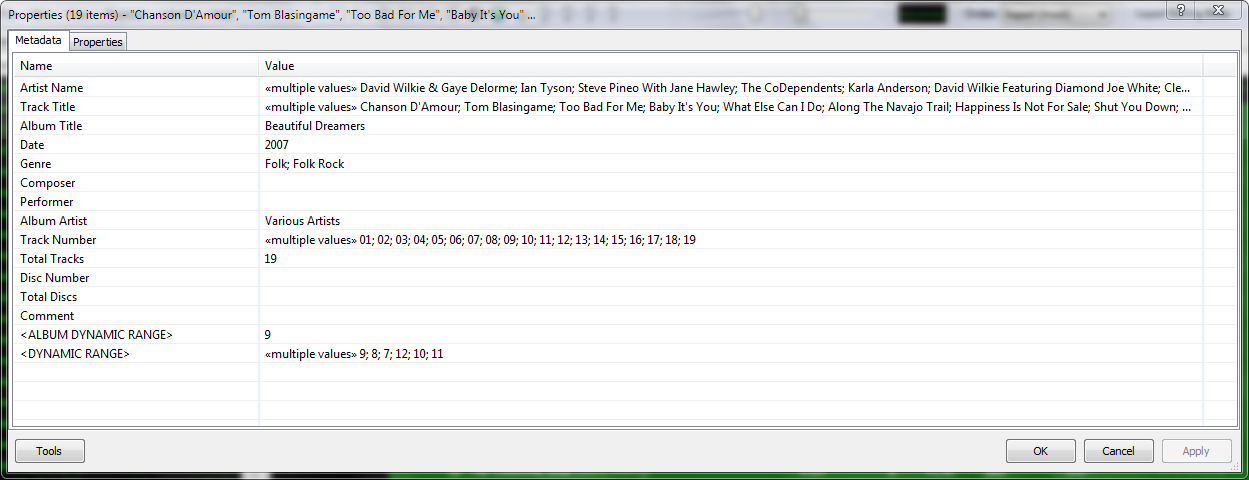
However, if the file names don’t contain both artist names and track title information, you’ll have to rename the files from the tags first. Select the files then right click and select File Operations>Rename
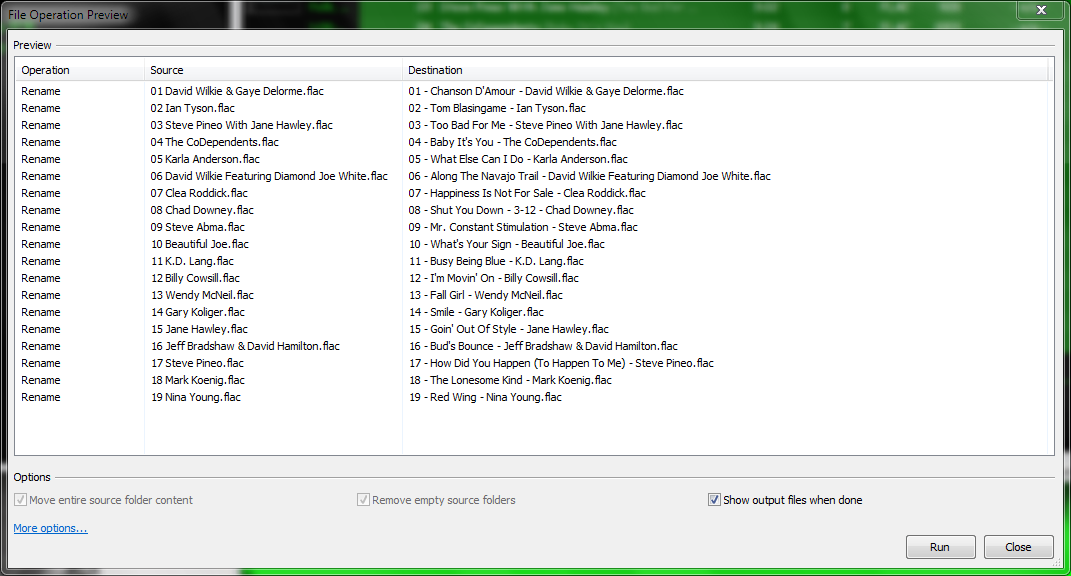
and after the files have been renamed, carry out the rest of the above procedure.

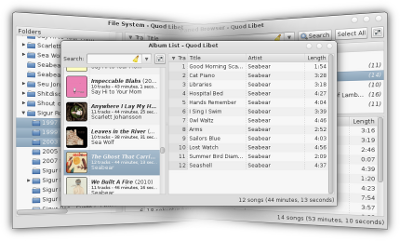
Quod Libet is a GTK+-based audio player written in Python, using the Mutagen tagging library. It’s designed around the idea that you know how to organize your music better than we do. It lets you make playlists based on regular expressions (don’t worry, regular searches work too). It lets you display and edit any tags you want in the file, for all the file formats it supports.
Unlike some, Quod Libet will scale to libraries with tens of thousands of songs. It also supports most of the features you’d expect from a modern media player: Unicode support, advanced tag editing, ReplayGain, podcasts & Internet radio, album art support and all major audio formats – see the screenshots.
Ex Falso is a program that uses the same tag editing backend as Quod Libet, but isn’t connected to an audio player. If you’re perfectly happy with your favorite player and just want something that can handle tagging, Ex Falso is for you.
Website
Download
Features
Guide
Screenshots
Quod Libet Companion Plugins

Need help deciding which PC audio hardware to purchase? Want to test some gear? Open source, freeware hardware analysis software and posted RMAA test results for common hardware.

Mp3tag is a powerful and easy-to-use tool to edit metadata of audio files.
It supports batch tag-editing of ID3v1, ID3v2.3, ID3v2.4, iTunes MP4, WMA, Vorbis Comments and APE Tags for multiple files at once covering a variety of audio formats.
Furthermore, it supports online database lookups from, e.g., Discogs, MusicBrainz or freedb, allowing you to automatically gather proper tags and download cover art for your music library.
You can rename files based on the tag information, replace characters or words in tags and filenames, import/export tag information, create playlists and more.
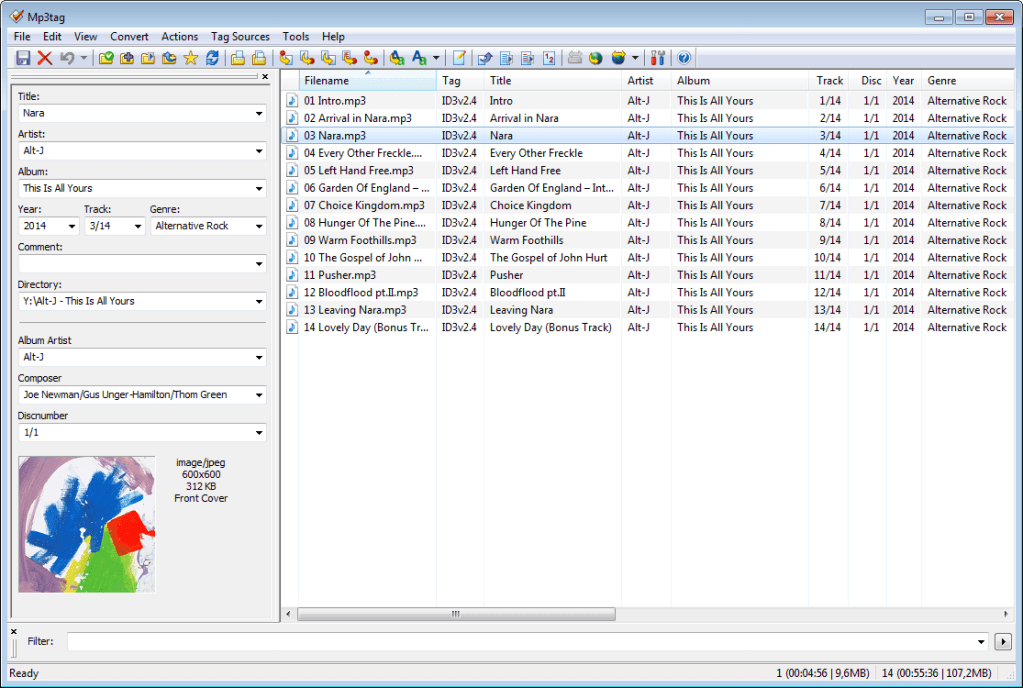
www.mp3tag.de
www.mp3tag.de/en/screenshots
community.mp3tag.de
twitter.com/mp3tag
hydrogenaud.io/index.php?topic=122049.0
en.wikipedia.org/wiki/Mp3tag
apps.apple.com/us/app/mp3tag/id1532597159
www.microsoft.com/en-us/p/mp3tag/9nn77tcq1nc8
www.portablefreeware.com/?id=1137
musicbrainz.org/doc/Mp3tag

Convolver is an open source, high performance Windows application for applying finite impulse response (FIR) filters to multi-channel digital audio in the form of
- a real time DSP audio plug-in (DMO) for Windows Media Player. The install package also contains
- two DirectX / DirectShow filter versions — ConvolverWrapper or the equivalent ConvolverFilter — for Adobe Audition and real time applications such as Zoom Player Pro, TheaterTek 2.2, Windows Media Player Classic, J.River Media Center (when used with the DirectX host plug-in), or Console. See the setup walkthrough for ZoomPlayer after reading this page for further details. In many cases the DMO will also work.
- a VST plug-in version (convolverVST). Finally, there are a number of
- command line applications for testing performance, and convolving files offline, for example. convolverPipe can filter SlimServer playback.
Convolver will take a set of FIR filter files (sound files) and convolve them with sound paths mixed from the input channels, mixing the results into a set of specified output channels.
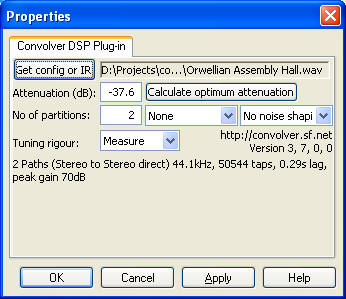
convolver.sourceforge.net
Download
Documentation

Date and duration adjusted (DADA) auto-rating algorithm for foobar2000
The DADA Auto-Rating algorithm (DAR) automatically rates music according to a variety of statistics collected by foobar2000’s official “playback statistics” plugin.If done well, an auto-rating algorithm will simply tell you what your favorite (and conversely, least favorite) music is, and the rating will be derived from and reflect actual listening behavior. This is quite different from manual ratings (e.g. 1 – 5 stars set by the user), since there’s very often a disparity between what we’d like ourselves to like, and what we actually like. For those interested in uncovering their actual musical tastes, a good auto-rating formula can be quite illuminating.
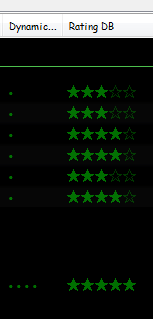
www.giantpygmy.net/studio/?post=dada-music-auto-rating-algorithm-foobar2000
Hydrogen Audio Discussion

LAME is used to encode / compress audio data into the lossy MP3 file format. It’s a high quality MPEG Audio Layer III (MP3) encoder, licensed under the LGPL.
LAME Downloads ~ Rarewares
LAME Recommended Settings – HA Wiki
LAME Libraries – RareWares
LAME Source Code ~ Sourceforge
lame3995o ~ A fork of LAME (alternative version)
LameVST ~ LAME compression as a VST effect
Wikipedia ~ LAME info
WinLAME ~ Windows front-end (GUI)
wxlame ~ Windows front-end (GUI)
lame-ios ~ LAME For IOS
www.esm.rochester.edu/ears/docs/lame/switchs
svn.code.sf.net/p/lame/svn/trunk/lame/USAGE

Winamp — It really whips the llama’s ass!
The classic alternative to Window Media Player. Winamp is a cross platform, extensible, free and skinnable media player with a large community and a long past. Development has stopped, but may start again, meanwhile, the development community has largely moved to Foobar2000.
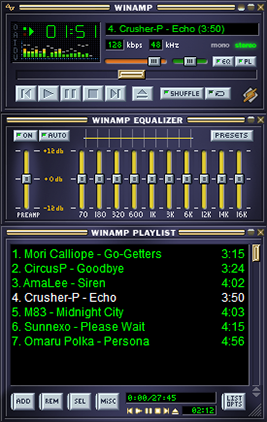
(Update) October 2018
A leaked version of Winamp 5.8 recently spread over the Internet. Consequently, we have decided to make this new version available to you, revised by us.
www.winamp.com
forums.winamp.com/showthread.php?t=374929#download
en.wikipedia.org/wiki/Winamp
archive.org/details/winamp274
www.winamparchive.org
skins.webamp.org
Webamp ~ Winamp As A Webpage
www.mywinamp.com
A collection legacy resources for Winamp, including the best skins, plugins and visualizations and make them available to download freely.

MilkDrop is a music visualizer – a “plug-in” or extension to Winamp or Foobar2000 music players. As you listen your music in Winamp, MilkDrop takes you flying through the actual sound waves you’re hearing, and uses beat detection to trigger myriad psychedelic effects, creating a rich visual journey through sound. MilkDrop can also be driven by a live audio feed (microphone or line-in).
www.geisswerks.com/milkdrop
sourceforge.net/projects/milkdrop2
en.wikipedia.org/wiki/MilkDrop


 The Audio File