SoundVolumeView ~ Windows Volumes Viewer


SoundVolumeView is a simple tool for Windows Vista/7/8/2008/10/11 that displays general information and current volume level for all active sound components on your system, and allows you to mute and unmute them instantly. SoundVolumeView also allows you to save a sound profile into a file, containing the current volume level and the mute / unmute state of all sound components, as well as the default sound devices, and then later, load the same file to restore exactly the same volume levels and settings. There is also extensive command-line support, which allows you to save/load profiles, change current volume of every sound component, and mute / unmute every sound component, without displaying any user interface.

soundvolumeview

www.nirsoft.net/utils/sound_volume_view

ASIO4ALL ~ WDM ASIO Audio Driver


SIO4ALL is a hardware independent low latency ASIO driver for WDM audio devices. It uses WDM Kernel Streaming and sometimes even more sophisticated methods to achieve its objectives.

In order to successfully run ASIO4ALL, you need:

  • A WDM-compatible operating system, such as Win98SE/ME/2k/XP/2003/XP64 or Windows Vista x86/x64.
  • A WDM-driver for your audio hardware. (Under Win2k/XP/Vista… this is implicit, not so under Win98SE/WinME.)
  • A couple minutes of your time and a little bit of luck.

What ASIO4ALL will NOT do:

  • Replace your existing sound card drivers or mess with them in any way.
  • Install any kernel mode components that could potentially affect the stability of your system.
  • “Overclock”, or otherwise operate your audio hardware in ways that could potentially be harmful and/or void your warranty, except, of course, in cases where the manufacturer of your hardware has specifically stated that the use of ASIO4ALL would void your warranty indeed.

www.asio4all.org

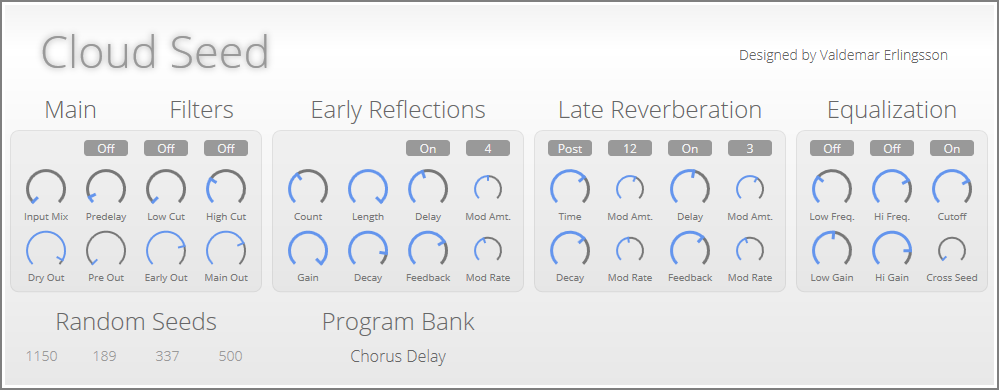
Cloud Seed ~ Algorithmic Reverb


Cloud Seed is an algorithmic reverb plugin built in C# and C++ for emulating huge, endless spaces and modulated echoes. The algorithms are based on the same principles as manu classic studio reverb units from the 1980’s, but Cloud Seed does not attempt to model any specific device, or even to be a general-purpose reverb plugin at all. It is best employed as a special effect, for creating thick, lush pads out of simple input sounds.

cloud seed

github.com/ValdemarOrn/CloudSeed

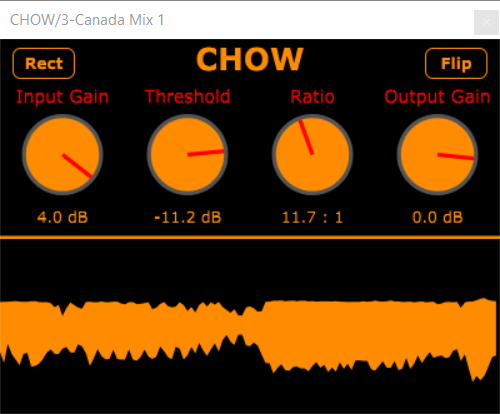
CHOW ~ Maximally Truculent Distortion


CHOW is a digital distortion effect designed for maximum truculence, somewhere between a true half-wave rectifier and a noisy vintage compressor. Useful for mixing guitars, drums, even vocals when a heavily degraded sound is desired. Feel free to build and use for your own enjoyment!

chow

github.com/jatinchowdhury18/CHOW

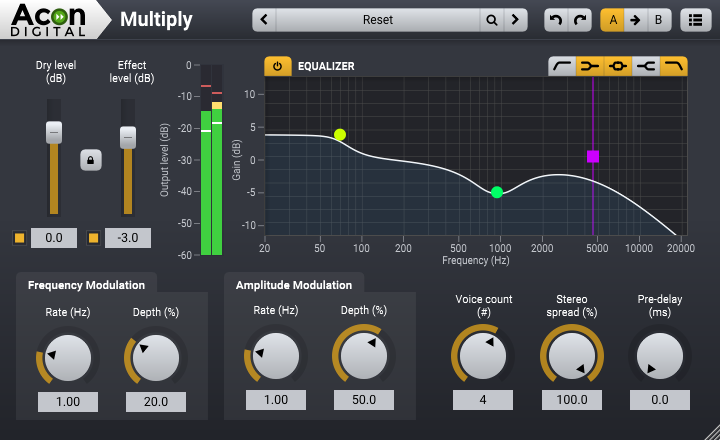
Multiply ~ Clear Chorus Effects


Acon Digital Multiply is a free and versatile chorus effect with a unique twist. Each simulated voice is processed with a phase randomizing filter so that unpleasant comb filter effects are avoided. The effect can be used to simulate the effect of several performers playing the same tones simultaneously, to widen the spatial image or to create special effects for sound design. Multiply can simulate up to 6 additional voices and both the pitch and the loudness of the voices can be modulated. There is also an integrated equalizer consisting of low cut, low shelf, high shelf and high cut filters that can be applied to the effect signal. An integrated pre-delay section makes it possible to create modulated and diffuse echo effects.

multiply-acon

acondigital.com/products/multiply

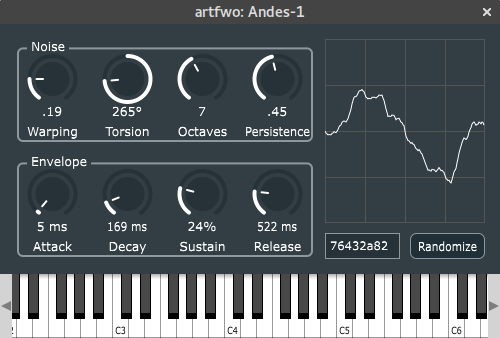
andes ~ Perlin Noise Sound Synthesiser


Andes is a standalone software synthesiser, or plugin, in early stages of development. The core of Andes is an original oscillator which uses a pseudo-3D version of Perlin Noise to produce distinctively digital sound.

andes

artfwo.github.io/andes
github.com/artfwo/andes

TT Dynamic Range Meter ~ Determining Dynamic Range


TT Dynamic Range Meter makes it possible to provide releases with a whole-number dynamic value to be printed on the recording medium as a logo, giving consumers an immediate means of knowing the dynamic quality of a recording. ~ web.archive.org/web/20090422090108/http://www.pleasurizemusic.com/en/download

dr.loudness-war.info
en.wikipedia.org/wiki/Loudness_war
dynamicrangeday.co.uk

foo_dynamic_range ~ Foobar & Dynamic Range Meter


Dynamic Range Meter is a foobar2000 component designed to give the same information as the Dynamic Range Offline Meter. This component can process all audio formats foobar2000 can handle (a.o. flac, ape and wavpack) and also supports higher sample rates and bit depth. Using the Open Audio CD option it can also directly read audio CDs and calculate the Dynamic Range values without the need of ripping the CD to disk. Log information with extended statistics is automatically copied to the clipboard and can be pasted back in any text editor. ~ web.archive.org/web/20130317013715/http://pleasurizemusic.com/free-downloads

Dynamic Range Meter is a foobar2000 component designed to give the same information as the Dynamic Range Offline Meter from the Pleasurize Music Foundation. I wrote this component because the original Dynamic Range Meter is limited to reading only wav, aiff and mp3 files. This component can process all audio formats foobar2000 can handle (a.o. flac, ape and wavpack) and also supports higher sample rates and bit depth. Using the Open Audio CD option it can also directly read audio CDs and calculate the Dynamic Range values without the need of ripping the CD to disk. As an option, a log file with information and extended statistics can be saved to disk. ~ web.archive.org/web/20130428024316/http://www.jokhan.demon.nl/DynamicRange

foo_dynamic_range is for foobar2000 version 1.4 or older and is depreciated. Use foo_dr_meter instead.

Adding Dynamic Range:

  1. Install the foo_dynamic_range component
  2. Navigate to File > Preferences > Advanced > Tools > Dynamic Range Meter
  3. Enable “Write DR meta data tags“
  4. Add a new toolbar button and assign Context>Dynamic Range Meter
  5. Download DR toolbar icon and change button icon
  6. Navigate to File > Preferences > Display > Default User Interface > Playlist View
  7. Add a new custom column, name it “DR” and assign this pattern, “[%DYNAMIC RANGE%]“
  8. Select an album and click the new DR toolbar icon to scan the files

Download ~ drive.google.com/file/d/1rQHOYrzEmV6MSKEj-hENM09C2yQsCFfh/view
Database ~ dr.loudness-war.info
Discussion ~ hydrogenaud.io/index.php/topic,88373.0
DRM Icon ~ drive.google.com/file/d/1x4AjjKEHTH9BZWTHb-5PQoNKOboXJJcq
Reference ~ www.metal-fi.com/measuring-dynamic-range
foo_dr_meter (64bit) ~ foobar.hyv.fi/?view=foo_dr_meter

OwlPlug ~ Audio VST Plugin Manager


OwlPlug is a desktop application for Windows and Mac that simplifies VST Plugin management and installation. User installed plugins are automatically discovered and new plugins can be installed through Stores. The default store called OwlPlug Central delivers quality plugins made by the community. Any third party plugin distributors can set up a compatible Store and let owlplug interact with it. OwlPlug is still in a beta stage, all kind of feedbacks are welcomed.

owlplug

owlplug.com
github.com/DropSnorz/OwlPlug

ShuiCast ~ Foobar / WinAmp Streaming


ShuiCast is a plugin for both Winamp and Foobar2000 that provides the ability to broadcast various audio formats to a few of the major broadcasting servers. It is a continuation of the Oddcast/Edcast streaming software that can stream to either Icecast or Shoutcast servers, integrating changes made by the AltaCast and Edcast-Reborn spinoffs.

Features:

  • Stream to IceCast or ShoutCast
  • Support for Ogg Vorbis, LAME (lame_enc.dll), and AAC (libfaac.dll) – note lame_enc.dll and libfaac.dll must be downloaded separately in order to use these formats
  • Multiple encoders (you can simultaneously broadcast in multiple formats at the same time)
  • Standalone application as well as plugin for Winamp, RadioDJ and Foobar2000
  • Metadata not only from media player (i.e. Winamp) but also from a file, a URL or a window
  • Peak and RMS Meter
  • Live Recording (you can switch on/off without disconnecting the encoder)

github.com/torteshui/ShuiCast

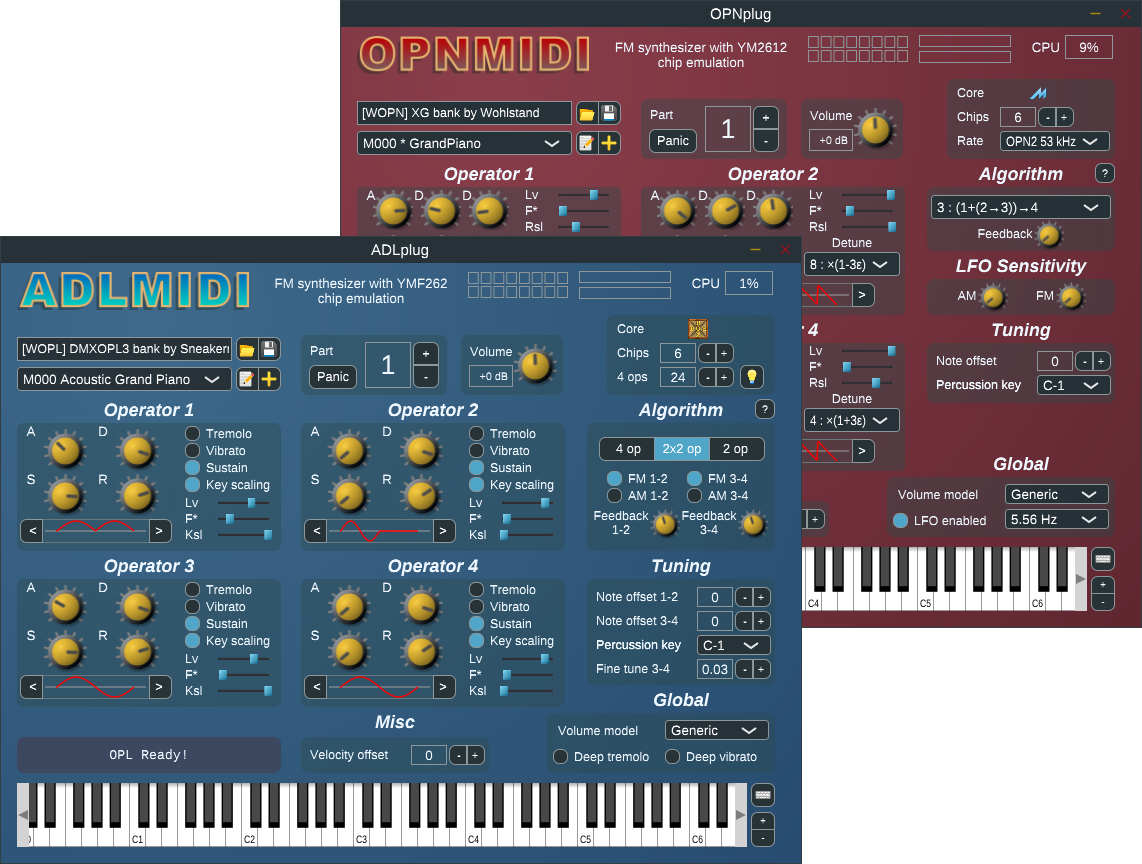
ADLplug ~ FM Chip Synthesizer


Synthesizer plugin for ADLMIDI and OPNMIDI (VST/LV2). This software package provides FM synthesizer plugins, based on OPL3 and OPN2 sound chip emulations.
The emulations and the drivers are provided by libADLMIDI and libOPNMIDI.

  • control of multiple YMF262/YM2612 emulated chips
  • high fidelity emulation, with choice of compromise level (good fidelity / fast, excellent fidelity / slow)
  • synthesis of melodic and percussive instruments
  • bundled collection of instruments
  • support for dynamic parameterization and automation
  • rigorous implementation of the MIDI standard
  • multi-channel operation with General MIDI compatibility
  • ability to synthesize entire MIDI files out of the box
adlplug

github.com/jpcima/ADLplug

Resonance Audio ~ Spatial Audio SDK


Resonance Audio is a multi-platform spatial audio SDK, delivering high fidelity at scale. This powerful spatial audio technology is critical to realistic experiences for AR, VR, gaming, and video. Resonance Audio simulates how sound waves interact with human ears and their environment.

resonance-audio.github.io/resonance-audio/discover/overview
github.com/resonance-audio
www.blog.google/products/google-vr/resonance-audio-multi-platform-spatial-audio-scale/