WACUP ~ Emulated Winamp Player


A media player that’s made to emulate some of your favourite media players from the past & bring them into the future. WACUP (which can be pronounced as wakeup or wac-up or however you prefer it in your native tongue) is my vision of what a media player should be whilst still being compatible with the plug-ins for some of the most popular media players that you are used to. My plan is to include bug fixes, updates of existing features & most importantly new features with the goal to eventually become its own highly compatible media player.

WACUP is heavily based around a plug-in system making it simple to tailor you WACUP install to be what you want it to be. When it’s finally out of being a preview build, an SDK will eventually be offered so new plugins can then be made to add additional features.
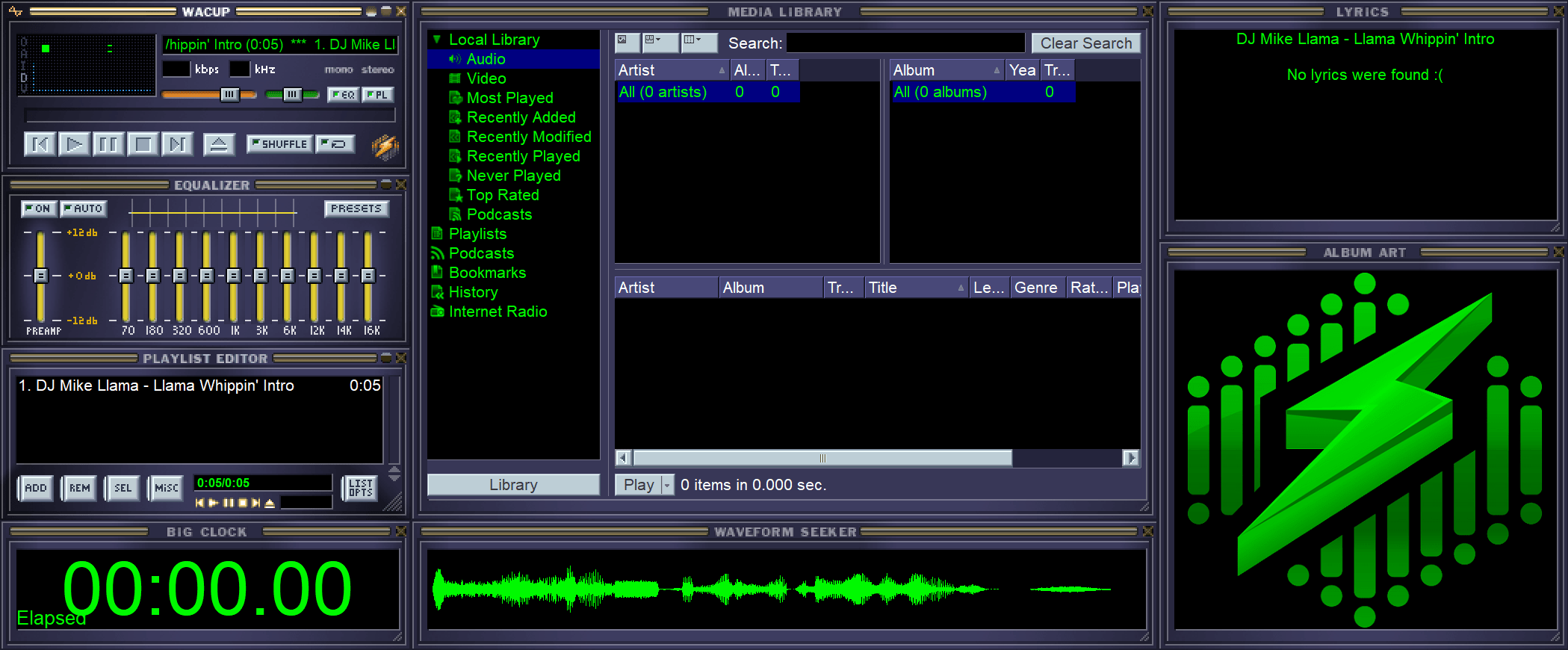
wacup user interface

getwacup.com

Nestdrop ~ Music Visualization


NestDrop allows you to perform with high-resolution high-fps visuals which react in realtime to the music and then broadcast the video via Spout. Since the Milkdrop engine is at the core you can easily bring in your own Milkdrop presets. Use any audio source to drive the visuals, even live audio. We know that your attention bandwidth is already in high demand and so we’ve streamlined NestDrop to be simple and fast to use.

Key features:

⇒ Up to 4 video decks with Spout at the same time
⇒ High rez output: > 4k @ 60fps
⇒ Live preview and static thumbnails of presets
⇒ Auto-change presets based on beat detection
⇒ Search for presets by name
⇒ Easily map your own hotkeys
⇒ Mark your favorites with 5 colors of stars
⇒ Create multiple queue windows
⇒ Includes curated library of 1900 presets

nestimmersion.ca/nestdrop
www.facebook.com/nestdome

Filtron ~ Variable Filter


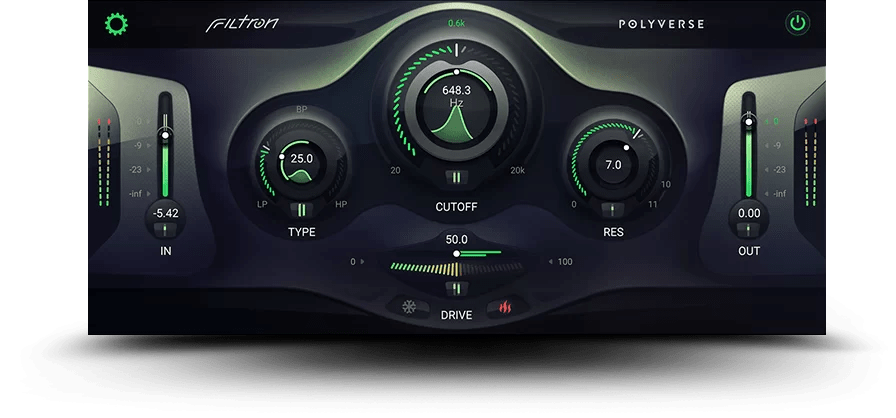
Filtron is a 12dB state variable filter that can smoothly transition between lowpass, bandpass, and highpass. It is capable of self-oscillation with resonance levels that can reach up to 11! Filtron also features a fat sounding internal saturation algorithm and a sizzly post overdrive with two modes to choose from: cold and hot.

  • 12db state variable filter
  • Transition smoothly between Lowpass, Bandpass, Highpass
  • Self-oscillating resonance
  • Fat Internal saturation
  • Post overdrive with Cold and Hot modes
  • Stereo Modulation via CV
  • Integrates with Gatekeeper
  • Optimized for audio rate modulation
  • State of the art zero delay filter design
  • Internally oversampled
  • 100% FREE

polyversemusic.com/products/filtron

RTL Utility ~ Measure Round Trip Latency


RTL Utility is a tool for measuring the Round Trip Latency of your Digital Audio Workstation (DAW) and audio interface. The utility is used for low latency performance testing by system builders, reviewers, device manufacturers and at dawbench.com.

When your DAW sends data to your audio interface for playback, it doesn’t send a continuous stream of data one bit at a time. What it does is fill up a section of RAM called a buffer and sends that in a single message when it is ready. Before sending the next message it has to fill the buffer again. This wait time introduces a latency, or delay, between something happening in your DAW and when you actually hear it.

While you are recording, the audio interface buffers and sends data to your DAW in a similar fashion. This introduces latency into your recordings.

If you send a signal from your DAW, out through the audio interface and back in via a loopback patch, then there will be a round trip latency which is the sum of the output and input delays. This is the RTL.

oblique-audio.com/rtl-utility

Deej ~ Hardware Volume Mixer


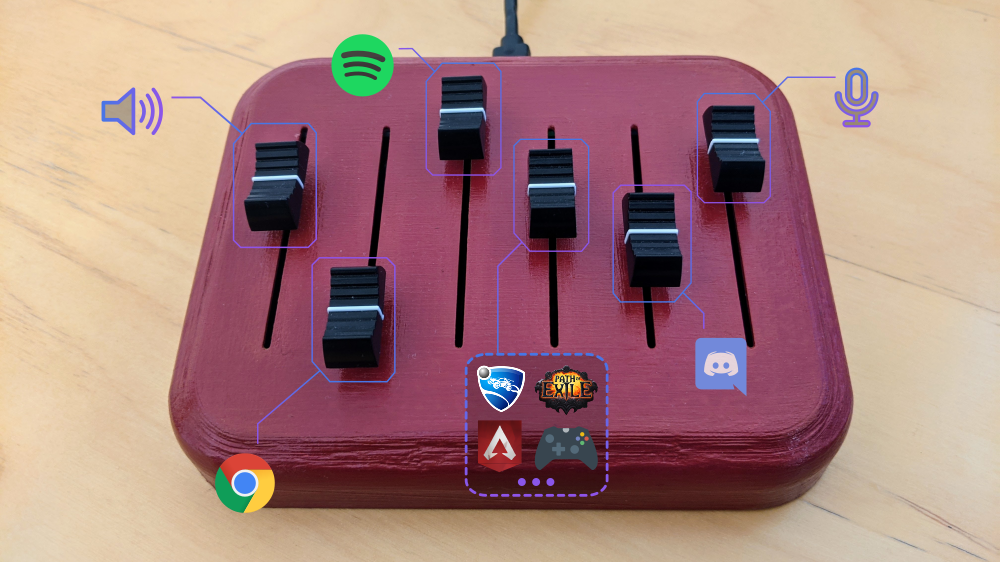
deej is an open-source hardware volume mixer for Windows and Linux PCs. It lets you use real-life sliders (like a DJ!) to seamlessly control the volumes of different apps (such as your music player, the game you’re playing and your voice chat session) without having to stop what you’re doing.

red deej hardware with five sliders

github.com/omriharel/deej

Tube Preamp ~  Tube Preamp Emulation


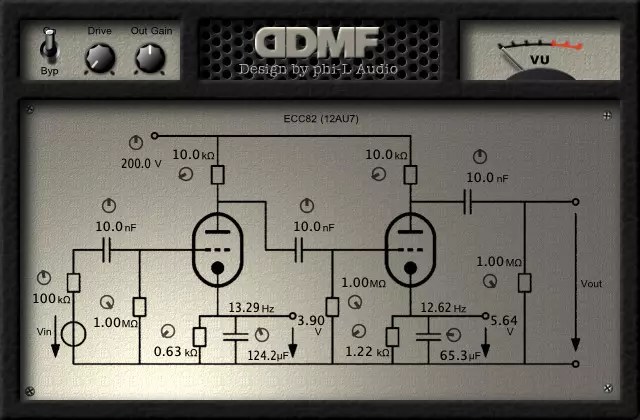
The plugin is very unique in the sense that it gives you full control over all aspects of the modelled circuit. All values of all the capacitors, resistors etc. can be tuned by the user.

This is a free plugin. It comes in all the usual plugin formats (VST/VST3/AU/AAX), for 32 and 64 bit hosts, and for Mac Intel & Silicon.

ddmf.eu/phi-L-Audio-Tube-Preamp

SoundScapeExplorer ~ Process, Visualize & Explore


SSE is a powerful and versatile software environment designed for soundscape visualisation and quantification. It provides a robust platform for processing audio files, generating useful metrics, and presenting data through intuitive visualisation interfaces. Catering to bioacousticians and data scientists alike, 

SoundScapeExplorer Icon

SSE encompasses an extensive range of tools and capabilities to fulfil diverse user requirements.

sound-scape-explorer.github.io
github.com/sound-scape-explorer

FluentFlyout ~ Windows Audio Flyout


FluentFlyout is a simple and modern audio flyout for Windows, built with Fluent 2 Design principles. The UI seemingly blends in with Windows 10/11, providing you an uninterrupted, clean, and native-like experience when controlling your media.

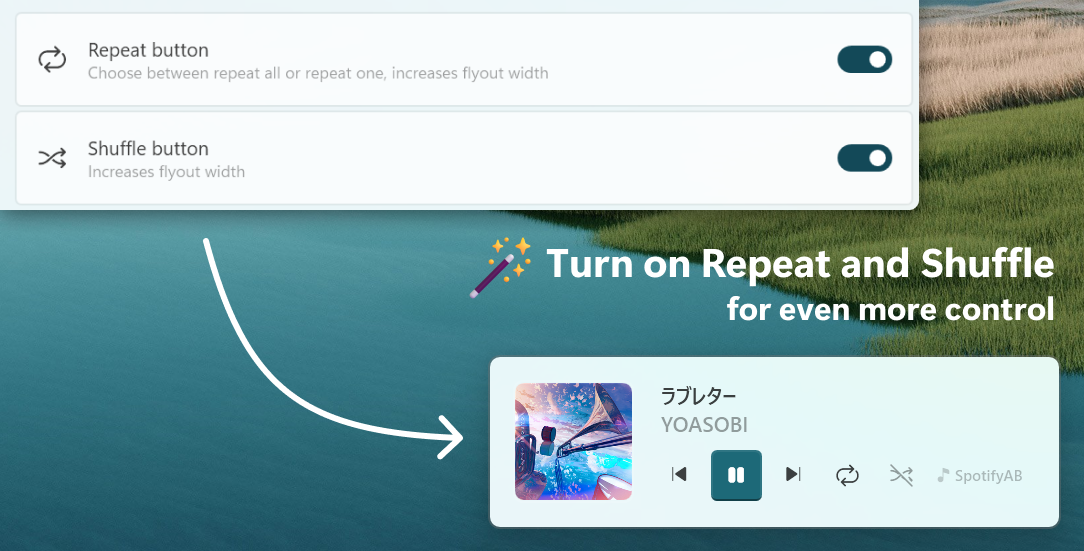
FluentFlyout features smooth animations, blends with your system’s color themes, includes multiple layout positions and a suite of personalization settings while providing media controls and information in a nice and modern looking popup flyout.

Features:

  • Native Windows-like design
  • Uses Fluent 2 components
  • Utilises Windows Mica blur
  • Supports Light and Dark mode
  • Matches your device color theme
  • Smooth animations
  • Customizable flyout positions
  • Includes Repeat All, Repeat One and Shuffle
  • Listens to both volume and media inputs
  • Sits unobtrusively in system tray
  • Audio flyout: Displays Cover, Title, Artist and media controls
  • “Up Next” flyout: shows what’s next when a song ends
  • Lock Keys flyout: displays the status of lock keys at a glance

github.com/unchihugo/FluentFlyout

UVR ~ Ultimate Vocal Remover GUI


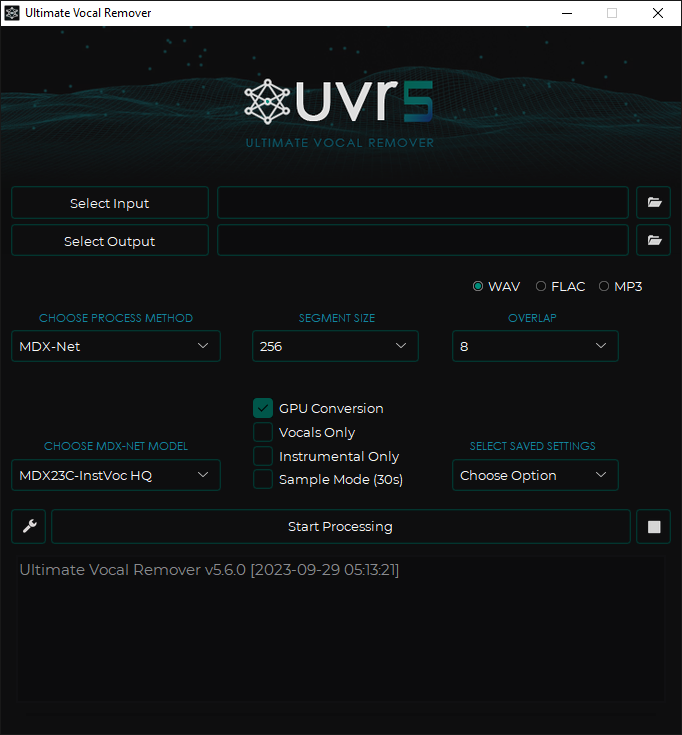
This application uses state-of-the-art source separation models to remove vocals from audio files. UVR’s core developers trained all of the models provided in this package (except for the Demucs v3 and v4 4-stem models).

github.com/Anjok07/ultimatevocalremovergui

DMRA ~ Digital Media Renderer Analyser


This Digital Media Renderer Analyser is a test application that evaluates the capabilities of a selected UPnP / DLNA Digital Media Renderer and recommends the optimum server settings for it to run with JRiver Media Center.

Optional Test Files

In addition to the tool, you can also download an optional set of sample test files here – warning download size 100 MByte

Database of Renderer Test Reports

You can download the database collection of the test results of all renderers so far tested here. Note if you want to add your renderer to this collection please email me the report.

www.whitebear.ch/dmra

Foobar2000 ~ Installing Analog VU Meters


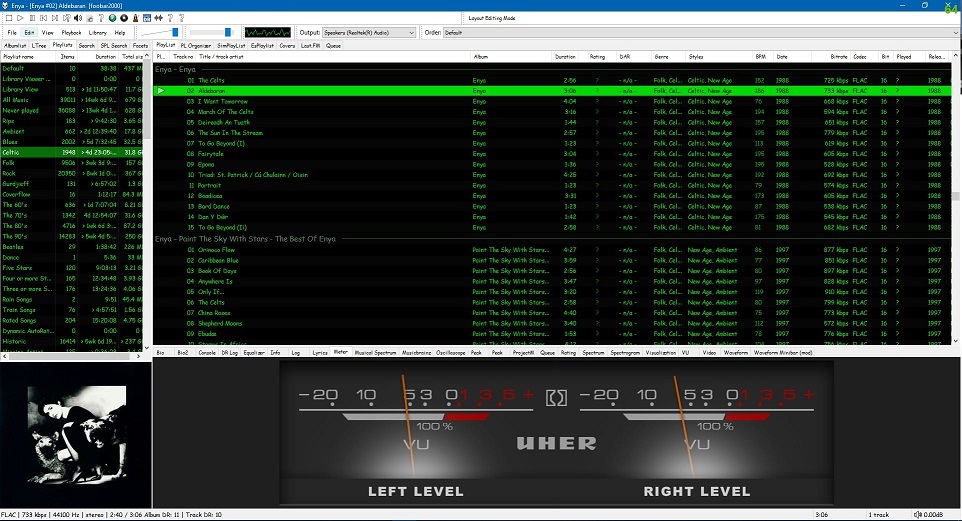
Adding an analog VU meter to the Foobar2000 2.x Default User Interface

Required component: foo_vis_vumeter

Directions:

  1. Download foo_vis_vumeter
  2. Click on foo_vis_vumeter which should install the component
  3. Click Apply and then Ok to restart Foobar
  4. Copy some .bin skin files to the …\AppData\Roaming\foobar2000-v2\vumeter folder (Shift+File>Browse configuration folder)
  5. Select View > Layout > Enable layout editing mode
  6. Right click the tab area in a panel and select Add New Tab
  7. Right click the new tab and rename it “Analog VU Meter” or whatever
  8. Right click the new tab display area and select Add New UI Element
  9. Select ‘Analog VU Meter (DirectX 12)’ from the list (Playback Visualization)
  10. Disable layout editing mode

Parameters:

Right mouse click on the meter display:

  • submenus – Layout / Mode / Levels / Decay / Tuning / Options
  • Fullscreen
  • Skin Selection

Mouse wheel (hover over meters)

  • Adjusts current Tuning selection

Resources:
Analog VU Meter Skin Gallery
Foobar2000 1.x ~ Installing Analog VU Meters

Sources:
www.hydrogenaud.io/forums/index.php?showtopic=33939
www.hydrogenaud.io/forums/index.php?showtopic=106793
www.head-fi.org/t/616963/the-foobar2000-resource-thread/45#post_9382013
foobar2000.ru/forum/viewtopic.php?t=5012 (Russian)