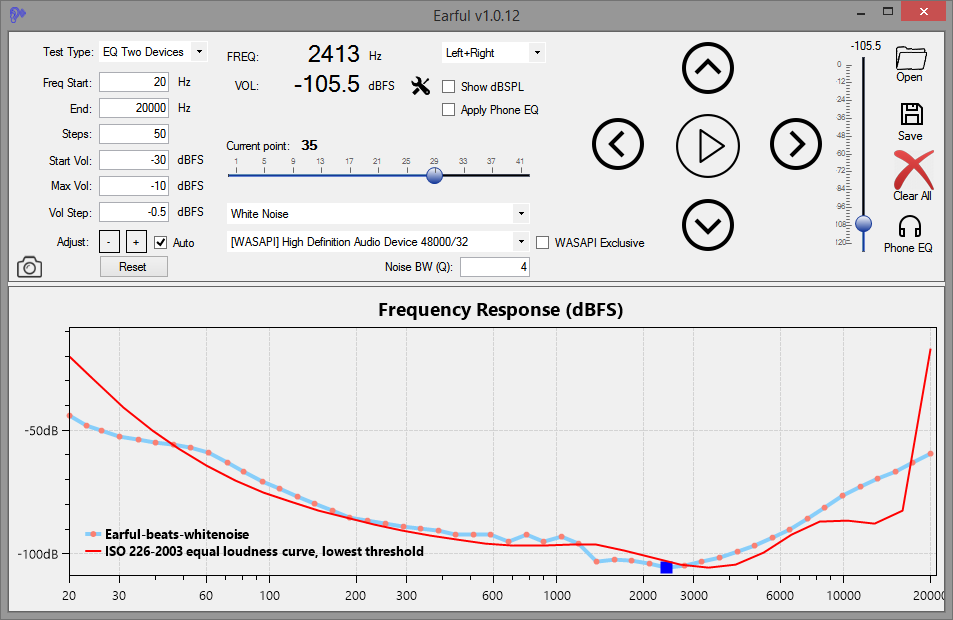
Earful is an app designed to measure and evaluate the lower threshold of hearing across a frequency spectrum. It is designed to run on Windows and support ASIO, WASAPI, and Direct Sound audio devices. Use with headphones is recommended for greater accuracy and noise elimination.
In addition, with version .10, Earful now supports two other types of tests:
Equal-loudness testing using the same device and 1kHz reference tone
Two devices equal-loudness testing, using a reference device, such as speakers, and a test devices, such as headphones
The app is free to use, but to use it, you must agree to do so AT YOUR OWN RISK ONLY. Make sure that the volume settings are set such that any loud sounds played through your system will not damage your equipment or your hearing! This is important. Set the frequency range in Earful correctly, and also specify the maximum volume setting at a low number to avoid surprises (default is -20dBFS).
Features:
Pick your own frequency range for the test
Specify any number of logarithmically spread points to test along the frequency axis
Compare your results to others, compare to your older tests to check for changes, or compare to any of the industry standard, published curves
Test with a single tone, a warble tone, or a band-limited white noise
Using a simple text format supported by REW, so the result can be loaded into that tool directly
Supports ASIO, WASAPI exclusive/shared, and Direct Sound device drivers
Display in dB SPL or in db FS with configurable dBSPL calibration
Apply a flat calibration curve to account for variations in headphones or speakers
Equal-loudness testing using a 1kHz reference or a separate audio device
MicToggle is a lightweight microphone control tool designed for focus and clarity. Instantly mute or unmute your mic using a custom hotkey — no matter what you’re doing. Stay aware of your mic status with a movable on-screen overlay, system tray icon, and optional audio cues. Choose your preferred microphone, set startup behavior, and enjoy a clean, unobtrusive interface. Whether you’re gaming, streaming, or in meetings, MicToggle keeps you in control.
Features:
Custom Hotkey — Instantly mute or unmute your mic using a hotkey you choose.
Microphone Selection — Pick which mic to control if multiple devices are connected.
On-Screen Overlay — Always know your mic’s status with a floating icon that you can reposition or disable.
Startup Options — Start minimized, run at Windows startup, or launch with mic muted.
Mic Status on Launch — Optionally hear a sound or get a notification showing your mic’s state when the app starts.
Visual Status Indicators — Colored icons clearly show your mic state both in the app and system tray.
Tray Controls — Toggle mute, open settings, or exit — all from the tray.
Clean Interface — Simple, responsive UI designed to stay out of your way.
Lightweight & Fast — Uses minimal resources, ideal for streamers, meetings, and gamers.
shntool is a multi-purpose WAVE data processing and reporting utility. File formats are abstracted from its core, so it can process any file that contains WAVE data, compressed or not – provided there exists a format module to handle that particular file type.
shntool has native support for .wav files. If you want it to work with other lossless audio formats, you must have the appropriate helper program installed. The “Helper programs” section below contains links to helper programs for each format that shntool supports.
Buzz transcribes and translates audio to text offline using OpenAI’s Whisper. Import audio and video files into Buzz and export them as TXT, SRT, or VTT files. Buzz supports Whisper, Whisper.cpp, Faster Whisper, Whisper-compatible models from the Hugging Face repository, and the OpenAI Whisper API.
Features:
Transcribe audio and video files or Youtube links
Live realtime audio transcription from microphone
Presentation window for easy accessibility during events and presentations
Speech separation before transcription for better accuracy on noisy audio
Speaker identification in transcribed media
Multiple whisper backend support
CUDA acceleration support for Nvidia GPUs
Apple Silicon support for Macs
Vulkan acceleration support for Whisper.cpp on most GPUs, including integrated GPUs
Export transcripts to TXT, SRT, and VTT
Advanced Transcription Viewer with search, playback controls, and speed adjustment
Keyboard shortcuts for efficient navigation
Watch folder for automatic transcription of new files
Command-Line Interface for scripting and automation
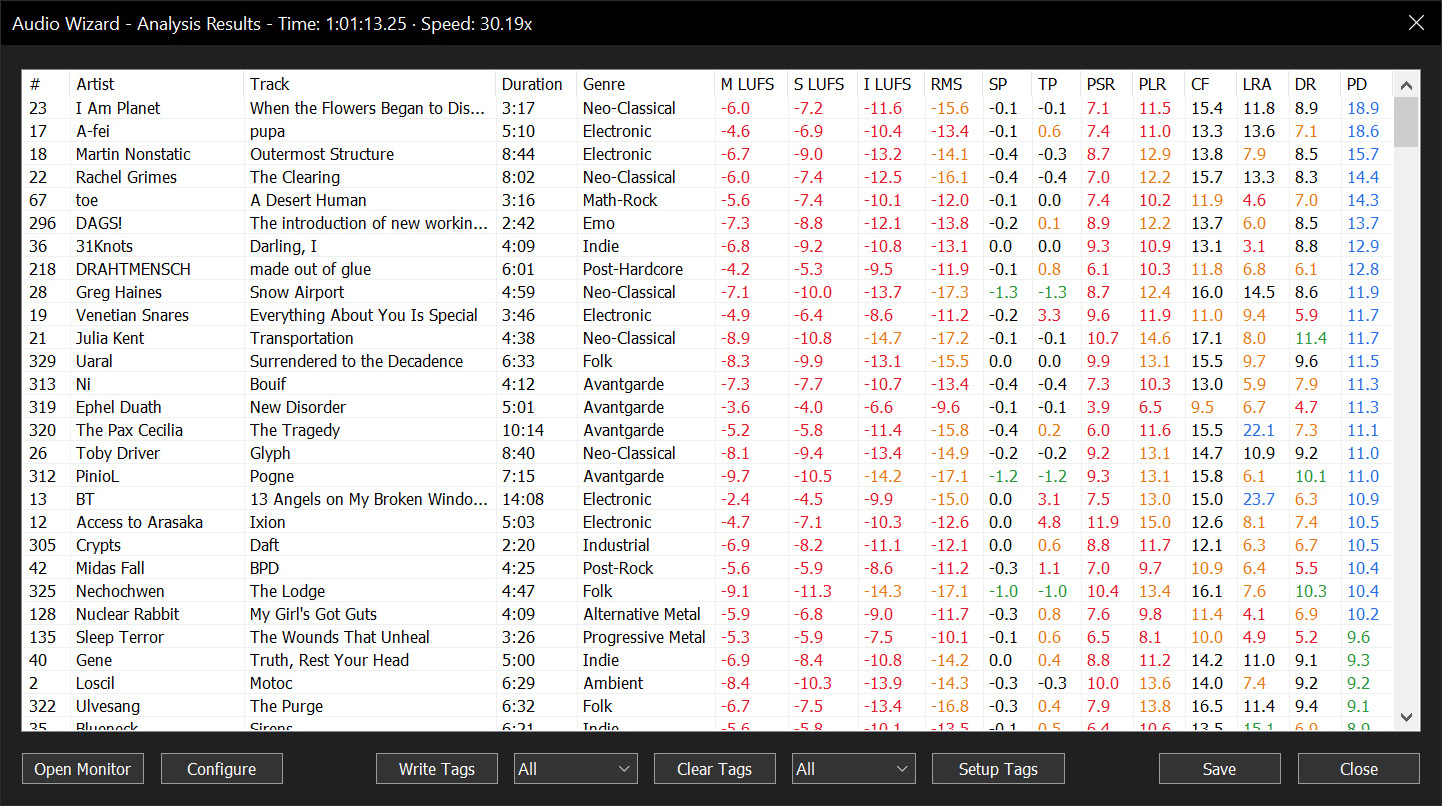
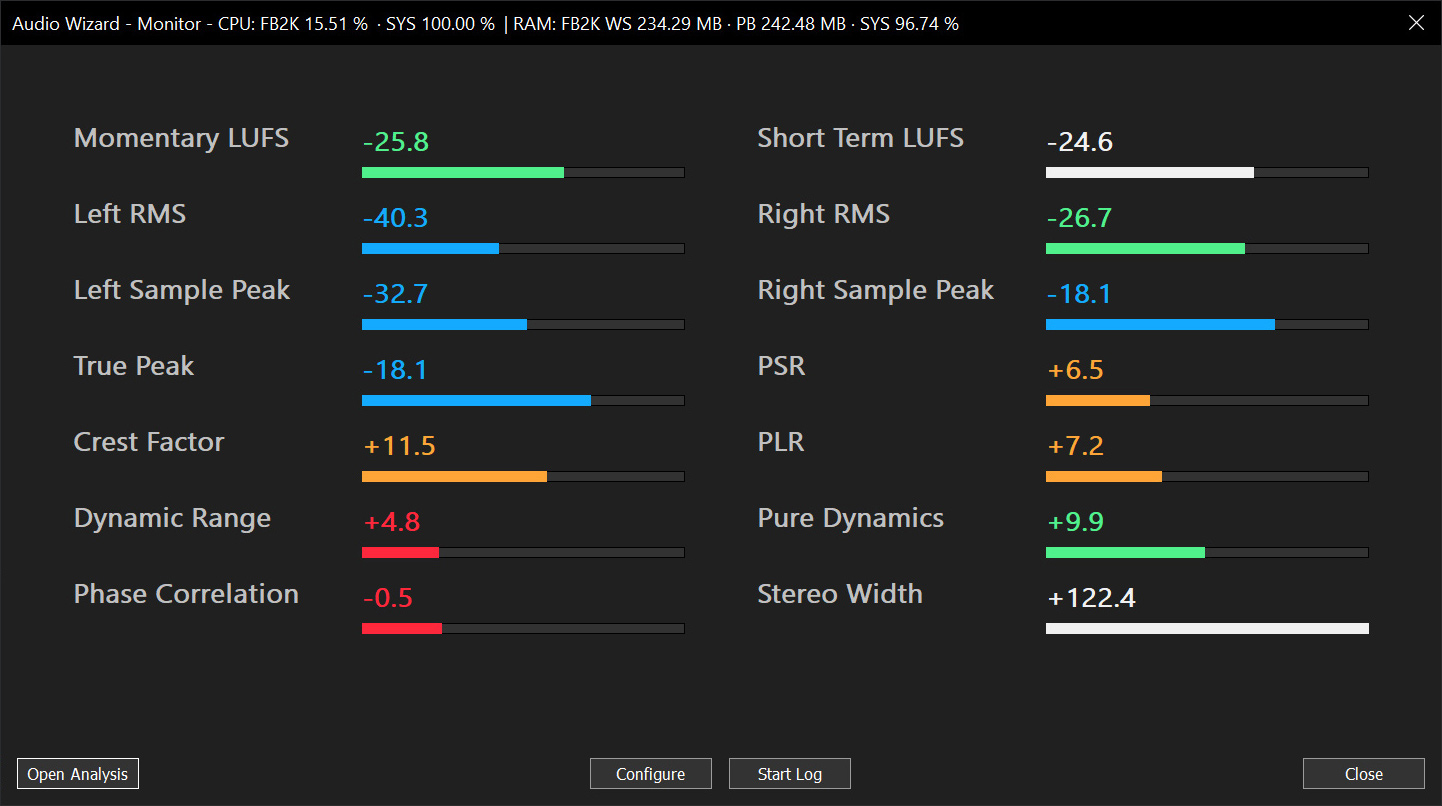
Audio Wizard (foo_audio_wizard) is a fiery chapter of The Wizardium, granting foobar2000 audiophiles and engineers tools for full-track analysis and real-time monitoring. Harness Pure Dynamics for psychoacoustic clarity.
Multi-format audio player with MIDI, minigames, playlists & many visualizations
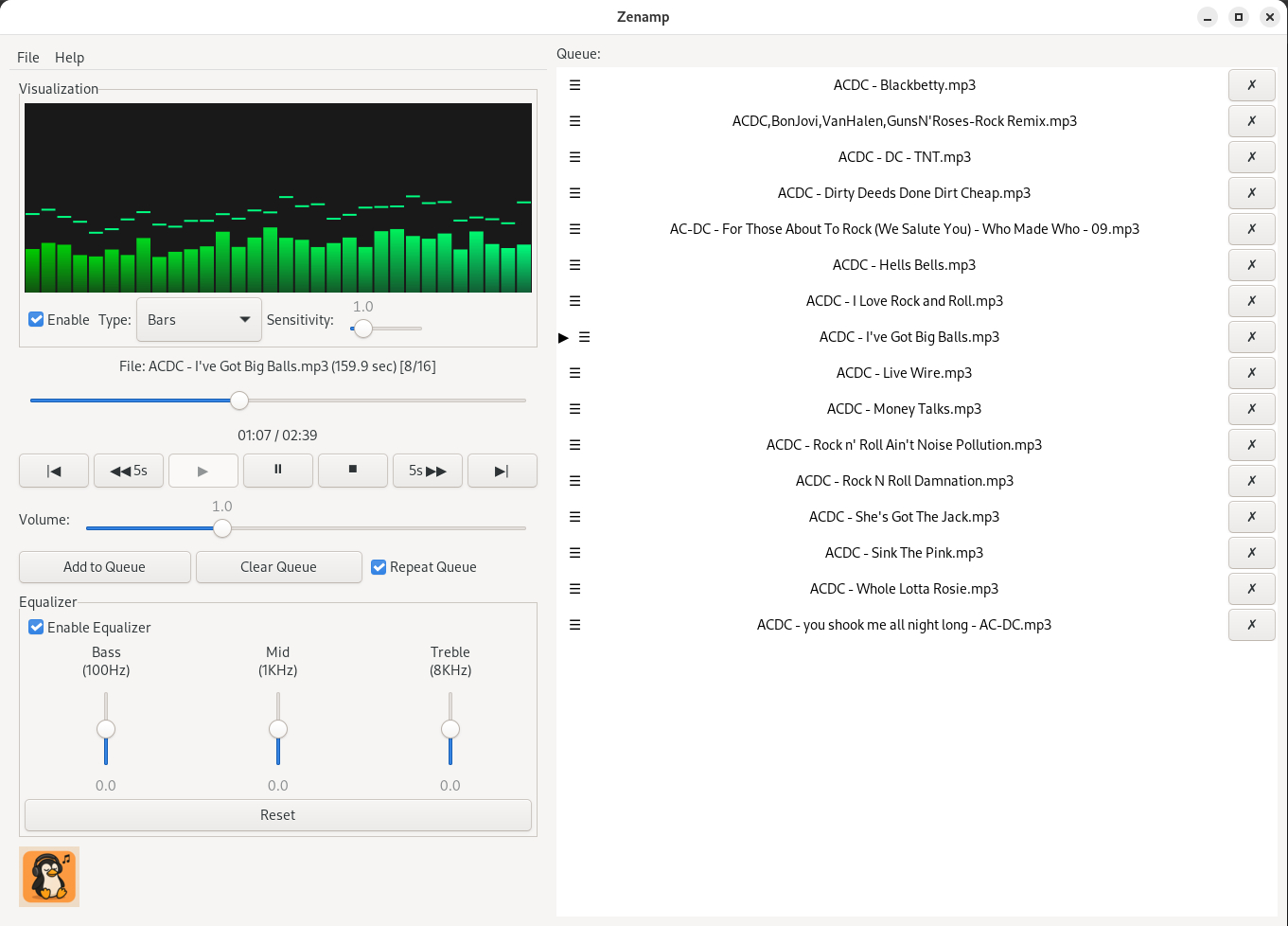
Lightweight GTK3 audio player supporting MIDI, WAV, MP3, OGG, FLAC, AIFF, and Opus formats. Features OPL3 FM synthesis for authentic MIDI playback, drag-and-drop playlist queue, real-time spectrum visualization, 10-band equalizer, and M3U playlist support. Built with SDL2 audio backend for cross-platform compatibility across Linux and Windows. Includes intuitive controls with keyboard shortcuts, 5-second seek buttons, and efficient format conversion. Perfect for musicians and audio enthusiasts needing reliable playback of both modern and legacy audio formats. Multi-threaded architecture ensures smooth performance. MIT License.