orDrumbox ~ Cross-platform Drum Machine


The orDrumbox is free drum machine software, designed to be as creative as possible with some unusual features: auto-composition, polyrhythms, custom arpeggiator, automatic sounds/track matching, custom soft synths, lo fi rendering and more … Ideal for experimentation and fast results.

  • This software can automatically compose bass lines, melodic patterns and complete songs.
  • It comes with a rhythms database and sounds database including musical items which can be fully edited.
  • … and a fully customizable soft synth section adds many synthetics sounds as presets to the sounds library.

orDrumbox-V0.9.30-Assignations

www.ordrumbox.com
sourceforge.net/projects/ordrumbox
www.facebook.com/ordrumbox

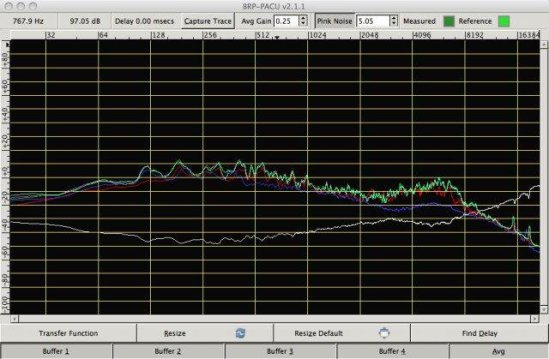
BRP-PACU ~ Acoustic Analysis Tool


A cross platform dual channel FFT based Acoustic Analysis Tool to help engineers analyze live professional sound systems using the transfer function. One feature is the ability to capture four sample plots, average them, and invert to aid in final EQ.

  • Four capture buffers, with auto-save (in case of crash) and save-as ability
  • Averages buffers to a separate buffer and flips it for analysis
  • Automatic delay calculation
  • Impulse response capturing
  • Pink Noise generation tool to eliminate need for an external Pink Noise source
  • Uses JACK to route and manage audio paths

BRP-PACU

sourceforge.net/projects/brp-pacu

Mkchromecast ~ Linux & Mac Casting


This is a program to cast your macOS audio, or Linux audio to your Google Cast devices or Sonos speakers. It can also cast video files.

It is written for Python3, and it can stream via  node.js,parec (Linux), ffmpeg, or avconvMkchromecast is capable of using lossy and lossless audio formats provided that ffmpeg, avconv (Linux), or parec (Linux) are installed. It also supports Multi-room group playback, and 24-bit/96kHz high audio resolution. Additionally, a system tray menu is available.

mkchromecast.com
github.com/muammar/mkchromecast

aTunes ~ Cross Platform Audio Player


aTunes is a powerful, full-featured, cross-platform player and manager, with support for online radios, podcasts and CD ripping.

www.atunes.org
en.wikipedia.org/wiki/ATunes

Project Audio For GitHub


This website tracks events happening across GitHub and converts them to music notes based on certain parameters.

There are three types of sounds(bell, string pluck and string swell) based on four types of events(PushEvent, PullRequestEvent, IssuesEvent and IssueCommentEvent). Bells represent PushEvents, string plucks represent IssuesEvents and IssueCommentEvents whereas string swells represent PullRequestEvents.

  • Events can be filtered by organization or repository.
  • Can be downloaded for Linux or Mac.

github.audio/
github.com/debugger22/github-audio

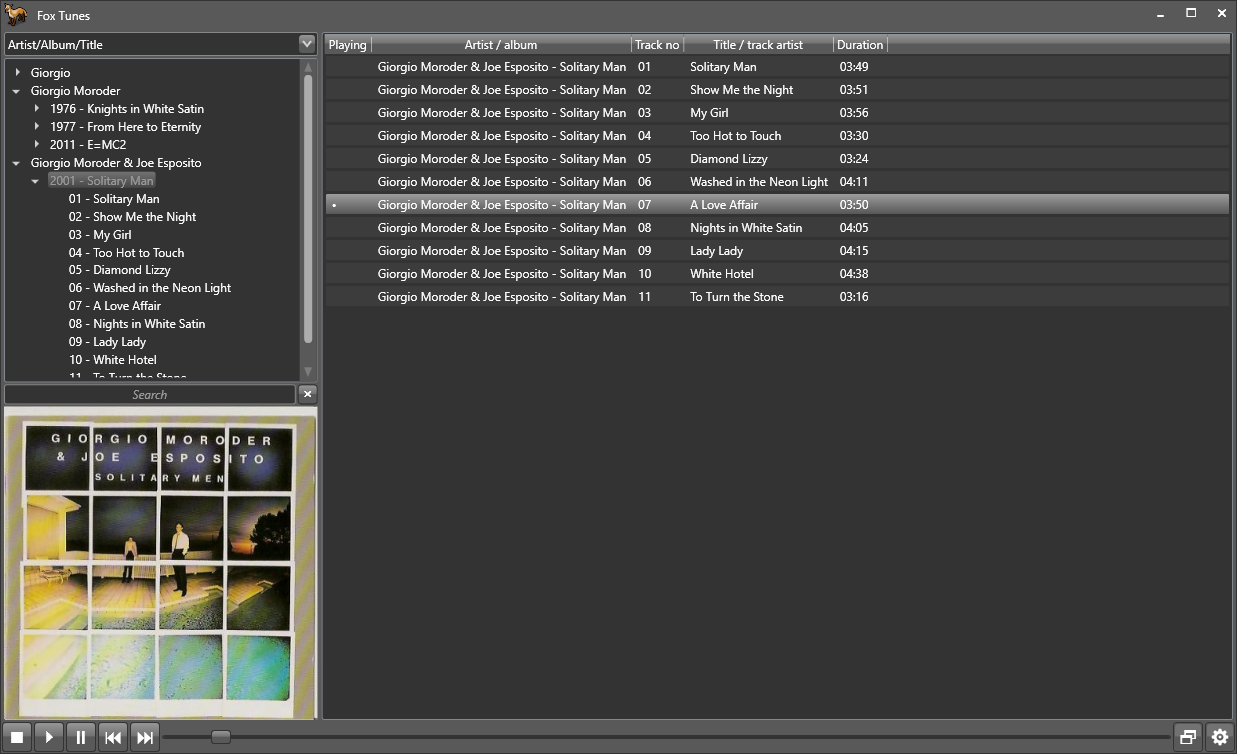
FoxTunes ~ Modular Audio Player


A modular Linux / Windows XP music player using the BASS library.

FoxTunes

github.com/aidan-g/FoxTunes

Guayadeque ~ Linux Music Player


Guayadeque is a music management program designed for all music enthusiasts. It is Full Featured Linux media player that can easily manage large collections and uses the Gstreamer media framework. Post Development.

github.com/anonbeat/guayadeque
codeberg.org/thothix/guayadeque
en.wikipedia.org/wiki/Guayadeque_Music_Player

Snapcast ~ Synchronous Audio Player


Snapcast is a multi-room client-server audio player, where all clients are time synchronized with the server to play perfectly synced audio. It’s not a standalone player, but an extension that turns your existing audio player into a Sonos-like multi-room solution. The server’s audio input is a named pipe /tmp/snapfifo. All data that is fed into this file will be send to the connected clients. One of the most generic ways to use Snapcast is in conjunction with the music player daemon (MPD) or Mopidy, which can be configured to use a named pipe as audio output.

github.com/badaix/snapcast

mlYou ~ Music Library Utilities Suite


This is a collection of tools to help you manage, maintain, and optimize your own music library for a better experience.

It makes growing and maintaining a music collection of any size easier by automating necessary (but tedious) processes.

The tools currently aim to assist with music organizing and tagging, and playlist management.

Cross-Platform Compatible – Works and tested under Linux (Ubuntu) and Windows. Mac untested but expected to work similar to linux.

github.com/nwrobel/mlYou#playlist-root-path-fixing

v2strip ~ Remove mp3 ID3v2 Tags


v2strip is a simple command-line utility that lets you remove the ID3v2 tag from an MP3 file. The ID3v2 format is nice in many ways, but it can cause problems when being parsed by MP3 players and utilities that don’t support ID3v2 tags.

sourceforge.net/projects/v2strip

Lollypop ~ GNOME Audio Player


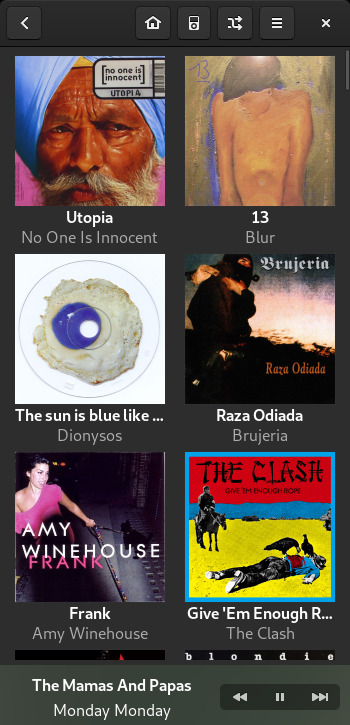
Lollypop is a modern music player for GNOME

  • Artist bio, lyrics Artist bio, lyrics: Get artists and tracks information from the web.
  • Intuitive browsing: Walk through your collection by genres/artists and through albums artwork.
  • Play many audio formats: mp3, mp4, ogg, and flac
  • Cover art downloader: Automatic artwork downloader from Last.fm, Itunes and Spotify.
  • MTP devices: Sync your music with Android phones and any mtp devices…
  • Fullscreen view: Visual access from your couch
  • Party mode: Let Lollypop choose music for you.
  • Native replaygain support.
  • Search in your collection by artist, album and title.

lollypop

wiki.gnome.org/Apps/Lollypop

puddletag ~ GNU \ Linux Audio Tag Editor


puddletag is an audio tag editor (primarily created) for GNU/Linux similar to the Windows program, Mp3tag. Unlike most taggers for GNU/Linux, it uses a spreadsheet-like layout so that all the tags you want to edit by hand are visible and easily editable.

The usual tag editor features are supported like extracting tag information from filenames, renaming files based on their tags by using patterns and basic tag editing.

Then there are Functions, which can do things like replace text, trim it, do case conversions, etc. Actions can automate repetitive tasks. Doing web lookups using Amazon (including cover art), Discogs (does cover art too!), FreeDB and MusicBrainz is also supported. There’s quite a bit more, but I’ve reached my comma quota.

Supported formats: ID3v1, ID3v2 (mp3), MP4 (mp4, m4a, etc.), Vorbis Comments (ogg, flac), Musepack (mpc), Monkey’s Audio (.ape) and WavPack (wv).

puddletag

docs.puddletag.net