EasyQ ~ Easy To Use Equalizer


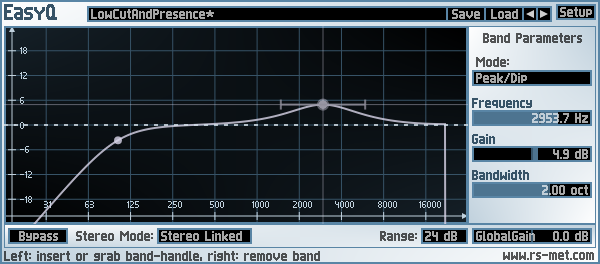
EasyQ is an easy-to-use equalizer with an arbitrary number of filter stages in series connection. Each of the filter stages can operate in one of the following modes: peak/cut (aka bell or parametric EQ), high- or low-shelving, notch and low- or highpass (both with either 6 or 12 dB/oct slope). EasyQ is also easy on the CPU and just does what an EQ is supposed to do without performing any additional voodoo. As such, it is well suited to serve as a go-to EQ for the routine equalizing tasks.

Key Features:

  • unlimited number of filter stages (“bands”)
  • each stage can be one of the following characteristics: bell, low-/high-shelf, low-/highpass (6 or 12 dB/oct), notch
  • clean equalization – no additional colorations
  • low CPU usage
  • +-48 dB gain range
  • stereo modes: linked, left/right, mid/side and mono
  • minimum phase response
EasyQ

www.rs-met.com/freebies

SpatGRIS ~ Multichannel Composition


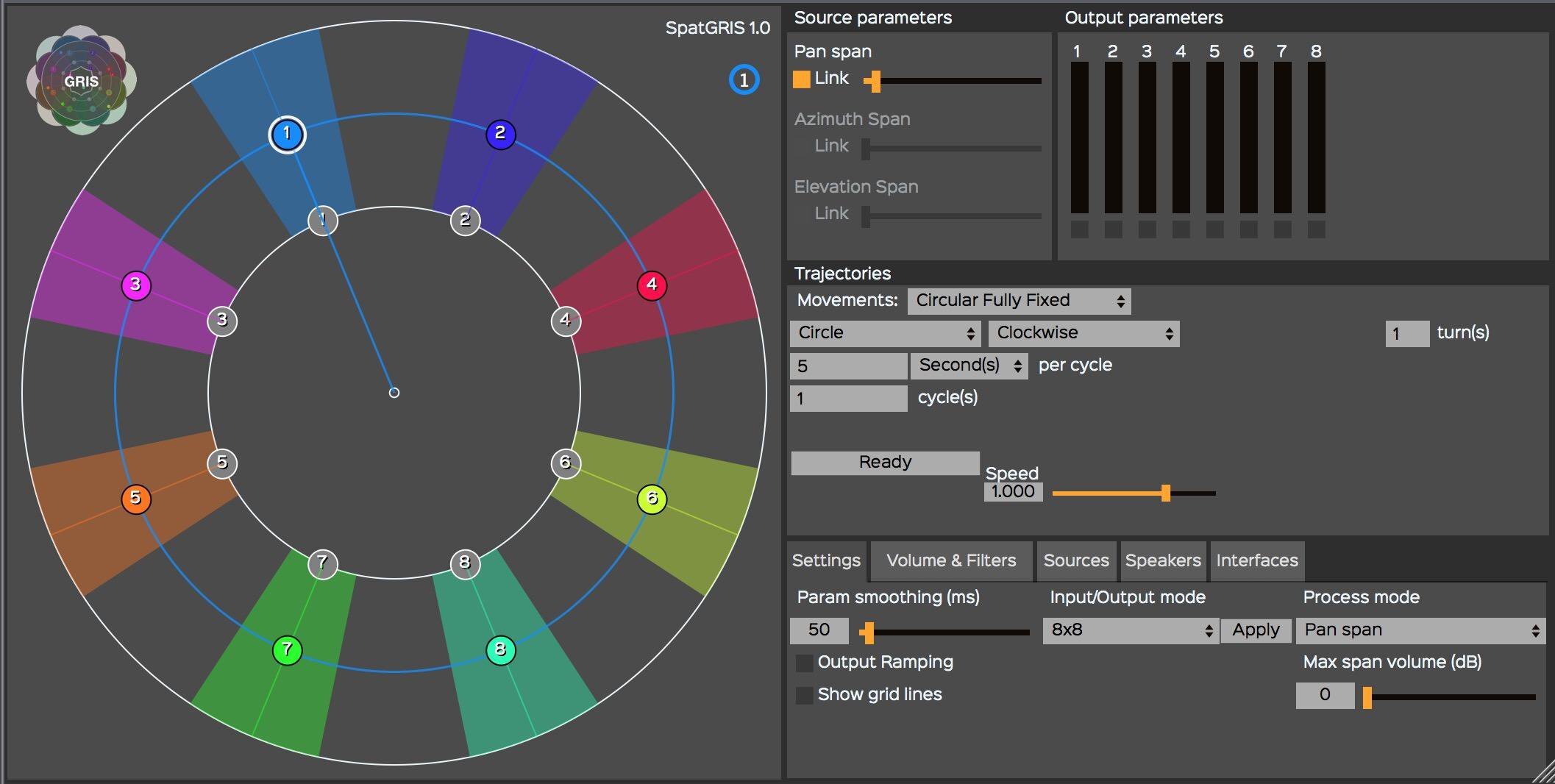
The SpatGRIS is a plugin (Mac AU/VST and VST Windows format) designed to compose multichannel space. It allows the user to spatialize the sound in 2D (up to 16 speakers) or in 3D (up to 128 speakers) under a dome of speakers (with the ServerGRIS, available also on SourceForge). It includes two audio modes, — Free Volume and PanSpan — and one OSC mode. SpatGRIS is a fusion of two former plugins by the GRIS: OctoGRIS and ZirkOSC with a lot of new features. Automated Trajectories are included. It is possible to control it from external controllers such as Joystick, iPad or Leap Motion.

Features:

  • Three modes: Free Volume, Pan Span, OSC Spatialization
  • Automated Trajectories
  • Up to 16 outputs in audio mode
  • OSC Mode to control the ServerGRIS
  • External controllers: Joystick, iPad. Leap Motion
GRIS

gris.musique.umontreal.ca
sourceforge.net/projects/spatgris

FreeG ~ Fader Plug-in


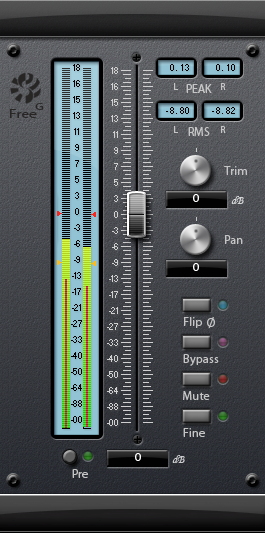
The Sonalksis FreeG is everything you need in a master fader. A simple, but absolutely indispensable plug-in, FreeG extends the functionality of a typical audio host by providing a large-format style fader, along with ultra accurate metering. FreeG helps to maximise workflow with extended, customizable metering, and multiple control features and settings.

When working with digital audio, a lack of fine metering and extended signal flow control in the host is a common issue. FreeG helps to improve workflow in the host by providing these features in the insert chain. By delivering enhanced control of amplitude, phase and pan (stereo version) in the insert chain as well as fine metering, with user configurable industry standard ballistic options, the freeG is the perfect master control.

Features:

  • Long-throw fader
  • Ultra accurate metering
  • Multiple metering ballistic types
  • Peak and RMS readouts
  • Pre/Post metering options
  • Selectable Pan-Law
  • ‘Fine’ mode for sensitive calibration of the master fader
  • Mono-compatible for use in tracking situations
  • VST and Audio Unit (32 and 64 bit)
FreeG

www.sonalksis.com/freeg

Wider ~ Powerful Stereo Expansion


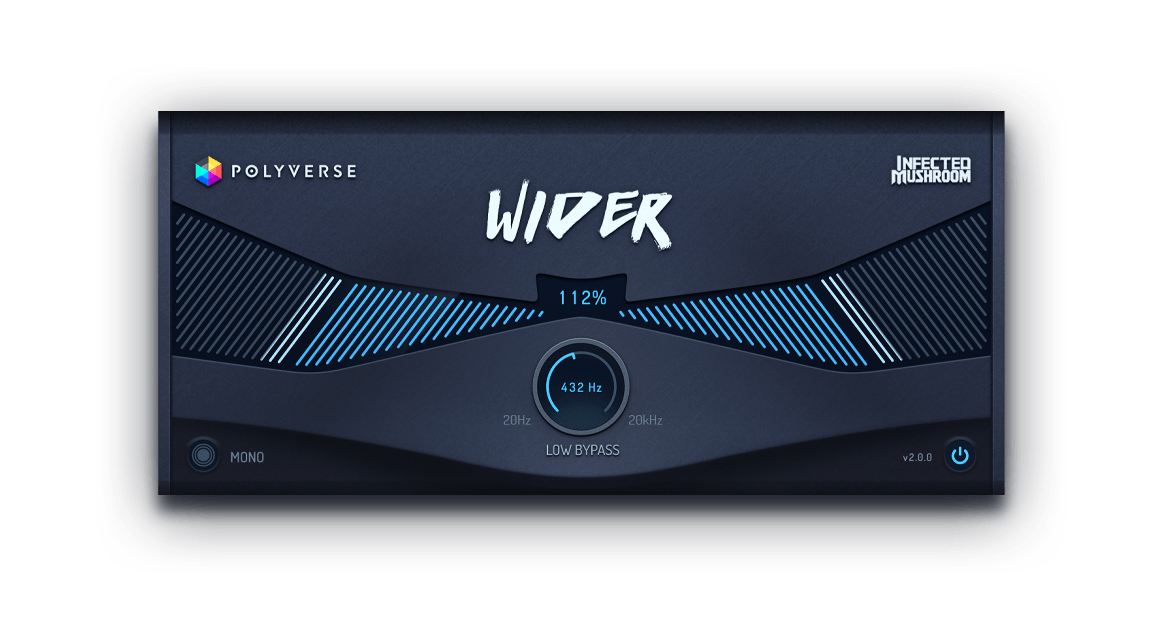
Pseudo stereo without phase issues. Wider takes the massively popular stereo section from its sibling, Manipulator, and creates the illusion of an expanded stereo image of a mono signal to an awe-inspiring amount of width. However, Wider is a unique stereo plugin in the sense that it is completely “mono-compatible”, meaning that any signal that has been extended will always remain in phase with itself, even if summed to mono.

polyversemusic.com/products/wider

AnSpec ~ Analog-style Spectrum Analyzer


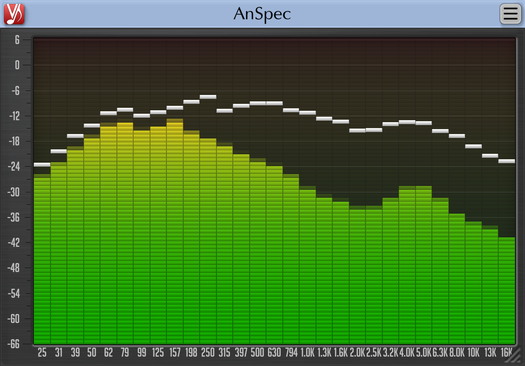
AnSpec is an analog-style one/third-octave spectrum analyzer AAX, AudioUnit and VST plugin for professional sound and music production applications. It was designed to be a handy visual feedback tool for those who like visual smoothness and easiness of use of analog analyzers. AnSpec also provides peak level indication.

While there are no adjustable parameters available in this plugin, you can still change level meter ballistics and resize plugin’s window.

Features:

  • 1/3 octave analog-style spectrum analyzer
  • Peak level indication
  • User interface window resizing
  • Stereo and mono analysis
  • All sample rates support
  • Zero processing latency
  • User interface color schemes
  • Resizable user interface
  • Retina and High DPI support
anspec

www.voxengo.com/product/anspec

References:

en.wikipedia.org/wiki/Spectrum_analyzer

VocalZap ~ Remove Vocals From Songs


With this free iPhone app and effect plug-in for PC and Mac you can easily remove vocals from songs! Vocalzap is a free iPhone™ / iPod™ app, and VST plugin, that can effortlessly remove the vocals from any song. If you want to sing along, click the “Lyrics” button. Toggle between the original singer or no vocals with the click of a button.

Features:

  • Remove vocals from most songs
  • Look up lyrics to most songs (iPhone only)
  • Toggle between vocals and no vocals to compare
  • Use it for Karaoke parties with your own tunes!

www.vocalzap.com

foo_dsp_vstwrap ~ Foobar2000 VST Wrapper


This is a Foobar2000 player wrapper plugin, which allows using VST plugins within the player. This component is depreciated and was developed for 0.9x versions of Foobar2000

www.yohng.com/software/foobarvst

TDR VOS SlickEQ ~ Equalizer Plugin


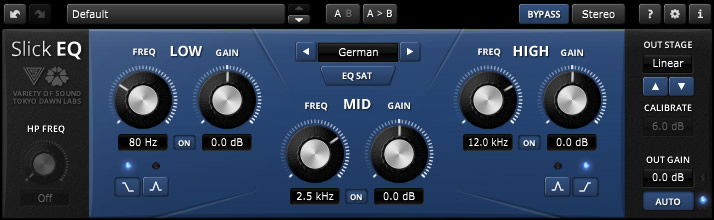
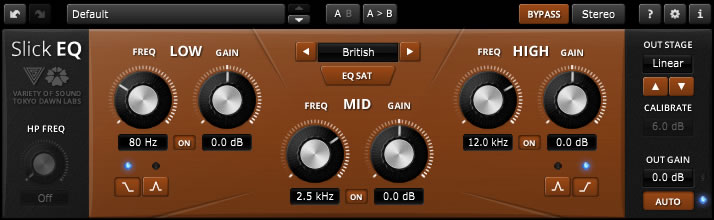
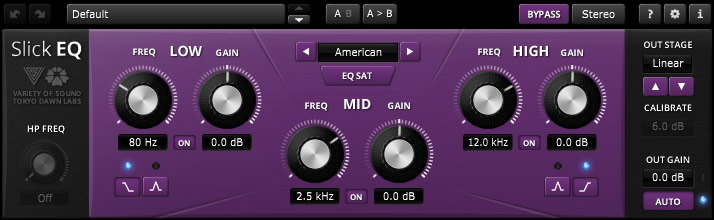
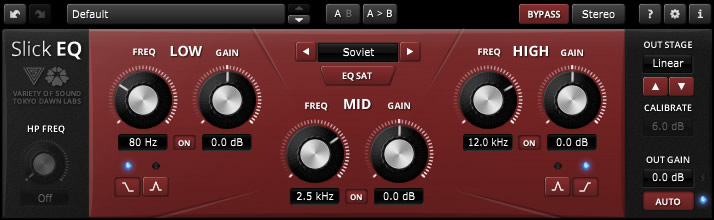
TDR VOS SlickEQ is a mixing / mastering equalizer designed for ease of use, musical flexibility and impeccable sound.

Three (and a half) filter-bands arranged in a classic Low/Mid/High semi-parametric layout offer fast and intuitive access to four distinct EQ modes, each representing a set of distinct EQ curves and behaviors. An elaborate auto gain option automatically compensates for changes of perceived loudness during EQ operation. Optionally, SlickEQ allows to exclusively process either the stereo sum or stereo difference (i.e. “stereo width”) without additional sum/difference encoding.

In order to warm up the material with additional harmonic content, SlickEQ offers a switchable EQ non-linearity and an output stage with 4 different saturation models. These options are meant to offer subtle and interesting textures, rather than obvious distortion. The effect is made to add the typical “mojo” often associated with classy audio gear.

An advanced 64bit multirate processing structure practically eliminates typical problems of digital EQ implementations such as frequency warping, quantization distortion and aliasing.

Beside the primary controls, the plug-in comes with an array of additional helpers: Advanced preset management, undo/redo, quick A/B comparison, copy & paste, an online help, editable labels, mouse-wheel support and much more.

Key specs and features:

  • Intuitive, yet flexible semi parametric EQ layout
  • Modern user interface with outstanding usability and ergonomics
  • Carefully designed 64bit “delta” multi-rate structure
  • Three EQ bands with additional 18dB/Oct high-pass filter
  • Four distinct EQ models: “American”, “British”, “German” and “Soviet” with optional non-linearity
  • Five output stages: “Linear”, “Silky”, “Mellow”, “Deep” and “Toasted”
  • Advanced saturation algorithms by VoS (“Stateful saturation”)
  • Highly effective and musically pleasing loudness compensated auto gain control
  • Stereo and sum/difference processing options
  • Toolbar with undo/redo, A/B, advanced preset management and more

www.tokyodawn.net/tdr-vos-slickeq

Soft Playlists ~ Foobar & Last.fm


Can create different Last.fm related playlists:

  • loved tracks of a single user, multiple users, friends or neighbours.
  • recent tracks of a single user, multiple users, friends or neighbours.
  • top tracks of a single user, multiple users, friends or neighbours over different periods.
  • top tracks of an artist.
  • top tracks of artists similar to an artist.
  • top tracks with certain tag.
  • tracks similar to a track.

Can also…

  • love, unlove, ban and unban a track on your Last.fm account.
  • add a track to a custom playlist on your Last.fm account.
  • save and load XSPF playlists (make playlists without hard paths). This makes it possible to easily share playlists with other people. Also when you restructure your library (change location of your music files), these playlists will continue to work.

www.foobar2000.org/components/view/foo_softplaylists
hydrogenaud.io/index.php?topic=76133.0

Integrating Last.fm with Foobar2000 Using Soft Playlists

Step 1: Install Soft Playlists
Begin by downloading the foo_softplaylists component from the foobar2000 website. Once downloaded, open foobar2000 and navigate to File → Preferences → Components → Install…, then select the downloaded .fb2k-component file. Restart foobar2000 to activate the plugin. This component enables you to generate dynamic playlists directly from your Last.fm data.

Step 2: Connect Your Last.fm Account
After installation, go to Preferences → Tools → Soft Playlists → Last.fm. Enter your Last.fm username and password to authorize the connection. Once you are logged in, the plugin can fetch your loved tracks, recent plays, top tracks, and tag-based data.

Step 3: Creating Loved Tracks Playlists
Soft Playlists can generate playlists of tracks in your library that are marked as loved on Last.fm. Simply create a new playlist, Open the Library Menu and choose the “Loved Tracks” option, and the plugin will match these tracks with your local files and create a new playlist. You can now play or sort these loved tracks directly from foobar2000.

Step 4: Generating Top Tracks Playlists
You can also create playlists based on top tracks from your Last.fm account, your friends, or neighbors. Select the “Top Tracks” option and filter by user, artist, or tag. This allows you to automatically build playlists of your most-played tracks, popular tracks by similar artists, or tracks labeled with specific moods or genres.

Step 5: Recent Tracks Playlists
Soft Playlists supports recent tracks queries from Last.fm. You can generate playlists of your most recently played tracks or recent tracks from other users. This is ideal for keeping up to date with current listening trends.

Additional Features:
Soft Playlists allows you to save sharable playlists in XSPF format, which keeps them portable and resilient to file location changes. The plugin also lets you love or unlove tracks directly from foobar2000, updating your Last.fm account automatically. This integration creates a seamless workflow between your local library and Last.fm.

Adding a toolbar button to love a track:

  1. Right click the Foobar2000 toolbar and select “Customize Buttons...
  2. In the Available Commands Panel, open “Context Menu” and then “Last.fm”
  3. Select "Last.fm Love Track” and click the “Add” button then click “Ok”
  4. Change the button icon to a Last.fm icon (.ico file)

Tips and Considerations
Soft Playlists is an older 32bit component. The plugin works best if most of your Last.fm scrobbled tracks are present in your local library. For more advanced integration, consider combining Soft Playlists with Spider Monkey Panel scripts to pull additional data, such as playcounts, tags, or charts.

2BusControl ~ Crossplatform Balance Plugin


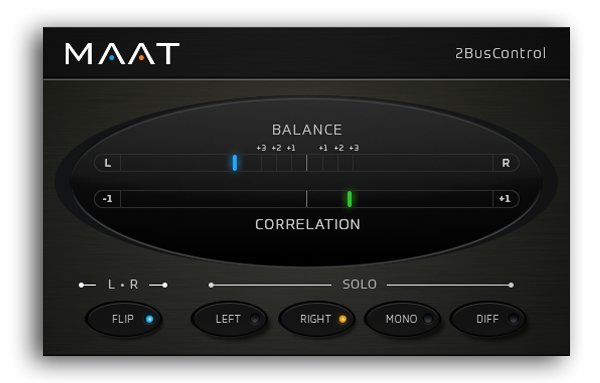
A universal L/R plus MONO/DIFF monitor control and Balance / Correlation metering plug-in for stereo bus masters.

2BusControl

www.maat.digital/2buscontrol

Jalv ~ Jack LV2 Host


Jalv is a simple but fully featured LV2 host for Jack. It runs LV2 plugins and exposes their ports as Jack ports, essentially making any LV2 plugin function as a Jack application.

drobilla.net/software/jalv

Triceratops ~ Polyphonic Synthesizer LV2 Plugin


Triceratops is an analogue style polyphonic subtractive synthesizer plugin, for use with the LV2 plugin architecture, at this time there is no standalone version. An up to date version of the LV2 library is required along with a suitable host (e.g. Qtractor, Jalv, Ardour).

www.thunderox.com/triceratops
sourceforge.net/projects/triceratops