Rewrite of Sonixd.
Features:
- MPV player backend
- Web player backend
- Modern UI
- Scrobble playback to your server
- Smart playlist editor (Navidrome)
- Synchronized and unsynchronized lyrics support
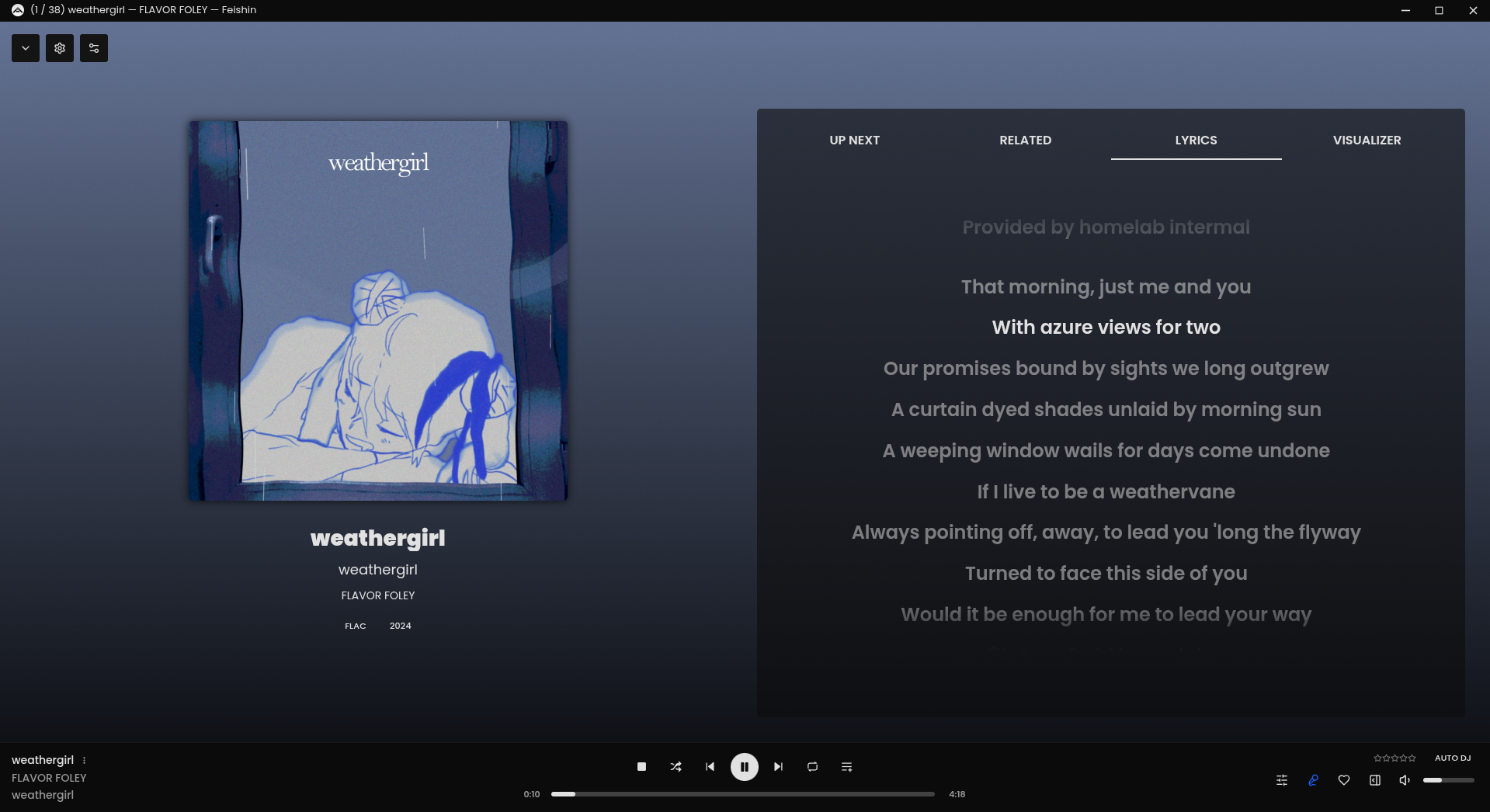

Rewrite of Sonixd.

A collection of DIY audio measurement and analysis tools, grown organically as needed. This software is compatible with standard audio devices.
PyQt6 desktop app bundling 28+ DIY modules: signal generator, spectrum/PSD analyzer, sound level & LUFS meters, loopback finder, distortion/IMD tools, network/impedance analyzers, oscilloscope, spectrogram, ultrasound modulator, transient analyzer, lock-in/FRA, inverse filter, frequency counter, recorder/player, sound quality analyzer, noise profiler, boxcar averager, goniometer, BNIM meter (ITD/ILD neural map), HRTF Player, and more.
Built for hobbyists and engineers: device routing, calibration (input/output/SPL), multi-language UI, light/dark themes.
github.com/youtube-at-vach/MeasureLab
youtube-at-vach.github.io/MeasureLab

This program makes a linux computer equipped with a modern sound card behave as a traditional hi-fi preamp, but able also to make advanced DSP equalization and crossover tasks.
That means that, with a proper soundcard, external sources can be used, be them analog or digital, along with digital libraries or streamed sources.
codeberg.org/rripio/pre.di.c
github.com/rripio/pre.di.c

shntool is a multi-purpose WAVE data processing and reporting utility. File formats are abstracted from its core, so it can process any file that contains WAVE data, compressed or not – provided there exists a format module to handle that particular file type.
shntool has native support for .wav files. If you want it to work with other lossless audio formats, you must have the appropriate helper program installed. The “Helper programs” section below contains links to helper programs for each format that shntool supports.
shnutils.freeshell.org/shntool
github.com/bayun/shntool

caudec is a command-line utility that transcodes (converts) audio files from one format (codec) to another, among other things.
It leverages multi-core CPUs and runs multiple processes concurrently (one per file and per codec, and more than one thread per codec when it supports it). The objective is to hog the CPU as much and as long as possible. One strategy is to sort input files by size, so that the largest files potentially get more threads towards the end of the job.

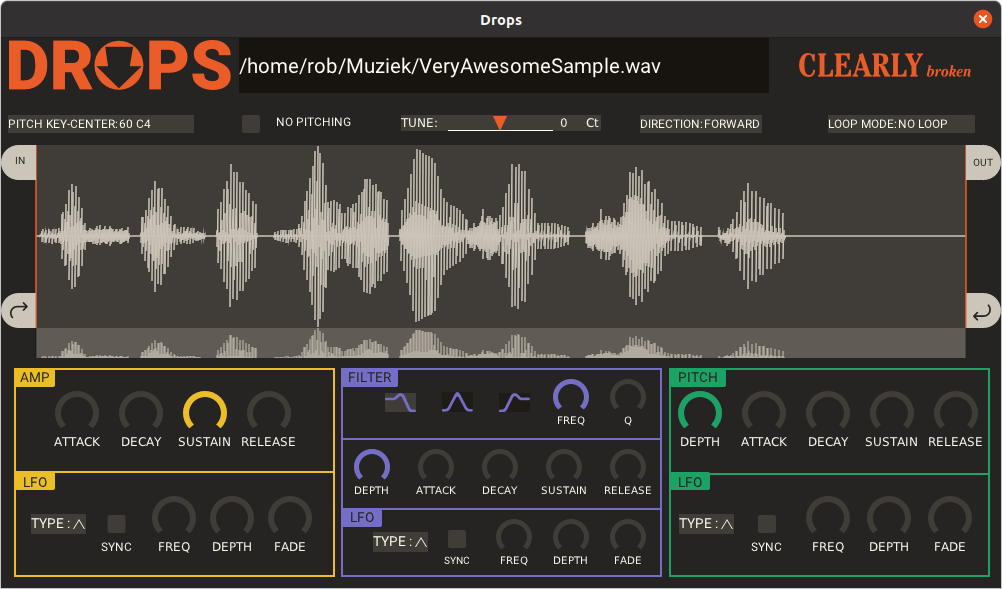
Drops is a single audio file sample player plugin in lv2 and vst format for linux.
Load an audio file, play it, loop it, pitch shift it, and make it into something entirely new.
github.com/clearly-broken-software/drops

Buzz transcribes and translates audio to text offline using OpenAI’s Whisper. Import audio and video files into Buzz and export them as TXT, SRT, or VTT files. Buzz supports Whisper, Whisper.cpp, Faster Whisper, Whisper-compatible models from the Hugging Face repository, and the OpenAI Whisper API.
Features:
- Transcribe audio and video files or Youtube links
- Live realtime audio transcription from microphone
- Presentation window for easy accessibility during events and presentations
- Speech separation before transcription for better accuracy on noisy audio
- Speaker identification in transcribed media
- Multiple whisper backend support
- CUDA acceleration support for Nvidia GPUs
- Apple Silicon support for Macs
- Vulkan acceleration support for Whisper.cpp on most GPUs, including integrated GPUs
- Export transcripts to TXT, SRT, and VTT
- Advanced Transcription Viewer with search, playback controls, and speed adjustment
- Keyboard shortcuts for efficient navigation
- Watch folder for automatic transcription of new files
- Command-Line Interface for scripting and automation
github.com/chidiwilliams/buzz
sourceforge.net/projects/buzz-captions

MODICIA O.S. is a complete multimedia workstation for creatives, professionals, and curious users. Runs live from USB with no installation required. Stable, multilingual, and packed with ready-to-use tools.
🔃 Live system — boot from USB without modifying your PC
🎥 Multimedia suite — video, audio, graphics, photography
🗂 Office suite — documents and business tools
🧰 Curated software — no duplicates, no broken tools
🖥 Optimized interface — compact layout with visual alerts
🌍 Multilingual — over 30 languages supported
🛡 Invisible fallback logic — safety and stability
🔗 Clickable license buttons — semitransparent, linking to local control files
🎬 Filmmakers, editors, streamers
🎧 Musicians, podcasters, sound designers
🎨 Designers, illustrators, photographers
🧑🏫 Teachers, writers, office professionals
🧑💻 Students and beginners
🐧 Open source users seeking localization and compliance
📦 Included Applications (Examples)
🎞 Video Kdenlive, Shotcut, OBS Studio
🎚 Audio Audacity, Ardour, LMMS
🖌 Graphics GIMP, Inkscape, Krita
📷 Photo Darktable, RawTherapee
📝 Office LibreOffice, PDF Studio
🌐 Web Firefox ESR, Thunderbird, FileZilla
🧹 Utilities GParted, Timeshift, BleachBit
📥 Download the ISO from modiciaos.cloud
🔧 Write it to USB using Rufus or Balena Etcher
💻 Boot the live system on any compatible PC
🎉 Start creating — no installation, no subscriptions, no limits
www.modiciaos.cloud
sourceforge.net/projects/modicia-o-s

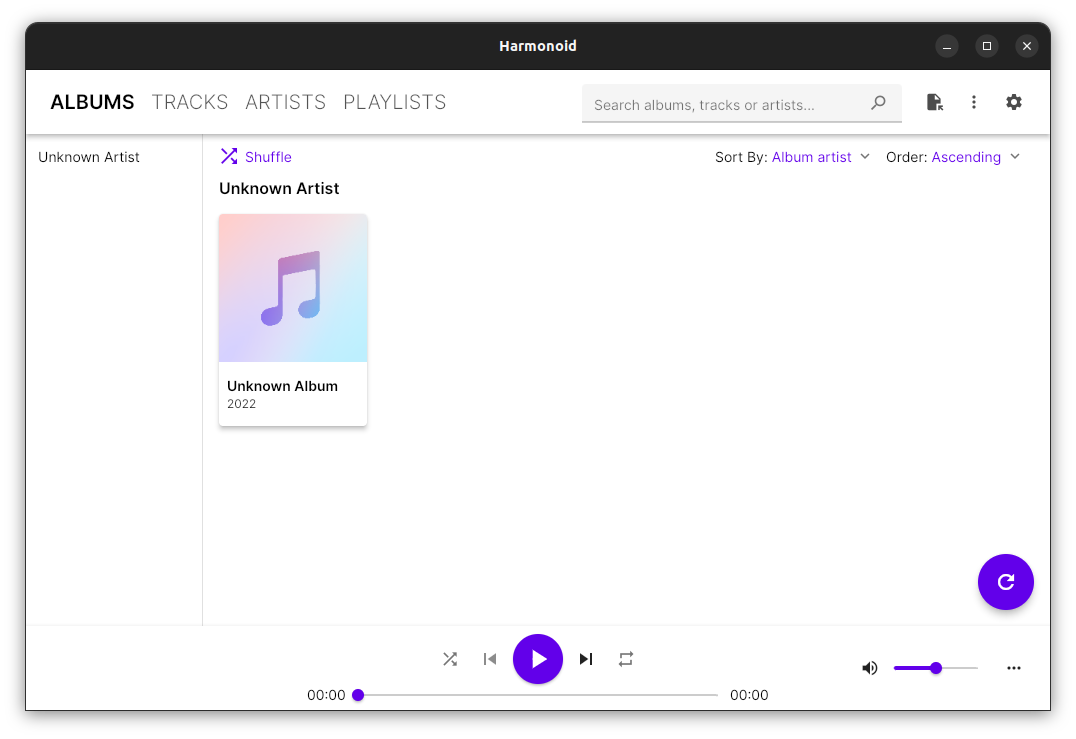
Plays & manages your music library. Looks beautiful & juicy.
harmonoid.com
github.com/harmonoid
sourceforge.net/projects/harmonoid.mirror
itsfoss.com/harmonoid

Cdparanoia is a Compact Disc Digital Audio (CDDA) Digital Audio Extraction (DAE) tool, commonly known on the net as a ‘ripper’. The application is built on top of the Paranoia library, which is doing the real work (the Paranoia source is included in the cdparanoia source distribution). Cdparanoia reads audio from the CDROM directly as data, with no analog step between, and writes the data to a file or pipe in WAV, AIFC or raw 16 bit linear PCM.
Cdparanoia is a bit different than most other CDDA extration tools. It contains few-to-no ‘extra’ features, concentrating only on the ripping process and knowing as much as possible about the hardware performing it. Cdparanoia will read correct, rock-solid audio data from inexpensive drives prone to misalignment, frame jitter and loss of streaming during atomic reads. Cdparanoia will also read and repair data from CDs that have been damaged in some way.
Cdparanoia is easy to use and administrate; It has no compile time configuration, happily autodetecting the CDROM, its type, its interface and other aspects of the ripping process at runtime. A single binary can serve the diverse hardware of the do-it-yourself computer laboratory from Hell.
www.xiph.org/paranoia
en.wikipedia.org/wiki/Cdparanoia
wiki.hydrogenaudio.org/index.php?title=Cdparanoia
Documentation
man.archlinux.org/man/cd-paranoia.1.en
Command Line Music Metadata Manager
github.com/krateng/mumema

Lightweight GTK3 audio player supporting MIDI, WAV, MP3, OGG, FLAC, AIFF, and Opus formats. Features OPL3 FM synthesis for authentic MIDI playback, drag-and-drop playlist queue, real-time spectrum visualization, 10-band equalizer, and M3U playlist support. Built with SDL2 audio backend for cross-platform compatibility across Linux and Windows. Includes intuitive controls with keyboard shortcuts, 5-second seek buttons, and efficient format conversion. Perfect for musicians and audio enthusiasts needing reliable playback of both modern and legacy audio formats. Multi-threaded architecture ensures smooth performance. MIT License.
Features:
- Music Player
- Queue Support
- Playlist Support
- Visualizations
- Minigames
sourceforge.net/projects/midiplayer
apps.microsoft.com/detail/9p7ddq785vq2

Clamps, short for “Common Lisp Aided Music Production System”, is a software system for realtime and non-realtime music production written in Common Lisp. It enables a seamless workflow between high-level structures to define musical processes all the way down to low level DSP definitions for sound creation including browser based interfaces for interactive work and control useable for live performances. In that respect it combines features of systems like OpenMusic, SuperCollider or the Pure Data/Max family of software.
codeberg.org/ormf/clamps
codeberg.org/ormf/clamps-install
github.com/arclanguage/Clamp

 The Audio File