Download and Convert YouTube, SoundCloud & Spotify in MP3 with full tags (title, artist, genre, cover, lyrics) AllToMP3 is a desktop application to download and convert YouTube, SoundCloud, Spotify and Deezer in 256 kb/s MP3, with tags: cover, title, artist, genre, and even lyrics!. It supports YouTube playlists, Deezer, and Spotify playlists, and also integrates a search engine so you can simply specify a song name or an album and AllToMP3 will download it…
Download AllToMP3 for Windows, macOS and Linux
If you encounter any problem, try to add an exception for AllToMP3 or to deactivate it
On macOS or Windows you will need a valid certificate so the application can be signed
You need basic knowledge of programming and using Github to create a new translation
You need to know two letter country code for language
SuperCollider is a platform for audio synthesis and algorithmic composition, used by musicians, artists, and researchers working with sound. It consists of:
scsynth, a real-time audio server with hundreds of unit generators (“UGens”) for audio analysis, synthesis, and processing
supernova, an alternative server to scsynth with support for parallel DSP on multi-core processors
sclang, an interpreted programming language that controls the servers
scide, an editing environment for sclang with an integrated help system
sclang comes with its own package manager, called Quarks. scsynth and supernova both support third-party plugins via C and C++ APIs.
Playrec is a Matlab and Octave utility (MEX file) that provides simple yet versatile access to soundcards using PortAudio, a free, open-source audio I/O library. It can be used on different platforms (Windows, Macintosh, Unix) and access the soundcard via different host API including ASIO, WMME and DirectSound under Windows.
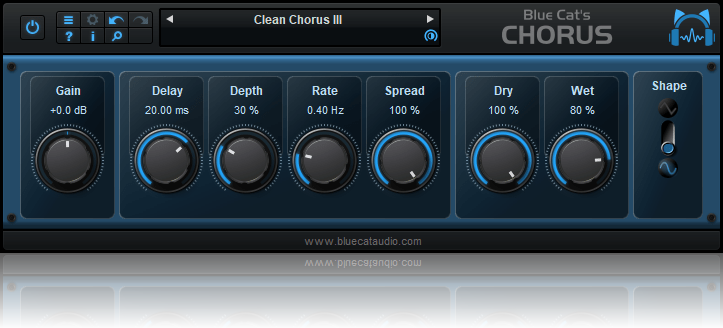
From a light ensemble to a deep destructive modulation effect, Blue Cat’s Chorus can just do anything, for free! The Chorus effect was originally designed to simulate several voices, just as if several persons were playing together the same notes, but with a variable delay between them. This is one of the typical effects that you can get with Blue Cat’s Chorus. But this plug-in also enables you to drastically change the original sound and create deep pitch modulation or crazy ‘bubbling’ effects. With the additional “Spread” control on the stereo version, the famous stereo widening and head spinning chorus effects are a few click away.
Feature rich plug-in for foobar2000 that finds and plays music. Works great with youtube and your own media library.
Features:
Display & Play:
full album and track discographies
top tracks, similar artists, similar songs, decades
top 100 charts (current and historic back to 1952)
can use queries or track matching with last.fm tag database (so files don’t need to be tagged in any special way to identify tracks of specific genres, mood or artist locale)
Auto DJ:
auto DJ option with automated weighting algorithmn that can use last.fm or own data to help select better tracks
Other features:
operates on a minimum number of playlists, so there’s no awkward playlist management
nowplaying pane that provides feedback or displays configurable info on current track
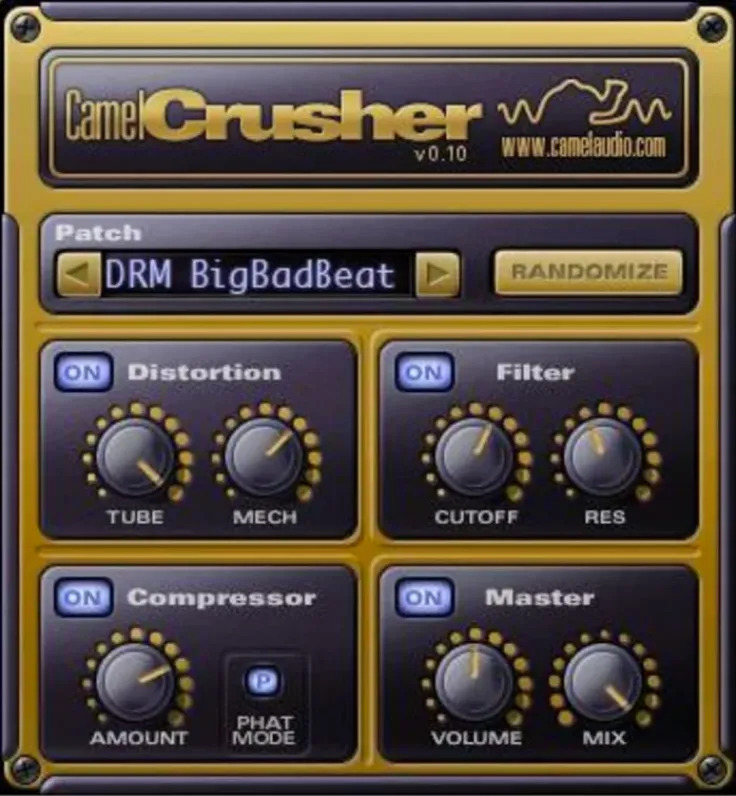
CamelCrusher is a free ‘colouring’ multi-effect plugin. It offers two characteristically different distortion sounds which can be blended together to create a wide variety of tones and textures. Great for guitars, drums and plenty more!
There’s also a warm, smooth analogue-style low-pass filter with buckets of resonance. Assign a MIDI controller and start tweaking!
Finally, let’s not forget the easiest-to-use compressor you’ll find anywhere. It can ‘phatten’ up your sound as quickly as you can turn up the ‘Amount’ knob! Find out more in the manual.
Best of all, CamelCrusher is available free of charge!
Features:
Two different distortion types.
Warm, analogue-modelled resonant low-pass filter.
High quality, easy-to-use compressor, with ‘Phat’ mode.
Powerful ‘MIDI Learn’ function.
A collection of useful Preset patches to get you started.
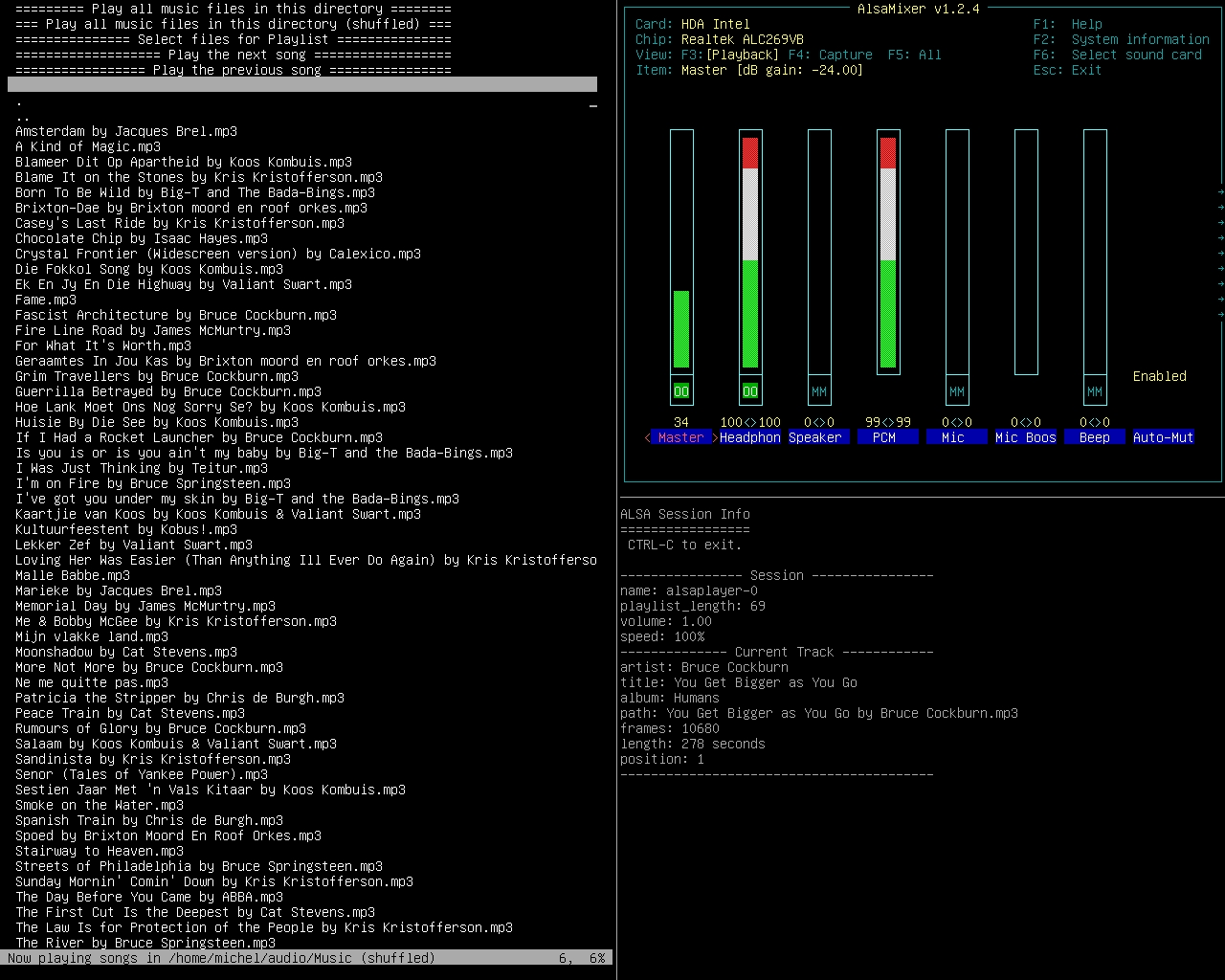
mp3menu lets you select and play your music files using iselect and AlsaPlayer. Mainly MP3’s, but this will actually play anything AlsaPlayer and libaudio can handle, so WAV and FLAC are covered, as well as a bunch of ancient formats dating back to the 1980s. Sadly, M4A is not.
Requires: 1. AlsaPlayer 2. Iselect 3. Bash – mp3menu is a bash script. It might work with zsh, dash and other shells, or it might not.
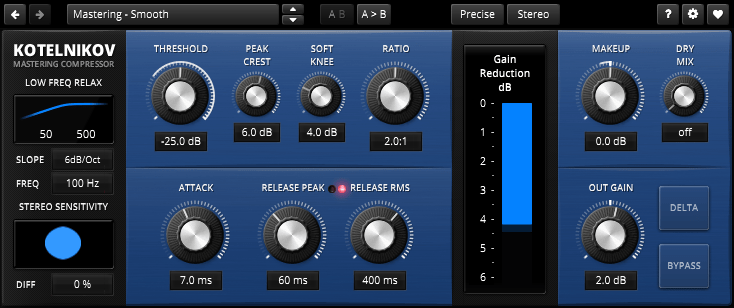
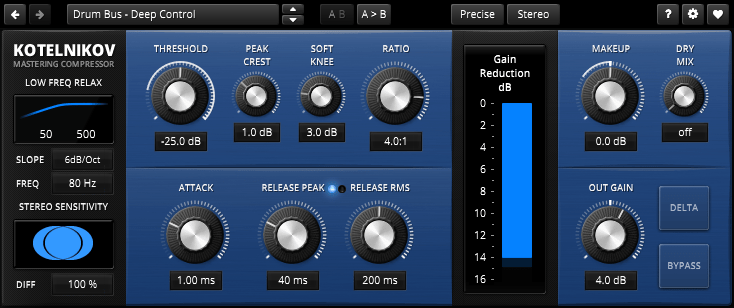
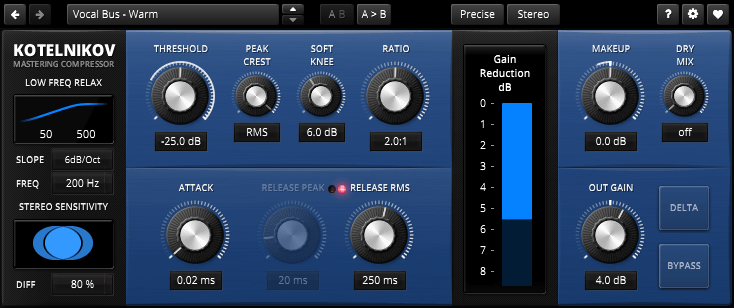
TDR Kotelnikov is a wideband dynamics processor combining high fidelity dynamic range control with deep musical flexibility. As a descendant of the venerable TDR Feedback Compressor product family, Kotelnikov has directly inherited several unique features such as a proven control scheme, individual release control for peak and RMS content, an intuitive user interface, and powerful, state of the art, high-precision algorithms.
With a sonic signature best described as “stealthy”, Kotelnikov has the ability to manipulate the dynamic range by dramatic amounts, while carefully preserving the original tone, timbre and punch of a musical signal. As such, it is perfectly suited to stereo bus compression as well as other critical applications.
The concept is “proudly digital” in the sense that it doesn’t try to emulate any previously existing device. This is the original!
Features:
64bit multi-rate processing structure for highest accuracy
“Delta” oversampled signal path (bit transparent at 0dB gain reduction)
Super fast, yet natural sounding compression
“Crest factor” based control scheme offering independent release controls for peak and RMS events
Flexible sidechain highpass filter
Advanced stereo linking options optimized for the stereo bus
Delta preview mode previews the difference between compressed and original signal
Latency compensated, click free bypass (i.e. processing never interrupted)












 The Audio File