foo_uie_playlist_tree is a foobar2000 component to organize playlists in a tree view.
It attempts to recreate the functionality of foo_plorg.
* Supports the Default User Interface (DUI) and the Columns User Interface (CUI).
* Supports dark mode.
* Supports foobar2000 2.0 and later (Intel 32-bit/64-bit version).
* Title formatting variables
* %node_name%: the name of the node, either a playlist or a folder.
* %node_is_folder%: boolean value for use in $if( …) expressions and is true when the node is a folder.
* %node_item_count%: the number of playlists in a folder or number of items in a playlist.
* %playlist_duration%: the duration of the playlist (in seconds).
* %playlist_size%: the size of the playlist (in bytes).
* %fb2k_path%: the directory path of the foobar2000 installation.
* %fb2k_component_path%: the directory path of the component.
* %fb2k_profile_path%: the directory path of the foobar2000 profile.
* Any Windows environment variable.
* User defined tree images
* Supports drag & drop from foobar2000, Explorer and other applications.
* Supports the foobar2000 playlist recycle bin.
Category Archives: Foobar2000
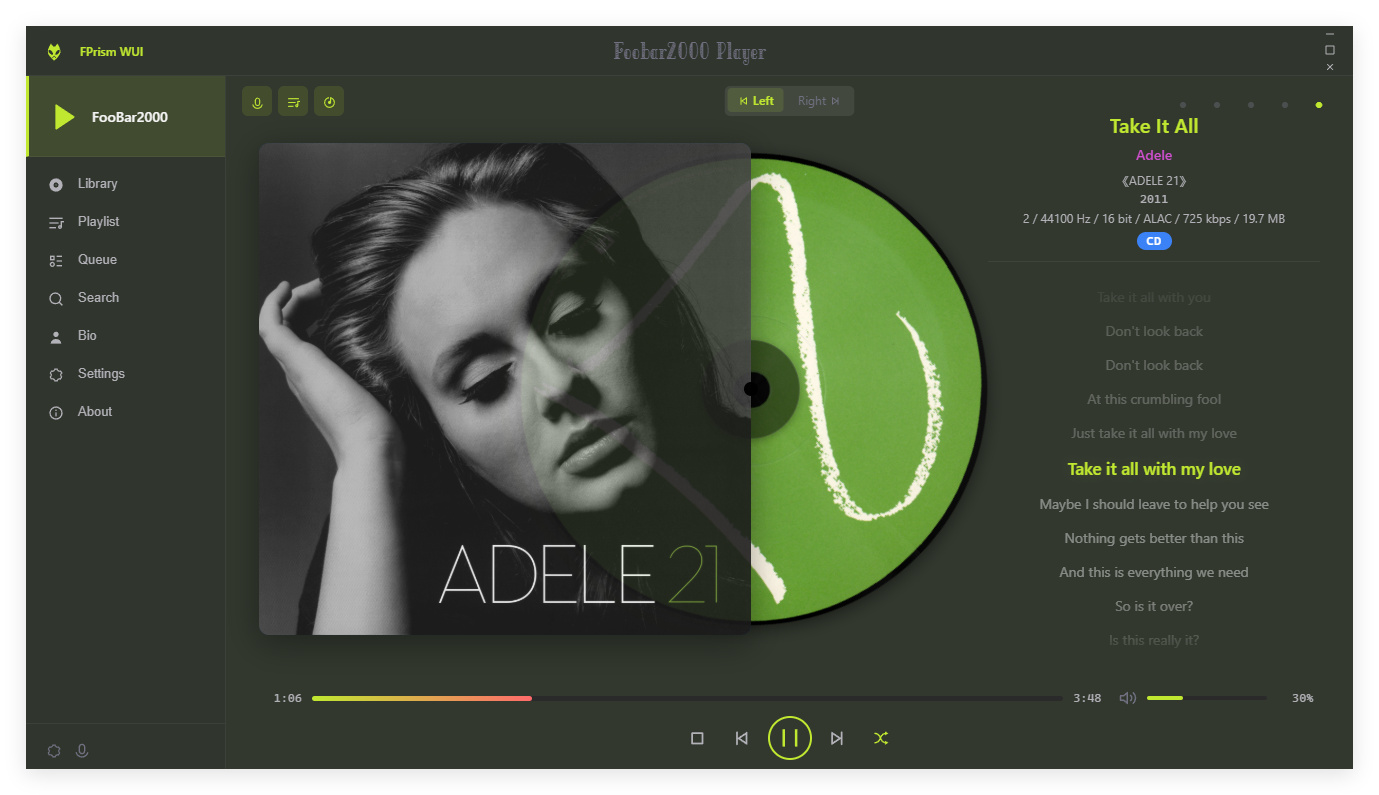
foobar2000 ~ foo_ui_webview2
A modern UI component for foobar2000 built on WebView2 (C++ DLL). It turns the entire foobar2000 window into a WebView2 canvas, letting you build the interface with modern web technologies while keeping native Windows 11 visual effects (Mica/Acrylic).
Features:
- Full WebView2 UI — the entire client area is rendered by WebView2
- Native Windows 11 effects — Mica / Acrylic / Tabbed backgrounds
- Extended title bar into the client area — custom title bar content, Snap Layout support
- Bidirectional C++ / JS bridge (BridgeCore)
- 200+ APIs across 20+ namespaces
- Plugin extension system (PluginRegistry)
- Web Components library (fb-* elements)
- SMP compatibility layer
- MCP Server — AI agent integration via CDP
- DUI / CUI panel support
nereafantasia.github.io/foo_ui_webview2
github.com/NereaFantasia/foo_ui_webview2
References:
en.wikipedia.org/wiki/WebView
learn.microsoft.com/en-us/microsoft-edge/webview2
Resources:
Gallery:

FPrism WUI ~ hydrogenaudio.org/index.php/topic,129771.0
foobar2000 ~ Duration & Subsong Manager
A foobar2000 component that lets you override the length of any track, hide individual subsongs from the Media Library, and read playback time at millisecond precision.
Language: English | 中文
Features:
Duration Manager — custom track length
- Set a custom length for any track via the context menu “Set custom duration”.
- Manage all overrides in Preferences → Tools → Duration & Subsong Manager → Duration Manager (search, edit, delete).
- Overrides are matched by file content hash + subsong index, so they survive file moves/renames.
- During playback the track is automatically truncated to the custom length (jumps to the next track when reached).
Subsong Manager — hide subsongs
- For multi-subsong files, choose exactly which subsongs are visible in the autoplaylists.
- Configure include/exclude ranges (e.g.
1-3,5,7) or checkbox in Preferences → Tools → Duration & Subsong Manager → Subsong Manager.- Note: this filters the Media Library query at runtime, so changes take effect after a restart.
High-Precision Timer (UI element)
- An auxiliary UI element for the Duration Manager that shows playback position and track length in millisecond precision:
[HH:]MM:SS.mmm.- Add it via the layout editor like any other UI element (“High-Precision Timer”).
Compatibility
- foobar2000 v2.0 or newer, Windows, 32-bit and 64-bit.
- Built against the foobar2000 SDK (2025-03-07).
24seven.fm Covers ~ Radio Cover Art
Cover-art for the 24seven.fm family of internet radio stations — Streaming Soundtracks, 1980s.FM, Adagio.FM, Death.FM, and Entranced.FM. A shared, host-agnostic C++ engine drives three Windows front-ends plus a cross-platform core library:
| Component | Directory | Output | Build system |
|---|---|---|---|
| Desktop viewer | desktop/ | 24sevenfm_covers.exe(x64, self-contained) | MSBuild (.vcxproj / .sln) |
| Winamp plugin | winamp/ | gen_24sevenfm_covers.dll(x86 / 32-bit) | CMake |
| foobar2000 component | foobar2000/foo_24sevenfm_covers/ | foo_24sevenfm_covers.dll(x64) | MSBuild ( .vcxproj) |
| Core library | lib/ | coverfetch static lib (cross-platform) | CMake |
All three front-ends share the same Direct2D renderer (shared/d2d_*.cpp), the cover engine (shared/cover_engine.* — cover preload, crossfade/flip transitions, remaining-time countdown), the options page (shared/options_*), and the networking/parse library (lib/). The library alone (lib/) is portable C++11 and already cross-compiles for Android/iOS.
foobar2000 ~ foo_filename_editor
Advanced file renamer component for foobar2000 media player. This plugin helps you rename your physical audio files on your hard drive based on their metadata tags, while ensuring a seamless, smart, and fully automated workflow.
Key Features:
- Smart Track Number Padding: Automatically scans all selected tracks. If the album contains 100 or more tracks, it pads numbers to 3 digits (
001,002), otherwise it defaults to 2 digits (01,02) dynamically.- Intelligent Compilation (Various Artists) Detection: Automatically checks
%album artist%and%artist%tags. If it detects a compilation, it seamlessly applies your custom VA formatting template.- Advanced Case Conversion: Supports Title Case, Smart Title Case (keeps short words like a, an, the, and, with lowercase), Sentence case, ALL CAPS, and lowercase.
- Roman Numerals Preservation: Intelligently detects standalone Roman numerals (e.g.,
Part iii) and forces them to uppercase (Part III) across all case conversion modes (except lowercase). Includes protection against false positives (words like MIX, DIV).- Extended Unicode & Ligature Support: Works perfectly with Windows native APIs, preserving and processing complex characters like
æ,œ,ß, and language-specific diacritics.- Safe Formatting Menu: Quick insertion menu for popular tags and safely escaped syntax characters like
'(',')','[',']', and single/double quotes (','').- Seamless Playlist Synchronization & Reload: Automatically replaces dead file links in all open playlists with the newly renamed paths. Instantly reloads file tags and durations in the background—no broken links, no manual reloading required!
- Robust Error Handling: If a file cannot be renamed (e.g., if it is locked or currently playing), the plugin bypasses it without crashing and provides a detailed summary report of successful and failed files.
- Persistent Settings: Remembers your custom single/VA templates, history list, checkboxes status, and even your preferred window column widths between sessions.
🎵 M3U/M3U8 Playlist Generation (v1.1)
The plugin now includes built-in support for generating playlist files automatically during the renaming process:
- Save M3U Checkbox: Automatically creates a playlist file in the top-level directory of your processed files.
- Custom Naming Templates: Use standard foobar2000 title formatting syntax (like
%album%or%artist% - %album%) to dynamically name your playlist file.- EXTINF Metadata: Optional toggle to write standard
#EXTM3Uand#EXTINFheaders containing track durations and formatted titles (%artist% - %title%).- Smart Conflict Resolution & Overwrite Toggle: Prevents accidental loss of data. If overwrite is disabled, the plugin safely creates incremented filenames like
Playlist (1).m3u.- UTF-8 Compatibility: Playlists are written with a proper UTF-8 BOM, ensuring seamless support for non-ASCII characters, symbols, and ligatures.
foobar2000 ~ foo_musical_key
foo_musical_keyis a foobar2000 component that detects the musical key of selected tracks with libkeyfinder or by ear via a MIDI piano keyboard interface, writes the result to foobar2000’s metadata database, and can write the key tag back into the source audio file.The component adds a Musical Key Analyser context-menu group and ships as a standard
.fb2k-componentpackage for foobar2000 users.Features:
- Detect musical keys automatically for one or many selected tracks (libkeyfinder).
- Detect the key of a single track manually by playing notes on your keyboard (MIDI out, Windows default GS synth).
- Run automatic analysis in a background worker with foobar2000 progress UI.
- Write detected keys to foobar2000’s metadata DB without touching the file.
- Write the key tag from the DB into the audio file on disk (separate action).
- Choose one of three output notations:
- Standard (
C,Am,Dbm)- Camelot (
8B,8A)- Open Key (
1d,1m)- Configurable tag name (default:
Initial Key).- Build x86 and x64 binaries and package them into one
.fb2k-component.
github.com/PEERSOFTdev/foo_musical_key
hydrogenaudio.org/index.php/topic,129518.0.
foobar2000 ~ foo_strip
A standalone, draggable, always-on-top playback strip for foobar2000 on Windows, inspired by Deskband Controls. Album art, scrolling title/artist, transport controls, and a working seek bar — floating over your desktop, independent of foobar’s own window. Reads position/length and seeks directly through foobar’s
playback_control(no SMTC or bridge).

github.com/masterrite/Foo_strip
hydrogenaudio.org/index.php/topic,129649
foobar2000 ~ foo_uie_jsplitter
JSplitter (component name: foo_uie_jsplitter) is a JavaScript-based user interface component for foobar2000 that allows users to create highly customized panels, layouts, browsers, playlists, artwork displays, VU meters, and other interface elements using JavaScript. It originated as a successor to older scripting components such as Panel Stack Splitter and has become popular among theme developers.
What JSplitter provides:
- JavaScript scripting for custom UI panels
- Dynamic layouts and splitters
- Custom playlist viewers
- Album art browsers
- Biography and review panels
- VU meters and visualizations
- Integration with foobar2000 playlists, library, playback state, and metadata
- Support for importing complex themes and panel collections developed by other users
github.com/dima-lur/jsplitter
hydrogenaudio.org/index.php/topic,126743.0
Foobar2000 ~ ctrfoobar2000 script
Control Foobar2000 with python + Command line
usage: control.py [-h] [-p] [-t PLAY_TRACK] [-s] [-P] [-n] [-r] [-R] [-V VOLUME] [-m] [-i] [-f [ADDFOLDER [ADDFOLDER ...]]] [-fi [ADDFILES [ADDFILES ...]]] [-F [ADDFOLDERPLAY [ADDFOLDERPLAY ...]]] [-Fi [ADDFILESPLAY [ADDFILESPLAY ...]]] [-c] [-d [DEL_TRACK [DEL_TRACK ...]]] [-l] [-b] [-S TYPE_CONTROLLER] [-H HOST] [-O PORT] [-?] [-g] [-x [CHANGE_CONFIG [CHANGE_CONFIG ...]]] [-T SECTION] [-E OPTION OPTION] [-a DIR_ALIAS] [-v] [-L LEVEL_ALIAS] [-z REPEAT] [--repeat-off] [--repeat-playlist] [--repeat-track] [--repeat-random] [--shuffle-track] [--shuffle-album] [--shuffle-folder] [--seek SEEK] [--root ROOT]optional arguments: -h, --help show this help message and exit -p, --play Play Playback -t PLAY_TRACK, --play-track PLAY_TRACK Play Playback Track No -s, --stop Stop Playback -P, --pause Pause Playback -n, --next Next Play -r, --previous Previous Play -R, --random Play Random -V VOLUME, --volume VOLUME Set Volume, range is -100 <= value <= 0 -m, --mute Mute Volume -i, --info Get info current Playing -f [ADDFOLDER [ADDFOLDER ...]], --addfolder [ADDFOLDER [ADDFOLDER ...]] Add Remote Folder Queue [HTTP] -fi [ADDFILES [ADDFILES ...]], --addfiles [ADDFILES [ADDFILES ...]] Add Remote Files Queue [HTTP] -F [ADDFOLDERPLAY [ADDFOLDERPLAY ...]], --addfolderplay [ADDFOLDERPLAY [ADDFOLDERPLAY ...]] Add Remote Folder Queue & Play it [HTTP] -Fi [ADDFILESPLAY [ADDFILESPLAY ...]], --addfilesplay [ADDFILESPLAY [ADDFILESPLAY ...]] Add Remote Folder Queue & Play it [HTTP] -c, --clear-playlist Clear Current Playlist [HTTP] -d [DEL_TRACK [DEL_TRACK ...]], --del-track [DEL_TRACK [DEL_TRACK ...]] Delete Playlist [HTTP], example: foobar -d 1 2 3 -l, --list List Playlist -b, --browser Browser Library -S TYPE_CONTROLLER, --type-controller TYPE_CONTROLLER Set Type Of Controller [com,http] -H HOST, --host HOST Remote Host control Address [HTTP] -O PORT, --port PORT Remote Port control Address [HTTP] -?, --usage Print All Help -g, --read-config Read config file -x [CHANGE_CONFIG [CHANGE_CONFIG ...]], --change-config [CHANGE_CONFIG [CHANGE_CONFIG ...]] Set Change config. format: section#option#value -T SECTION, --section SECTION Set Section Config -E OPTION OPTION, --option OPTION OPTION Set Option Config -a DIR_ALIAS, --dir-alias DIR_ALIAS Root of Directory Alias On Server -v, --version -v = show version | -vv = verbosity process -L LEVEL_ALIAS, --level-alias LEVEL_ALIAS Level Root of Directory Alias On Server -z REPEAT, --repeat REPEAT Repeat 0 = Default (repeat off) | 1 = Repeat Playlist | 2 = Repeat Track | 3 = Random Play | 4 = Shuffle Track | 5 = Shuffle Album | 6 = Shuffle Folders --repeat-off Repeat Off --repeat-playlist Repeat Playlist --repeat-track Repeat Track --repeat-random Random Play --shuffle-track Shuffle Track --shuffle-album Shuffle Album --shuffle-folder Shuffle by Folder --seek SEEK Seek for a second --root ROOT Root path / Directory Containt Music files, this is for One Folder Files Selected
Foobar2000 ~ Autometa Playlists
Autometa is a minimalist, customizable JScript Panel script designed to quickly create autoplaylists based on the current track’s tags with a single click (similar to the quick search function).
foo_opensubsonic ~ Streaming Client
OpenSubsonic / Navidrome client implementation for foobar2000.
Features:
- Connect to OpenSubsonic-compatible servers such as Navidrome
- Stream tracks directly in foobar2000 through
subsonic://paths - Sync remote library metadata into a local foobar2000 playlist
- Import and sync remote playlists
- Load and cache album artwork with fallback support for streamed items
github.com/michioxd/foo_opensubsonic
Related:
foobar2000-catbox ~ Foobar, Discord, Catbox & Images
This is a helper application that uploads images to Catbox, and is meant to be invoked by the foo_discord_rich plugin. With a fork of the Discord Rich Presence Integration component, uploads cover art to catbox.moe and prints the URL.