Foobar2000 ~ The First Steps


For most users the latest version of Foobar2000 32-bit is adequate. Users with very large music libraries may need to install the 64-bit version. The latest Foobar2000 installers are available on the official downloads page: www.foobar2000.org/download

After downloading, installing Foobar2000 and starting Foobar2000, you will see the main Default User Interface, commonly referred to as the DUI.

The first step is to populate Foobar2000’s Media Library.

Select Preferences > Media Library > Add...

and navigate to your Music folder. Once Foobar2000 has scanned all the subfolders and files, it will continue to monitor for any additions, deletions or revisions

The next step is to set the ReplayGain values. See ReplayGain ~ Advanced Volume Normalization

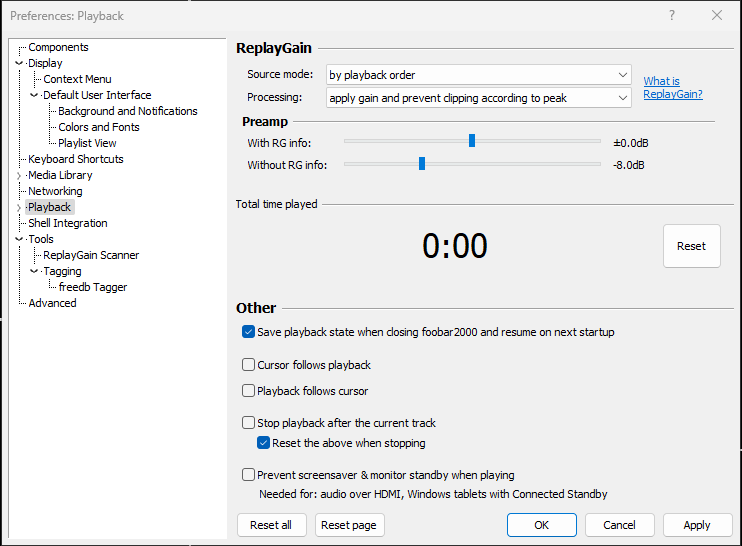
Select the Playback submenu:

  1. Change Source mode to ‘by payback order
  2. Change Processing to ‘apply gain and prevent clipping according to peak
  3. Adjust the ‘Without RG info‘ slider to -8.0 dB

The last initial step is to set your own individual freedb address.
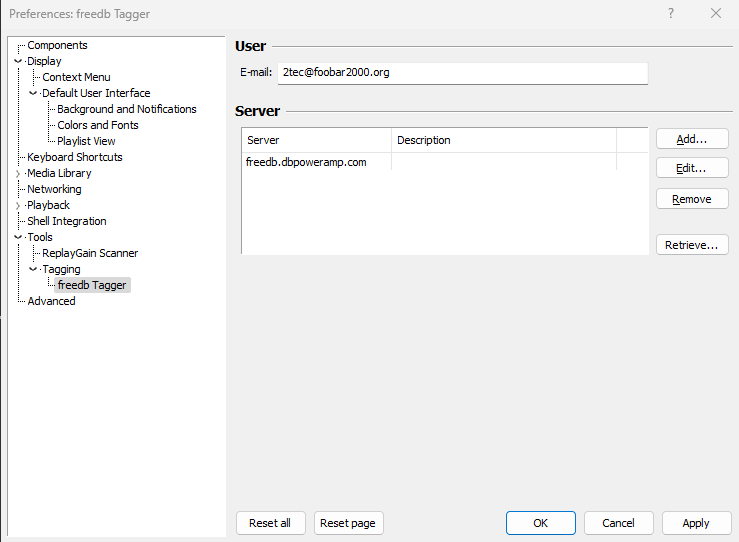
At this point you should see your music and it should play without issue.
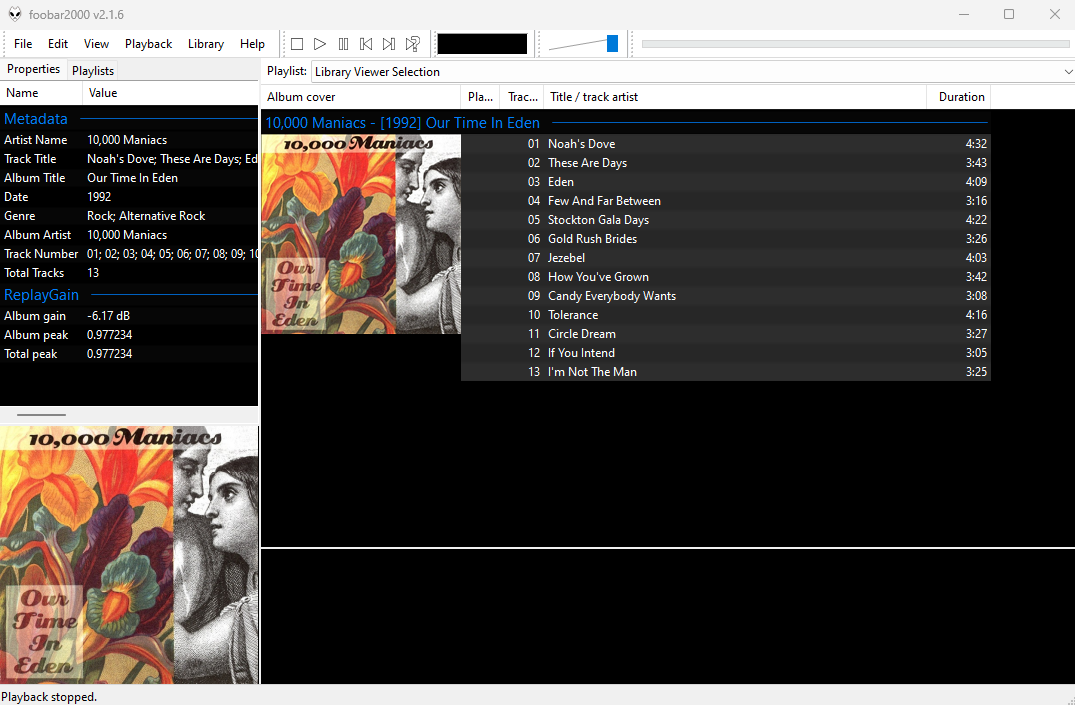
This covers the very basics. The next steps will be to add additional components, more configuration and how to use Foobar2000 to accomplish day to day tasks.

References:

SongRec ~ Linux Shazam Client


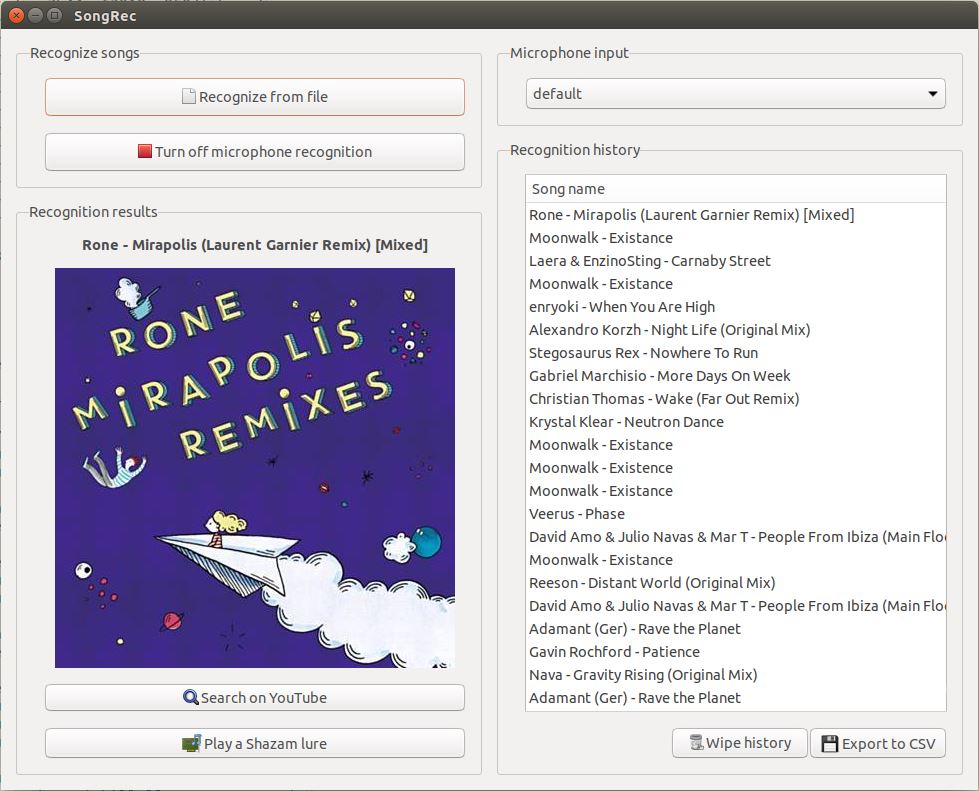
SongRec is an open-source Shazam client for Linux, written in Rust.

github.com/marin-m/SongRec
flathub.org/apps/com.github.marinm.songrec

Brasero ~ Gnome CD/DVD Burner


Brasero is a GNOME application to burn CD/DVD, designed to be as simple as possible. It has some unique features to enable users to create their discs easily and quickly.

wiki.gnome.org/Apps/Brasero
www.linuxlinks.com/brasero
en.wikipedia.org/wiki/Brasero_(software)

Audio Share ~ Share Audio To Android


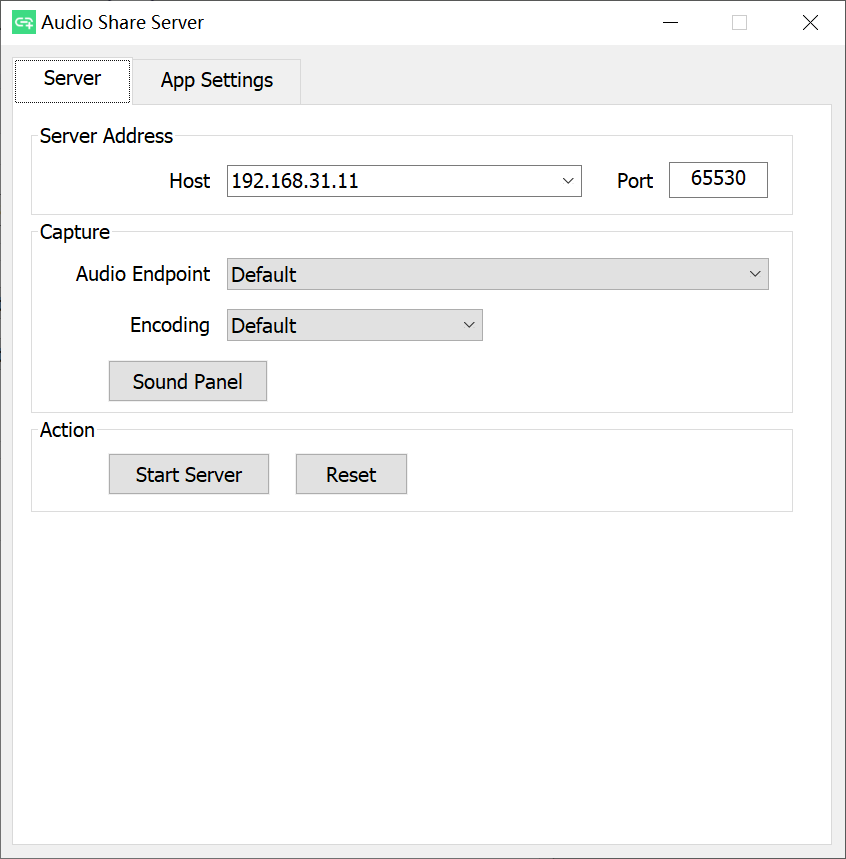
Audio Share can share a Windows or Linux computer’s audio to an Android device over a network, so your phone becomes the speaker of the computer. 

github.com/mkckr0/audio-share
sourceforge.net/projects/audio-share

FRKB ~ Rapid Audio Organization Tool


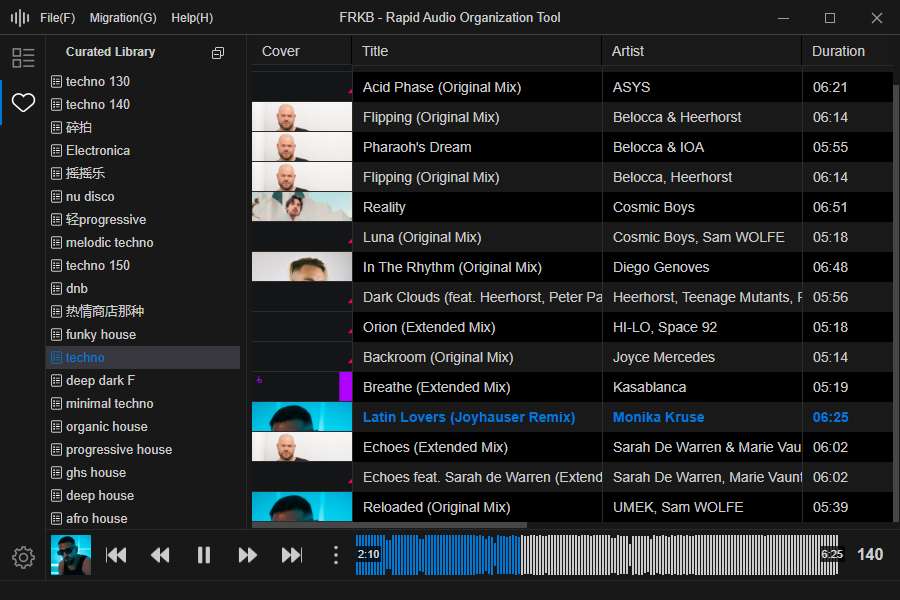
FRKB is a cross-platform desktop application designed for audio professionals (such as DJs). The current beta version is compatible with Windows and will be adapted for macOS once stable. It is still under active development.

Core Features:

  • Portable: Easily transfer the database to mobile devices for on-the-go use.
  • Audio Fingerprint Deduplication: Identify and exclude duplicate tracks using audio fingerprint technology, providing prompts during import to keep your music collection clean and efficient.
  • Ergonomic Shortcuts: Ergonomically designed shortcuts that allow most operations to be performed with the left hand, making the organization process smoother and more efficient.
  • Direct File Management: When adding tracks, FRKB directly manages the audio files themselves, ensuring that the organization results are immediately reflected in the computer’s folders, achieving a “what you see is what you get” effect.
  • Waveform Visualization: Provides audio waveform display.
  • BPM Analysis: Displays BPM information.

github.com/coderDJing/FRKB_Rapid-Audio-Organization-Tool

Power Tab Editor ~ Guitar Tablature Editor


Power Tab Editor 2.0 – A powerful cross platform guitar tablature viewer and editor inspired by the ceased development and missing source code from the original Power Tab Editor. This project is open-source and written from scratch so that your favorite tabbing platform can continuously grow with your needs.

Key Features:

  • Cross platform – Windows, Mac, & Linux
  • Tabbed layout for opening multiple files at the same time
  • Mixer interface for adjusting volumes during playback
  • Complete customization of keyboard shortcuts
  • Importing of Guitar Pro tabs

github.com/powertab/powertabeditor

Sine Tone Generator ~ Generate Sine Tones Online


The most fundamental sound is the sine wave, characterized by a single frequency without any harmonics. A sine wave can be easily recognized by ear, as it sounds very pure, almost like a whistle. As sine waves are made up by a single frequency, they are best suited to test audio systems at a given frequency.

www.audiocheck.net/audiofrequencysignalgenerator_sinetone

Georgia-ReBORN ~ Dynamic Foobar2000 Theme


Georgia-ReBORN is feature rich foobar2000 theme developed and based on Mordred’s original Georgia. It’s purpose is to be used mainly as a desktop version, the layout has been modified to look clean and simple without any distractions. The cover artwork and playlist are the main focus. Besides the 11 existing themes Georgia-ReBORN has to offer ( Options > Theme ) there is one special theme “Reborn”. Based on Mordred’s awesome dynamic color change feature, this theme will completely change its appearance based on album art, this means there are unlimited possibilities how the player will look like. Every new album you play will be a new experience!

github.com/TT-ReBORN/Georgia-ReBORN

cplayer ~ minimal audio player


cplayer is a small, statically served, client-side album-based audio player for modern web browsers. You simply drop a build into a directory on your web server, create a manifest.json file that describes the album metadata and track URIs and you’re done.

display of a cplayer web page

github.com/clangen/cplayer

THD Meter ~ Measure Total Harmonic Distortion


MathAudio THD Meter VST/AU

  • Measures Total Harmonic Distortion (THD) in sound cards, speakers and headphones.
  • Applies matched filters for maximizing the signal-to-noise ratio (SNR) in the presence of additive stochastic noise.
  • Supports microphone calibration files.
  • Supports full range of sample rates from 44.056 kHz up to 384 kHz. All sample rates are supported without resampling to avoid any possible loss in accuracy.

mathaudio.com/thd-meter

Modern Flyouts ~ Windows Volume Flyout


This application aims to provide a Fluent Design System based replacement for the old, built-in, Metro Design based Audio/Airplane mode/Brightness flyouts in Windows which are shown while pressing the media or volume keys or even the brightness keys or when airplane/flight mode is toggled.

In case of Windows 11, this application will have the same UI but will provide additional features and customizability compared to the built-in redesigned flyouts.

github.com/ModernFlyouts-Community/ModernFlyouts
modernflyouts-community.github.io

BassBoom ~ Music App & Library


BassBoom is a music player made with C# using the fast mpg123 library as the native backend that handles the music playback and song information, including the playback device information.

This library is a viable library aimed for cross-platform music playing because we’ve selected mpg123 as the MP3 backend library for its ease of use and for its fast music playback. This library is frictionless as it aims for stability and cross-platform compatibility.

In addition to your regular music files, BassBoom also supports online MPEG radio stations that you can use to play your own favorite radio stations, as long as they don’t use AAC or any other codec that BassBoom doesn’t support.

github.com/Aptivi/BassBoom