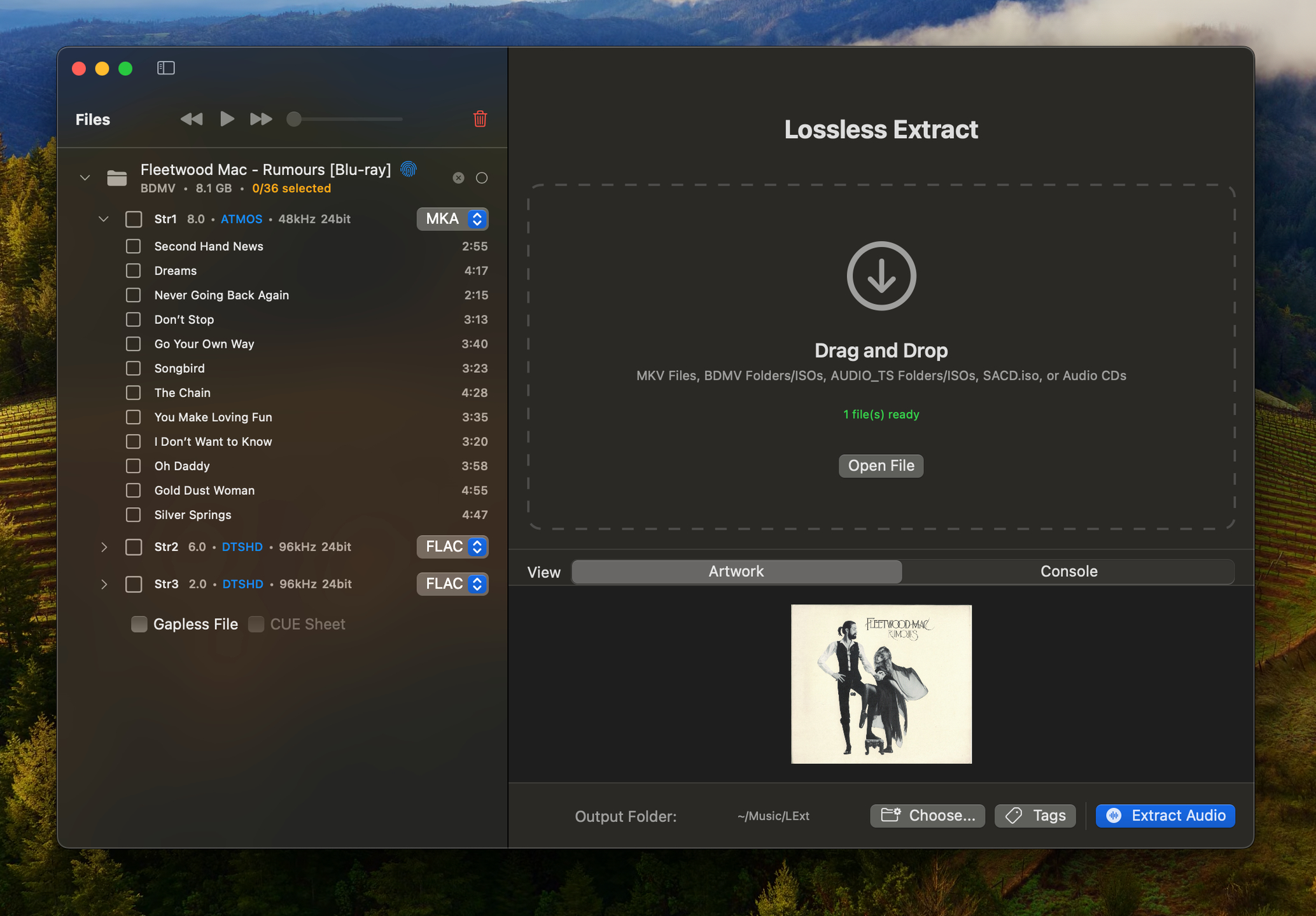
Lossless Extract for macOS and Windows is a tool for purists who demand perfect audio preservation. Designed for precision and simplicity, it effortlessly extracts high-resolution audio from Blu-ray, SACD, MKV or DVD=Audio sources. It handles Dolby TrueHD (with Atmos) and DTS-HD Master Audio preserving atmos object based meta data. Many tools decode immersive audio into PCM, which permanently destroys spatial metadata. Lossless Extract preserves the original audio stream so the immersive mix plays correctly on compatible AVRs and streaming devices.
Accepts MKV, BLU-Ray BDMV, and DVD-AUDIO ISO, AUDIO_TS folders, and SACD.isos as input files. Choose your preferred output format—FLAC , MKA, M4A, DSF, DFF, or Direct stream copy and Lossless Extract will deliver pristine, bit-for-bit copies of your original audio streams. Whether you’re archiving your home theater collection or preparing high-end audio projects, Lossless Extract ensures every detail is preserved, every time.
DVD-Audio Decoder input plugin and Watermark Detector / Neutralizer DSP plugins for Foobar2000. Decoder is capable of playing back DVD-Audio discs, ISO images, AOB, MLP and Dolby TrueHD files in full resolution. Dedicated plugin for DTS-HD playback. APT-x100 plugin for *.AUD and *.AUE files from DTS movie / trailer discs.
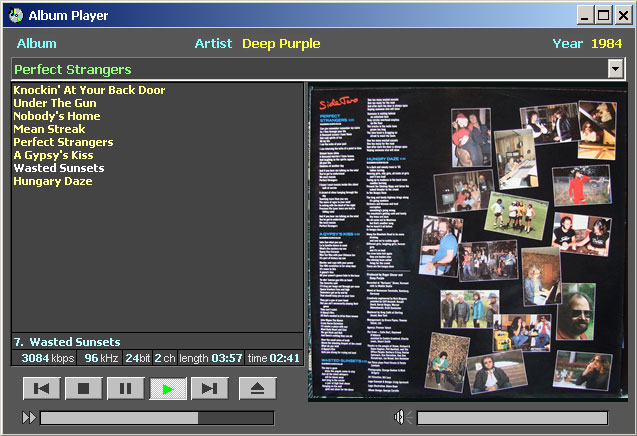
Album Player is designed for composing and listening to compilations of music albums on your hard drive and CD/DVD. The Album Player plays audio files of popular formats, such as WAV, FLAC, APE, WavPack, ALAC, AIFF, TAK, MP3, MP4, OGG, MPC, Audio-CD, SACD and DVD-A. Playlists are built based on information read from .cue files.
The Album Player supports modes of direct output from a sound decoder to an output device. The elimination of intermediate processing and mixing provides the most accurate sound reproduction. The Album Player’s supported output modes are ASIO, Kernel Streaming and exclusive WASAPI.
The player displays a list of albums located on a selected drive or directory, content of a selected album, album art, artist name, and the year of release of the album. If an album’s folder contains more than one picture, they are displayed as a slide show.
No installation is required, just right-click on the player to configure it.