Native VST3 audio effects for OBS Studio on Windows — isolated plug-in hosting, vendor GUIs, automatic discovery, state restore and dry fail-open recovery.
Why this project exists
OBS Studio’s built-in VST filter does not provide VST3 hosting. Many current studio EQs, compressors, restoration tools, reverbs, saturators, limiters and mastering processors are distributed primarily, or only, as VST3s.
OBS Safe VST3 Host adds two OBS-native workflows on Windows:
- VST 3.x Plug-in — a simple one-effect filter for the common case.
- VST3 Rack — a separate isolated serial multi-effect chain with a dedicated graphical Rack Editor and broadcast-oriented master console.
Third-party VST3 runtime code, vendor editors and plug-in scanning are deliberately kept outside the OBS process.
Category Archives: Recording

4track ~ Online Four Track Recorder
A browser-based 4-track audio recorder built with the Web Audio API and SvelteKit. Designed for low-latency recording with overdub support, latency compensation, and sample-accurate multi-track playback — all running entirely client-side with no server required.
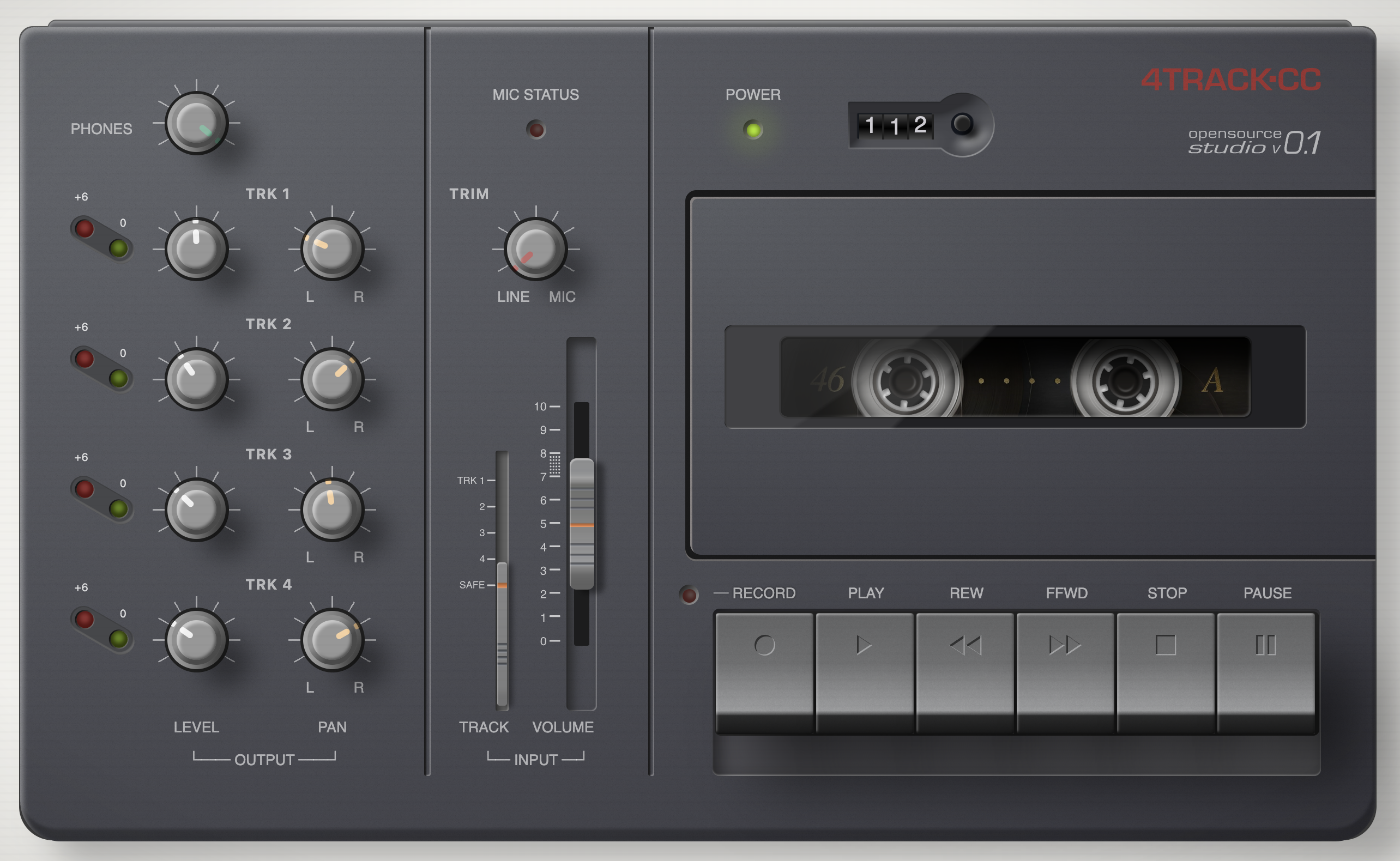
www.4track.cc
github.com/andreboekhorst/4-track-recorder
Share this:

Fender Studio ~ Record, Jam & Create
Record, jam, and capture your creativity whenever and wherever it strikes. Packed with authentic Fender tones, Fender Studio is fast, fun, and free for guitar players and music creators of all types.
fender.com/pages/fender-studio-app
Share this:

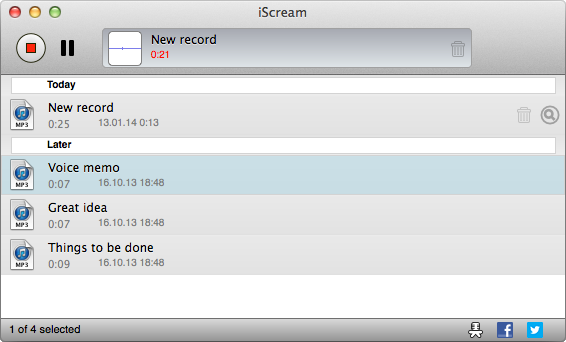
iscream ~ MacOS Audio Recorder
iScream is a free recording application for macOS. It lets you record sound from your microphone or other sound sources. The app sits in the Dock, so when you want to start recording, just click its icon. To stop recording, click the icon again. With support for hotkeys, it’s even easier to start and stop recording without reaching for your mouse. iScream is great for making voice notes, capturing quick sound bites, recording short interviews, and any other small recordings you might need. Its simple design and easy-to-use features make it a handy tool for anyone, especially those who often need to capture audio on the fly.
- One click recording
- Saves in MP3, AAC or WAV format
- Hotkeys support
Share this:

MeasureLab ~ Audio Measurement Suite
A collection of DIY audio measurement and analysis tools, grown organically as needed. This software is compatible with standard audio devices.
PyQt6 desktop app bundling 28+ DIY modules: signal generator, spectrum/PSD analyzer, sound level & LUFS meters, loopback finder, distortion/IMD tools, network/impedance analyzers, oscilloscope, spectrogram, ultrasound modulator, transient analyzer, lock-in/FRA, inverse filter, frequency counter, recorder/player, sound quality analyzer, noise profiler, boxcar averager, goniometer, BNIM meter (ITD/ILD neural map), HRTF Player, and more.
Built for hobbyists and engineers: device routing, calibration (input/output/SPL), multi-language UI, light/dark themes.
github.com/youtube-at-vach/MeasureLab
youtube-at-vach.github.io/MeasureLab
Share this:

swp ~ Simple Webstream Player
Simple Webstream Player, to listen and record web radios and other streams.
Features:
- Simple Webstream Player, to listen to and record web radio and other web streams in mp3, aac and opus format.
- Auto select the type of audio format.
- Change live the tempo and pitch.
- Show ICY tag, including image.
- Record in wav format.
- Can also play webstreams from https.
- Import/Export m3u list of web radio files.
- You may choose what audio device to use.
sourceforge.net/projects/simplewebplayer
Share this:

StrumPract ~ Various Tools For Musicians
- Learn to play drums set in 4 lessons and develop your art.
- Practice your other instruments with a editable drums machine.
- Tune your guitar and bass.
- Play audio files and loop it, adjusting the tempo of the song to what you want.
- DJ console for auto-mixing, with 2 players and direct-output of mic.
- Record your ideas-jam.
- Chords randomizer for jamming.
- Image Dancer.
- Tag info with images.
- Many Layout and Styles.
Features:
- DJ console
- Recording
- Drums set
- Piano synth
- Noise producer
- Image dancer
- Jam session
- Chords randomizer
sourceforge.net/projects/strumpract
github.com/fredvs/strumpract
forum.lazarus.freepascal.org/index.php?topic=52237.0
Share this:

Polyphone ~ Cross-platform Soundfont Editor
Polyphone is an open-source soundfont editor for creating musical instruments, available for Windows, Mac OS X and Linux.
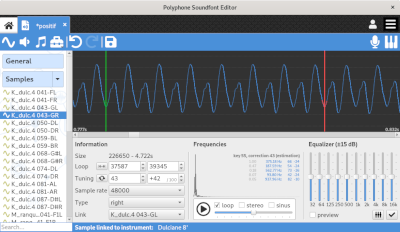
Features:
www.polyphone.io
- editing of sf2, sf3, sfz and sfArk file formats
- compatible with jack and asio audio servers
- built-in synthesizer, controlled by a virtual keyboard or midi signals
- automatic recognition of root keys
- automatic loop of samples
- simultaneous editing of parameters
- specific tools for musical instrument creation
- recorder to keep a trace of what is played in a .wav file
- soundfont browser connected to the online repository
github.com/davy7125/polyphone
community.linuxmint.com/software/view/polyphone
Share this:

Cakewalk ~ Free Digital Audio Workstation
The most complete music production package
The creative experience. Only Cakewalk by BandLab offers: advanced technology, effortless workflow, and an interface that amplifies inspiration.
Compose ~ Easily compose complete songs and performances with creative songwriting tools and instruments
Record ~ Capture inspired performances with pristine quality and unlimited audio and MIDI tracks
Edit ~ Fix mistakes, arrange parts, and manipulate pitch, time, and any other aspect of your recordings
Mix ~ Achieve pristine pro-studio sounds and create big, clear, dynamic mixes with advanced mixing tools
Master ~ Polish your finished mixes to perfection with built-in mastering tools
Share ~ Export and publish your songs directly to YouTube, SoundCloud, Facebook and more
www.bandlab.com/products/cakewalk

Share this:

Cleanfeed ~ Online Recording Studio
Cleanfeed enables you to record a session with anyone, wherever they are in the world — with the highest quality. It could be a podcast interview, voiceover recording or or something else.
Share this:

Ashampoo ARF ~ Free Audio Recorder
Recording software for microphone or sound card recordings
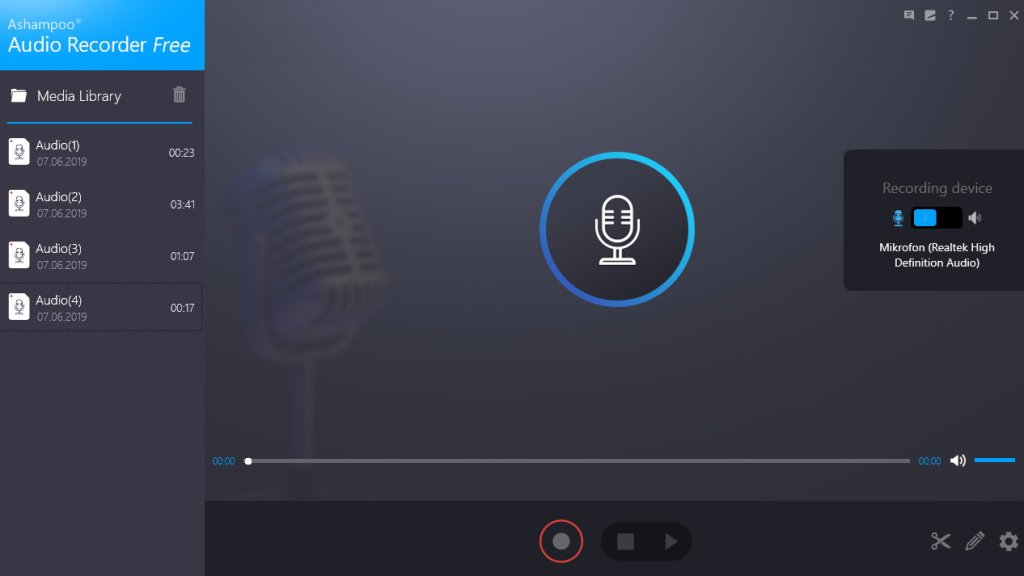
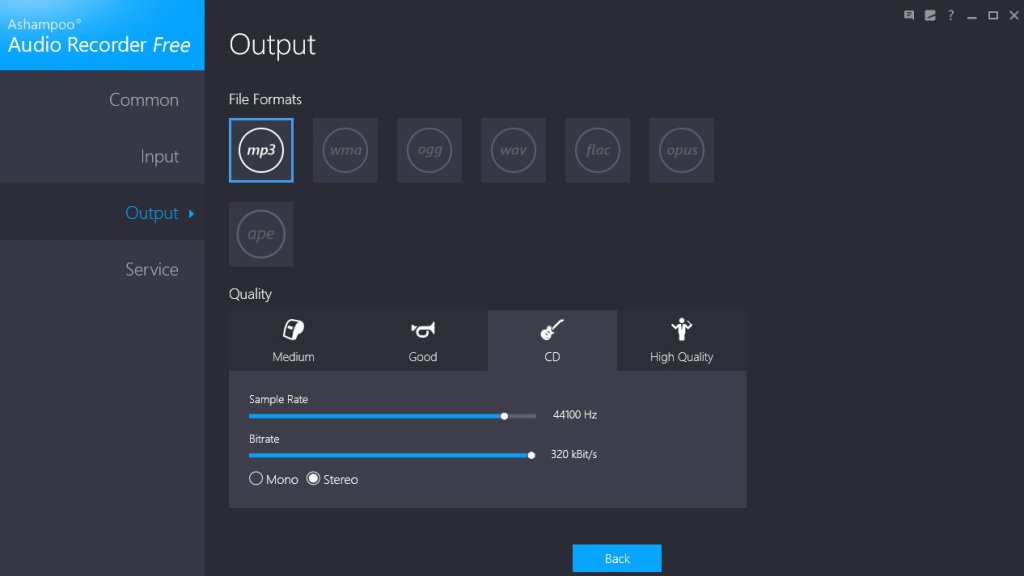
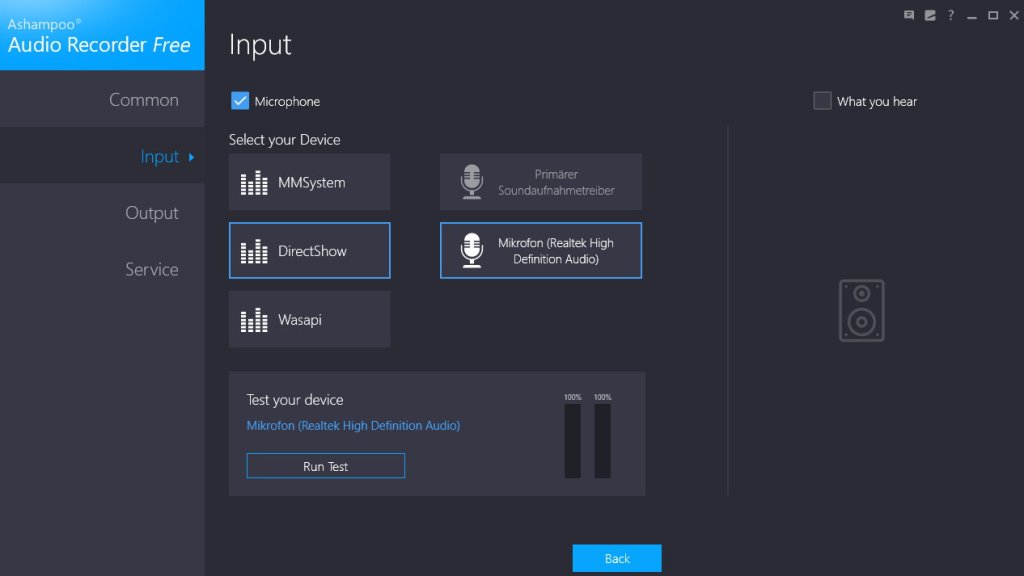
Ashampoo Audio Recorder Free is the fuss-free voice and music recorder to capture audio from your microphone or sound card (loopback). Create voice memos or use the loopback feature to capture everything you hear, whether it’s audio from your browser or any other audio source. Simply select the source, click Record and you’re good to go. The highly user-friendly interface supports multiple output formats, including MP3, WMA, OGG, WAV, FLAC, OPUS and APE. And with sampling rates up to high-quality 48kHz, the program is a great choice for recording streams, podcasts and music. Recordings are neatly arranged in a built-in fully playable media library, making reviewing and renaming files incredibly easy. In addition, the integrated trimming feature ensures you get exactly the audio portions you want and in just a few clicks.
Features:
- Fuss-free audio recording
- Record from your microphone or soundcard (“What You Hear”)
- Output formats: MP3, WMA, OGG, WAV, FLAC, OPUS, APE
- Media library with recorded clips
- Audio trimming
- File renaming
- Built-in audio player
- Quick file access through media library
- Record music, streams, podcasts and audiobooks
- Turn your PC into a dictaphone

Share this:

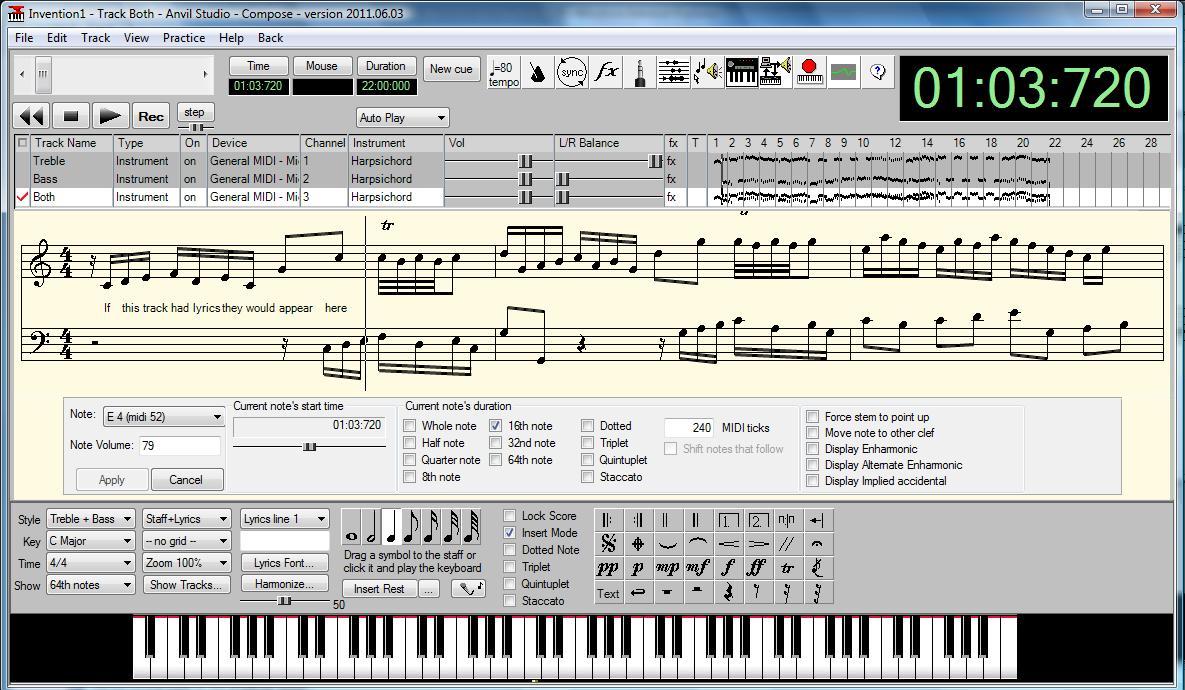
Anvil Studio ~ Freeware Digital Audio Workstation
Anvil Studio™ is a free Windows 11, 10 / 8.x / 7 program designed for people who want to:
- record music with MIDI and Audio equipment
- compose music for MIDI and Audio equipment
- sequence music with MIDI equipment
- play with music using a computer, and
- print sheet music from standard MIDI files with the optional Print-Sheet accessory.