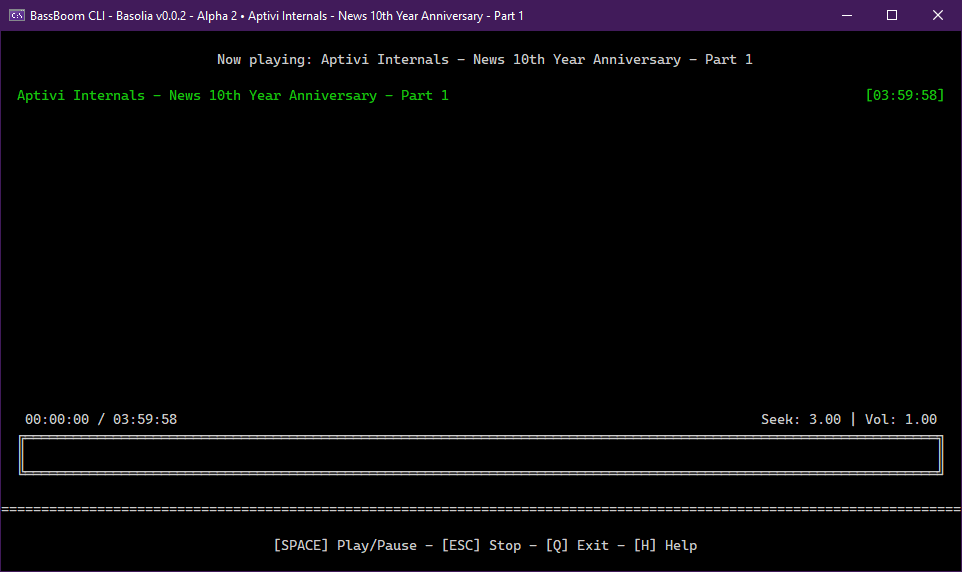
BassBoom is a music player made with C# using the fast mpg123 library as the native backend that handles the music playback and song information, including the playback device information.
This library is a viable library aimed for cross-platform music playing because we’ve selected mpg123 as the MP3 backend library for its ease of use and for its fast music playback. This library is frictionless as it aims for stability and cross-platform compatibility.
In addition to your regular music files, BassBoom also supports online MPEG radio stations that you can use to play your own favorite radio stations, as long as they don’t use AAC or any other codec that BassBoom doesn’t support.
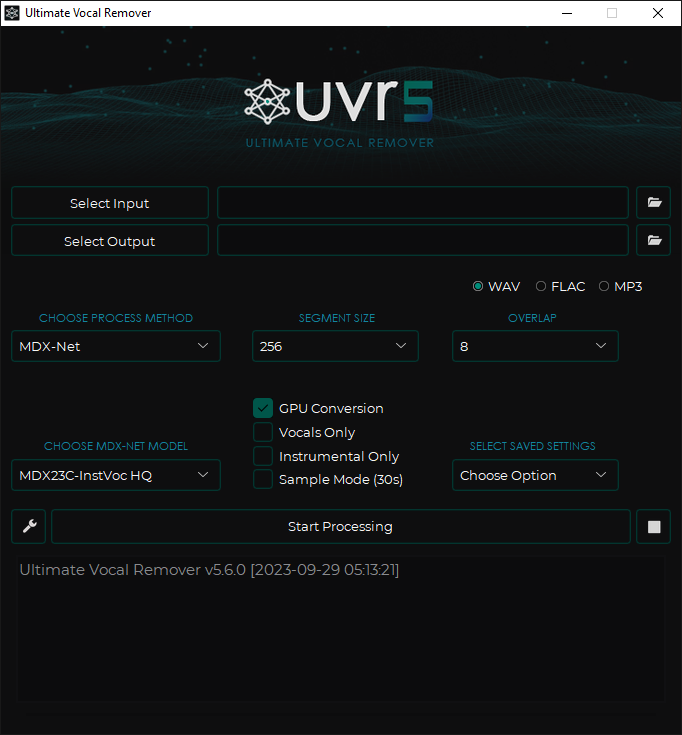
This application uses state-of-the-art source separation models to remove vocals from audio files. UVR’s core developers trained all of the models provided in this package (except for the Demucs v3 and v4 4-stem models).
SMPlayer is a free media player for Windows and Linux with built-in codecs that can play virtually all video and audio formats. It doesn’t need any external codecs. Just install SMPlayer and you’ll be able to play all formats without the hassle to find and install codec packs.
One of the most interesting features of SMPlayer: it remembers the settings of all files you play. So you start to watch a movie but you have to leave… don’t worry, when you open that movie again it will be resumed at the same point you left it, and with the same settings: audio track, subtitles, volume…
SMPlayer is a graphical user interface (GUI) for the award-winning MPlayer, which is capable of playing almost all known video and audio formats. But apart from providing access for the most common and useful options of MPlayer, SMPlayer adds other interesting features like the possibility to play Youtube videos or download subtitles.
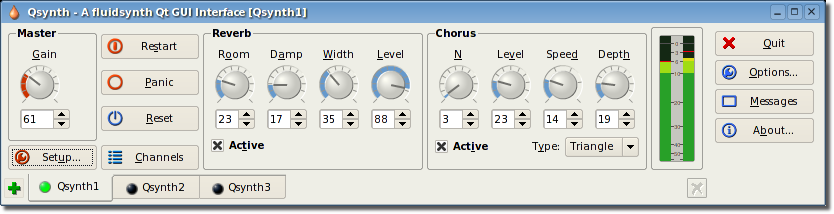
Qsynth is a fluidsynth GUI front-end application written in C++ around the Qt framework using Qt Designer. Eventually it may evolve into a softsynth management application allowing the user to control and manage a variety of command line softsynth but for the moment it wraps the excellent FluidSynth. FluidSynth is a command line software synthesiser based on the Soundfont specification.
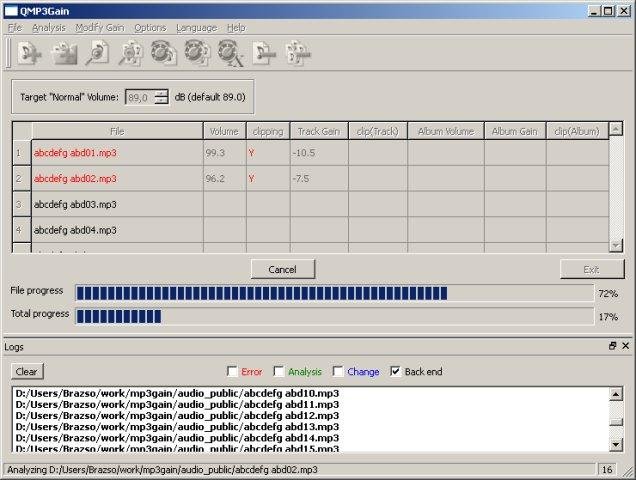
User interface front end supporting famous MP3Gain engine which analyzes and losslessly adjusts MP3 files to a specified target volume. A complete re-creation (made in QT5) of the original MP3Gain GUI, however it can be run on more platforms.
The shelfelf is a web frontend to send commands to your music player (iTunes, mpd, squeezebox, xmms2,…). The shelfelf works with all tested browsers (except for Microsoft’s Internet Explorer, Amiga’s AWeb and lynx), but the interface is designed for tablets (with a browser running in full screen mode) like Apple’s iPad. Linux (or Mac OS X) with Apache webserver, MySQL database and the ability to send commands to your stereo equipment is required.
The swiss army knife of lossless video / audio editing
LosslessCut aims to be the ultimate cross platform FFmpeg GUI for extremely fast and lossless operations on video, audio, subtitle and other related media files. The main feature is lossless trimming and cutting of video and audio files, which is great for saving space by rough-cutting your large video files taken from a video camera, GoPro, drone, etc. It lets you quickly extract the good parts from your videos and discard many gigabytes of data without doing a slow re-encode and thereby losing quality. Or you can add a music or subtitle track to your video without needing to encode. Everything is extremely fast because it does an almost direct data copy, fueled by the awesome FFmpeg which does all the grunt work.
Features:
Lossless cutting of most video and audio formats
Losslessly cut out parts of video / audio (for cutting away commercials etc.)
Losslessly rearrange the order of video / audio segments
Lossless merge / concatenation of arbitrary files (with identical codecs parameters, e.g. from the same camera)
Lossless stream editing: Combine arbitrary tracks from multiple files (ex. add music or subtitle track to a video file)
Losslessly extract all tracks from a file (extract video, audio, subtitle, attachments and other tracks from one file into separate files)
Batch view for fast multi-file workflow
Remux into any compatible output format
Take full-resolution snapshots from videos in JPEG / PNG format
Manual input of cutpoint times
Apply a per-file timecode offset (and auto load timecode from file)
Change rotation / orientation metadata in videos
View technical data about all streams
Timeline zoom and frame / keyframe jumping for accurate cutting around keyframes
Saves per project cut segments to project file
View FFmpeg last command log so you can modify and re-run recent commands on the command line
Undo/redo
Give labels to cut segments
View segment details, export / import cut segments as CSV
Import segments from: MP4 / MKV chapters, Text file, YouTube, CSV, CUE, XML (DaVinci, Final Cut Pro)
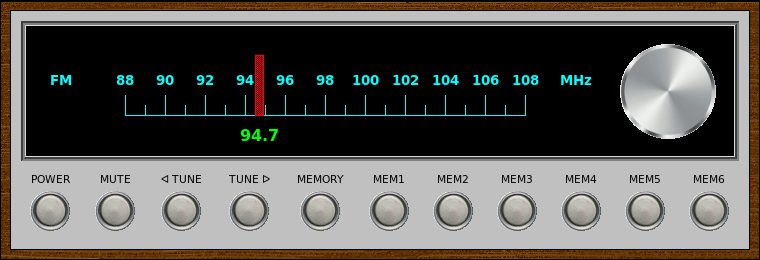
VintageRadio is a GUI front-end for the fm command-line application included with fmtools <http://benpfaff.org/fmtools>. It is written in [incr Tcl/Tk], an object-oriented extension package for Tcl/Tk. VintageRadio is not part of fmtools.
Features:
A vintage 70s-era look, inspired by a number of stereo tuners and receivers with the classic silver face.
A rotary tuning dial that actually works.
Ability to store up to 6 stations as presets.
Keyboard shortcuts for all application functionality.













 The Audio File