Lplex ~ Create Lossless Audio DVDs


Lplex is a console application meant to provide a free, quick, and hopefully painless way to:

  • Create lossless “audio-only” dvd-video discs from wav or flac audio files, featuring:
    1. gapless playback.
    2. md5 verification of audio data.
    3. archival (dvd-rom) content.
  • Losslessly extract unencrypted lpcm audio streams from dvd-video to wav or flac format.

You’re already fully equipped for hi-res audio (up to 24-bit/96khz) if you have a typical dvd-player and digital amp, and lplex is a way to take advantage of this.

audioplex.sourceforge.net

VUPlayer ~ Multi-Featured Windows Player


VUPlayer is a freeware multi-format audio player for Windows
supporting the following formats:

  • MOD – Sound / Noise / ProTracker
  • MTM – MultiTracker
  • S3M – ScreamTracker
  • XM – FastTracker
  • IT – ImpulseTracker
  • MO3 – MO3 Packer
  • MP3 – MPEG Audio
  • MP4 – QuickTime MPEG-4 (AAC / Apple Lossless)
  • MPC – Musepack
  • OGG – Ogg Vorbis
  • FLAC – Free Lossless Audio Codec
  • APE – Monkey’s Audio
  • WV – WavPack
  • AIFF – Audio Interchange File Format
  • WMA – Windows Media Audio
  • WAV – Windows PCM / ACM
  • MIDI – Musical Instrument Digital Interface
  • CD – Audio CD
vuplayer

www.vuplayer.com

FlicFlac ~ Tiny Audio Converter


FlicFlac is a portable (no installation required) utility for converting WAV, FLAC, MP3, OGG and APE files to any of the other formats.

You may drag files onto the FlicFlac interface, or convert files directly from the right click menu in Windows Explorer.

flicflac

www.sector-seven.net/software/flicflac

FlacSquisher ~ Lossless to Lossy Conversion


FlacSquisher converts a library of FLAC files to MP3, Opus, or Ogg Vorbis format, maintaining the directory structure in the original library. That way, you can maintain your FLAC files for home listening, and easily convert them to MP3, Opus, or Ogg format for mobile use, where storage space is more often tightly constrained.

Features:

  • Converts to MP3 or Ogg Vorbis
  • Maintains directory structure from original library
  • Takes advantage of multicore processors
  • Can copy or ignore files by extension (album art, log files)
  • Ignores files already encoded previously
  • Compatible with Mono on Linux

flacsquisher

sourceforge.net/projects/flacsquisher

Spectro ~ Audio File Analyzer


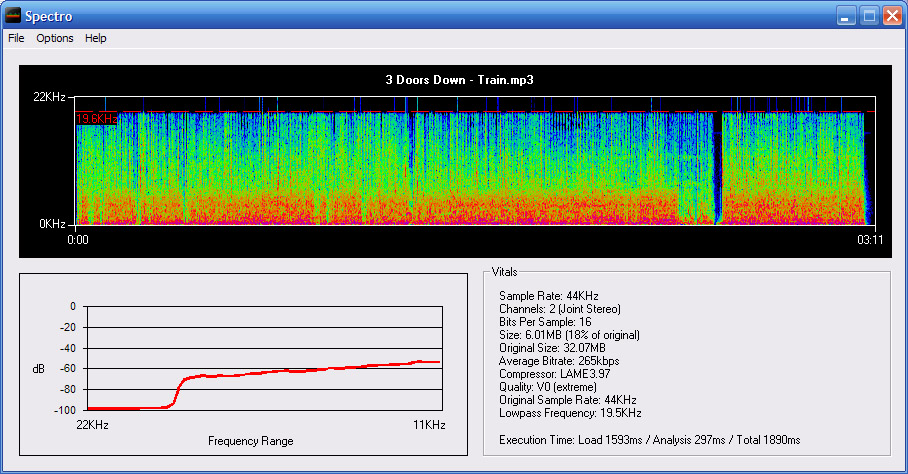
Spectro is a freeware audio file analyzer for Windows. Currently capable of reading FLAC, APE, MP3 and WAV files. Spectro lets you view vital data about compressed audio files and creates a spectrogram of the wave data. This allows you to quickly and easily spot quality issues with a file and also look for transcodes.

spectro

spectro.enpts.com

BatchEncoder ~ Audio Conversion GUI


BatchEncoder is audio file conversion software. It supports most of popular audio file formats including both lossy and lossless compression. The program is very simple to use. BatchEncoder is basically a GUI front-end for command-line tools. All it does is create background processes and pass arguments to it with options set in the presets / format menu and additionally adds input and output file paths.

Features:

  • Open-source, fast and simple.
  • Front-end for command-line tools.
  • Supports popular audio formats.
  • File transcoding between audio formats.
  • Multi-threaded conversion.
  • Full UNICODE support.
  • Multi-language user interface.
  • Out of the box configuration for new users.
  • Advanced options for experienced users.
BatchEncoder

wieslawsoltes.github.io/BatchEncoder
github.com/wieslawsoltes/BatchEncoder
hydrogenaud.io/index.php/topic,50822.0

EAC ~ Archiving CDs Losslessly


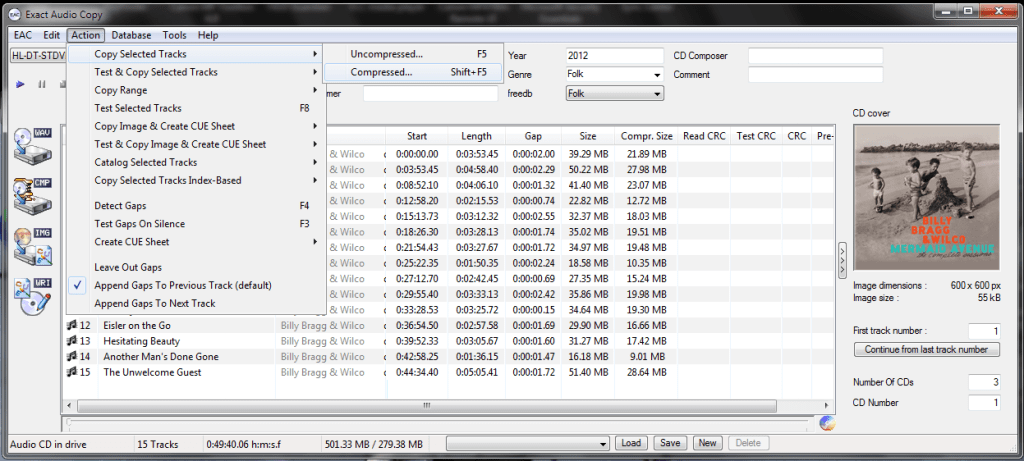
Exact Audio Copy, also known as EAC is often used to create an exact copy of a CD which can be stored in a digital media archive or audio library. The goal is to preserve all information from a CD, such that the CD can be recreated from an archive and / or is playable from an audio library.  With EAC, the original audio files and a .cue file, an exact copy can be reburnt back onto a CDR; and with FLAC files, a compressed lossless music library may be built. Creating an individual folder which contains the album’s compressed audio files and a cue file is done via the following method:

  1. Open EAC and select the FLAC encoder
  2. Insert the CD you wish to archive
  3. If using the freedb or CTDB plugins, select the correct cover art
  4. You may also add lyrics to each track at this point
  5. Verify that the downloaded information is complete and correct
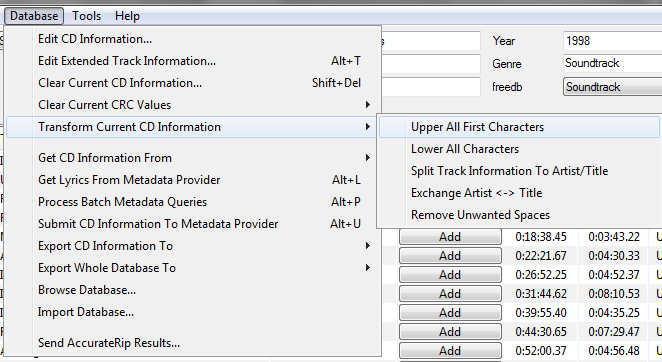
  6. Convert all CD information to title case
    Ripping - Upper All First Characters - Cropped
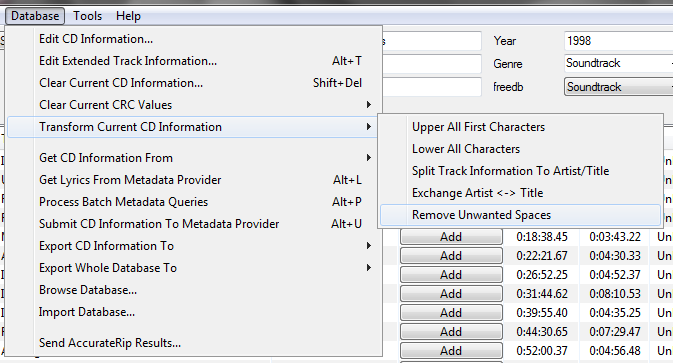
  7. Remove any extra spaces
    Ripping - Remove Unwanted Spaces - Cropped
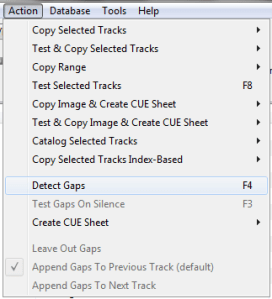
  8. Detect the CD’s gaps
    Ripping - Action - Detect Gaps
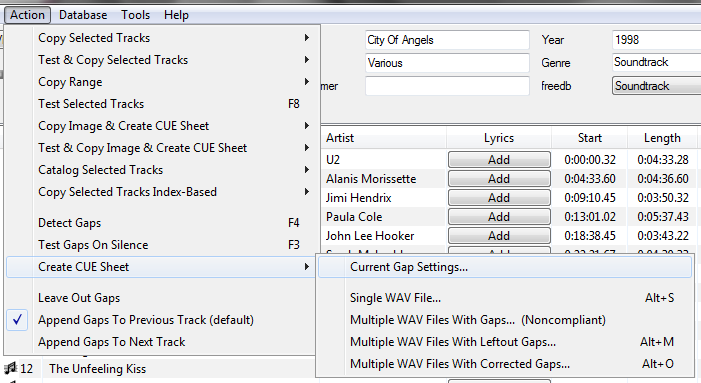
  9. Create the cue sheet and album folders
    Ripping - Create Cue Sheet - Current Gap Settings
  10. Rip the CD in Burst Mode, which creates the individual audio files
    ripping to FLAC
  11. Switch to Secure Mode and re-rip tracks any tracks that did not rip accurately

This process also creates an EAC log file in the same folder.

Determining Which EAC Gap Detection Method To Use:
hydrogenaud.io/index.php/topic,115657.msg954261.html#msg954261
Sources:
wiki.hydrogenaud.io/index.php?title=EAC_Lossless_Backup
wiki.hydrogenaud.io/index.php?title=EAC_Configuration_Wizard
dbpoweramp.com/spoons-audio-guide-cd-ripping.htm

RareWares ~ Freeware Audio Archive


Providing hard-to-find pieces of software since 2001

Repository of open audio CODECs, compiled LAME binaries and freeware utilities.

http://rarewares.org

Mp3tag ~ Universal Tag Editor


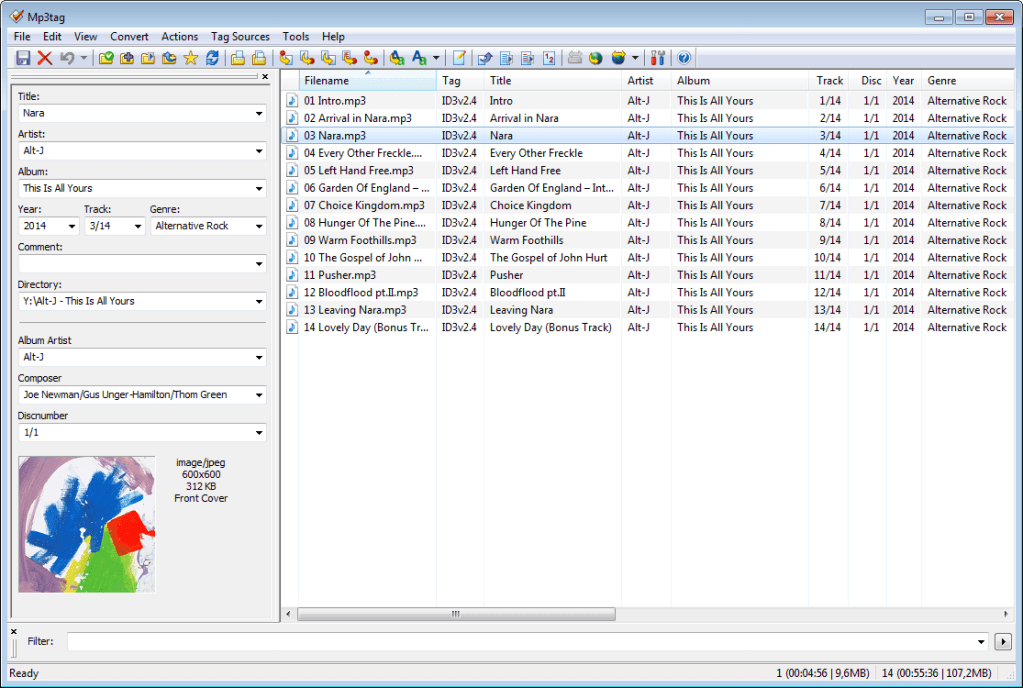
Mp3tag is a powerful and easy-to-use tool to edit metadata of audio files.

It supports batch tag-editing of ID3v1, ID3v2.3, ID3v2.4, iTunes MP4, WMA, Vorbis Comments and APE Tags for multiple files at once covering a variety of audio formats.

Furthermore, it supports online database lookups from, e.g., Discogs, MusicBrainz or freedb, allowing you to automatically gather proper tags and download cover art for your music library.

You can rename files based on the tag information, replace characters or words in tags and filenames, import/export tag information, create playlists and more.

mp3tag-en

www.mp3tag.de
www.mp3tag.de/en/screenshots
community.mp3tag.de
twitter.com/mp3tag
hydrogenaud.io/index.php?topic=122049.0
en.wikipedia.org/wiki/Mp3tag
apps.apple.com/us/app/mp3tag/id1532597159
www.microsoft.com/en-us/p/mp3tag/9nn77tcq1nc8
www.portablefreeware.com/?id=1137
musicbrainz.org/doc/Mp3tag

FLAC ~ Free Lossless Audio CODEC


FLAC stands for Free Lossless Audio Codec, an audio format similar to MP3, but lossless, meaning that audio is compressed in FLAC without any loss in quality. This is similar to how Zip works, except with FLAC you will get much better compression because it is designed specifically for audio, and you can play back compressed FLAC files in your favorite player (or your car or home stereo) just like you would a MP3 file.

FLAC stands out as the fastest and most widely supported lossless audio codec, and the only one that at once is non-proprietary, is unencumbered by patents, has an open-source reference implementation, has a well documented format and API and has several other independent implementations.

xiph.org/flac
xiph.org/flac/comparison
xiph.org/flac/documentation
xiph.org/flac/download
xiph.org/flac/faq
sourceforge.net/projects/flac
github.com/xiph/flac
en.wikipedia.org/wiki/FLAC

Additional resources:

sourceforge.net/projects/flacfrontend
FLAC Development Forum @ Hydrogen Audio

FLAC Test Bench:

wiki.hydrogenaud.io/index.php?title=FLAC_decoder_testbench

Encoders:

FLACCL ~ cue.tools/wiki/FLACCL

Max ~ Mac Audio CD Ripper


A Mac application for ripping high quality audio files from CDs. Integrated with MusicBrainz.

github.com/sbooth/Max

macOS 10.7 or greater.

Main site is 404, source code needs to be compiled. Any takers? Let me know.

AudioShell ~ ID3 Tag Editor & Windows Shell Extension


AudioShell adds an ID3 tag editor and files rename tools into Windows system music files pop-up menu. AudioShell property shell handler adds detailed music tags information into Windows Explorer columns and Preview pane, thumbnail handler adds thumbnails with album art into Explorer. Full Unicode and 64 bit support.

www.softpointer.com/AudioShell