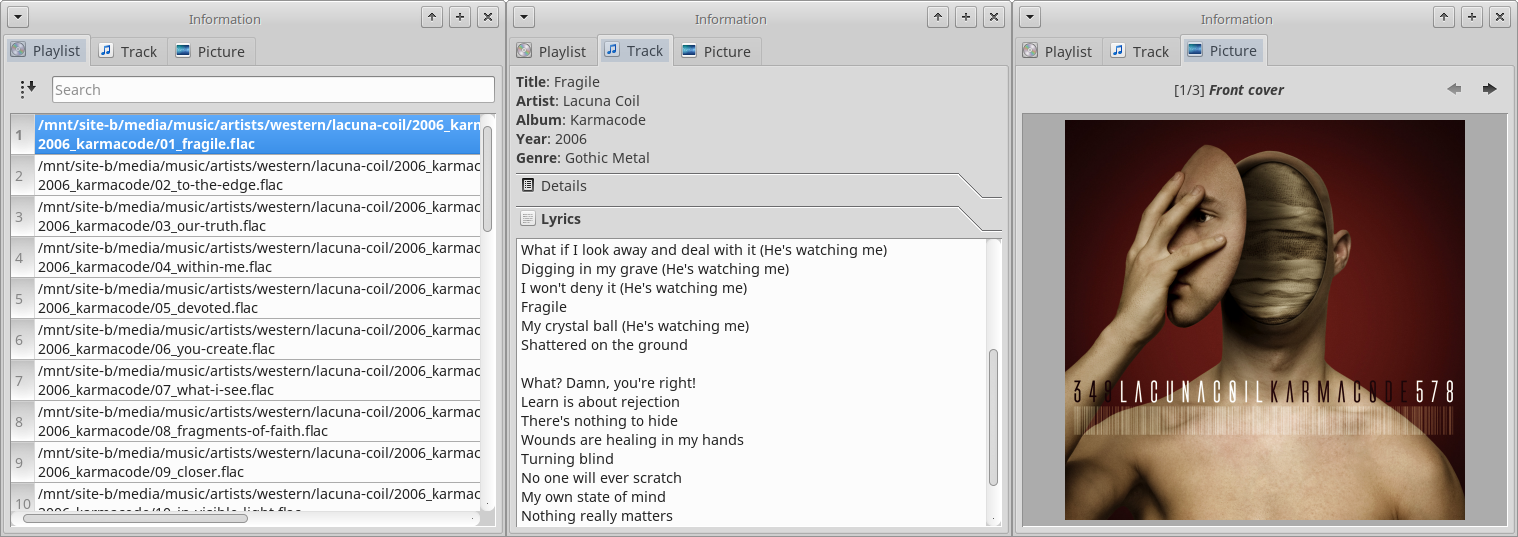
ARITA ~ Extraordinary Linux Audio Player


Core ideas behind this project:

* Your filesystem should remain tidy and clean – let’s pack tracks into uncompressed archives a.k.a. “libraries” (this was inspired by a common practice of video game developers to store all game resources in one or several packages). Less files – less clutter.

* Tags suck (especially ID3) – let’s utilize XML/YAML/JSON to describe entire albums.

* Storing cover image in every track is a waste of space – let’s have one TIFF/PNG/FLIF file per library.

* Being able to verify integrity of files in your music collection is a good feature, so let’s use hash lists (MD5, SHA1 etc.) for libraries.

* Rather than having to dig through lots of directories in order to select what you want to listen at the very particular moment it is much more convenient to have a centralized per-user database with a quick access to any track/album in your precious collection.

sourceforge.net/projects/arita/

Adcd ~ Unix CLI CD Player


Adcd is a CD player for GNU/Linux with a ncurses (text mode) interface.

Adcd can play all the tracks from a disc in order (linear mode), or in the order specified by the user (playlist mode), and includes all the functions expected in a stand-alone cd player, including random play and loop mode.

Adcd also features a non-interactive mode for those who want to play their CDs while using the console for something else.

Most probably the CD drive needs to be connected to the audio card through an analog audio cable for adcd to be able to play the CD. You may also need a mixer program like rexima or aumix to activate the audio card.

www.nongnu.org/adcd/

Tomita ~ python-tomita Synthesizer


tomita is a command-line music and synthesizer package based on PySynth.

github.com/g4brielvs/python-tomita

meterec ~ Console Multitrack Recorder


meterec works as a basic multitrack tape recorder. The aim of this software is to minimise the interactions of the users with the computer and allow them to focus on their instrumental performances. For this reason meterec’s features are minimal. If you screw one take, start it over again! Rather than learning how to use a specific software to correct what you screw up, meterec forces you to learn and master your instrument. The good news is that previous takes are kept in history and if in the end, the first one was the best you could play, you can choose it in your final mix.

http://meterec.sourceforge.net/

https://sourceforge.net/projects/meterec/

cyanrip ~ Accurate & Secure Ripper


Fully featured CD ripping program able to take out most of the tedium. Fully accurate, has advanced features most rippers don’t, yet has no bloat and is cross-platform.

Features:

github.com/cyanreg/cyanrip

Bongo ~ GNU Emacs Media Player


Bongo is a flexible and usable media player for GNU Emacs. If you store your music collection locally and use structured file names, then Bongo is a great way for you to play music from within Emacs.

https://github.com/dbrock/bongo/

Open Cubic Player ~ Old School Audio


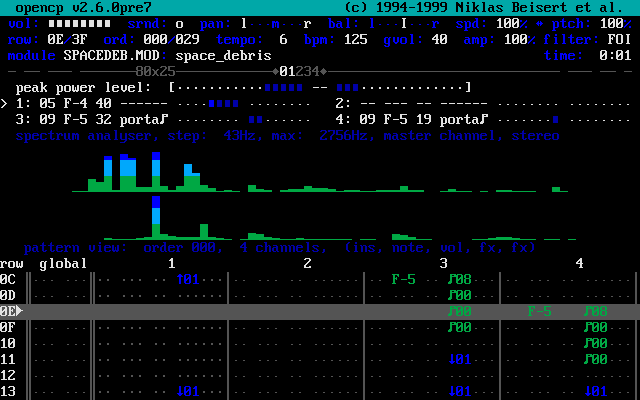
OPENCP is a music file player for DOS, Linux, Unix, Windows 95, ME & XP.

It’s derived from the Cubic Player 2.0 which was developed by Niklas Beisert.

opencp

www.cubic.org/player

Audio File Library ~ Open Source Audio API


The Audio File Library is a C-based library for reading and writing audio files in many common formats.

The Audio File Library provides a uniform API which abstracts away details of file formats and data formats. The same calls for opening a file, accessing and manipulating audio metadata (e.g. sample rate, sample format, textual information, MIDI parameters), and reading and writing sample data will work with any supported audio file format. The Audio File Library lets you work with audio data in whatever format is most convenient for you.

audiofile.68k.org
github.com/mpruett/audiofile

SoundVolumeView ~ Windows Volumes Viewer


SoundVolumeView is a simple tool for Windows Vista/7/8/2008/10/11 that displays general information and current volume level for all active sound components on your system, and allows you to mute and unmute them instantly. SoundVolumeView also allows you to save a sound profile into a file, containing the current volume level and the mute / unmute state of all sound components, as well as the default sound devices, and then later, load the same file to restore exactly the same volume levels and settings. There is also extensive command-line support, which allows you to save/load profiles, change current volume of every sound component, and mute / unmute every sound component, without displaying any user interface.

soundvolumeview

www.nirsoft.net/utils/sound_volume_view

Bristol ~ Audio Synthesis Emulation


Bristol is synth emulation package for a diverse range of vintage synthesisers, electric pianos and organs. The application consists of a multithreaded audio synthesizer and a user interface called brighton.

Features:

  • Over thirty emulators to mix and match
  • Multitimbral engine
  • Simultaneous splits and layers of different emulators
  • Distributed graphical user interface and engine
  • ALSA Audio and MIDI support
  • Jack Audio and MIDI support
  • OSS Audio and MIDI support
  • LADI Session Manager support
  • JACK Session Manager support
  • Text Based Command Line Interface option
  • Monophonic key preference note logic option

bristol.sourceforge.net
sourceforge.net/projects/bristol

mktoc ~ Generate cdrdao TOC Files


Mktoc simplifies the steps needed to create audio CD TOC files for the cdrdao CD burning program. For users familiar with EAC or CdrWin, TOC files are synonymous with CUE sheets. The primary goal of mktoc is to create TOC files using a previously generated CUE sheet.

Features:

  • Create a TOC file from a list of WAV files.
  • Convert an ExactAudioCopy (EAC) CUE file to the TOC format that is usable by cdrdao.
  • Multi-session aware CUE parsing, necessary for making CDDB and AccurateRip matchable discs.
  • Non-compliant CUE sheet support.
  • Support for various pregap methods.
  • Can create offset corrected WAV files for true ‘bit-for-bit’ accurate copies.
  • Fuzzy file name logic can correct common file name spelling variations.
  • Workaround known TOC file parsing bugs in cdrdao.

pypi.org/project/mktoc
pythonhosted.org/mktoc

Cdrdao ~ Disk-At-Once Recording


Cdrdao records audio or data CD-Rs in disk-at-once (DAO) mode based on a textual description of the CD contents.

Advantages of Disk-At-Once (DAO) Recording:

Recording in disk-at-once mode writes the complete disc, i.e. lead-in, one or more tracks and lead-out, in a single step. The commonly used track-at-once (TAO) mode writes each track independently which requires link blocks between two tracks. Older CD-recorder models forced a two second pause (pre-gap) between two tracks whereas newer models allow adjusting of the pause length in TAO mode reducing the number of link blocks to a minimal amount. However, with TAO it is generally not possible to define the data that is written in pre-gaps. But exactly this feature makes audio CD recording interesting, e.g. by creating hidden bonus tracks or track intros in pre-gaps like it is common habit on commercial CDs. Finally, DAO recording is the only way to write data to the unused R-W sub-channels for e.g.  CD-G or CD-TEXT.

Features:

  • Full control over length and contents of pre-gaps (pause areas between tracks). Pre-gaps may be completely omitted, e.g. for dividing live recordings into tracks.
  • Control over sub-channel data like:
    • catalog number
    • copy, pre-emphasis, 2-/4-channel flags
    • ISRC code
    • index marks
  • Support for exact audio, data and mixed mode CD copying.
  • Support for R-W sub-channel writing.
  • Tracks may be composed of different audio files supporting non destructive cut.
  • Accepts WAVE and raw audio files.
  • CD-TEXT reading and writing with drives that support it.
  • CDDB access to automatically create CD-TEXT data.
  • Support for on-the-fly copying.

cdrdao.sourceforge.net
github.com/cdrdao
wiki.hydrogenaud.io/index.php?title=Cdrdao
en.wikipedia.org/wiki/Cdrdao

Frontend (GUI):
gcdmaster
cdrdao.sourceforge.net/gcdmaster