Free online Tap BPM tool allows you to calculate tempo and count Beats Per Minute (BPM) by tapping any key to the rhythm or beat. Tap for a few seconds to quickly calculate BPM without waiting the whole minute. You may optionally configure it for Beats Per Second (BPS) or Beats Per Hour (BPH).

TempoPerfect ~ Cross-platform Metronome
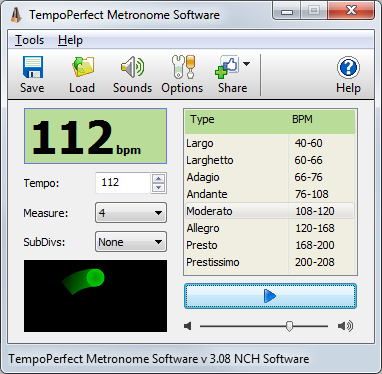
TempoPerfect is a free software metronome. Unlike mechanical metronomes, our software metronome provides a clear and precise beat that won’t wind down, making it an essential tool for any musician.
- Simple and intuitive interface
- Highly accurate beat simulation
- Accent the first beat in a measure
- Preset tempos include Largo, Allegro, Presto and more
- Visual beat indicator bar provides a helpful visual cue
- Create accurate beat patterns for simple or complex rhythms
- Subdivide beats to hear difficult patterns, such as triplets
- BPM Tempo Guide chart for each speed of music (e.g., Allegro=120-168)
- Subdivide beats into accented beats and regular beats to emphasize different patterns
- Use on your computer or as a metronome app on your mobile device
- TempoPerfect also includes a tempo guide within the program which is a helpful resource for remembering the BPM for particular speed markings (e.g., Allegro).
Share this:

Cumulus ~ Mac Soundcloud Player
A SoundCloud player that lives in your menubar.

gillesdemey.github.io/Cumulus
github.com/gillesdemey/Cumulus
Share this:

BPM Counter ~ Beats Per Minute mp3 Tagger
BPM Counter is a fast and accurate beats per minute detector for MP3 music. It may be helpful for DJs who need to get information about the entire music collection quickly and for any kind of remixing/sampling stuff. Do not trust online BPM databases, because each musical composition can have several versions with a different tempo. Don’t waste your time for manual tapping with a metronome, just navigate to any folder with music and BPM finder will show all compatible audio files (MP3 and WAV) and start BPM detection automatically.
Have you already encountered the fact that your analyzer returns half or double value? This is a fairly common mistake, called an octave error. Most often this happens with simplified algorithms that cut off the frequency spectrum of the audio signal. Seeing that, we use full-range audio decoders from Audio Converter Plus to ensure a balance between performance and precision.

Share this:

AutoDrum ~ Automatic Drumware
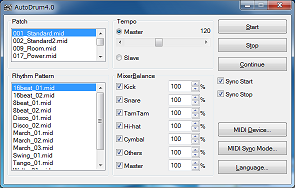
“AutoDrum” is free, open source software for automatic drum performance. It has following features, and it can be used for imagination of compose, practice of instruments, and so on.
- 13 preset rhythm patterns can be used, and you can add your original rhythm pattern which is created by your MIDI sequencer.
- The tempo can be changed at any time while playing. Also, the tempo can be slaved to the external machine in slave mode.
- Mixer feature, which enables you to change velocity level or mute each drum instruments.
- Synchronized start and stop function, which enables you to start or stop with your performance with connected MIDI keyboard.
- MIDI Timing synchronizing clock can be received and sent.
- Only extracting zip file is required to execute. No need to install.
- User interface and documentation are Japanese, English, Chinese compliant.
- User interface is Windows XP / Vista / 7 /8.1’s theme compliant.
- Unicode compliant.
openmidiproject.osdn.jp/AutoDrum
Share this:

HOLMImpulse ~ Frequency & Impulse-response Measurement
- Measure Impulse-response
- Measure Phase-response
- Measure Frequency-response
- Measure Harmonic Distortion (THD)
- Make bandwidth limited measurements with no phase-errors
- Compare measurements
- Import Frequency-response & Impulse-response
- Export Frequency-responses & Impulse-responses
- Use open formats for saved files (zip, wav/flac, txt)

www.diyaudio.com/community/threads/holmimpulse-measuring-frequency-impulse-response
Resources:
- www.diyaudio.com/community/threads/holmimpulse-measuring-frequency-impulse-response.144984/page-61#post-7549045
- web.archive.org/web/20180707023302/http://holmacoustics.com/holmimpulse.php
- rephase.org/dl/Holm
Note: It appears this software is no longer available from the original source.
Share this:

fmedia ~ Cross-platform Audio Interface
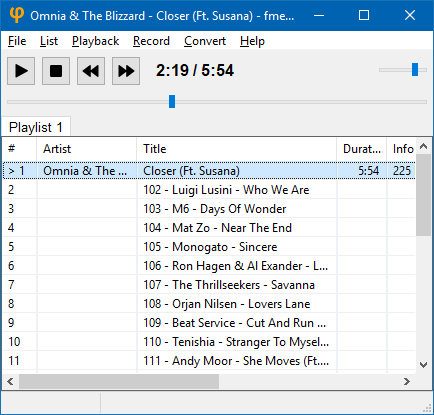
fmedia is a fast media player/recorder/converter for Windows, macOS, Linux and FreeBSD. It provides smooth playback and recording even if devices are very slow. It’s highly customizable and can be easily extended with additional plugins. Its low CPU & memory consumption saves energy when running on a notebook’s battery.
Play or convert audio files, record new audio tracks from microphone, save songs from Internet radio, and much more! fmedia is free and open-source project, and you can use it as a standalone application or as a library for your own software.
stsaz.github.io/fmedia
github.com/stsaz/fmedia
Share this:

Rhythmbox ~ Gnome Audio Player
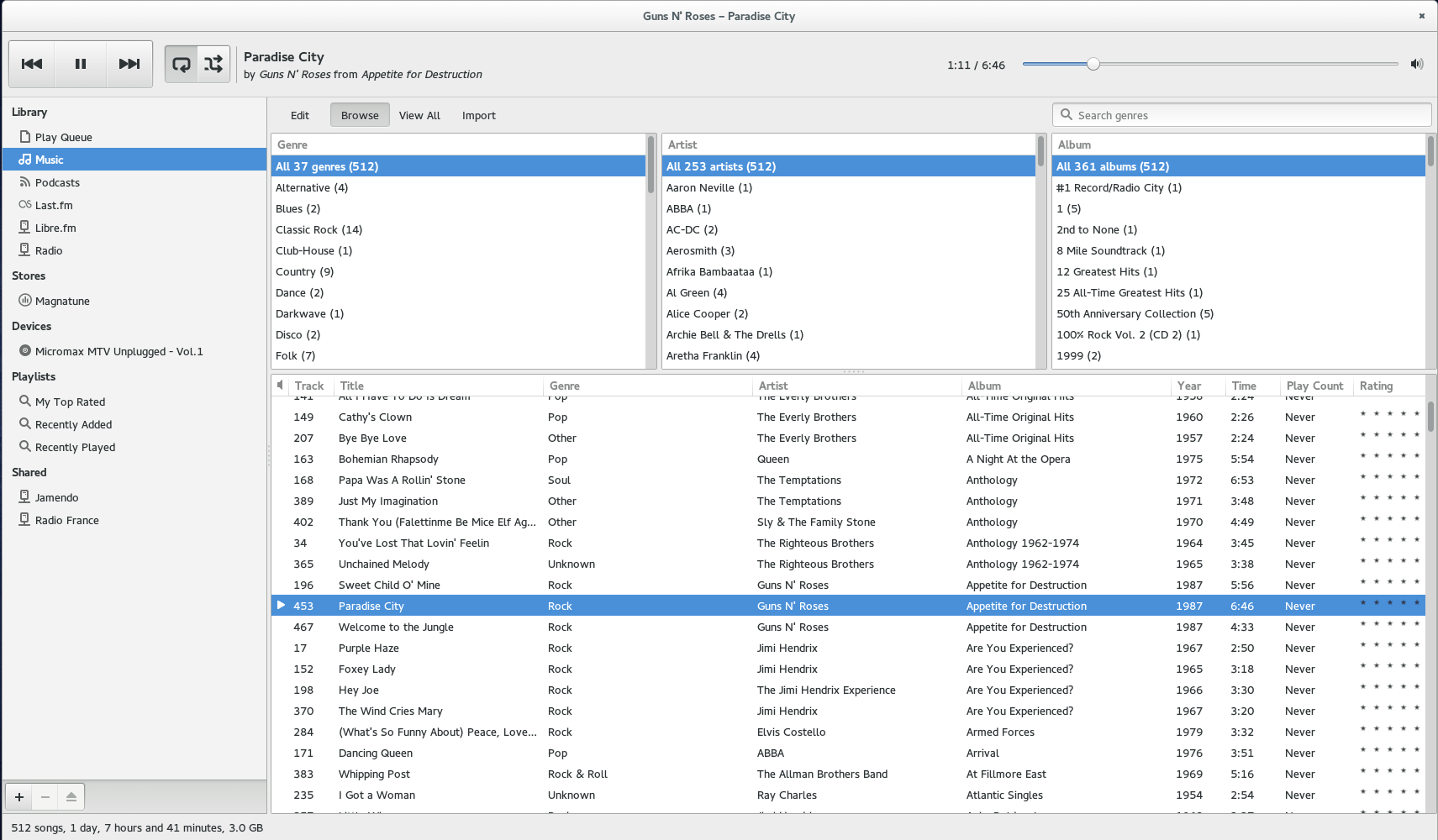
Rhythmbox is a music playing application for GNOME.
wiki.gnome.org/Apps/Rhythmbox
en.wikipedia.org/wiki/Rhythmbox
Share this:

UADE ~ Unix Amiga Music Player
UADE is a music player for UNIX platforms that plays music formats used on the Amiga computer.
Share this:

foo_podcatcher ~ Foobar2000 Plays Podcasts
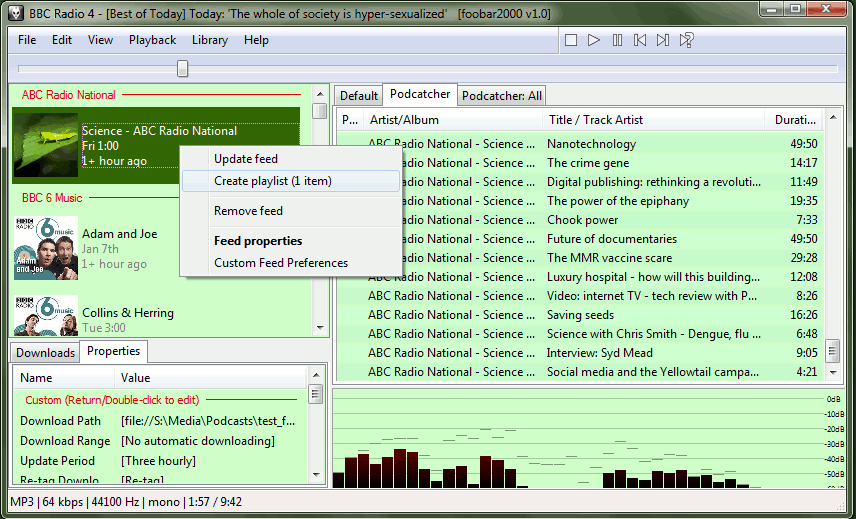
A podcatcher component for subscribing to, downloading, and playing RSS and Atom podcast feeds in foobar2000
www.foobar2000.org/components/view/foo_podcatcher
web.archive.org/web/20140802073852/http://www.unkempt.co.uk/fb2k/bin/foo_podcatcher.zip
hydrogenaud.io/index.php?topic=69053.0
How to use foobar2000 to subscribe to podcasts
Podcast resources:
podcasts.google.com
www.podsearch.com
www.wired.com/story/podcasts-beginners-guide
en.wikipedia.org/wiki/Podcast
Share this:

x0xb0x ~ A DIY Analog Synth
x0xb0x = Synth + Sequencer
The x0xb0x is not just another MIDI-controlled TB-303 clone. x0xb0x is a full reproduction of the original Roland synthesizer, with fully functional sequencer. The sequencer can be programmed just like the original 303 (ok its actually a little easier, we think) and can be used to control other synthesizers via any of its various output formats. 128 banks of track memory and 64 banks of pattern memory are stored in onboard EEPROM, no battery-backup is needed!

www.ladyada.net/make/x0xb0x
www.ladyada.net/wiki/x0x/x0xd0x
sourceforge.net/projects/x0xb0x/
Share this:

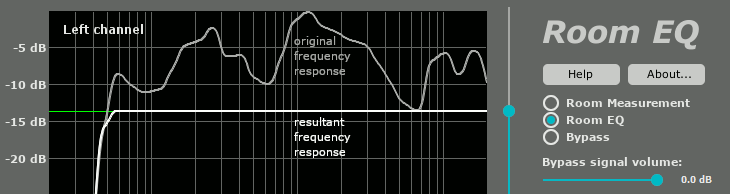
Foobar2000 & MathAudio Room EQ
The frequency response of your room is very different in every point of the room. “Good” equalization in one point can worsen the sound in the neighboring point. Single-point equalization is not reliable and cannot be used in a professional room correction system. On the other hand, multipoint equalization is not simple; both the volume and the phase of the testing signal are very different in different points of the room. Simple averaging is not applicable. MathAudio Room EQ applies a state-of-the-art multipoint correction algorithm which ensures the best possible improvement in every point of the listening area.
- Corrects deficiencies of room acoustics (multipoint compensation).
- Corrects acoustic imperfections of speakers.
- Avoids the pre-echo (pre-ringing) problem of conventional convolver-based room correction systems. The absence of pre-echo ensures the neutrality of the sound.
- Works in rooms, halls and outdoor venues of any size.
- Works with zero latency. Perfect for live performances and studio monitoring.
- Doesn’t delay the audio track when playing video.
- Corrects both amplitude and phase components of frequency response.
- Quells resonance peaks of frequency response while leaving the deep notches.
- Avoids the overcompensation which happens in conventional linearizing room correction systems.
- Manually adjustable level of compensation allows one to reach the maximum transparency of the sound.
- Supports full range of sample rates from 44,056 kHz up to 384 kHz. All sample rates are supported without resampling to avoid any possible loss in quality.
- Includes a custom target curve feature.
- Applies 64-bit signal path throughout.
- Works with USB measurement microphones (e.g. MiniDSP UMIK-1 or Dayton Audio UMM-6) or standard measurement microphones (e.g. NADY CM100 or Dayton Audio EMM-6).
Supports microphone calibration files.- Applies a patented method of frequency response correction.
- Freeware Foobar2000 Component