CUETools ~ Lossless Audio / CUE Sheet Conversion


The goal is to make sure the album image is preserved accurately. A lossless disc image must be lossless not only in preserving contents of the audio tracks, but also in preserving gaps and CUE sheet contents. Many applications lose vital information upon conversion, and don’t support all possible CUE sheet styles.

Supports AccurateRip

cuetools.net
Download
CueTools Database

MP3Gain ~ Automatic mp3 Volume Normalizer


Tired of reaching for your volume knob every time your mp3 player changes to a new song? MP3Gain analyzes and adjusts mp3 files so that they have the same volume.

mp3gain.sourceforge.net
Download
FAQ

Frontends:

AudioShell ~ ID3 Tag Editor & Windows Shell Extension


AudioShell adds an ID3 tag editor and files rename tools into Windows system music files pop-up menu. AudioShell property shell handler adds detailed music tags information into Windows Explorer columns and Preview pane, thumbnail handler adds thumbnails with album art into Explorer. Full Unicode and 64 bit support.

www.softpointer.com/AudioShell

foo_jesus ~ Saves Foobar2000 Configurations


One of the first Foobar components to consider installing is foo_jesus. This component automatically saves your current configuration and creates backup copies on a regular basis. If you have a problem, or a regret, you can easily restore Foobar to an earlier state.

Adds submenu: File>Preferences>Advanced>Autosave & Autobackup
Backs up to: \Users\username\AppData\Roaming\foobar2000\autobackup

www.foobar2000.org/components/view/foo_jesus
Discussion ~ Hydrogen Audio

Superseded by github.com/regorxxx/AutoBackup-SMP

Audacity ~ Multi-track Editor & Recorder


Audacity is a popular freeware multi-track audio editor and recorder. (Recommended)

Audacity_version_3.3.1

audacityteam.org
Download
FAQ
Documentation
Tutorials
Tips
Beginner’s Resource Guide
Wikipedia
www.darkaudacity.com/ (Themed)
Index of effects, generators and analyzers
github.com/Sneeds-Feed-and-Seed/sneedacity
ReplayGain Plugin

CDBurnerXP ~ Freeware CD & DVD Burning


CDBurnerXP is a free application to burn CDs and DVDs, including Blu-Ray and HD-DVDs. It also includes the feature to burn and create ISOs, as well as a multi language interface. Everyone, even companies, can use it for free.

  • burn all kinds of discs
  • audio-CDs with or without gaps between tracks
  • burn and create ISO files
  • data verification after burning process
  • create bootable discs
  • multi-language interface
  • bin/nrg → ISO converter, simple cover printing and much more!
  • Operating Systems: Windows 2000/XP/2003 Server/Vista/2008/Win7/Win8/Win10 (x86 / x64)

cdburnerxp.se
cdburnerxp.se/en/download
forum.cdburnerxp.se
en.wikipedia.org/wiki/CDBurnerXP

PowerShell Audio ~ Automate Conversions / Tagging


An extensible, multi-format audio conversion and tagging module for Windows PowerShell

github.com/jherby2k/PowerShellAudio/releases
Primer
List of Cmdlets
Script Examples

Hydrogen Audio Forum
Hydrogen Audio Wiki

EAC (Exact Audio Copy) ~ Audio CD Ripper With AccurateRip Support


EAC

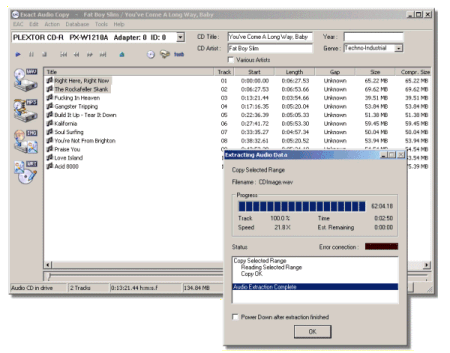
A highly recommended, configurable audio ripper & CD writer with AccurateRip support and C2 error reporting. Built in support for FLAC, mp3 and almost any audio format.

www.exactaudiocopy.de
Downloads
FAQ
Forum
en.wikipedia.org/wiki/Exact_Audio_Copy
EAC & Opus ~ moisescardona.me/eac-opus-2018-09-17

wiki.hydrogenaud.io/index.php?title=EAC_Drive_Options

dBpoweramp Music Converter ~ mp3 Converter, FLAC, WAV, AAC & Apple Lossless.


dBpoweramp Music Converter – mp3 converter, FLAC, WAV, AAC and Apple Lossless. Free Download (21 day full trial), start converting today!


www.dbpoweramp.com

Foobar2000 ~ Extensible Audio Interface & Player


An advanced and evolved freeware audio player for Android, Mac, Windows and Wine. Foobar2000 can be extensively extended, modified and themed.

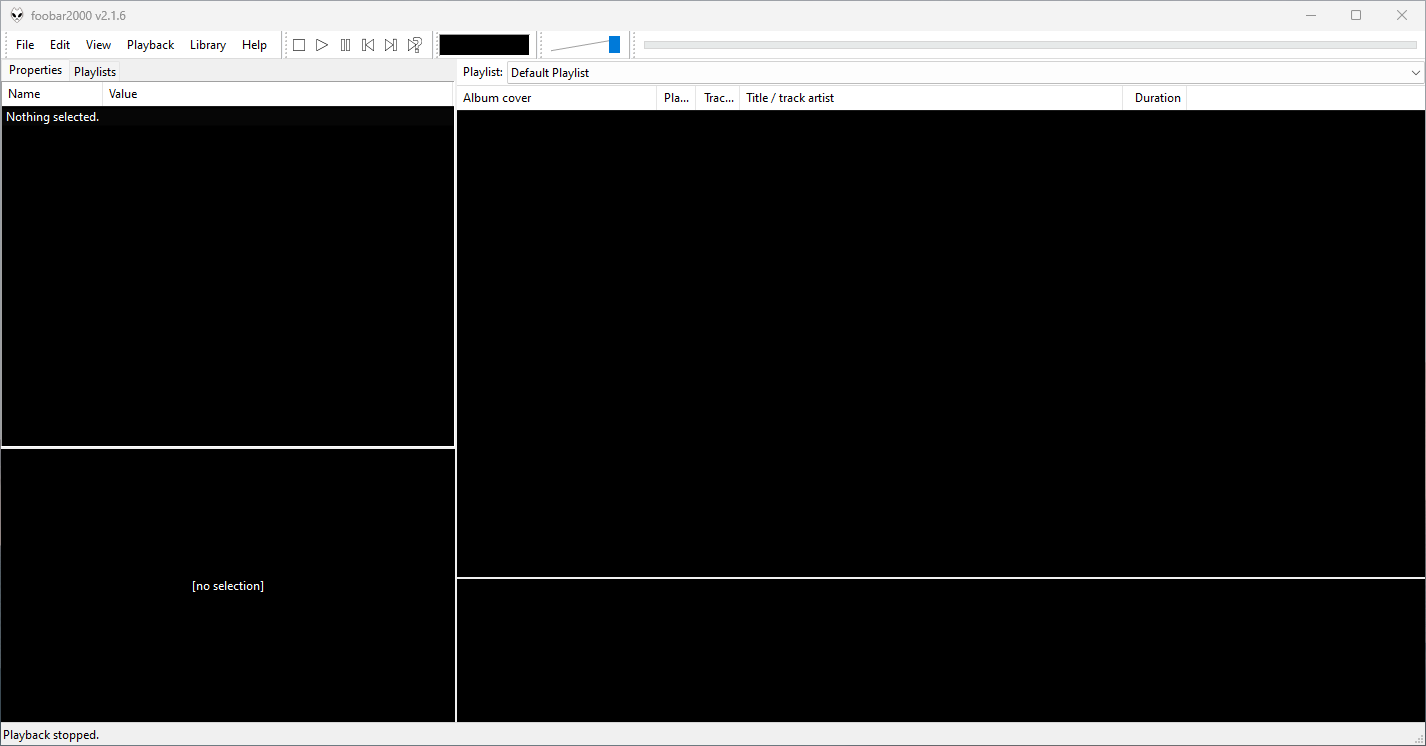
This is the basic Default User Interface or DUI. You will need to configure and extend the DUI Foobar2000 interface according to your preferences and requirements.

Foobar2000 v2.16 Default User Interface
Foobar2000 Default User Interface

Features:

  • Supported audio formats: MP3, MP4, AAC, CD Audio, WMA, Vorbis, Opus, FLAC, WavPack, WAV, AIFF, Musepack, Speex, AU, SND… and more with additional components.
  • Gapless playback.
  • Easily customizable user interface.
  • Advanced tagging capabilities.
  • Support for ripping Audio CDs as well as transcoding all supported audio formats using the Converter component.
  • Full ReplayGain support.
  • Customizable keyboard shortcuts.
  • Open component architecture allows third-party developers to extend functionality.
  • Multiplatform: Android, Mac, Windows 32|64-bit and ARM (ARM64EC).

Interfaces:

Foobar2000 is not limited to the Default User Interface or DUI. There is an alternative popular interface called Columns User Interface or CUI. CUI is most often used for theming or skinning foobar2000. There is also a Classic User Interface but it is rarely used or referenced.

Links:

Packages & Store Versions:

Official Foobar2000 Forums At Hydrogenaudio:

References:

WMP Tag Plus ~ Extends WMP File Formats


WMP Tag Plus is a plug-in that integrates seamlessly into Windows Media Player to provide library and tagging support for additional music formats. These formats include FLAC, Ogg Vorbis, WavPack, Monkey’s Audio (.ape), Musepack and MPEG-4. Windows Media Player 11 or higher.

bmproductions.fixnum.org
hydrogenaud.io/index.php?topic=80263.0

mp3 Diags ~ Diagnose & Repair mp3s


MP3 Diags is a GUI-based application that allows end-users to identify issues with their MP3 files, fix some of the issues and make other changes, like adding track information. It also lets you “look inside” an MP3 file.

mp3diags

mp3diags.sourceforge.net