
AudioCheck gives you access to an extensive collection of sound tests, playable online and downloadable in high-quality for patrons. The audio material provided here will help you assess the audio equipment connected to your computer. Using this website, you will be able to:
- Test your hearing, speakers, headphones, digital-to-analog converters… and more!
- Design your own sound tests using our high quality waveform generators.
- Download our sound files to your favorite audio player, and use your player as a portable audio test device.
Category Archives: Hardware

bs2b ~ Bauer Stereophonic-To-Binaural Headphone DSP
A typical stereo records are being made to listen by speakers. That is a sound engineer makes the stereo mix to the adaptation of sound for listening of one channel by both ears. Therefore, you will be tired during a long time headphone listening more by a super-stereo effect than by a poor design of headphones. What’s missing in headphones is the sound going from each channel to the opposite ear, arriving a short time later for the extra distance traveled, and with a bit of high frequency roll-off for the shadowing effect of the head. And the time delay to the far ear is somewhat longer at low frequencies than at high frequencies. The Bauer stereophonic-to-binaural DSP (bs2b) is designed to improve headphone listening of stereo audio records…
Share this:

Audio Switcher ~ Windows Device Selector
Audio Switcher is a 100% free, Open Source, application for Windows® Vista, 7, and 8.
Audio Switcher makes switching between sound devices trivial. No longer do you have to go into the Control Panel or the Windows® Sound options, instead there is an easy to access icon, or even hotkeys.
The beautiful part of Audio Switcher is it’s simplicity. It doesn’t try to do too much, it does exactly what is needed; nothing more, nothing less.

Share this:

freeDSP ~ DIY Audio DSP Project
The freeDSP is an open-source digital signal processor family for the do-it-yourself community. The applications range from active loudspeaker concepts (digital crossovers, bass enhancement, …) and room equalization over advanced musical effect processors to car audio signal processing.

Share this:

foo_input_sacd ~ Foobar2000 & SACDs

Peppy Players ~ DIY Audio Players


Foobar2000 ~ Playing CDs With Pre-emphasis
Pre-emphasis & CDs
Although rarely used, there exists the capability for standardized emphasis in Red Book CD mastering. As CDs were intended to work on 14-bit audio, a specification for ‘pre-emphasis’ was included to compensate for quantization noise. After production spec was set at 16 bits, quantization noise became less of a concern, but emphasis remained an option through standards revisions. The pre-emphasis is described as a first-order filter with a gain of 10 dB (at 20 dB/decade) and time constants 50 μs and 15 μs ~ http://en.wikipedia.org/wiki/Emphasis_(telecommunications)#Red_Book_Audio
Emphasis came about because of early converter design. The entire sampling process was new, and A to D converters exhibited low level noise because of bad linearity in the conversion process. This process added some high frequency broadband noise to the digital signal. Manufacturers overcame this byproduct by boosting (emphasis) the high frequencies during the conversion from analog to digital, and then rolling off (de-emphasis) the high frequencies by the same amount after the conversion back from digital to analog. This process was optional and there was a switch to select emphasis on each track during record. A flag was set in the digital bit-stream, which automatically activated de-emphasis during playback. All CD players, DVD players, and DAT machines detect this flag and turn on a high frequency roll-off in the analog domain during playback. If the digital signal contains emphasis and the flag is missing or turned off, then the roll-off does not occur and the audio will be brighter than normal.
This emphasis feature was the biggest reason why different CD players sounded different when playing back the same CD, or DAT machines differed playing back the same DAT tape. The digital part and the conversion to analog were basically the same in all of the machines. The de-emphasis circuit was implemented in the analog domain using the least expensive circuit to perform the operation. There was high-end EQ on the output of every digital playback device, and there was no standard or calibration for how it was performed. If you played back a CD without emphasis, then all of the CD players sounded pretty much the same. If you played a CD with emphasis, then each playback device sounded very different from every other player.
Producers and engineers started turning off the emphasis switches. Converters were getting better so there was less converter noise, and the use of de-emphasis circuits was eliminated. ~ Roger Nicolls
As I understand it, the Redbook CD standard calls for decoding of pre-emphasis flags. So any player bearing the CD format logo should handle pre-emphasis discs properly. ~ http://forums.stevehoffman.tv/threads/whats-pre-emphasis.49396/#post-971902
Working with CDs with pre-emphasis
Foobar plugins to de-emphasis pre-emphasized CDs:
- Postprocessing (foo_deemph): works only with lossless sources; always active during playback and ReplayGain scan.
- * DSP plugin (foo_dsp_deemph): works with any source
Download ~ http://wiki.hydrogenaud.io/index.php?title=Pre-emphasis
Use post-processing if you want to add correct ReplayGain tags to your files.
Use DSP if you have lossy files that you want to de-emphasize.
Otherwise, there’s no difference. ~ http://hydrogenaud.io/index.php/topic,99394.50.html
Lists of CD’s with pre-emphasis:
http://www.studio-nibble.com/cd/index.php?title=Pre-emphasis_(release_list)
http://www.discogs.com/lists/CDs-with-pre-emphasis-my-collection-only/243100
http://www.discogs.com/lists/CDs-suspected-to-have-pre-emphasis/308012
Share this:

Balanced Versus Unbalanced Audio Interconnects
Clearly, the available literature prescribes balanced interconnection as the absolute best way to interconnect audio equipment. The use of entirely balanced interconnection with both ends of the shield connected to chassis ground at the point of entry provides the best available performance.
Source: Grounding and Shielding Audio Devices
Share this:

M.R.O.: Headphone equalization
If a tonal linearity, natural head-phonic imaging, and Hi-Fidelity are what you’re looking for, search for headphones matching the above reference DF curve the most.… BTW, the most accurate DF equalized headphones in the market is ER-4 from Etymotic Research …

Source: M.R.O.: Headphone equalization
Share this:

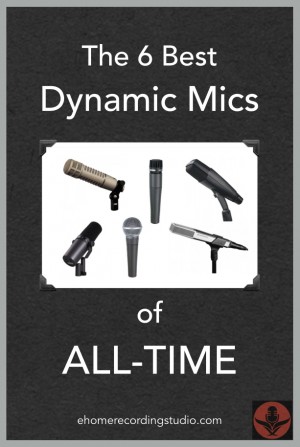
Best Dynamic Microphones Of All Time: The Top 6 List
Looking for some good dynamic mics to add to your locker? Well in this post, I reveal 6 of the greatest ones in music history. ~ Best Dynamic Microphones of all time: The Top 6 List
Share this:

Audio RightMark ~ Independent Audio Benchmarking
Need help deciding which PC audio hardware to purchase? Want to test some gear? Open source, freeware hardware analysis software and posted RMAA test results for common hardware.
Share this:

My Audio Hardware
My current setup:
A Krell KPS-30i and a Linn Basik turntable with an Akito tonearm.
A Nakamichi BX-300 & a Nakamichi BX-150
A Pioneer Elite SACD Player
A TEAC UD-H01 USB DAC
A modified Meridian 101 preamp
A pair of 240 watt highly modified Altec 1569 monoblocks
A pair of PR-2 speakers, hand built by Bill Perkins of Pearl High Fidelity ♥
A Plextor 40/12/40A
An M-Audio Audiophile 24/96
An ASUS Xoner Audio Card
I also own a pair of Quad IIs, a 33 Preamp, a 303 Amp & a pair of semi rebuilt Quad ESL 57s ♥
Quad Electrostatic Loudspeakers & Quad Today
Spin Clean Record Washer
 The Audio File